
What Is AI SAST?
AI SAST (AI-Powered Static Application Security Testing) combines traditional code scanning with large language models to find code vulnerabilities with fewer false alarms. Like traditional SAST, it examines code without executing the application. The difference is that AI SAST can reason about code context, data flows, and relationships between components instead of relying mainly on predefined rules and patterns.
This broader context can help AI SAST identify vulnerabilities that span multiple functions or files and distinguish risky behavior from safe implementations. It can also explain why a finding matters, trace relevant code paths, and suggest fixes based on the surrounding code. This makes the results easier for developers to validate and act on.
How AI SAST works:
- Program analysis and code context graphs as a pre-filter: Uses ASTs, call graphs, control-flow, and data-flow analysis to identify relevant code paths before deeper AI review.
- LLM reasoning over data flows from source to sink: Analyzes how untrusted input moves through the application and whether validation, sanitization, or encoding makes the path safe.
- Agent-based triage of true versus false positives: Investigates related code, reachability, and controls to determine whether a finding is actually exploitable.
- Fix generation with evidence and rationale: Produces context-aware remediation suggestions, including the vulnerable path, root cause, and explanation of how the fix reduces risk.
AI-assisted vs. AI-native in SAST:
Key difference: AI-assisted improves results after detection, while AI-native participates in finding vulnerabilities that rule-based tools may miss.
AI-assisted SAST: Adds AI on top of traditional scanners for explanation, prioritization, false-positive reduction, and remediation guidance.
AI-native SAST: Uses AI as a core detection engine to reason directly about code semantics, data flows, controls, and application-specific logic.
How AI SAST Works
Program Analysis and Code Context Graphs as a Pre-Filter
AI SAST can start with conventional program analysis to narrow the code that requires deeper review. Techniques such as abstract syntax tree analysis, control-flow analysis, call graphs, and data-flow analysis identify relevant functions, variables, dependencies, and possible paths through the application.
These relationships can be represented in a code context graph that connects definitions, calls, data transformations, and security controls across files. This pre-filter reduces the amount of code sent to an AI model and gives it structured context around potentially risky behavior. It also helps avoid relying on an LLM to discover every relevant relationship from raw source code alone.
LLM Reasoning Over Data Flows From Source to Sink
After identifying candidate paths, an LLM can analyze how untrusted data moves from a source to a security-sensitive sink. Sources may include HTTP parameters, request bodies, uploaded files, or external API responses. Sinks include operations such as database queries, command execution, file access, and HTML rendering.
The model evaluates transformations and controls along each path, including validation, sanitization, encoding, and parameterization. For example, it can determine whether user input reaching a SQL query is safely parameterized or concatenated into the query string. This contextual reasoning can uncover vulnerabilities that require understanding several functions or files rather than matching a single unsafe pattern.
Agent-Based Triage of True Versus False Positives
AI SAST can use agents to investigate candidate findings before reporting them. An agent can inspect related functions, trace callers and callees, examine validation logic, and check whether the vulnerable path is actually reachable. It can iteratively gather the code needed to test the security hypothesis instead of evaluating an isolated snippet.
This process helps distinguish exploitable paths from cases where existing controls make the operation safe. The agent can also rank findings using factors such as attacker-controlled input, reachability, available sanitization, and sink severity. The result is a smaller set of findings with evidence supporting why each one is likely to represent a real vulnerability.
Patch Generation With Evidence and Rationale
Once a vulnerability is confirmed, AI SAST can generate a patch based on the affected code and its surrounding context. Instead of returning only a generic remediation recommendation, it can propose a concrete code change that follows the application’s language, framework, APIs, and existing implementation patterns.
The finding can include the relevant source-to-sink path, the missing or ineffective security control, and an explanation of how the proposed change blocks exploitation. Developers can then review both the evidence and the suggested patch. Generated fixes still require validation through code review and testing, since a syntactically correct change may alter application behavior or introduce other security issues.
AI-Assisted vs. AI-Native in SAST
AI-assisted SAST adds AI capabilities to an existing static analysis pipeline. Traditional rules, pattern matching, or predefined data-flow analysis still detect the potential vulnerabilities. AI is then used for tasks such as explaining findings, prioritizing alerts, reducing false positives, or generating remediation suggestions.
AI-native SAST uses AI reasoning as a core part of vulnerability detection rather than only as a layer on top of existing results. It can examine code relationships, follow relevant data flows, inspect security controls, and reason about whether a path is exploitable. Agents may gather additional context across files and functions as the analysis progresses.
The distinction affects what AI can change in the scanning process. AI-assisted tools can improve the usability and triage of findings but remain constrained by what the underlying scanner detects. AI-native approaches can potentially identify vulnerabilities that fixed rules or predefined models miss, particularly when detection depends on application-specific context or business logic.
| Aspect | AI-assisted SAST | AI-native SAST |
| Role of AI | Enhances results from an existing static analyzer | Participates directly in vulnerability detection |
| Detection basis | Rules, patterns, predefined data-flow models | AI reasoning over code, context, controls, and data flows |
| Main benefits | Better explanations, triage, prioritization, false-positive reduction, remediation guidance | Finds context-dependent issues, business-logic flaws, and paths missed by fixed rules |
| Limitation | Constrained by what the underlying scanner detects | More dependent on model quality, context gathering, and reasoning reliability |
Key Benefits of AI-Powered SAST Solutions
There are many benefits to integrating AI into static application security testing. The most substantial benefits come from productivity enhancements, improving detections, as well as cost savings, and a reduction in false positives:
- Accelerated testing: Integrating AI into SAST scanning can accelerate the process of testing application source code. AI-powered tools can scan code faster and more efficiently, making it easier to find vulnerabilities in more complex applications.
- Make query creation more efficient: AI algorithms also save time on writing custom queries to test for specific security vulnerabilities; AI-enabled SAST tools can easily generate queries based on simple prompts. This cuts down on the need to understand the specifics of query construction as well, enabling more people to write queries.
- Cost savings: AI-powered SAST tools are more cost-effective overall than manual testing. Because they test code faster, they save money by speeding up the security testing process.
- Improved developer productivity: Contextual AI code analysis makes developers more productive because they’re able to identify vulnerabilities and possible remediations more quickly. This empowers devs to resolve issues faster, and also potentially make them more readily adopt SAST solutions.
Challenges of AI SAST: Building Trust In DevSecOps Pipelines
However, there are challenges to integrating AI into SAST scans. The biggest risks to using AI in application security testing focus on the quality of the training data and the need to balance automation with human oversight.
To be more specific, there are issues with potentially limited clarity into how AI code security testing tools make decisions and identify vulnerabilities. AI has the ability to quickly and efficiently scan code and find weaknesses in code. That’s not up for debate. What developers and application security teams may question is how AI decides what is and isn’t a vulnerability. There needs to be trust built with teams through transparent reporting and analysis of the code.
There’s also the possibility of issues in training data. If the AI-enabled application security tool being used wasn’t trained in the correct programming language or has a limited dataset, then there’s a risk of inaccurate vulnerability detection.
Additionally, when integrating AI into SAST scans, there also needs to be human oversight of the results. Ultimately, AI is a tool to make application security and development teams more efficient. They are not a replacement for skilled professionals examining the results.
Checkmarx’s Findings Analysis Engine cuts false positives by 60% and improves detection fidelity by 70% compared to traditional SAST – without slowing down developer workflows.

More Fidelity. Less Noise.
Checkmarx Fusion delivers the highest fidelity and broadest coverage in enterprise AI scanning, at a cost that is known from the start.
See it in ActionPopular AI SAST Solutions Compared
In the remainder of this article we review and compare prominent AI SAST solutions. The table below summarizes the key differences between the tools. We explore each of them in more detail below.
| Category | Solution | Best For | Key Strengths | Things to Consider |
| Enterprise AppSec platforms with AI-assisted SAST | Checkmarx SAST | Enterprise teams scanning broad language sets across the SDLC | Hybrid deterministic and AI engines plus findings analysis | Full hybrid architecture is cloud-only |
| Enterprise AppSec platforms with AI-assisted SAST | Veracode Static Analysis | Large portfolios needing source, binary, or hybrid scanning | Path analysis, 100+ languages, policy-based pipeline gates | Scans can run long and licensing is reported as complex |
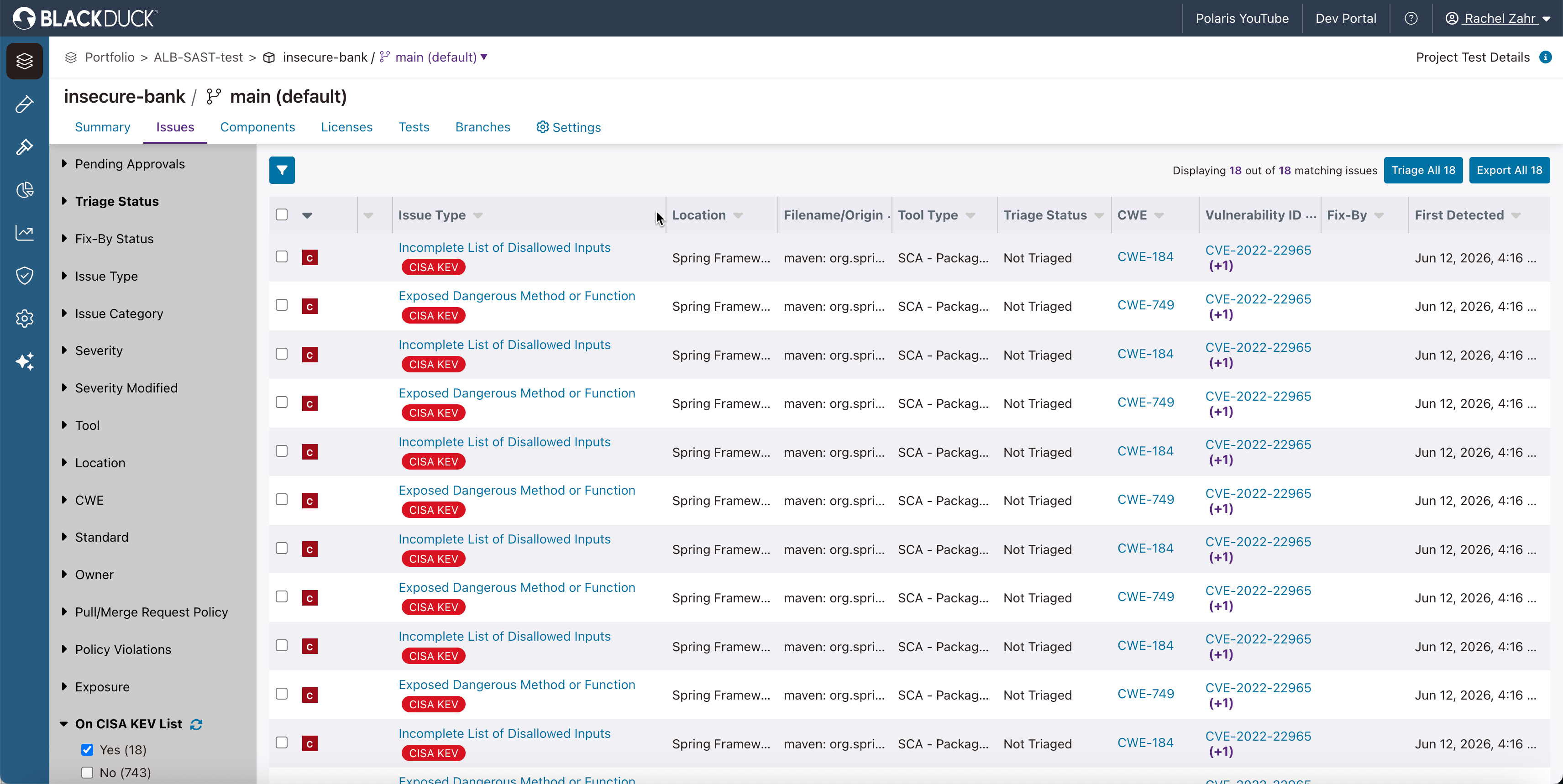
| Enterprise AppSec platforms with AI-assisted SAST | Black Duck Coverity Static Analysis | Safety-critical C and C++ work with formal compliance needs | Deep structural analysis, 22 languages, safety certification | Setup effort per project and a dated review interface |
| Enterprise AppSec platforms with AI-assisted SAST | Snyk Code | Developer teams wanting in-IDE findings with generated fixes | DeepCode AI engine, autofixes, context-aware risk scoring | Cost and false positives are common points of feedback |
| Developer-native SAST tools with AI analysis | Semgrep Code | Teams combining rule-based scanning with AI triage in PRs | Multimodal detection, PR remediation, reusable triage context | Rule syntax and custom rule authoring have a learning curve |
| Developer-native SAST tools with AI analysis | GitHub Code Security | GitHub-native teams wanting scanning inside existing workflows | CodeQL data-flow analysis with Copilot Autofix suggestions | Reporting and centralized dashboards are frequently flagged |
| Developer-native SAST tools with AI analysis | SonarQube Advanced Security | Teams unifying code quality and security in one workflow | Taint analysis into dependencies, SCA, compliance reporting | Configuration effort and tuning are common complaints |
| Developer-native SAST tools with AI analysis | Aikido Security SAST | Smaller teams wanting fast setup and low-noise findings | Reachability triage, one-click AutoFix, IDE and PR feedback | Reporting depth and pricing tiers draw the most feedback |
Notable AI SAST Tools
How we selected these tools: We shortlisted AI SAST tools based on source-to-sink data flow analysis, AI-assisted triage and false-positive reduction, generated fixes with supporting evidence, language and framework coverage, and integration into IDE and pull request workflows.
Enterprise AppSec Platforms With AI-Assisted SAST
1. SAST

Best for: Enterprise teams scanning broad language sets across the SDLC
Strengths: Hybrid deterministic and AI engines plus findings analysis
Things to consider: Full hybrid architecture is cloud-only
Checkmarx NG SAST scans source code from repositories including GitHub, GitLab, Azure, and Bitbucket without requiring a build.
It runs a deterministic engine for core languages and an AI-powered engine for emerging and AI-generated code, so coverage extends to languages that rule-based scanners do not model.
On top of that hybrid engine, Checkmarx Fusion runs several curated frontier AI models in parallel to surface vulnerabilities that have no known rule, prior CVE, or signature.
The Findings Analysis Engine then classifies results before they reach the team. SAST is one engine within the Checkmarx One platform.
Key features include:
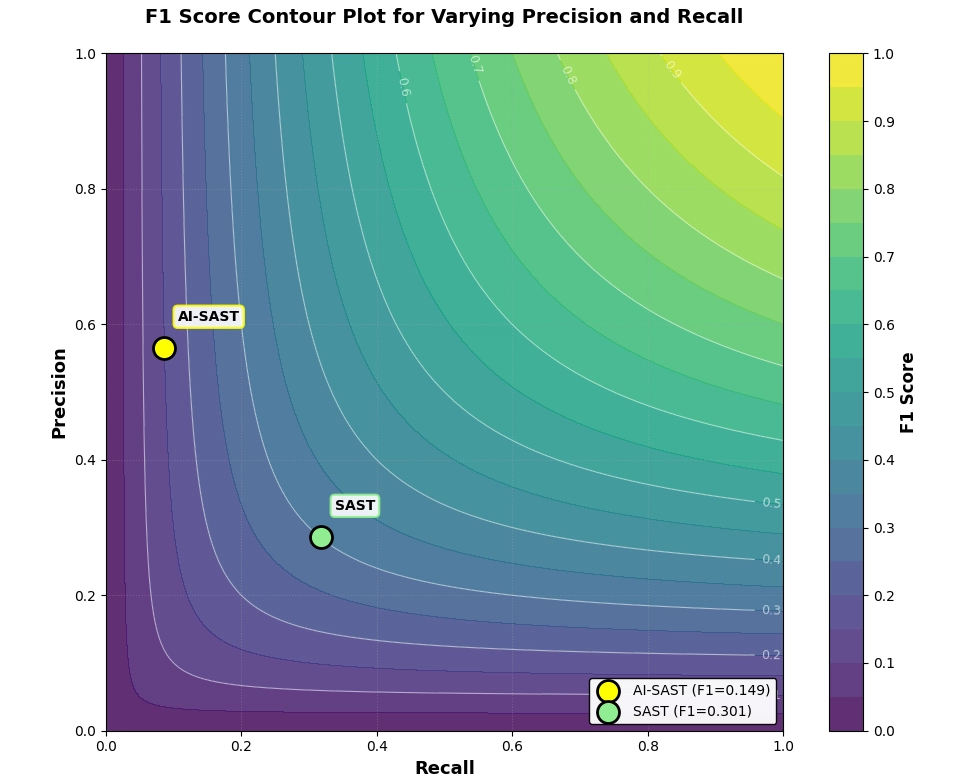
- Hybrid scanning engine: Combines a deterministic, auditable engine for core languages with an AI-based engine for emerging and AI-generated code in a single scan: Checkmarx NG SAST reaches an F1 fidelity score of 0.64 today, against an industry average of roughly 0.20.
- Findings Analysis Engine: Independently validates every finding from both engines before a developer sees it, reducing false positives by 60% and improving fidelity 70% compared to traditional SAST. Classification is a label, not a deletion , findings are ranked but never removed.
- Checkmarx Fusion: A newer, separate reasoning layer that orchestrates multiple frontier AI models over the NG SAST engine to surface issues with no matching rule or signature – pushing F1 to a market-leading 0.74. Fusion is a cutting-edge appsec capability within the Checkmarx One platform;
- Full and incremental scanning: Runs deep full scans for release checkpoints and incremental scans at pull request speed, so scan depth can be matched to the pipeline stage.
- AI-powered remediation in developer tools: Surfaces findings and generated fixes in the IDE, CLI, and AI coding environments, along with fix guidance in PR checks and pipelines.
- Broad language coverage: Supports modern, enterprise, and legacy languages including Java, JavaScript, TypeScript, Python, C#, C/C++, Go, PHP, Ruby, Swift, Kotlin, COBOL, and PL/SQL.
- Platform correlation: Runs alongside DAST, SCA, API security, IaC security, container security, and AI supply chain security within Checkmarx One.
Limitations (as reported by users on TrustRadius):
- Scan duration on large codebases: Reviewers note that scans of very large repositories can take longer than desired.
- Onboarding curve: Some users report that the interface takes time to learn and that initial setup requires planning before teams are productive.
- Reporting granularity: Some reviewers note the absence of branch-level SAST reporting for their workflow.
Conclusion: The Future Of AI-Enabled 2. Veracode Static Analysis

Best for: Large portfolios needing source, binary, or hybrid scanning
Strengths: Path analysis, 100+ languages, policy-based pipeline gates
Things to consider: Scans can run long and licensing is reported as complex
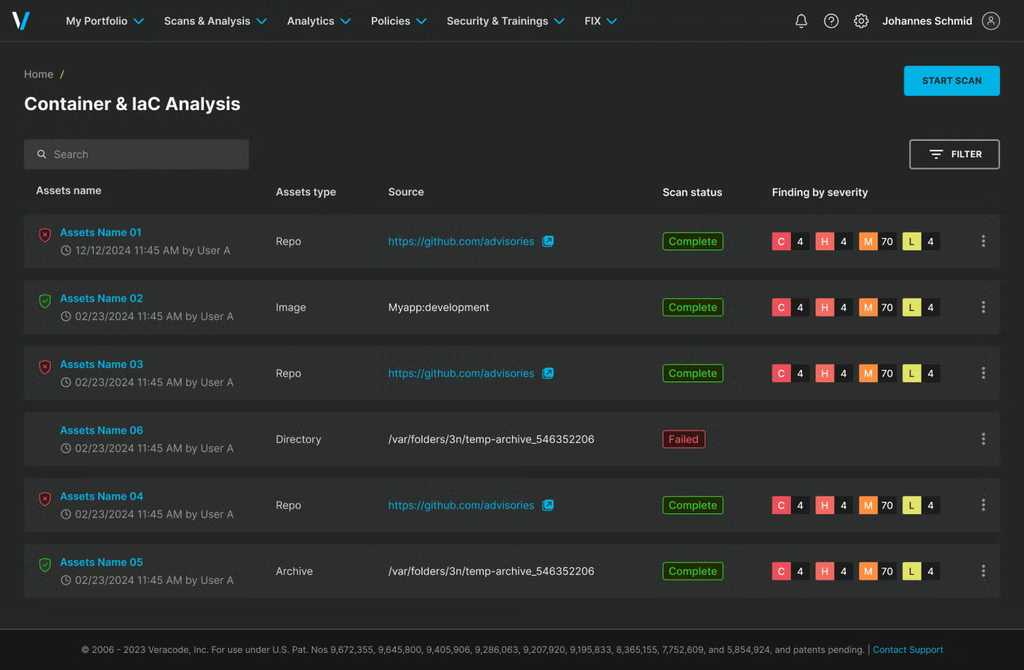
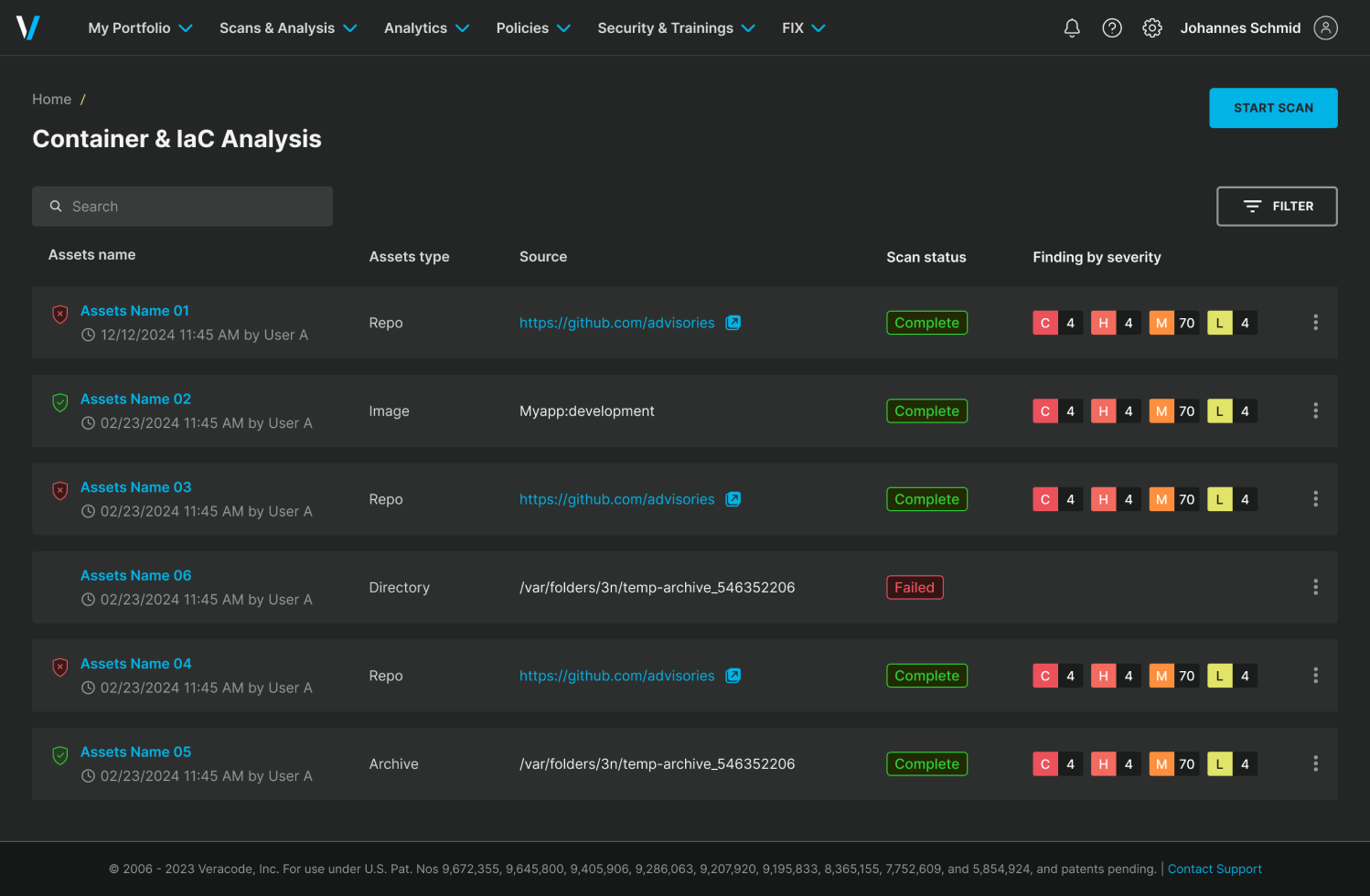
Veracode Static Analysis runs through an Adaptable SAST Scanning Service that lets teams choose the scan configuration per use case. It can analyze raw source code without compilation for immediate feedback, or scan compiled binaries when source is unavailable, including third-party and proprietary components.
The engine maps every data path where untrusted input reaches a critical function. A patented Crosscheck process identifies and reports each possible execution path that could let an attacker reach vulnerable code, and Security-Sensitive Context rules suppress findings that arise in security-irrelevant contexts.
Key features include:
- Source, binary, and hybrid scanning: Analyzes first-party source alongside binaries, which covers third-party or proprietary code where source is not available.
- Crosscheck path analysis: A patented process (US 9,286,063) that enumerates and reports every execution path capable of reaching vulnerable code.
- Security-Sensitive Context filtering: Proprietary rules review findings and suppress flagged items that occur in contexts with no security relevance.
- Full program analysis at scale: Supports applications up to 5GB of code, aimed at extensive legacy codebases and large collections of microservices.
- Language and framework breadth: Covers 100+ languages and frameworks, including legacy, mobile, and cloud-native stacks, with modeling of control flow inside hundreds of frameworks.
- CWE-aligned findings: Results map strictly to the Common Weakness Enumeration standard, which supports consistent reporting and policy definitions.
- IDE and pipeline enforcement: Provides in-IDE feedback during development and CI/CD scanning that keeps policy-violating flaws out of product builds.
Limitations (as reported by users on G2):
- Scan times: Multiple reviewers describe source code analysis as slow enough that some developers skip running it during tight cycles.
- Triage effort: Users report a high volume of findings that need to be reviewed and explained away, particularly around third-party libraries.
- Licensing complexity: Reviewers describe the license model as complicated and difficult to align with expected usage.
- Regional feature parity: One reviewer noted that feature availability differed between the US and EU markets.
Source: Veracode
3. Black Duck Coverity Static Analysis

Best for: Safety-critical C and C++ work with formal compliance needs
Strengths: Deep structural analysis, 22 languages, safety certification
Things to consider: Setup effort per project and a dated review interface
Coverity scans source code without executing it, analyzing entire codebases across files and libraries to find defects that span multiple components. It builds an in-depth structural model of each application, combining insight into dependencies, compilers, and language semantics, and uses a path-sensitive engine that tracks pointer arithmetic, memory aliasing, and thread synchronization.
Coverage spans 22 programming languages, more than 200 frameworks, and a range of infrastructure-as-code platforms. Its compliance intelligence is embedded in ContextAI, the model Black Duck uses to enrich the security intelligence behind its AppSec solutions.
Key features include:
- Structural, path-sensitive analysis: Builds a full model of each application and traces execution paths across the codebase and its dependencies to surface multi-component defects.
- Compliance and safety standards coverage: Tracks and reports against MISRA C and C++, AUTOSAR C++ 14, CERT C/C++/Java, ISO 26262, DO-178C, DISA STIG, PCI DSS, OWASP Top 10, and CWE Top 25.
- Safety certification and qualification kit: Certified by TÜV SÜD under IEC 61508-3 and qualified up to ASIL D and DO-178C Level A, with a Qualification Kit documenting tool operation and self-test procedures.
- Code Sight IDE plug-in: Returns real-time findings as developers write, covering quality defects, security vulnerabilities, and hardcoded secrets with issue summaries and fixes.
- Workflow automation: Integrates with IDE, SCM, and CI tools and triggers scans on code commits and pull requests.
- Air-gapped deployment: Supports fully air-gapped on-premises installation, including Kubernetes clusters, for classified and regulated environments.
- SaaS delivery option: The same analysis engine is available as Polaris fAST Static on the Black Duck Polaris Platform, bundled with SCA and DAST.
Limitations (as reported by users on G2):
- Interface complexity: Several reviewers describe the interface as difficult to navigate, which slows day-to-day review work.
- Duplicated and compiler-dependent findings: Users report repeated information and items that register as defects or not depending on the compiler in use.
- Per-project configuration: Reviewers note that tuning the tool appropriately for a given project takes meaningful setup work.
- Coverage outside C and C++: One reviewer described support for languages other than C and C++ as noticeably weaker.
- Support experience: Some users reported a decline in support quality following ownership changes.
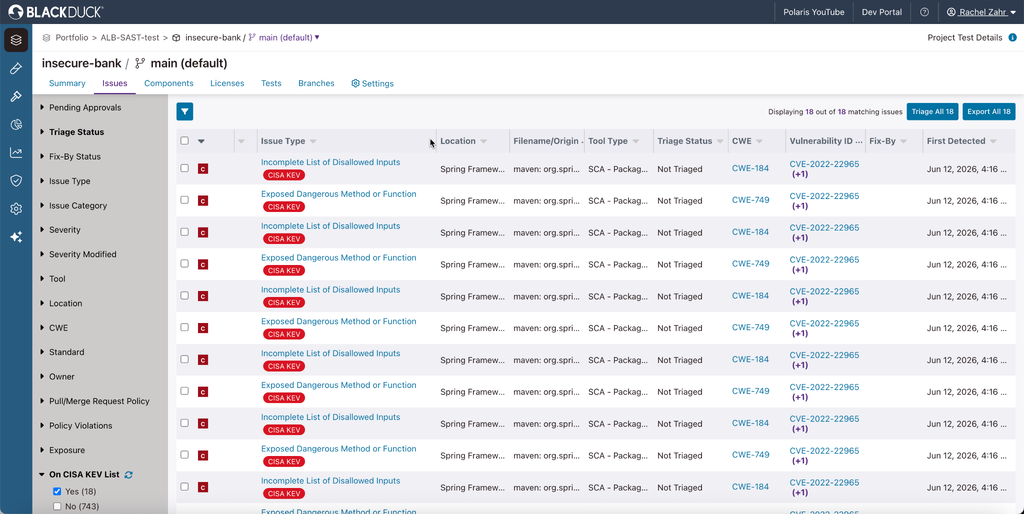
Source: Black Duck
4. Snyk Code
Best for: Developer teams wanting in-IDE findings with generated fixes
Strengths: DeepCode AI engine, autofixes, context-aware risk scoring
Things to consider: Cost and false positives are common points of feedback
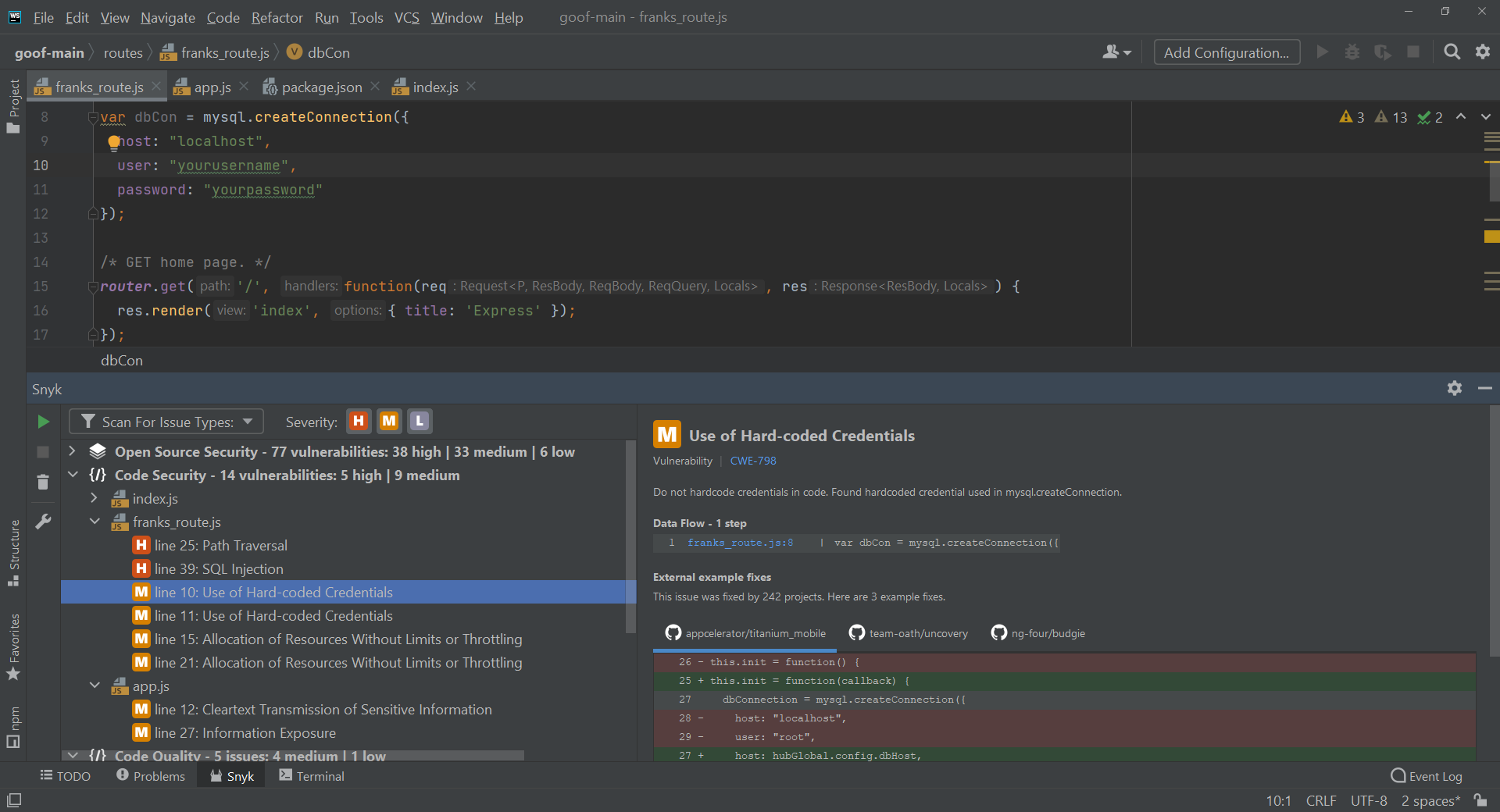
Snyk Code is the SAST product in the Snyk platform, scanning first-party source code rather than dependencies. It runs on DeepCode AI, which combines symbolic and generative AI with several machine learning methods and input from Snyk security researchers. The knowledge base draws on 25 million data flow cases across 19 or more languages.
Detection and remediation are handled by an agentic architecture that pairs frontier AI models with Snyk’s own security intelligence. Training data comes from permissively licensed open source projects with verified fixes rather than customer code, and the vendor reports 85% accuracy on generated security fixes.
Key features include:
- DeepCode AI detection engine: Uses multiple fine-tuned models and security-specific training data rather than a single general model, with the stated aim of avoiding hallucinated findings.
- Snyk Agent Fix autofixes: Generates pre-validated fix suggestions inline in the IDE and in pull requests so remediation happens without leaving the workflow.
- Context-aware risk scoring: Prioritizes findings using the popularity of the affected package, the reachability of the vulnerable code, and the maturity of available exploits.
- DeepCode AI Search: Lets teams write custom queries with autocomplete using DeepCode AI logic, then run them against the codebase to find matching patterns.
- Language and workflow coverage: Supports 19 or more languages with IDE plugins, CLI access, SCM integration, and CI/CD scanning.
- Platform tiering: Free, Team, and Enterprise plans, with reporting, a rich API, custom user roles, security policy management, and Snyk Essentials at the Enterprise level.
Limitations (as reported by users on G2):
- Cost: Reviewers repeatedly raise pricing as a concern, particularly when access to the full feature set is needed.
- False positives: Users report findings that require manual review, which slows down the scanning workflow.
- Interface design: Some reviewers describe the interface as cumbersome to work in.
- Scan times: Reviewers note slower scans in some setups, affecting integration into faster pipelines.
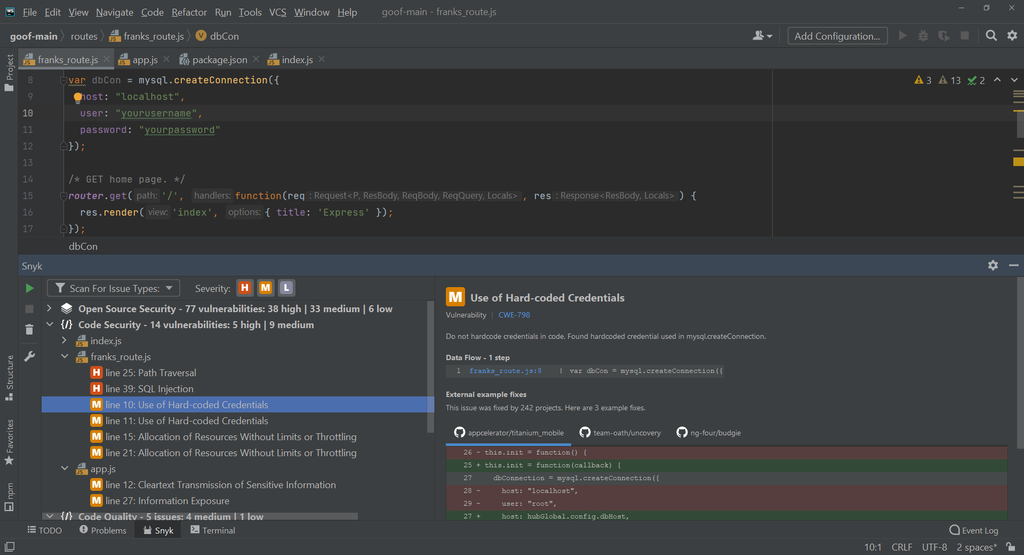
Source: Snyk
Developer-Native SAST Tools With AI Analysis
5. Semgrep Code

Best for: Teams combining rule-based scanning with AI triage in PRs
Strengths: Multimodal detection, PR remediation, reusable triage context
Things to consider: Rule syntax and custom rule authoring have a learning curve
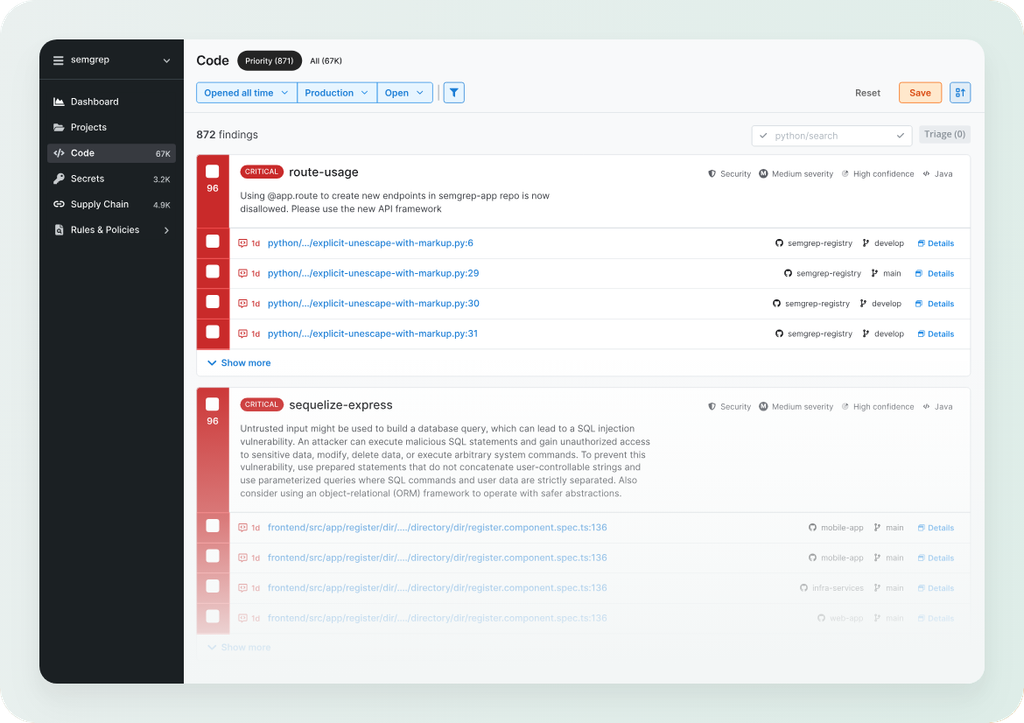
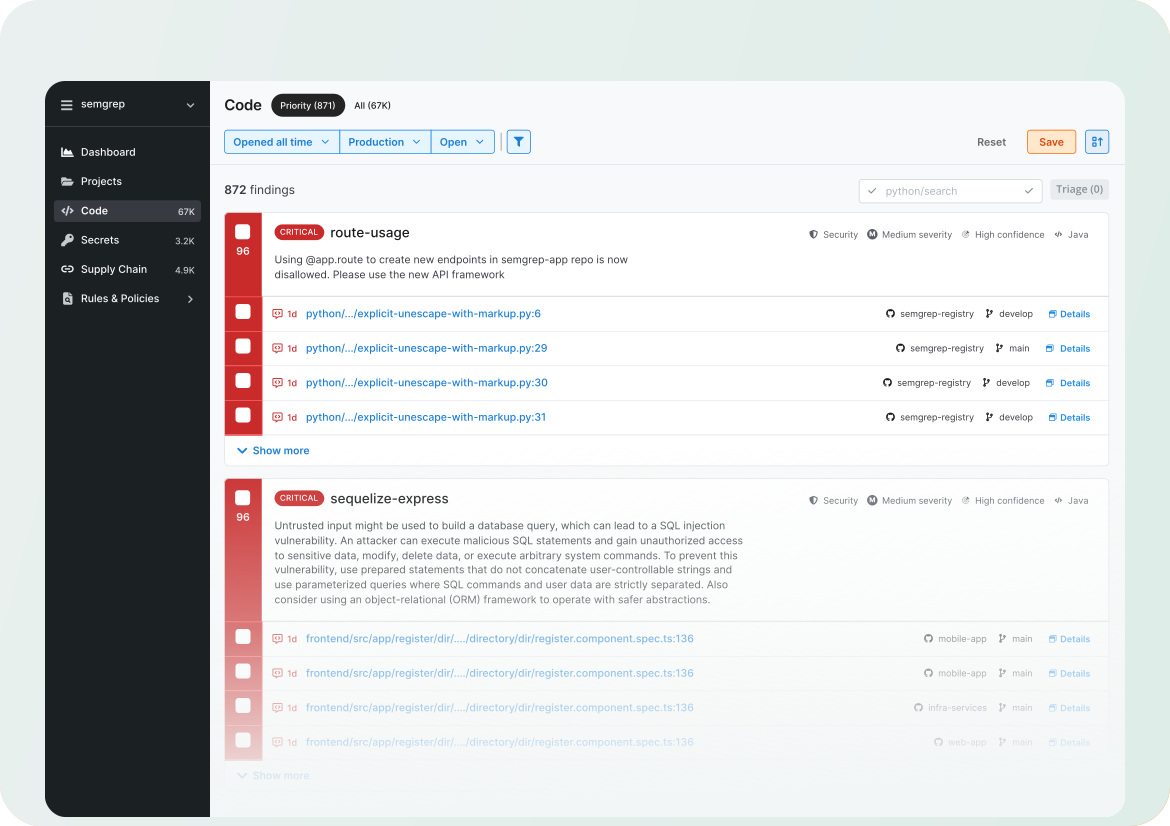
Semgrep Code runs multimodal detection, using deterministic SAST to catch classic issues such as XSS and SQL injection and AI-powered analysis to reach flaws like IDOR and business logic vulnerabilities. Organizational context is applied to both the rule-based and AI-powered passes, so results reflect how the specific application works.
The vendor reports that the multimodal approach finds up to 3.5x more true positives at 19% lower cost per true positive than using AI alone, and that noise drops by roughly 20% on the day the feature is enabled, improving as the system learns from triage decisions.
Key features include:
- Multimodal detection: Runs deterministic rules and AI-powered analysis together in one platform, covering both pattern-matched vulnerability classes and context-dependent logic flaws.
- Context-aware noise reduction: Identifies false positives that static analysis alone cannot rule out by evaluating the mitigating context surrounding a finding.
- Organizational memory: Learns the organization-specific context needed to judge exploitability from a single triage decision, which removes the need to write a custom rule for the same case.
- PR-level remediation guidance: Delivers tailored, step-by-step fix instructions inside pull requests and generates fix snippets for developers to review.
- Semgrep Guardian: Scans and fixes AI-generated code at the moment it is written.
- Pro Engine analysis: Adds cross-file, cross-function, and data-flow reachability analysis beyond the community rule engine.
- Adjacent scanners: Semgrep Supply Chain covers open source dependency vulnerabilities and malware, and Semgrep Secrets handles hardcoded credential detection using semantic analysis.
Limitations (as reported by users on G2):
- Rule syntax learning curve: Reviewers describe the rule language as taking time to master, particularly for newcomers.
- Initial setup complexity: Users report that getting the tool configured for their environment is not immediately straightforward.
- Custom rule guidance: Several reviewers note limited direction on authoring advanced custom rules.
- Feature breadth: Some users say the feature set is narrower than they need for broader vulnerability management.
Source: Semgrep
6. GitHub Code Security

Best for: GitHub-native teams wanting scanning inside existing workflows
Strengths: CodeQL data-flow analysis with Copilot Autofix suggestions
Things to consider: Reporting and centralized dashboards are frequently flagged
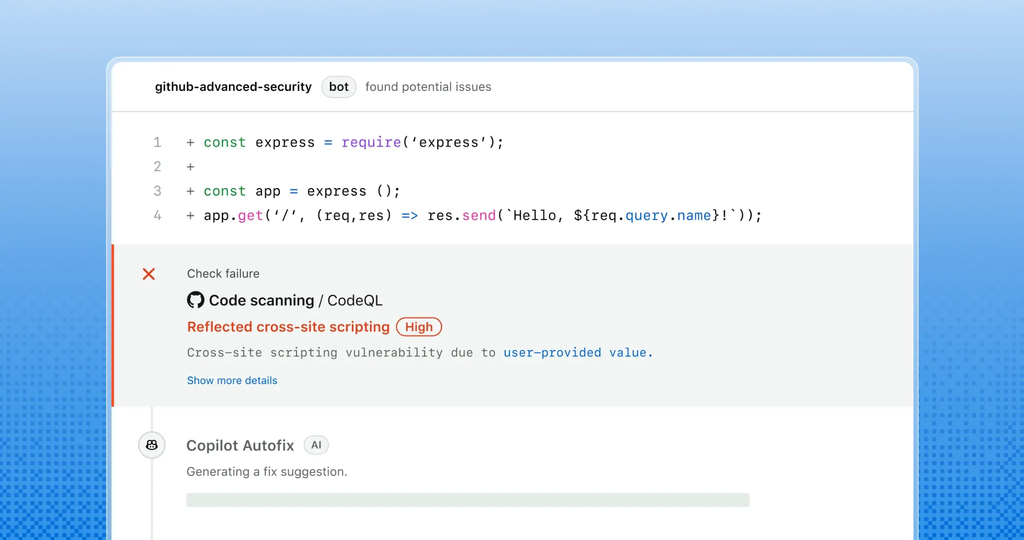
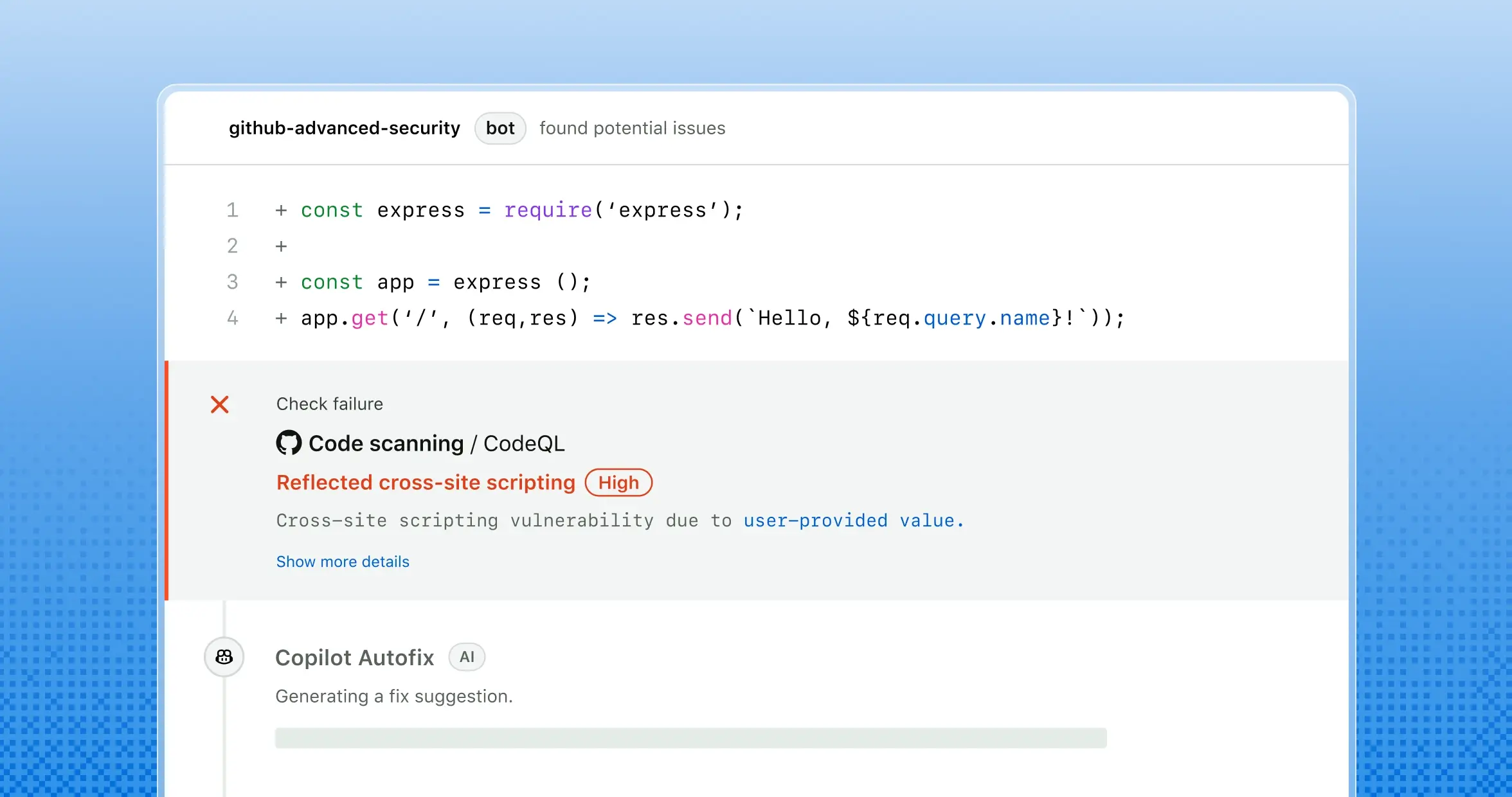
GitHub Code Security runs CodeQL analysis that traces data flows throughout an application, then pairs detection with AI-generated remediation. When CodeQL raises an alert, Copilot Autofix analyzes the surrounding code context, works out the underlying security issue, and produces a fix for the developer to review inside their normal pull request flow.
GitHub reports that around 90% of alert types include AI-powered code suggestions and that remediation is on average three times faster with Autofix. Scanning runs continuously as code is written rather than as a separate gate at the end.
Key features include:
- CodeQL code scanning: Analyzes source code by tracing data flows across the application in real time rather than matching isolated patterns.
- Copilot Autofix: Generates contextual explanations and fix suggestions for CodeQL alerts, presented in the pull request for review before merge.
- Security campaigns: Group related vulnerabilities across multiple repositories and teams, assign ownership, prioritize remediation, and track progress in one dashboard.
- Dependency review: Scans pull requests for vulnerable dependencies by comparing base and head branches, showing added, removed, and updated packages with their known vulnerabilities.
- EPSS-based prioritization: Dependabot alerts include Exploit Prediction Scoring System data, giving a likelihood score and percentile ranking for exploitation.
- Risk assessment tool: A free assessment that analyzes repositories for code-level vulnerabilities and exposed secrets before committing to a rollout.
Limitations (as reported by users on PeerSpot):
- Centralized reporting: Multiple reviewers ask for a consolidated dashboard across projects and for exportable reports suitable for management oversight.
- Customization effort: Users note that tailoring CodeQL rules requires query-writing skill and that available training is limited.
- Language coverage: Several reviewers request support for a wider set of programming languages.
- Deployment-stage scanning: One reviewer reported gaps in blocking deployments based on code scanning results.
- Pricing: Reviewers describe the per-developer model as expensive and hard to predict as teams grow.
Source: GitHub
7. SonarQube Advanced Security

Best for: Teams unifying code quality and security in one workflow
Strengths: Taint analysis into dependencies, SCA, compliance reporting
Things to consider: Configuration effort and tuning are common complaints
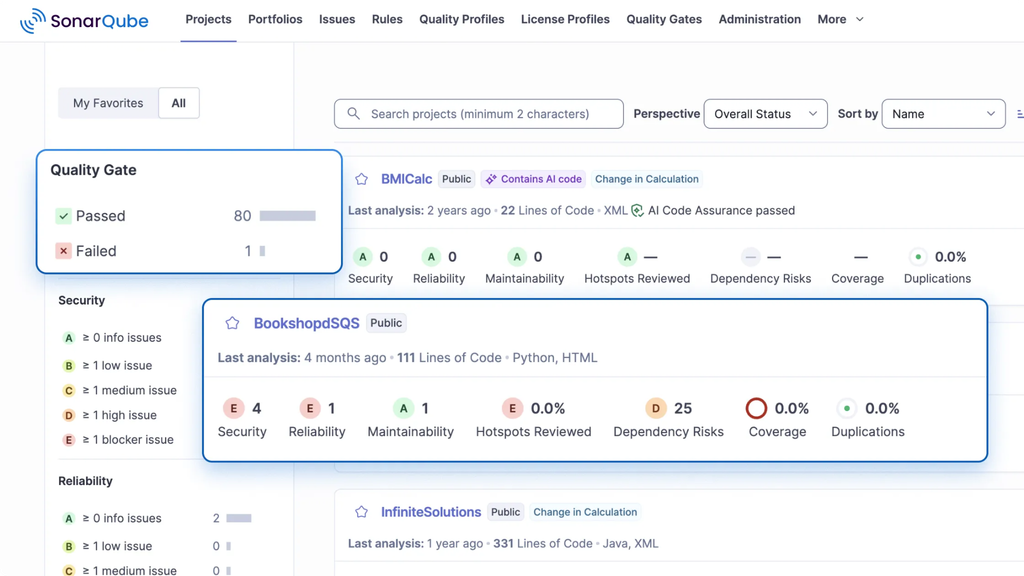
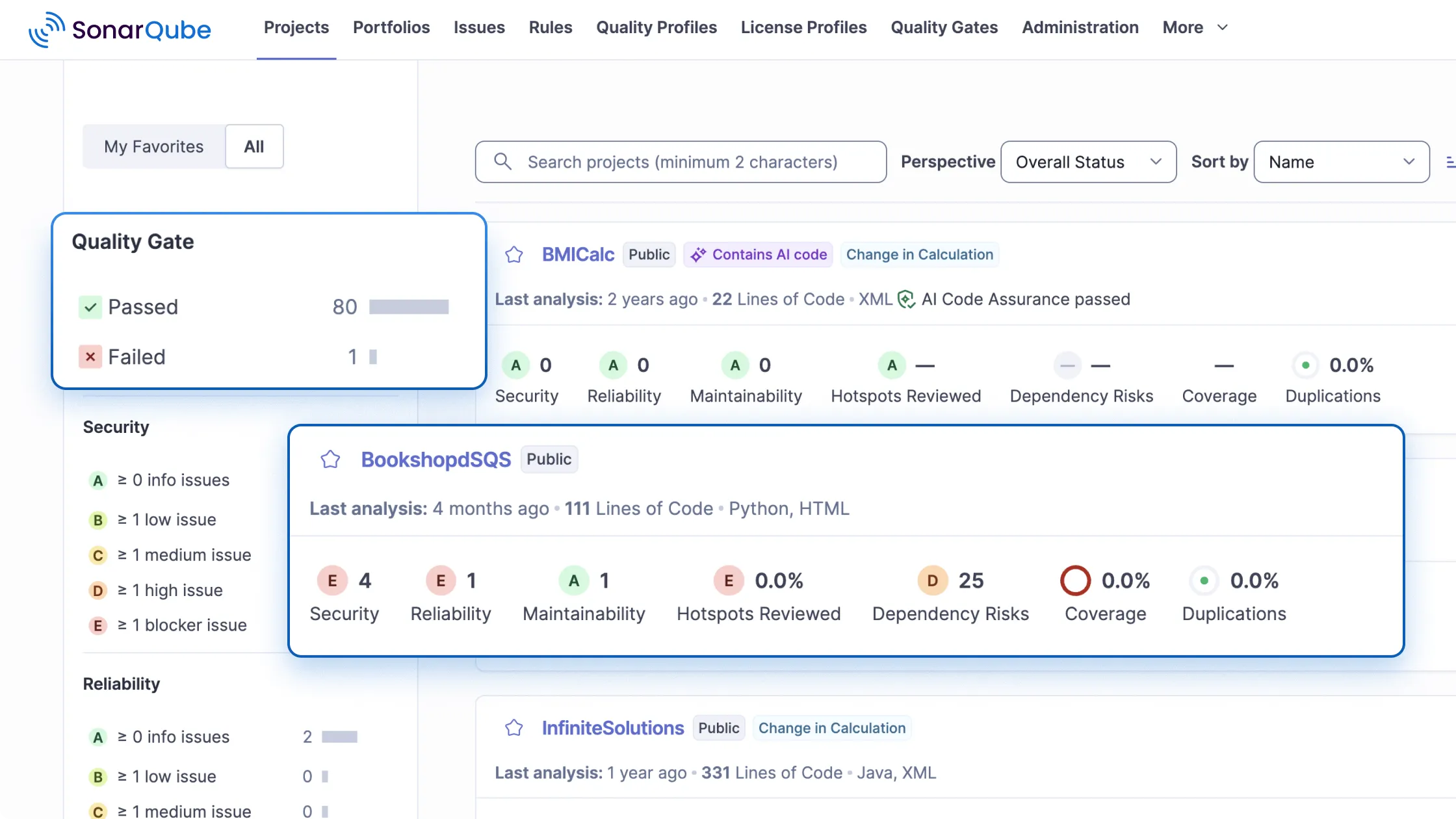
SonarQube’s core security layer covers SAST, cross-file taint analysis for injection attacks, IaC scanning, and secrets detection across first-party and AI-generated code. Advanced Security extends that base with software composition analysis and an advanced SAST capability aimed at risk that sits between an application and its dependencies.
Advanced SAST traces data flow into and out of third-party libraries, surfacing vulnerabilities that exist in the interaction between application code and external components. The dependency-aware taint analysis requires no configuration, adds no performance overhead, and currently supports Java and C#.
Key features include:
- Advanced SAST with dependency-aware taint analysis: Extends data flow tracing across code boundaries into third-party libraries to find vulnerabilities that first-party analysis alone would miss.
- Core vulnerability detection: Covers SQL injection, cross-site scripting, command injection, and log injection in first-party and AI-generated code.
- Software composition analysis: Identifies known vulnerabilities in direct and transitive dependencies, prioritized by CVSS severity and by EPSS and KEV exploitability data.
- Malicious package detection: Flags compromised libraries in dependencies and in the CI/CD pipeline, with automated quality gates that stop malware from progressing.
- License management and SBOM: Automates license detection and validation, enforces custom policies, and exports software bills of materials in CycloneDX and SPDX formats.
- Compliance reporting: Generates reports for OWASP Top 10, CWE, PCI DSS, and STIG, with scheduled daily, weekly, or monthly delivery.
- Workflow integration: Runs automated analysis in CI/CD builds and delivers contextual feedback in pull requests, with notifications routed to tools such as Jira and Slack.
Limitations (as reported by users on G2):
- Configuration complexity: Reviewers describe setup and tuning as time-consuming and say meaningful knowledge is needed to get value.
- False positives: Users report findings that need review and customization before the results become dependable.
- Alert volume: Several reviewers note excessive warnings that make the tool cumbersome in daily use.
- Software bugs: Some users mention defects that contribute to inaccurate results.
Source: SonarQube
8. Aikido Security SAST
Best for: Smaller teams wanting fast setup and low-noise findings
Strengths: Reachability triage, one-click AutoFix, IDE and PR feedback
Things to consider: Reporting depth and pricing tiers draw the most feedback
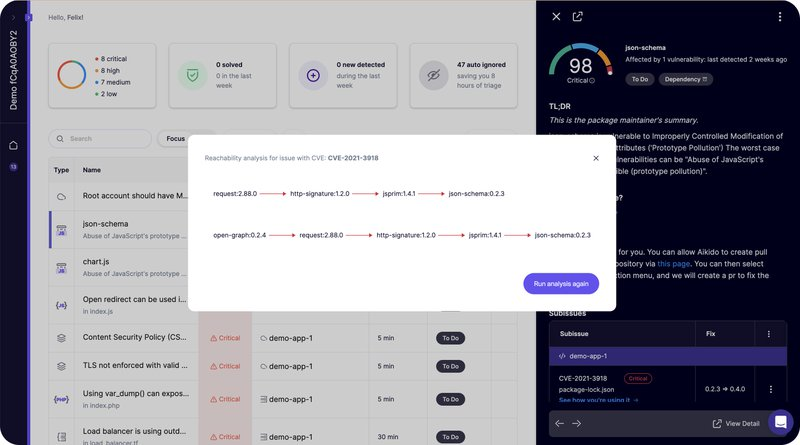
Aikido’s SAST scanner finds security and quality issues in source code and routes fixes through the IDE, inline PR comments, or AI-generated pull requests. Its rule set is tuned to cut false positives, with unreachable vulnerabilities triaged out and rules adjustable per codebase. The vendor reports noise reduction of around 90%.
Severity is not fixed at the rule level. Teams supply context such as whether a repository is internet-facing or handles sensitive data, and the scanner adjusts issue severity accordingly. Fixes come with confidence levels, using deterministic workflows for simpler cases and an agentic AI for harder ones.
Key features include:
- Reachability-based triage: Filters out unreachable vulnerabilities before findings reach developers and allows per-codebase rule tuning.
- AutoFix with confidence levels: Produces code fix suggestions that can be applied in one click, handled either through deterministic workflows or an agentic AI depending on difficulty.
- MCP plugin for AI coding tools: Connects the scanning engine to AI coding assistants and scans AI-generated code for vulnerabilities and hardcoded secrets as soon as it is written.
- IDE integration: Flags vulnerabilities inline with exact file and line as code is typed, runs full repository scans from the editor, and applies AutoFix diffs next to the code.
- Context-based severity scoring: Adjusts issue severity using repository context such as internet exposure and handling of sensitive data.
- PR enforcement: Blocks merges based on severity, issue type, or context, and adds inline feedback in the pull request.
- Language and VCS coverage: Supports JavaScript, TypeScript, Python, .NET/C#, Java, Rust, PHP, Ruby, Go, Scala, C/C++, Swift, Kotlin, Dart, Elixir, Apex, and more, across GitHub, GitLab, Bitbucket, and Azure DevOps.
Limitations (as reported by users on G2):
- Depth of analysis: Reviewers note the absence of some advanced analysis options relative to larger platforms.
- Reporting and compliance: Users say advanced reporting and deeper compliance analysis fall short of what competitors offer.
- Customization: Several reviewers ask for more configuration options across the platform.
- Pricing for very small teams: Micro businesses report that upgrade tiers are difficult to justify at their scale.
Source: AikidoSAST

Best Practices for Deploying AI SAST
Organizations should consider the following practices when implementing AI-enabled SAST.
1. Baseline Current False Positive and Triage Times First
Measure the existing SAST workflow before introducing AI SAST. Useful baselines include the number of findings per scan, false-positive rate, time spent validating each finding, and the percentage of findings that developers eventually fix. Also track time to remediation and how often security teams need to help developers interpret findings.
Collect these measurements across representative repositories, languages, and teams. A scanner may perform well on one technology stack while producing excessive noise on another. Separating results by vulnerability class can also reveal where the current tooling consumes the most triage effort.
These measurements provide a reference for evaluating whether AI SAST improves security operations. Compare results on the same repositories and vulnerability classes where possible. A reduction in alert volume is useful only if detection coverage remains acceptable and teams spend less time identifying real vulnerabilities.
2. Run AI SAST Alongside Rule-Based SAST Before Replacing
Deploy AI SAST in parallel with existing rule-based scanners during the initial rollout. Compare which vulnerabilities each approach detects, which findings overlap, and where either system produces false negatives or false positives. Historical vulnerabilities and intentionally vulnerable test cases can provide additional benchmarks.
Parallel operation reduces the risk of silently losing coverage during migration. Rule-based SAST may still be better for deterministic checks with clear patterns, while AI SAST may perform better when a finding depends on application context or code spread across several functions.
Use the comparison to decide which checks should remain rule-based, which can move to AI analysis, and where both approaches are useful. AI SAST does not need to replace every existing rule to improve the overall testing process.
3. Gate Pull Requests Only on High-Confidence Findings
Avoid blocking pull requests on every AI-generated finding. Start with findings that have strong evidence, such as a reachable source-to-sink path, attacker-controlled input, and no effective validation or sanitization. Severity alone should not determine whether a finding blocks a merge.
Define the confidence and severity thresholds required to fail a build, then monitor incorrect blocks. For example, a confirmed injection path may justify blocking a pull request, while a possible issue based on incomplete context may be better presented as a warning.
Lower-confidence findings can remain advisory until their accuracy is established. Review gating performance regularly and adjust thresholds using observed false-positive and false-negative rates. This prevents uncertain model output from creating unnecessary friction in the development workflow.
4. Require Written Rationale on Every Suppressed Finding
When developers suppress an AI SAST finding, require a short explanation of why it does not represent an exploitable vulnerability. The rationale might identify an existing security control, unreachable code path, trusted data source, compensating control, or explicitly accepted risk.
Store suppressions with the finding, relevant code location, author, and date so they can be reviewed later. Avoid broad suppressions that disable an entire vulnerability class when only one instance has been investigated.
Suppression data can also reveal systematic problems with the scanner. If many developers suppress the same type of finding for the same reason, the detection logic or AI prompt may need adjustment. Suppressions should be re-evaluated when affected code, dependencies, or security assumptions change.
5. Deliver Findings in the IDE and PR
Present AI SAST findings where developers already review and modify code. IDE integrations can provide feedback while code is being written, while pull request comments can identify vulnerabilities before changes are merged. Central dashboards can still support security reporting without being the primary interface for developers.
Each finding should point to the affected code and include severity, confidence, supporting evidence, the relevant data flow, and a concise remediation. Where possible, show the source, intermediate transformations, security controls considered, and the sink that creates the risk.
Keep comments focused and deduplicate findings that originate from the same underlying flaw. Suggested fixes should be easy to inspect as code changes rather than presented only as prose. Developers are more likely to act on findings when they can understand, validate, and fix them without leaving their normal workflow.
Conclusion: The Future Of AI-Enabled SAST
The power of SAST to identify vulnerabilities isn’t in question. Adding AI into these scanning solutions enables AppSec and dev teams to scan more code, more efficiently, and ultimately when properly deployed, develop better and more secure applications. Pulling AI into application security ultimately does have some risks, but as enterprises build human oversight into the process they can use AI-enabled solutions to become more effective and efficient, overall.
For more information on how Checkmarx has integrated AI into its SAST scanning solution, take a look at our AI-enabled solution now.