
Summary
SAST tools analyze code early to detect security issues before deployment, reducing remediation cost and risk. Premium tools offer deeper analysis, better integrations, and support, while open-source options provide flexibility with tradeoffs in scale and maintenance.
What Are SAST Tools?
Static Application Security Testing (SAST) tools analyze source code, bytecode, or binaries to identify security vulnerabilities without executing the program. They work early in the development lifecycle, often integrated into IDEs or CI/CD pipelines, to catch issues such as injection flaws, insecure data handling, and misconfigurations before the code is deployed.
SAST tools use techniques like pattern matching, data flow analysis, and control flow analysis to trace how data moves through the application. This helps detect vulnerabilities like SQL injection, cross-site scripting (XSS), and buffer overflows. Because the analysis is static, developers can review findings directly in the code and fix issues at their source.
SAST scanners are useful for enforcing secure coding standards and reducing the cost of fixing vulnerabilities. However, they can produce false positives and may struggle with complex runtime behavior or dynamically generated code.
SAST Tools at a Glance
The following table shows a quick comparison of premium/enterprise and open source SAST tools. The tools are reviewed in more detail further in the article.
| Tool | Type | Strengths | Key Considerations |
| Checkmarx | Premium | High accuracy, strong AI-assisted remediation, enterprise scalability | Licensing cost, integration effort |
| Veracode | Premium | Flexible scanning (source/binary), scalable for large apps | May require tuning for optimal workflows |
| Snyk Code | Premium | Fast, developer-friendly, strong auto-fix capabilities | Best value when used within Snyk ecosystem |
| OpenText Fortify | Premium | Deep analysis, broad language/framework support | Can be complex to configure |
| SonarQube(Community Edition) | Premium | Strong taint analysis, good developer integration | Advanced features may require paid tiers |
| Semgrep | Open Source | Fast, flexible, easy custom rules | Limited depth vs enterprise tools |
| Bandit | Open Source | Lightweight, Python-focused, easy integration | Limited to Python, basic detection scope |
| Brakeman | Open Source | Rails-specific, high accuracy for that ecosystem | Narrow language/framework support |
| CodeQL | Open Source | Powerful query-based analysis, deep insights | Requires expertise to write queries |
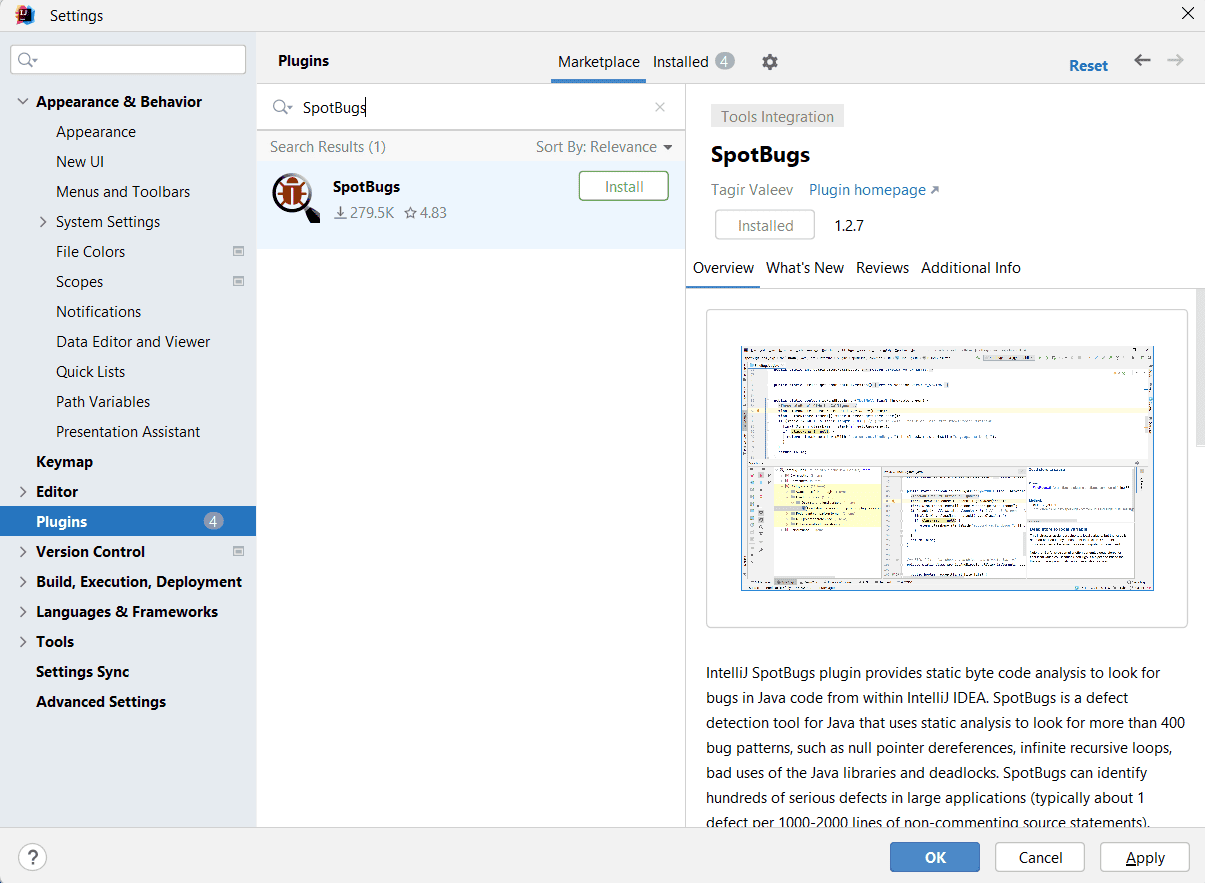
| SpotBugs | Open Source | Mature Java analysis, extensible via plugins | Limited to Java, less modern detection techniques |
Who Needs SAST Tools?
SAST testing tools are used across multiple roles in the software delivery lifecycle. They help different teams collaborate on identifying and fixing vulnerabilities early, while maintaining development speed and meeting security requirements.
CISOs and Security Leaders
- Reduce the risk of vulnerabilities reaching production by enforcing security checks early
- Align security efforts with critical applications using centralized visibility and reporting
- Track improvements in metrics like vulnerability density and time-to-remediation
Application Security (AppSec) Teams
- Embed security testing directly into developer workflows instead of relying on late-stage testing
- Define and enforce policies, quality gates, and standards across all projects
- Use analytics to prioritize high-risk applications and recurring vulnerability patterns
DevOps and Platform Engineering Teams
- Integrate SAST into CI/CD pipelines without slowing down builds or deployments
- Standardize secure coding practices across repositories using shared configurations
- Automate security checks and reduce manual triage with policy-based controls and AI assistance
Developers and Development Leads
- Receive immediate feedback on security issues within IDEs and pull requests
- Use guided remediation and examples to fix vulnerabilities quickly
- Maintain development velocity while meeting security requirements through early detection
Key Features of SAST Security Tools
SAST tools provide a set of capabilities that help teams detect, prioritize, and fix security issues early in the development process. These features are designed to fit into developer workflows while maintaining accuracy and scalability across large codebases.
- Broad support for languages and frameworks: Supports a wide range of programming languages and frameworks, allowing teams to scan different types of applications using a single tool, even in polyglot environments.
- Advanced code analysis: Uses static analysis techniques like control flow and data flow analysis to identify how data moves through the application and where vulnerabilities may occur, and tracks untrusted input from entry points to sensitive operations for detecting issues like SQL injection and cross-site scripting.
- Seamless developer workflow integration: Integrates with popular IDEs to provide real-time feedback during development, enabling developers to identify and fix issues without leaving their coding environment, and runs automated scans during builds and pull requests (CI/CD integration) to ensure security checks are consistently applied.
- Optimized scanning efficiency: Focuses only on code changes instead of scanning the full codebase each time (Incremental Scanning), which reduces scan time and improves developer feedback loops.
- Customization and compliance: Allows teams to define organization-specific security rules, policies, and quality gates to enforce standards before code progresses, and maps findings to standards such as OWASP Top 10 and CWE to help organizations align with industry best practices.
- Centralized control and automation: Designed to handle large codebases and multiple projects (Scalability and Centralized Management), with centralized controls for consistent configuration and policy enforcement across teams, and integrates with source control systems while exposing APIs for automation and custom workflows.
- Prioritization and false positive management: Ranks findings based on severity, exploitability, and context to help teams focus on the most critical issues first (Vulnerability Prioritization), and provides mechanisms to suppress or mark false positives, improving trust in the tool and reducing time spent on unnecessary triage.
- Remediation and reporting: Offers clear fix recommendations, often with code examples, to help developers resolve vulnerabilities quickly and correctly, and includes dashboards to track vulnerabilities, trends, and remediation progress, supporting audits, compliance, and management visibility.
How AI Powers Modern SAST Scanning Solutions
AI improves SAST by increasing detection accuracy and reducing the effort required to manage rules and results. Traditional SAST relies on predefined patterns, which can miss complex vulnerabilities or generate false positives. AI models analyze code structure, patterns, and data flows more deeply, helping identify issues that static rules may overlook. These models can also improve over time as they process more data.
AI simplifies query creation in SAST tools. Instead of manually writing complex queries, teams can use simple prompts to generate or refine them. This removes the need for specialized expertise and allows more developers and security engineers to create effective checks tailored to their applications.
AI also automates parts of code analysis and remediation. It can detect insecure code during development and provide contextual fix recommendations. This helps developers resolve vulnerabilities faster and integrate security into daily workflows without slowing development.
Another key benefit is improved prioritization. AI helps distinguish between critical issues and less important findings, reducing noise from false positives and false negatives. This ensures teams focus on the most impactful vulnerabilities first.
Premium vs. Open Source SAST Security Tools: Key Considerations
Open-source and premium SAST tools solve the same core problem, but they target different operational needs. Open-source tools are typically easier to adopt for smaller teams, startups, and engineering-led organizations that want flexibility and low upfront cost. They often provide strong core scanning capabilities and allow teams to customize rules and workflows. However, scaling them across large organizations usually requires additional engineering effort, internal expertise, and ongoing maintenance.
Premium SAST platforms focus on enterprise-scale security operations. They typically provide broader language coverage, centralized policy management, AI-assisted remediation, compliance reporting, and deeper integrations with CI/CD and developer platforms. These tools also invest heavily in reducing false positives and improving developer usability. The tradeoff is higher licensing cost and potential vendor lock-in, but many organizations offset this through faster remediation, reduced operational overhead, and stronger governance capabilities.
Key considerations:
- Detection depth and accuracy: Premium tools typically provide deeper data flow analysis, better contextual understanding, and lower false positive rates. Open-source tools may rely more heavily on pattern matching or community-maintained rules.
- Language and framework coverage: Enterprise tools generally support more languages, frameworks, APIs, and modern architectures, which is important for large or polyglot environments.
- Developer workflow integration: Evaluate how well the tool integrates into IDEs, pull requests, CI/CD pipelines, and ticketing systems. Faster feedback loops improve adoption.
- Customization flexibility: Open-source tools often provide greater flexibility for custom rule creation and internal workflows, while premium tools prioritize standardized governance and automation.
- Compliance and reporting: Premium platforms usually include built-in dashboards, audit trails, policy enforcement, and mappings to standards like OWASP Top 10, CWE, PCI DSS, and SOC 2.
- Scalability and centralized management: Large organizations often need centralized policy management, multi-team visibility, role-based access control, and support for thousands of repositories.
- AI-assisted remediation: Modern premium tools increasingly provide AI-generated explanations, auto-fix suggestions, and prioritization to reduce developer remediation time.
- Maintenance and operational overhead: Open-source tools require internal ownership for updates, integrations, and tuning. Premium vendors typically handle maintenance, threat intelligence updates, and support.
- Cost structure: Open-source tools reduce licensing costs but may increase engineering and operational effort. Premium tools increase direct spend but can reduce long-term remediation and management costs.
- Support and reliability: Commercial vendors usually provide SLAs, onboarding assistance, training, and dedicated support teams, which may be critical for regulated industries.
Notable Premium SAST Tools
Methodology: How We Selected These Tools
We selected SAST tools that are widely adopted or rapidly emerging, and reviewed their current capabilities. Where available, we also included user-reported limitations to highlight real-world tradeoffs.
Premium Scanners
1. Checkmarx SAST

Best for:
Enterprises and AppSec teams that need high-precision SAST with Widest Coverage, fast developer feedback, AI-assisted remediation, and unified risk visibility across the software development lifecycle
Key strengths:
Speed-optimized static analysis, widest language and framework coverage, AI-driven remediation with Developer Assist, deep IDE and CI/CD integration, and correlation with SCA, DAST, IaC, and API findings through ASPM
Things to consider:
Best value comes when teams want a platform-integrated SAST solution rather than a standalone point tool. Buyers should evaluate overall platform fit, deployment model, workflow integration needs, and licensing scope alongside raw scanning capabilities
Checkmarx SAST is the next-generation static application security testing engine at the heart of the Checkmarx One platform. It combines high-precision analysis, language coverage, and a new speed-optimized engine with agentic AI that helps developers and AppSec teams find and fix vulnerabilities earlier in the SDLC.
Integrated deeply into IDEs, CI/CD pipelines, and ASPM, Checkmarx SAST supports inner, middle, and outer loop Agentic AI use cases so enterprises can scale secure coding without sacrificing velocity. This industry-leading tool (Forrester SAST Wave 2025 leader) is a core component of the Checkmarx One platform.
Key features include:
- Detect vulnerabilities at the code level: Identify security flaws such as injection, XSS, insecure auth, and data exposure across languages and frameworks.
- Shift security left into developer workflows: Run fast SAST checks in the IDE and CI so issues are caught before merge or release.
- Support compliance and secure SDLC requirements: Provide evidence of secure coding practices for regulators, auditors, and customers.
- Accelerate remediation with AI-driven guidance: Help developers understand and fix issues quickly using Checkmarx Agentic AI assistants.
Checkmarx differentiators:
- New SAST engine optimized for speed and accuracy: Designed to deliver rapid feedback for developers while maintaining deep analysis quality.
- Checkmarx One Developer Assist: AI-driven remediation and coaching for developers across IDE, PR, and pipeline contexts.
- Proven enterprise scale: Validated in independent performance and effectiveness benchmarks and used by leading global enterprises.
- Tight integration with ASPM and other Checkmarx capabilities: SAST findings are correlated with SCA, DAST, IaC, and API results in a unified risk view.
- Flexible deployment and integration: Supports a wide variety of languages, frameworks, and DevOps toolchains.
Every Language. Every Vulnerability. One Scanner.
Watch this short clip to see how Checkmarx SAST tool finds real vulnerabilities in code your current tool cannot scan – without trading accuracy for coverage
Discover Checkmarx SAST2. Veracode Static Analysis

Best for: Enterprises needing scalable, cloud-based SAST with broad application coverage
Key strengths: Flexible scanning options across source and binaries, strong integration capabilities, and comprehensive vulnerability detection
Things to consider: May require tuning to reduce noise and optimize performance in large pipelines
Veracode Static Analysis is an enterprise SAST solution that fits directly into development workflows through an adaptable scanning service. It supports multiple scanning approaches, allowing teams to analyze raw source code, compiled binaries, or both, depending on the use case.
Features:
- Adaptable scanning service: Uses a flexible scanning architecture that adjusts to different environments, workflows, and use cases. Teams can configure scans based on project needs, ensuring the right balance between speed and depth of analysis.
- Direct source code scanning: Analyzes raw source code without requiring compilation. This allows developers to receive immediate feedback earlier in the development process and reduces delays caused by build dependencies.
- Source, binary, and hybrid scanning: Supports scanning of first-party source code as well as third-party or proprietary components where source code may not be available. This ensures broader coverage across all parts of an application.
- Full program analysis: Performs comprehensive analysis across entire applications, including large codebases up to several gigabytes. This is useful for legacy systems and distributed architectures such as microservices.
- Security-sensitive context filtering: Applies specialized filtering rules to suppress findings that occur in non-security-relevant contexts. This reduces false positives and improves the signal-to-noise ratio for developers.
Limitations as reported by users on PeerSpot:
- Limited language and framework support: Users report gaps in support for certain programming languages and frameworks.
- False positives require reduction: Some users experience a high number of false positives that need manual validation.
- Pipeline integration needs improvement: Integration with development pipelines and APIs can be less flexible than expected.
- Slow scanning for large applications: Scan times can be long, especially for larger codebases.
- Documentation and support gaps: Users mention that documentation and support resources could be clearer and more helpful.
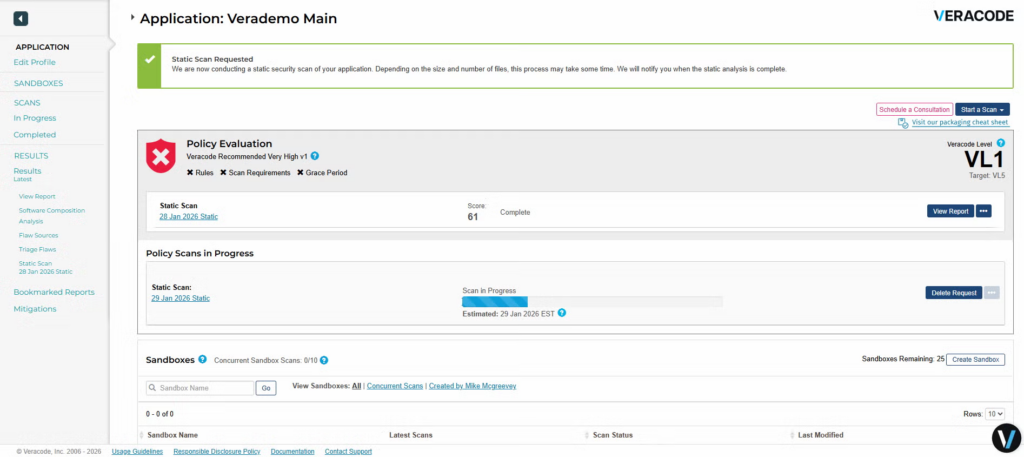
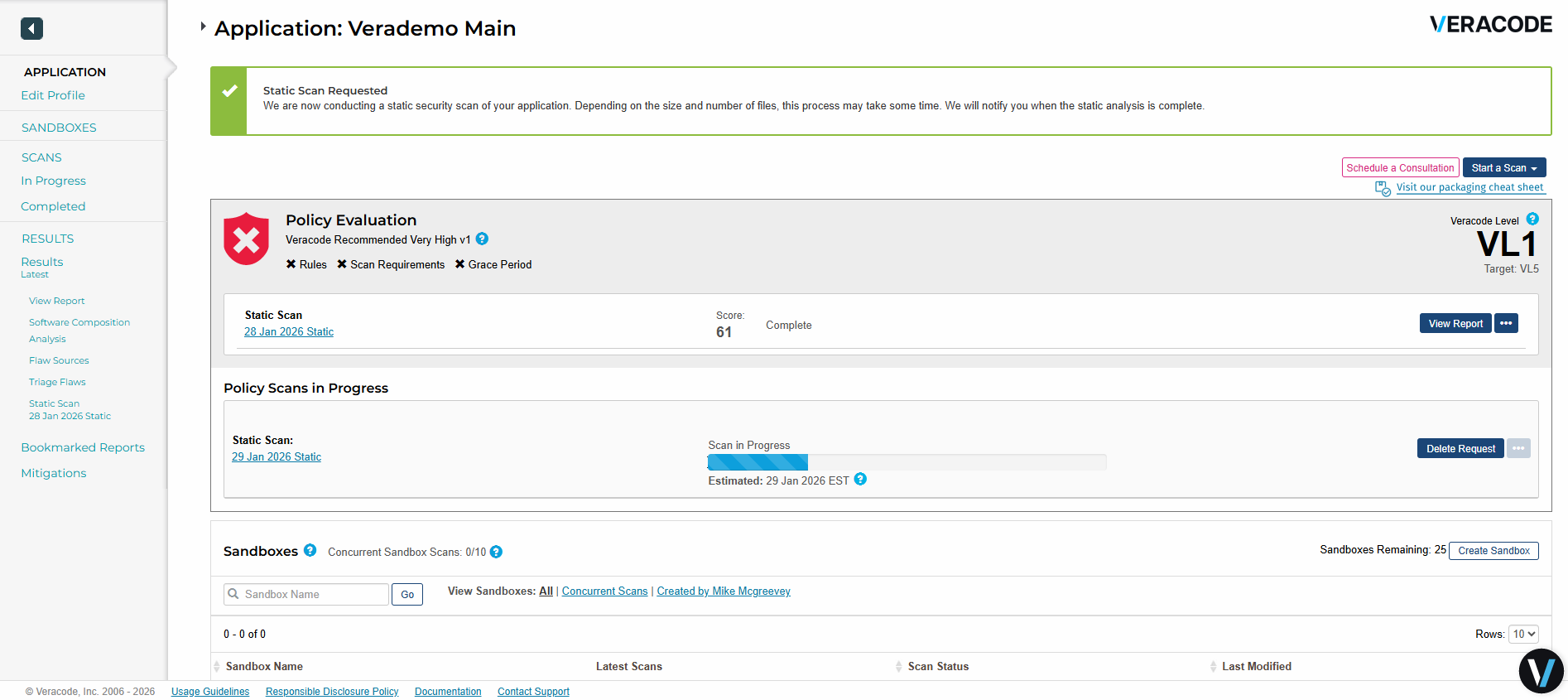
Source: Veracode
3. Snyk Code

Best for: Developer-first teams that want real-time security feedback directly in IDEs and pull requests
Key strengths: Fast inline scanning, AI-assisted fixes, and seamless integration into developer workflows
Things to consider: May require validation of findings and tuning to avoid workflow disruption
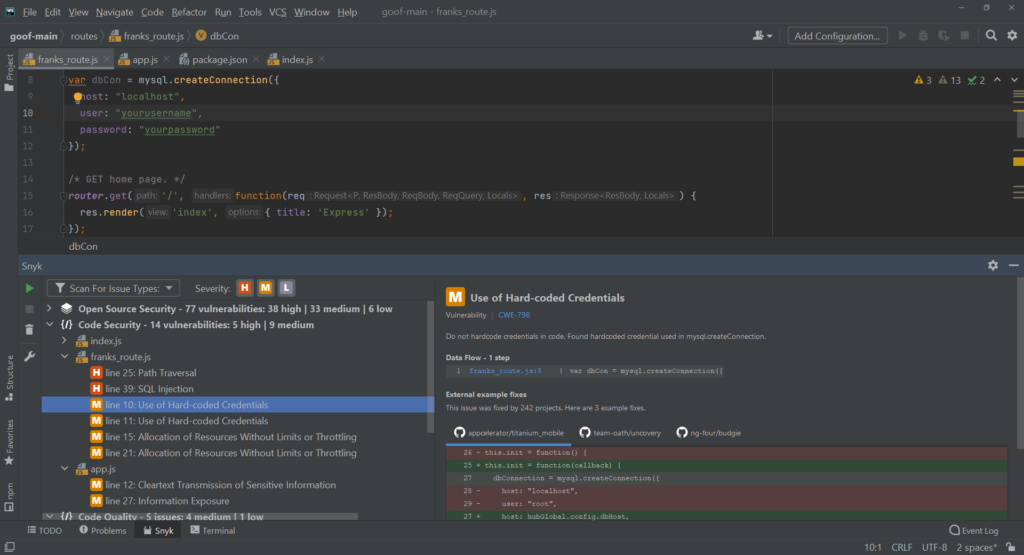
Snyk Code is a developer-focused SAST solution that combines real-time code analysis with AI-driven remediation to help teams identify and fix vulnerabilities. It is designed to run directly within developer workflows, such as IDEs and pull requests, without requiring builds or separate scanning steps.
Features:
- Real-time code scanning and auto-fix: Performs instant analysis directly in the IDE or pull requests without requiring builds. Issues can be fixed automatically using pre-validated fixes within seconds to minutes.
- AI-powered remediation: Provides automatic fixes with a high accuracy rate, supported by a machine learning engine trained on millions of data flow cases. Fixes are designed to be safe and ready to apply with minimal manual effort.
- Developer-centric experience: Built for developers, offering in-line feedback, one-click fixes, and context-specific explanations. This reduces friction and avoids disrupting development workflows.
- Fast and accurate analysis: Delivers complete scans with real-time results and high fix accuracy. The system minimizes delays while maintaining reliable detection quality.
- Actionable vulnerability insights: Identifies vulnerabilities and explains them in a developer-friendly way, including context on why the issue matters and how to resolve it effectively.
Limitations as reported by users on G2:
- False positives impact workflows: Users report inaccurate findings that require extra validation effort.
- Slow scanning in some cases: Performance issues can slow down pipelines and reduce efficiency.
- Interface usability concerns: The UI is sometimes described as lacking polish and consistency.
- Integration gaps with other tools: Issues integrating with certain products, including DAST, can create friction.
- Limited secret detection capabilities: Some users note gaps in detecting sensitive data and secrets.
Source: Snyk
4. OpenText Fortify

Best for: Large organizations needing deep analysis across diverse languages and complex environments
Key strengths: Broad language and framework support, strong integrations, and accurate vulnerability detection
Things to consider: Setup complexity and performance may require additional effort to manage effectively
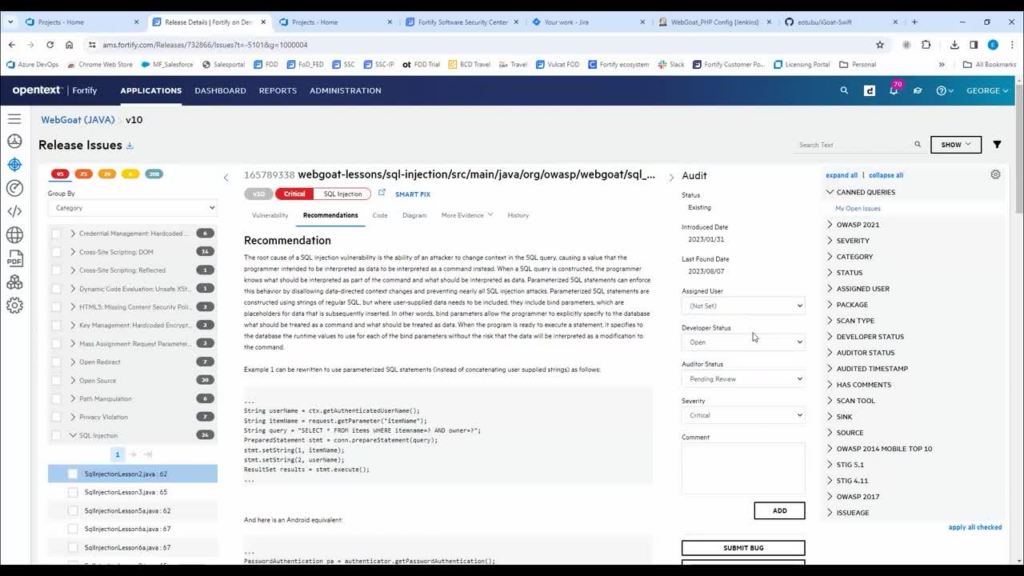
OpenText Fortify Static Application Security Testing (SAST) is an enterprise-grade solution to detect and remediate vulnerabilities early in the development lifecycle. It focuses on balancing depth of analysis with usability by reducing false positives while still identifying complex security issues that other tools may miss. The platform integrates deeply into DevSecOps workflows and supports a range of languages and frameworks.
Features:
- High-accuracy vulnerability detection: Identifies critical security issues with precision, reducing the trade-off between ease of use and detection depth commonly seen in traditional SAST tools.
- AI-driven prioritization and insights: Uses AI to help teams focus on the most important vulnerabilities, improving triage efficiency and accelerating remediation efforts.
- Extensive language support: Supports over 44 programming languages and more than one million APIs, enabling consistent security testing across diverse codebases.
- Broad framework coverage: Includes support for over 350 frameworks, allowing accurate analysis of modern and complex application architectures.
- False positive reduction: Minimizes noise through intelligent analysis and AI assistance, helping developers spend less time validating irrelevant findings.
Limitations as reported by users on G2:
- False positives require management: Users report inaccurate findings, though they can be suppressed in future scans.
- Performance issues on large scans: Scanning large codebases can be slow in some cases.
- Complex setup and configuration: Initial setup and configuration may require time and expertise.
- Higher cost concerns: Pricing is seen as relatively high compared to alternatives.
- Occasional duplicate or redundant findings: Some users report repeated issues that require manual filtering.
Source: OpenText

5. SonarQube SAST

Best for: Teams focused on code quality and security with strong integration into CI/CD pipelines
Key strengths: Strong code quality analysis, easy integration, and continuous feedback for developers
Things to consider: Configuration and tuning can become complex, especially in large projects
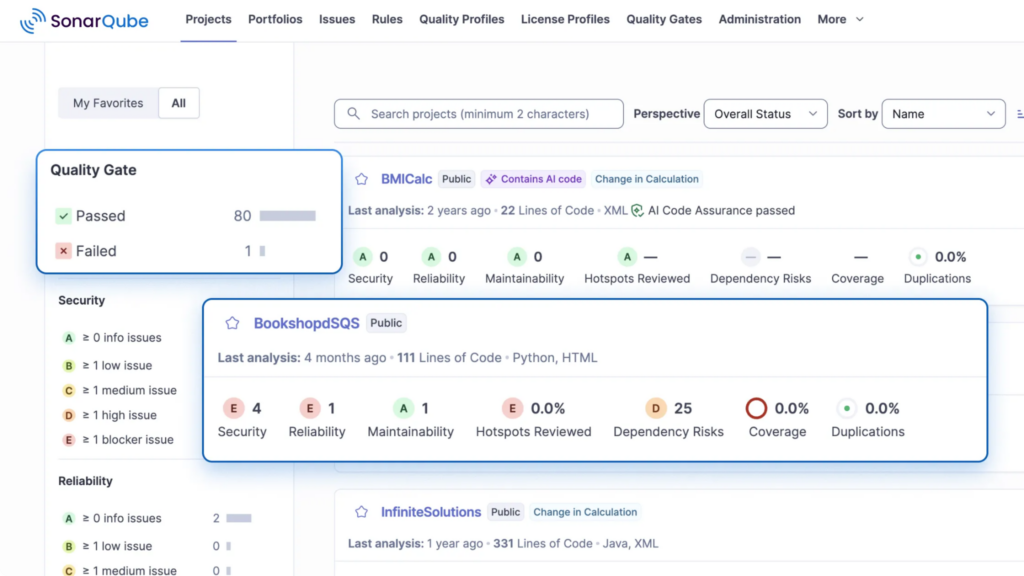
SonarQube SAST is a code security solution that focuses on deep data flow analysis to uncover vulnerabilities across both first-party code and third-party dependencies. Its taint analysis extends beyond internal code to track how data moves through external libraries, eliminating common blind spots in traditional SAST tools.
Features:
- Advanced taint analysis across dependencies: Extends data flow analysis beyond first-party code into third-party libraries, tracing how untrusted input moves across application boundaries to uncover hidden vulnerabilities.
- Full-stack vulnerability detection: Identifies complex security issues that arise from interactions between internal code and external dependencies, providing deeper visibility than traditional SAST approaches.
- Elimination of security blind spots: Overcomes limitations of tools that cannot analyze inside libraries by tracking data flow into and out of dependencies, improving detection accuracy.
- Real-time developer feedback: Provides immediate security insights in IDEs and pull requests, allowing developers to detect and fix issues during development and code review.
- Broad language and framework support: Supports more than 35 programming languages and frameworks, enabling consistent security analysis across diverse environments.
Limitations as reported by users on G2:
- Complex configuration and setup: Initial setup and ongoing tuning can be time-consuming.
- False positives create noise: Users report inaccurate findings that require frequent adjustments.
- Excessive warnings and noise: High volumes of alerts can make prioritization difficult.
- Software bugs and unclear errors: Users encounter vague error messages and occasional tool instability.
- Challenging for large or legacy projects: Scaling and managing configurations in complex environments can be difficult.
Source: SonarQube

Notable Open Source SAST Tools
6. Semgrep

Best for: Teams that want fast, customizable static analysis with developer-defined rules
Key strengths: Flexible rule engine, fast scanning, and strong integration into developer workflows
Things to consider: Initial setup and rule creation may require learning effort
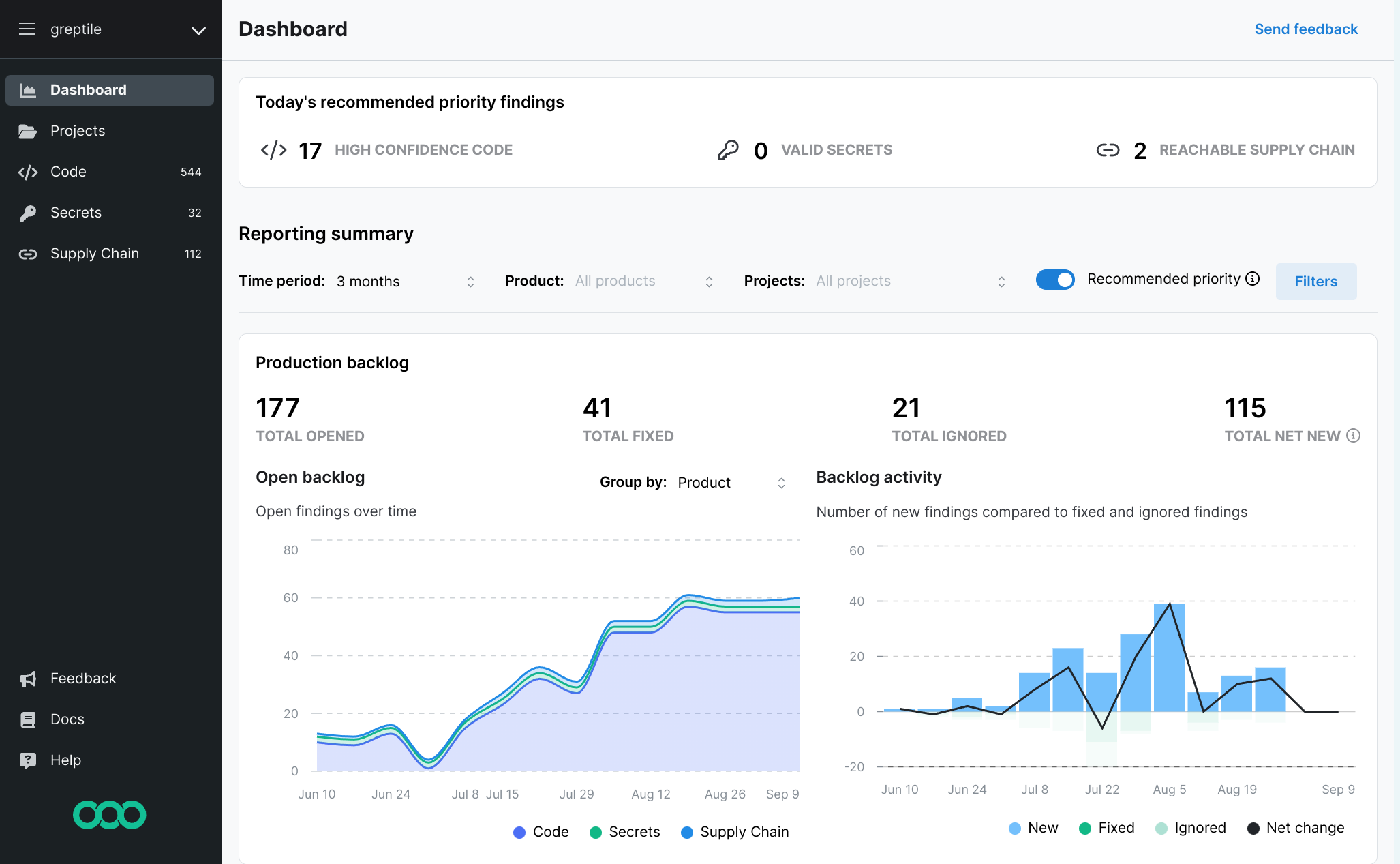
Semgrep is a fast, open-source static analysis tool to help developers find bugs, enforce security rules, and maintain coding standards directly within their workflows. It uses a semantic approach to code matching, allowing it to understand patterns in code rather than relying on simple text searches. This makes rules easier to write and more intuitive to use.
Features:
- Semantic code analysis: Matches code patterns based on structure and behavior rather than exact text, enabling more flexible and accurate detection compared to traditional grep or regex-based tools.
- Fast and lightweight scanning: Designed for speed, allowing developers to run scans locally, in pre-commit hooks, or in CI/CD pipelines without slowing down development.
- Open-source core with extensibility: Provides a free, open-source engine that can be extended with custom rules, giving teams flexibility without vendor lock-in.
- Developer-friendly rule syntax: Rules are written in a way that resembles actual code, avoiding complex abstractions and making it easier for developers to create and maintain checks.
- IDE and workflow integration: Runs directly in IDEs, pre-commit checks, and pull request workflows, enabling early detection and continuous enforcement of coding standards.
Limitations as reported by users on G2:
- Steep learning curve for custom rules: Writing and managing rules can be challenging for new users.
- Complex initial setup: Getting started may require additional time and effort.
- Limited advanced features: Some users report gaps in broader security capabilities.
- Lack of guidance and documentation: Users note insufficient support for rule creation and configuration.
- Usability challenges for beginners: The tool can feel less intuitive during early adoption.
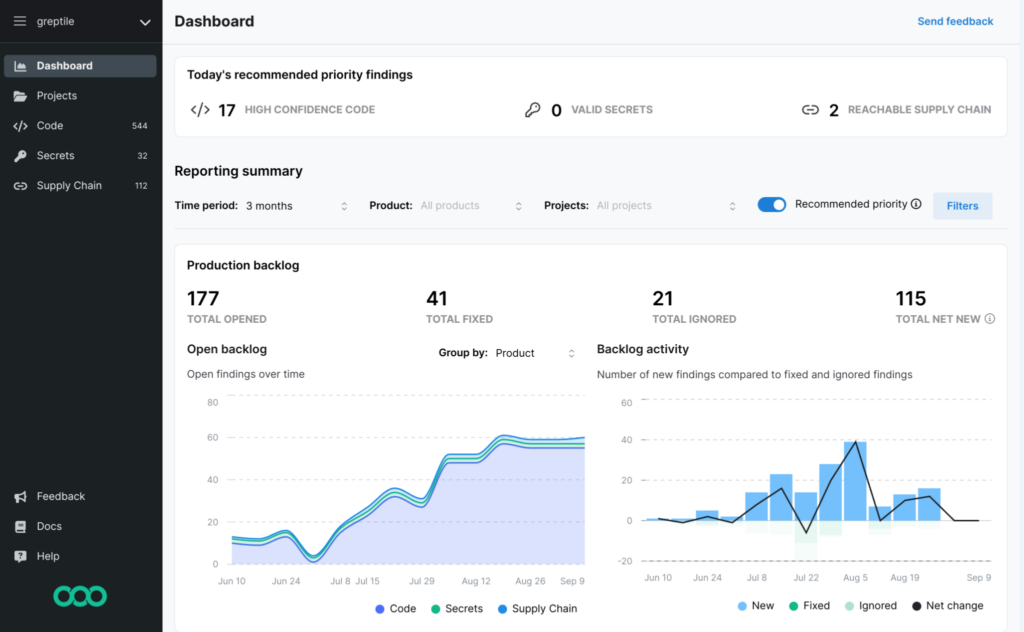
Source: Semgrep
7. Bandit
Best for: Python developers looking for a lightweight security linter integrated into CI/CD
Key strengths: Simple AST-based analysis, fast execution, and easy integration into pipelines
Things to consider: Limited to Python and focused on common patterns rather than deep analysis
Bandit is an open-source SAST tool focused on identifying common security issues in Python code by analyzing its abstract syntax tree (AST). It works as a security linter, scanning each file and applying a set of plugins that inspect code patterns associated with known vulnerabilities. Instead of executing code, Bandit examines its structure to detect insecure usage and generate reports.
Features:
- AST-based code inspection: Builds an abstract syntax tree for each file and analyzes code structure rather than raw text, enabling more accurate identification of insecure patterns.
- Plugin-based detection engine: Uses a system of plugins to check AST nodes for specific vulnerability patterns, allowing easy extension and customization of security rules.
- Detection of common vulnerabilities: Identifies typical Python security issues such as unsafe function usage, insecure configurations, and risky coding practices.
- Lightweight and fast execution: Processes files quickly without requiring compilation or runtime execution, making it suitable for frequent scans.
- CI/CD integration: Can be included in build pipelines to automatically scan code and generate reports as part of continuous integration processes.
Limitations:
- Python-only support: Limited to analyzing Python codebases.
- Limited depth of analysis: Focuses on common patterns rather than complex data flow issues.
- Potential false positives: Pattern-based detection can flag non-issues.
- No runtime analysis: Cannot detect vulnerabilities that appear during execution.
- Basic reporting capabilities: Output may require additional tooling for advanced use cases.
8. Brakeman

Best for: Ruby on Rails teams needing framework-aware static security analysis
Key strengths: Rails-specific detection, fast scanning, and detailed reporting
Things to consider: Works best when combined with other security testing approaches
Brakeman is an open-source static analysis tool designed specifically to detect security vulnerabilities in Ruby on Rails applications. It analyzes application code without executing it, using a framework-aware approach to identify common Rails-specific security issues. Brakeman can be run locally or in containers and integrates easily into development workflows.
Features:
- Static code analysis without execution: Scans source code without running the application, allowing safe and fast detection of security issues early in development.
- Framework-aware detection: Understands Rails patterns and structures, improving the accuracy of findings compared to generic static analysis tools.
- Flexible execution options: Can be run locally via CLI, integrated with Bundler, or executed in Docker containers for consistent environments.
- Detailed reporting formats: Supports multiple output formats including HTML, JSON, CSV, Markdown, and SARIF, making it easy to integrate with other tools and reporting systems.
- Contextual code insights: Provides code excerpts in reports to help developers quickly locate and understand the source of vulnerabilities.
Limitations, as disclosed in Brakeman documentation:
- High false positive rate: Conservative analysis can flag many non-issues.
- Assumes standard Rails structure: Unusual configurations may lead to missed vulnerabilities.
- Limited to code-level analysis: Cannot detect issues in infrastructure or runtime environments.
- Incomplete understanding of code context: May misinterpret or miss complex logic.
- Not a complete security solution: Needs to be paired with dynamic testing tools for full coverage.
9. CodeQL

Best for: Security teams and advanced users who need custom, query-based vulnerability detection
Key strengths: Deep semantic analysis, flexible query system, and support for variant detection
Things to consider: Requires expertise to write and manage effective queries
CodeQL is a semantic code analysis engine that allows developers and security teams to identify vulnerabilities by querying code as if it were structured data. Instead of relying on predefined rules alone, CodeQL enables users to write custom queries that can detect entire classes of vulnerabilities across a codebase. This approach makes it possible to find known issues and uncover variants of the same vulnerability pattern.
Features:
- Semantic code analysis engine: Treats code as data, enabling deep analysis of structure, behavior, and relationships rather than simple pattern matching.
- Custom query-based detection: Allows users to write queries to identify specific vulnerability patterns, making it possible to detect entire classes of issues across a codebase.
- Variant analysis capability: Finds multiple instances and variations of the same vulnerability, helping teams eliminate root causes rather than fixing issues one by one.
- Taint tracking support: Tracks data flow from sources to sinks, enabling detection of vulnerabilities like unsafe deserialization and other input-driven flaws.
- Integration with Visual Studio code: Provides an extension for writing and running queries directly within VS Code, supporting an interactive analysis workflow.
Limitations as reported by users on G2:
- Limited assessment of soft skills: Not suitable for evaluating collaboration or communication aspects.
- Requires additional tools for full evaluation: Needs to be complemented with other methods for broader analysis.
10. SpotBugs

Best for: Java teams looking for a lightweight, extensible static analysis tool for bytecode
Key strengths: Wide range of bug patterns, strong ecosystem, and easy integration with build tools
Things to consider: May require plugins and tuning for deeper security analysis
SpotBugs is an open-source static analysis tool for Java that detects bugs and potential security issues by analyzing compiled bytecode. As a continuation of the FindBugs project, it uses pattern-based analysis to identify problematic code constructs without executing the program. SpotBugs supports a range of integrations and can be extended with plugins to enhance its detection capabilities.
Features:
- Static analysis of Java bytecode: Analyzes compiled Java code rather than source code, enabling detection of issues across different Java versions and build environments.
- Extensive bug pattern detection: Checks for more than 400 predefined bug patterns, covering common coding errors and potential security vulnerabilities.
- Open-source and community-driven: Maintained as a continuation of FindBugs, with ongoing support and improvements from the developer community.
- Broad build tool integration: Integrates with popular build systems such as Maven, Gradle, and Ant, allowing automated scans during builds.
- IDE integration: Works with development environments like Eclipse, enabling developers to detect and fix issues during development.
Limitations (based on internal knowledge):
- Limited to Java ecosystems: Only supports Java and JVM-based languages.
- Pattern-based detection limits depth: May miss complex or context-specific vulnerabilities.
- False positives possible: Requires manual review to validate findings.
- No source-level insights: Works on bytecode, which can reduce clarity for developers.
- Basic user interface and reporting: Lacks advanced visualization and reporting features.
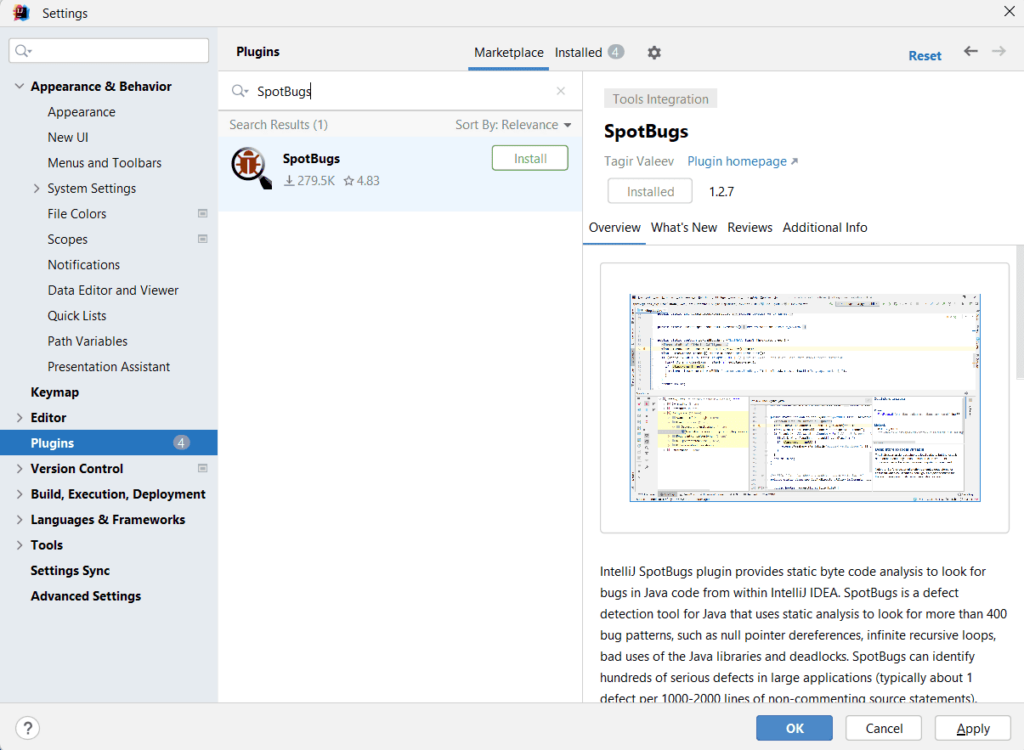
Source: Baeldung
SAST Tools Cost-Benefit Analysis: Open-Source vs Premium
Assessing the True Costs of Open-Source SAST vs Premium SAST
| Open-Source SAST | Premium SAST | |
| Benefits | -Freedom from vendor contracts -Flexibility to run scans on structured/unstructured code -Cost-effectiveness since open source is free and updated by a community -Code can be accessed and updated at any time |
-Comprehensive, automated features-Robust support -Automated remediation suggestions -Scalable solutions -Trust that security vulnerabilities are identified/ordered by severity-In-depth compliance reporting |
| Costs | -Lack of actionable information to help developers remediate found vulnerabilities -Customization has to be done across all AppSec workflows and existing infrastructure -Potential security risks by using a customized versus preconfigured SAST tool |
-Licensing fees-Maintenance contracts-Vendor lock-in |
Choosing The Right SAST Tool: A Strategic Approach
Considering these strategic issues will help you make the right SAST solution decision:
1. Prioritizing open-source SAST customization versus premium SAST preconfigured analysis, reporting, and integration solutions.
Open-source SAST can be tailored to fix things like code causing false positives. Premium SAST tools can also be customized but also offer automated detection of security vulnerabilities with remediation suggestions and full reporting functionality.
2. Ensuring Vendor Compatibility.
Does the SAST tool integrate with your other AppSec tools such as SCA, DAST, and API Security? Ensure that your SAST tool is compatible with existing security vendor solutions and workflows.
3. Planning for the Future: Scalability, Support, and Long-Term Sustainability.
Your SAST tool should be able to handle things like structured and unstructured code for different application development and security teams’ testing requirements. Premium SAST preconfigured capabilities offer comprehensive programming languages and frameworks to scale with your business.
4. Open-Source Scalability Challenges: Community Support, Maintenance Burden, and Feature Updates.
Open-source SAST tools don’t have guaranteed update schedules or feature improvements; it is all dependent on a community of users who improve it over time. Your SAST solution should have It should be able to scale to increasing applications, security initiatives and regulatory compliance requirements.
5. Premium SAST Scalability Solutions: Vendor Support, Managed Services, and Enterprise-Grade Security.
If your team needs support and guidance with your SAST tool, premium SAST vendors have fully built-out support and consulting teams to make sure you get the fixes you need. The latest vulnerability updates are integrated into these tools, and prioritized for your environment. They also offer different delivery methods for solutions like managed services and add-on functions to address enterprises’ various AppSec infrastructure needs.
When choosing open-source SAST or premium SAST, balance your existing compliance and infrastructure requirements, resources available to remediate vulnerabilities as early in the process as possible, and the future needs of your different AppSec projects.
Static Application Security Testing (SAST) secure coding practices are a vital part of cybersecurity threat prevention because these tools continuously look for vulnerabilities in code that can cause security gaps.
The SAST landscape is full of preconfigured and customizable options:
- “Good enough” open-source SAST tools are written and updated by an informal community with no formal support teams. They have breadth and can be configured to find vulnerabilities in certain languages and to detect errors.
- Premium enterprise SAST tools provide comprehensive solutions, automated static application security testing that integrates into IDE, DevOps workflows and pipelines. They offer presets to support major use cases and can find vulnerabilities across multiple files and compilation units. Remediation guidance helps identify the best fix location and can fix multiple vulnerabilities at once, which reduces the time to remediate.
Open-Source SAST Tools
Open-source SAST tools offer freedom, flexibility, and cost benefits for CISOs who try to avoid vendor lock-in and expensive licensing models.
The drawbacks of open source SAST are:
- Unreliable security vulnerability updates since users are limited by what has been provided by the community and it may not be comprehensive or up to date.
- No formal developers or support means functionality for in-depth code and less-used programming languages.
- Can’t scale across multiple languages and frameworks.
- Development teams can’t take action on vulnerabilities found on open-source SAST tool scans because they don’t provide remediation suggestions.
Premium SAST Tools
On the other hand, the case for enterprises to use premium SAST tools for secure coding practices is strong, especially when we see the risks highlighted in the news of corporations that have suffered data breaches because of poor application security controls.
Premium enterprise SAST tools provide comprehensive solutions that integrate into most AppSec infrastructure and workflows, scale with your environment, and include robust support. But the biggest value is assurance that your application development and security testing is automated and enhanced with the latest features and updates to keep applications secure.
The drawbacks of Premium SAST are vendor lock-in due to time invested in front-end integration and licensing fees.
Enterprise SAST Tools Requirements
To find the right SAST tool for your business, start by evaluating your security posture and the three areas below, which may push you to functionality that’s only available with Premium SAST tools, like robust reporting:
- Maturity – Is your security team staying on top of vulnerabilities or are they too busy working on other high-severity security issues that prevent them from effectively testing applications for security gaps?
- Threat landscape – According to Positive Technologies, the “number of [web application] cyberattacks increased by 38% in 2022 in comparison to the previous year and the number of attacks culminated in Q4 with 1168 weekly attacks per organization”. And that “on average, each application has 22 vulnerabilities, 5 of which are considered high risk”.
- Regulatory compliance – If you have compliance reporting requirements across code quality and security risk teams, premium SAST solutions have a comprehensive analysis process and additional tools such as dashboards or presets (i.e. set of rules).
Mapping SAST features to your needs helps with the decision-making process when you take an in-depth look at what your requirements are in these areas:
-
Functionality – Are there major use case presets to save developers time to install and update? Can it be automated easily to work with existing infrastructure?
-
Integration – Can it easily integrate into DevOps workflows, continuous integration/continuous deployment (CI/CD) pipelines, and Integrated Development Environments (IDEs)? Application security testing is simpler and easier when the process of checking code for bugs and remediating vulnerabilities is consolidated and integrated into existing development tools
-
Scalability – Most businesses use multiple languages and frameworks, will it scale to your environment? Will your solution scale to a larger AppSec environment as you grow?
Analyzing team resources is another important factor in making your SAST choice. If you go with an open-source SAST tool, your DevOps/DevSecOps teams will need to have the technical expertise to fix all application security vulnerabilities across the infrastructure, without support.
If you don’t have AppSec training for developers or developer security training resources for that kind of customized solution, then a premium SAST solution would make sense so that your team can focus on other priorities. That will give you the assurance that your applications are secure, with the latest vulnerability updates.
SAST that Builds #DevSecTrust
Checkmarx SAST combines both speed and security to improve developer experience – up to 90% faster with 80% lower false positives
SAST Tools Cost-Benefit Analysis: Open-Source Vs Premium
Assessing the True Costs of Open-Source SAST vs Premium SAST
|
Open-Source SAST |
Premium SAST |
|
|
Benefits |
-Freedom from vendor contracts -Flexibility to run scans on structured/unstructured code -Cost-effectiveness since open source is free and updated by a community -Code can be accessed and updated at any time |
-Comprehensive, automated features -Robust support -Automated remediation suggestions -Scalable solutions -Trust that security vulnerabilities are identified/ordered by severity -In-depth compliance reporting
|
|
Costs |
-Lack of actionable information to help developers remediate found vulnerabilities -Customization has to be done across all AppSec workflows and existing infrastructure -Potential security risks by using a customized versus preconfigured SAST tool
|
-Licensing fees -Maintenance contracts -Vendor lock-in |
Choosing The Right SAST Tool: A Strategic Approach
Considering these strategic issues will help you make the right SAST solution decision:
1. Prioritizing open-source SAST customization versus premium SAST preconfigured analysis, reporting, and integration solutions.
Open-source SAST can be tailored to fix things like code causing false positives. Premium SAST tools can also be customized but also offer automated detection of security vulnerabilities with remediation suggestions and full reporting functionality.
2. Ensuring Vendor Compatibility.
Does the SAST tool integrate with your other AppSec tools such as SCA, DAST, and API Security? Ensure that your SAST tool is compatible with existing security vendor solutions and workflows.
3. Planning for the Future: Scalability, Support, and Long-Term Sustainability.
Your SAST tool should be able to handle things like structured and unstructured code for different application development and security teams’ testing requirements. Premium SAST preconfigured capabilities offer comprehensive programming languages and frameworks to scale with your business.
4. Open-Source Scalability Challenges: Community Support, Maintenance Burden, and Feature Updates.
Open-source SAST tools don’t have guaranteed update schedules or feature improvements; it is all dependent on a community of users who improve it over time. Your SAST solution should have It should be able to scale to increasing applications, security initiatives and regulatory compliance requirements.
5. Premium SAST Scalability Solutions: Vendor Support, Managed Services, and Enterprise-Grade Security.
If your team needs support and guidance with your SAST tool, premium SAST vendors have fully built-out support and consulting teams to make sure you get the fixes you need. The latest vulnerability updates are integrated into these tools, and prioritized for your environment. They also offer different delivery methods for solutions like managed services and add-on functions to address enterprises’ various AppSec infrastructure needs.
When choosing open-source SAST or premium SAST, balance your existing compliance and infrastructure requirements, resources available to remediate vulnerabilities as early in the process as possible, and the future needs of your different AppSec projects.
Conclusions
Whatever your application security testing needs are, choosing the right one for your business comes down to mapping SAST tool functionality to your environment.
Open-source tools may be inexpensive and good enough to complete important application security workflows, but unreliable security vulnerability updates and limited support, comprehensiveness, scalability, and actionable results may not be right for you.
Checkmarx SAST is an enterprise appsec tool with comprehensive features, robust support, and scalable programming language and testing. Integrated, automated solutions give DevOps and DevSecOps teams the trust they need to know that they are detecting and fixing vulnerabilities that may have put your organization at risk.