Platform overview
Checkmarx One
Agentic AI
Checkmarx One Assist
AI-powered Agentic AppSec agents preventing and remediating threats autonomously.
Developer Assist
Developer-first AI agent for instant vulnerability prevention and fix.
Posture
ASPM
Unified visibility, control and prioritization across your entire AppSec posture.
PARTNERSHIPS & INTEGRATIONS
Partner Programs
Building stronger AppSec ecosystems through trusted partnerships.
Find a Partner
Discover certified partners to accelerate your AppSec journey.
SOLUTIONS FOR
Code
Supply Chain
Cloud
Services
Developer assist
Developer-first Al agent preventing and remediating vulnerabilities instantly in IDE.
SAST
Market leading developer friendly statio application security testing and analysis
DAST
Developer tailored dynamic application scanning for efficient security issues remediation.
API Security
Enterprise scale API security scanning for early detection of critical vulnerabilities.
SCA
Identify, prioritize, and remediate open-source vulnerabilities, malicious code, and license risks.
Malicious Package Protection
Reveal and eliminate malicious open-source packages using industry’s largest database.
Repository Health
Enhance security with full visibility into code repository health.
Software Supply Chain Security
Protect your entire software supply chain with industry-leading security across legacy, open source, and Al-generated code.
Container Security
Secure containerized applications across SDLC, from code to cloud runtime.
laC Security
Secure cloud infrastructure via advanced scanning and vulnerability detection.
Premium Support
Enhance security outcomes and ROl with proactive, expert technical support.
Premium Services
Accelerate AppSec program success while maintaining seamless developer experience.
Maturity Assessment
Assess your AppSec maturity and unlock actionable improvement steps.
Why Checkmarx
Customer Stories
Awards
Industry Recognition
Integrations
COMPARE CHECKMARX
vs. Snyk
vs. GitHub
vs. Veracode
vs. Fortify
vs. Black Duck
vs. Semgrep
RESEARCH
Checkmarx Zero
Research Blog
Disclosed Vulnerabilities
Open-Source Tools
Resources
Analyst Reports
Product Demos
Solution Briefs
Videos
Webinars
Whitepapers
LEARN
Blog
Documentation
Glossary
Knowledge Hub
Customer Enablement
The 2025 Gartner® Magic Quadrant™ for Application Security Testing
Read more
IDC MarketScape for ASPM 2025
The Forrester SAST Wave 2025
Checkmarx One Solution Brief
COMPANY
About Us
Leadership
Press Releases
Newsroom
Events
Careers
PARTNERS
Partner Directory
Become a Partner
GET IN TOUCH
Support Portal
Contact Us
Our Sysdig integration provides a unified view of application vulnerabilities for security, development, and cloud teams.
Organizations are increasingly focused on the unique risks of containerized applications, while security and development teams are also looking to shift left and proactively address security risks earlier in the development lifecycle. Sysdig’s robust runtime security and threat detection capabilities provide essential protection for containerized applications in production.
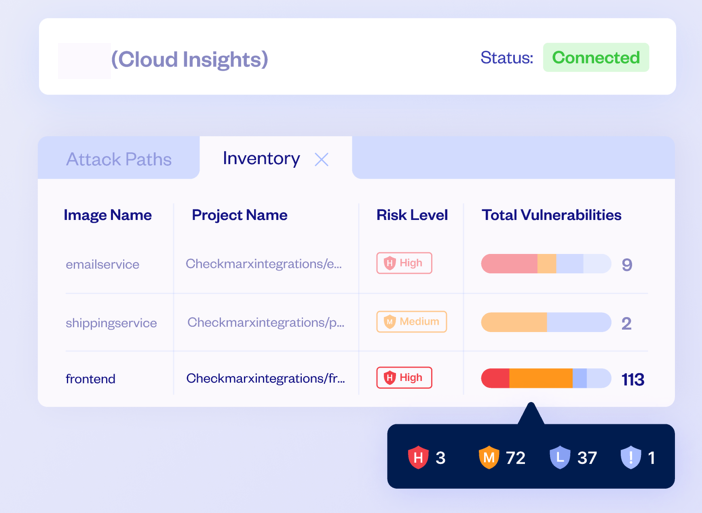
The Sysdig and Checkmarx partnership combines continuous runtime monitoring and analysis together with comprehensive application security testing. The integrated solution helps organizations identify and remediate container risks across the full lifecycle of a containerized application. Checkmarx further integrates with Sysdig to collect and correlate data from runtime environments, helping joint customers better prioritize remediation of risks identified during the development phase. By integrating with Sysdig, Checkmarx extends its container security capabilities beyond static image analysis, ensuring a comprehensive approach throughout the container.
Visibility from Code to Cloud
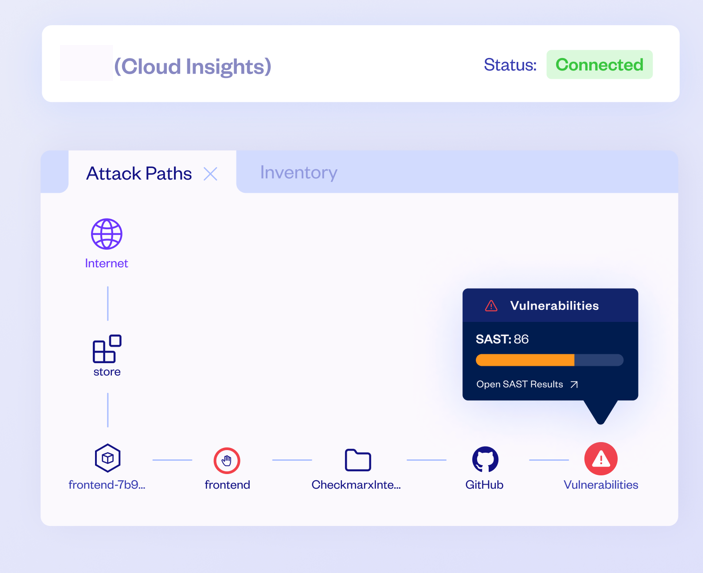
Map your cloud environments assets (clusters, pods and container images) to your source code repositories.
Identify Attack Paths
Identify the attack paths for exposed container images to the source code repositories vulnerabilities.
Actionable Insights and Prioritized Remediation
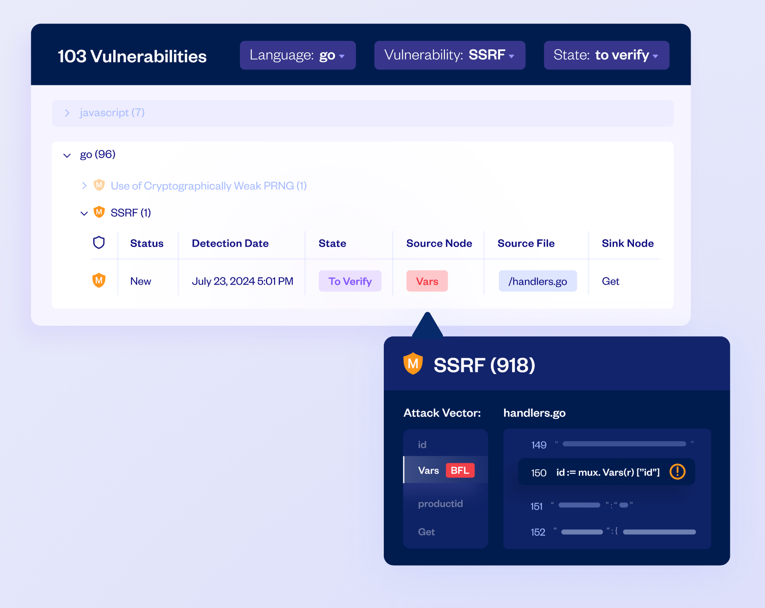
Identify and map vulnerabilities in Kubernetes clusters, container images, and code repositories with runtime data for better risk management.
Contextual Risk Management
Correlate Checkmarx SAST results with Sysdig’s cloud asset inventory to prioritize vulnerability remediation based on exploitable risks in running applications.
Extended Security Coverage
Apply the “Shift Left, Shield Right” strategy to secure every stage of the SDLC. Enhancing security insights within development environments allows you to foster collaboration across teams.
Detection of In-use Vulnerable Packages
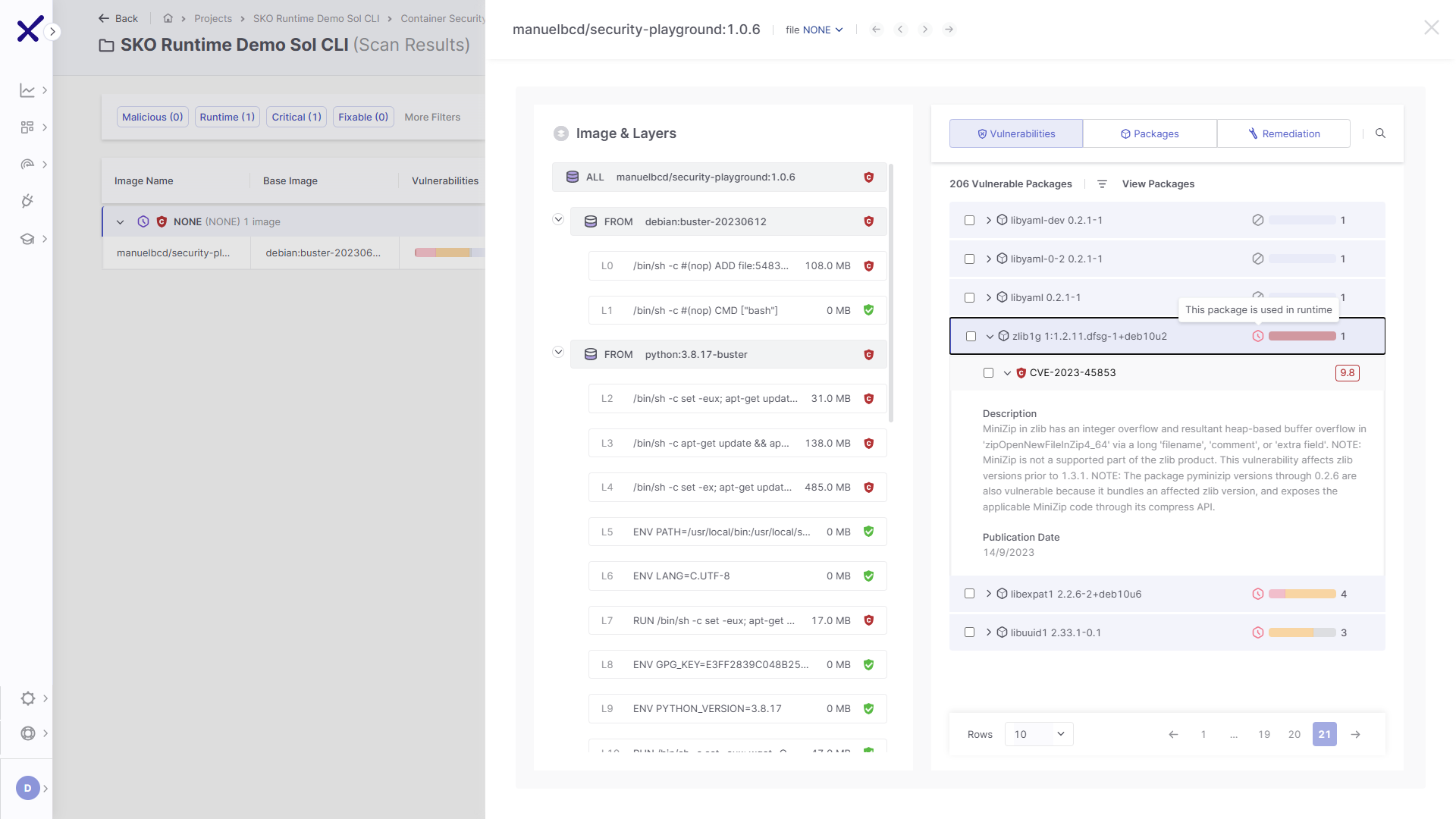
Sysdig runtime insights provide visibility into in-use vulnerable packages within Checkmarx One Container Security results. Accelerating the prioritization of critical open-source security risks and boosting developer productivity.
“Together, Checkmarx and Sysdig provide security across the entire cloud security life cycle, from application development to response. Checkmarx is an innovator in enterprise-grade application security. With Sysdig and Checkmarx paired together, users can make better-informed decisions by understanding what is a real threat.”
The integration with Sysdig for Checkmarx Cloud Insights requires subscription to one of the Checkmarx One packages, excluding the entry “Start with SAST” subscription.
The integration with Sysdig for Checkmarx Container Security Open-Source Packages used at runtime requires the subscription to Professional or Enterprise subscriptions, or the Container Security add-on as part of the Essentials subscription.
The integration requires subscription to the Sysdig Secure plan.
For the integration with Sysdig for Checkmarx Cloud Insights, deploy Sysdig Lambda function with the necessary configuration to connect to both Sysdig Secure Inventory API and Checkmarx Cloud Insights. For a step-by-step guide please refer to our documentation.
For the integration with Sysdig for Checkmarx Container Security Open-Source Packages used at runtime, enter the Sysdig Risk Spotlight Token and select your Sysdig tenant region into the CxOne Integrations settings. For a step-by-step guide please refer to our documentation.