

Summary
Continuous posture monitoring, the core of cloud security posture management (CSPM), checks cloud-native infrastructure, workloads, identities and configurations against security requirements as they change. CNAPP platforms monitor the live cloud, while code-to-cloud (ASPM) platforms trace that risk back to the code that caused it. Checkmarx One ASPM is best for code-to-cloud application risk, Wiz for agentless multi-cloud posture, Orca Security for full-stack coverage, and Sysdig Secure for runtime context
What Solutions Perform Continuous Posture Monitoring for Cloud-Native Applications?
Security posture monitoring evaluates cloud resources against security policies, compliance requirements, and configuration baselines. It can detect issues such as publicly exposed storage, overly permissive access controls, unencrypted resources, open network ports, and disabled logging. Unlike periodic assessments, it monitors changes as cloud infrastructure is deployed and modified.
There are three main types of solutions organizations use to perform continuous security monitoring in cloud environments:
- Cloud Security Posture Management (CSPM): Continuously identifies and tracks security risks caused by cloud configurations, permissions, and policy violations.
- Cloud-Native Application Protection (CNAPP): A broader solution category that includes CSPM alongside capabilities for protecting cloud workloads, identities, and applications.
- ASPM and Code-to-Cloud platforms: Correlate application and SDLC risk from code through deployment and support remediation. Code-to-cloud platforms usually work alongside a CNAPP rather than replacing it (see how the two divide this work below).
In cloud-native environments, security monitoring must cover dynamic resources across multiple accounts, regions, clusters, and cloud providers. CSPM tools collect configuration and asset data through cloud APIs and other integrations, while ASPM and code-to-cloud solutions scan applications for vulnerabilities and misconfigurations, then correlate findings to identify risky combinations. This helps security teams detect configuration drift, prioritize exposed resources, and address posture issues before they contribute to a security incident.
Cloud Security Posture Monitoring Solutions at a Glance
The table below summarizes the key differences between the solutions covered in this guide, including what each is best suited to and the trade-offs reported by users. We explore each one in more detail in the sections that follow. [instead of key strengths and things to consider add these columns:
| Category | Solution | Best For | Native Runtime Coverage | Kubernetes Support | Multi-Cloud Support | IAM and Entitlement Analysis |
| Code-to-Cloud Posture Platforms | Checkmarx One ASPM | Correlating application risk from code to cloud runtime | Via integrations | Kubernetes manifests via IaC Security; clusters via CNAPP integration | IaC templates (Terraform, CloudFormation); cloud runtime via CNAPP integration | covered by the paired CNAPP |
| Code-to-Cloud Posture Platforms | Snyk | Developer-led container, IaC and dependency security | Partial: monitors deployed images and Kubernetes workload settings | Yes | Yes: AWS, Azure, Google Cloud | Not described as a core capability |
| Code-to-Cloud Posture Platforms | Cycode | Unifying AppSec findings with code-to-runtime context | CI/CD pipeline monitoring (eBPF); cloud and runtime context via connectors | Yes | Yes, through cloud connectors | Not described as a core capability |
| Cloud-Native Application Protection Platforms | Wiz | Agentless multi-cloud posture and attack path analysis | Yes | Yes | Yes | Yes |
| Cloud-Native Application Protection Platforms | Cortex Cloud | Consolidating posture, runtime and SOC workflows | Yes | Yes | Yes | Yes: CIEM |
| Cloud-Native Application Protection Platforms | Orca Security | Agentless coverage of workloads, identities and data | Yes | Yes | Yes | Yes |
| Cloud-Native Application Protection Platforms | Microsoft Defender for Cloud | Hybrid and multicloud posture in Microsoft environments | Yes | Yes | Yes: Azure, AWS, Google Cloud | Yes |
| Cloud-Native Application Protection Platforms | Sysdig Secure | Kubernetes and container posture with runtime context | Yes | Yes | Yes | Yes: CIEM |
Related content: Read our guide to the best ASPM tools
Why Is Security Posture Monitoring Important in Cloud-Native Environments?
Cloud-native environments are highly dynamic, distributed, and complex, which makes point-in-time security assessments insufficient. Security posture monitoring is important because it provides continuous visibility into changing assets, configurations, exposures, and risks so teams can detect and remediate issues quickly.
- Rapid infrastructure and configuration changes: Automated deployments, infrastructure-as-code updates, autoscaling, and configuration changes can introduce risk at any time. Continuous monitoring detects unsafe changes soon after they occur.
- Ephemeral workloads and dynamic assets: Containers, pods, serverless functions, and temporary instances may exist only briefly. Monitoring helps identify risks while these assets are active and preserves findings for investigation.
- Expanding cloud attack surfaces: Cloud-native systems rely on APIs, storage, databases, Kubernetes, identity services, and managed cloud services. Monitoring correlates exposures, permissions, vulnerabilities, and reachability to reveal practical attack paths.
- Configuration drift: Manual changes, emergency fixes, and updates outside approved workflows can move resources away from secure baselines. Monitoring flags drift such as public storage, disabled encryption, or excessive permissions.
What Security Risks Can Security Posture Monitoring Detect?
Cloud and Kubernetes Misconfigurations
Continuous posture monitoring can detect insecure settings across cloud services and Kubernetes resources. Examples include unrestricted security groups, unencrypted storage, containers running in privileged mode, missing network policies, and Kubernetes workloads with unsafe security contexts.
Monitoring these settings continuously helps identify configuration errors introduced through deployments, infrastructure-as-code changes, or manual administration. It can also compare configurations against organization-specific security baselines and provider recommendations.
Excessive Permissions and Privilege
Cloud identities, service accounts, roles, and Kubernetes workloads can accumulate permissions they do not need. Excessive privileges increase the potential impact of compromised credentials or workloads and can enable lateral movement or privilege escalation.
Continuous posture monitoring can identify broad permissions, unused privileges, risky role bindings, and unintended privilege changes. Teams can use these findings to enforce least privilege and reduce access to sensitive resources.
Publicly Exposed Resources
Cloud resources can become reachable from the internet because of incorrect network rules, public access settings, or deployment changes. Common examples include public storage buckets, databases, administrative interfaces, Kubernetes services, and virtual machines with exposed management ports.
Continuous monitoring identifies resources with public exposure and evaluates related controls. Combining exposure data with vulnerabilities, asset sensitivity, and permissions helps teams prioritize resources that present the greatest security risk.
Vulnerable Images and Dependencies
Container images can include operating system packages, application libraries, and dependencies with known vulnerabilities. New vulnerabilities may also be disclosed after an image has already been deployed.
Continuous posture monitoring can associate vulnerability data with images and running workloads. This allows teams to identify affected deployments and prioritize remediation based on severity, runtime use, network exposure, and other relevant context.
Policy and Compliance Violations
Organizations often define security requirements based on internal policies and frameworks such as CIS benchmarks, PCI DSS, HIPAA, or NIST guidance. Cloud configuration changes can cause resources to fall outside these requirements between scheduled assessments.
Continuous posture monitoring evaluates resources against applicable controls as environments change. It can identify violations such as missing encryption, inadequate logging, unrestricted access, or noncompliant identity settings and provide evidence for remediation and compliance reporting.
Related content: Read our article about container vulnerability management
Key Capabilities to Look for in Security Posture Monitoring Solutions
Comprehensive Cloud-Native Asset Visibility
A posture monitoring solution should maintain an up-to-date inventory of cloud resources, workloads, identities, data stores, and network components. Discovery should cover both long-lived infrastructure and short-lived resources such as containers, pods, serverless functions, and temporary compute instances.
Asset visibility should also include relationships between resources. Knowing which workload uses an identity, accesses a database, or exposes a service provides the context needed to evaluate security findings accurately.
Look for automatic discovery that does not depend entirely on manually maintained inventories or agents. The solution should detect new, modified, and deleted assets as the environment changes. It should also provide ownership, account, cluster, region, and tagging information so teams can quickly determine who is responsible for a risky resource.
Multi-Cloud and Kubernetes Coverage
Organizations may operate workloads across multiple cloud providers and Kubernetes clusters. A monitoring solution should apply consistent discovery, assessment, and policy controls across these environments without requiring separate security processes for each platform.
Kubernetes coverage should extend beyond cluster configuration to workloads, role-based access control, network settings, secrets, admission controls, and container security contexts. This helps teams identify risks that span both cloud infrastructure and orchestration layers.
The solution should normalize findings across platforms while retaining provider-specific details needed for remediation. Centralized visibility is especially useful for identifying inconsistent controls, such as stronger access restrictions in one cloud account than in another.
Unified Configuration, Vulnerability, and Identity Context
Posture findings are more useful when configuration risks, software vulnerabilities, and identity exposure are evaluated together. A vulnerable workload, for example, presents a different level of risk when it is also internet-accessible and connected to sensitive data.
Identity context should include IAM/entitlement analysis and access-graph visibility. The solution should show live permissions, effective access paths, role relationships, and over-privileged accounts rather than relying only on static IAM policies. This helps identify identities that can reach sensitive resources directly or through chained permissions.
Combining these signals also improves prioritization. Teams can focus on findings where misconfigurations, exploitable vulnerabilities, excessive permissions, and external exposure create a practical attack path, instead of treating each issue as an isolated alert.
Runtime-Aware Risk Prioritization
Severity scores alone do not indicate whether a vulnerability or misconfiguration is practically exploitable. Runtime context can show whether an affected workload is active, exposed to untrusted networks, or interacting with sensitive resources.
Monitoring solutions should use this context to rank findings according to actual deployment conditions. For vulnerabilities, useful signals can include whether the affected package is present in a running container, whether the workload is reachable, and whether exploitation could provide access to valuable resources.
This approach helps teams focus remediation on risks with meaningful exposure and impact. It also reduces time spent investigating dormant images, unused packages, unreachable services, and other findings with limited immediate relevance.
Attack Path Analysis
Attack path analysis identifies how separate security weaknesses could be chained to reach sensitive systems or data. It can connect factors such as public exposure, vulnerable workloads, excessive permissions, trust relationships, network access, and access to sensitive resources.
A solution should map these relationships and highlight paths that could enable initial access, lateral movement, or privilege escalation. For example, it might identify an internet-facing workload with a known vulnerability that can assume a privileged cloud role and access a sensitive storage service.
Effective attack path analysis should also identify remediation points. Fixing one network rule, permission, or exposed workload may break several possible attack paths, allowing teams to reduce risk efficiently.
Policy-as-Code Support
Policy-as-code allows security requirements to be defined in machine-readable rules and evaluated automatically. These policies can cover resource configurations, Kubernetes manifests, identity permissions, network controls, encryption settings, and other security requirements.
Solutions should support version-controlled policies that can be reviewed and tested like application code. Organizations should also be able to create custom policies for requirements that are not covered by built-in rules.
Applying the same policies in CI/CD pipelines and running environments creates a consistent control model. Teams can block unsafe changes before deployment while continuing to detect manual modifications and configuration drift after resources are deployed.
Compliance Mapping and Reporting
Posture monitoring solutions should map technical findings to relevant controls in frameworks such as CIS benchmarks, NIST guidance, PCI DSS, and other applicable standards. This mapping helps teams understand which resources and configurations affect specific compliance requirements.
Reporting should provide evidence of current posture, violations, remediation status, and historical changes. Teams should be able to filter results by cloud account, cluster, application, business unit, or compliance framework to support different audit scopes.
Historical reporting is also important because a point-in-time assessment does not show how long a violation existed or when it was corrected. Useful reports support security operations and audits while keeping compliance status separate from broader risk assessment.
Automated Remediation and Workflow Integration
Monitoring is more effective when findings can enter existing remediation workflows. Solutions should integrate with ticketing systems, messaging platforms, security tools, SIEM platforms, and CI/CD pipelines so issues can reach the appropriate owners with enough context to act.
Automation can remediate well-understood problems, such as reverting an unsafe configuration, removing public access, or blocking a noncompliant deployment. Automated actions should use defined policies, approval controls, and audit logs to reduce the risk of unintended changes.
The solution should also support assigning findings based on resource ownership and tracking them through resolution. Remediation guidance should identify the affected setting, explain the required change, and provide enough technical detail for engineering teams to correct the issue efficiently.
How Code-to-Cloud (ASPM) and CNAPP Platforms Divide This Work
ASPM and code-to-cloud platforms correlate application and SDLC risks from source code and build pipelines through deployment, helping teams trace production findings back to their development context. CNAPP platforms natively monitor live cloud runtime infrastructure, including workloads, configurations, identities, and cloud resources.
These categories are frequently complementary rather than competing: several code-to-cloud platforms integrate directly with CNAPP tools to incorporate runtime and cloud data instead of replacing their monitoring capabilities.
Each category is strongest where the other is thinner. CNAPP monitoring excels at what is running in the cloud. Tracing a runtime finding to the vulnerable code, dependency or configuration, the team that owns it, and the change that fixes it is where ASPM platforms focus. Some CNAPPs now include code scanning, so evaluate how deep that coverage goes for your languages and pipelines. In practice, most teams combine the two: the CNAPP watches the live environment, and ASPM uses that runtime context to decide which fixes in code come first.
Notable Continuous Posture Monitoring Solutions for Cloud-Native Applications
How we selected these solutions: We shortlisted continuous posture monitoring solutions based on asset and workload discovery, cloud and Kubernetes misconfiguration detection, identity and permission analysis, vulnerability correlation, attack path analysis, policy-as-code support, compliance mapping, and remediation workflow integration.
Code-to-Cloud Posture Platforms
1. Checkmarx One ASPM

Strengths: Risk Orchestration, CNAPP runtime context via Wiz and Sysdig, fix routing to owning teams IDE remediation suggestions
Best for: Correlating application risk from code through to cloud runtime
Things to consider: Scan duration increases on large or complex codebases
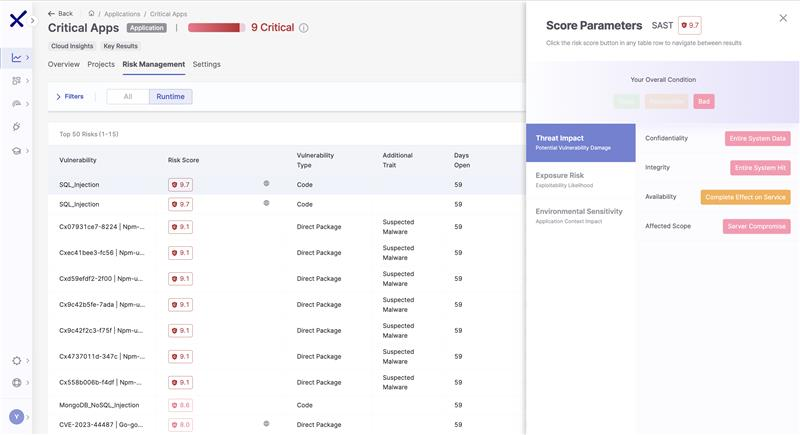
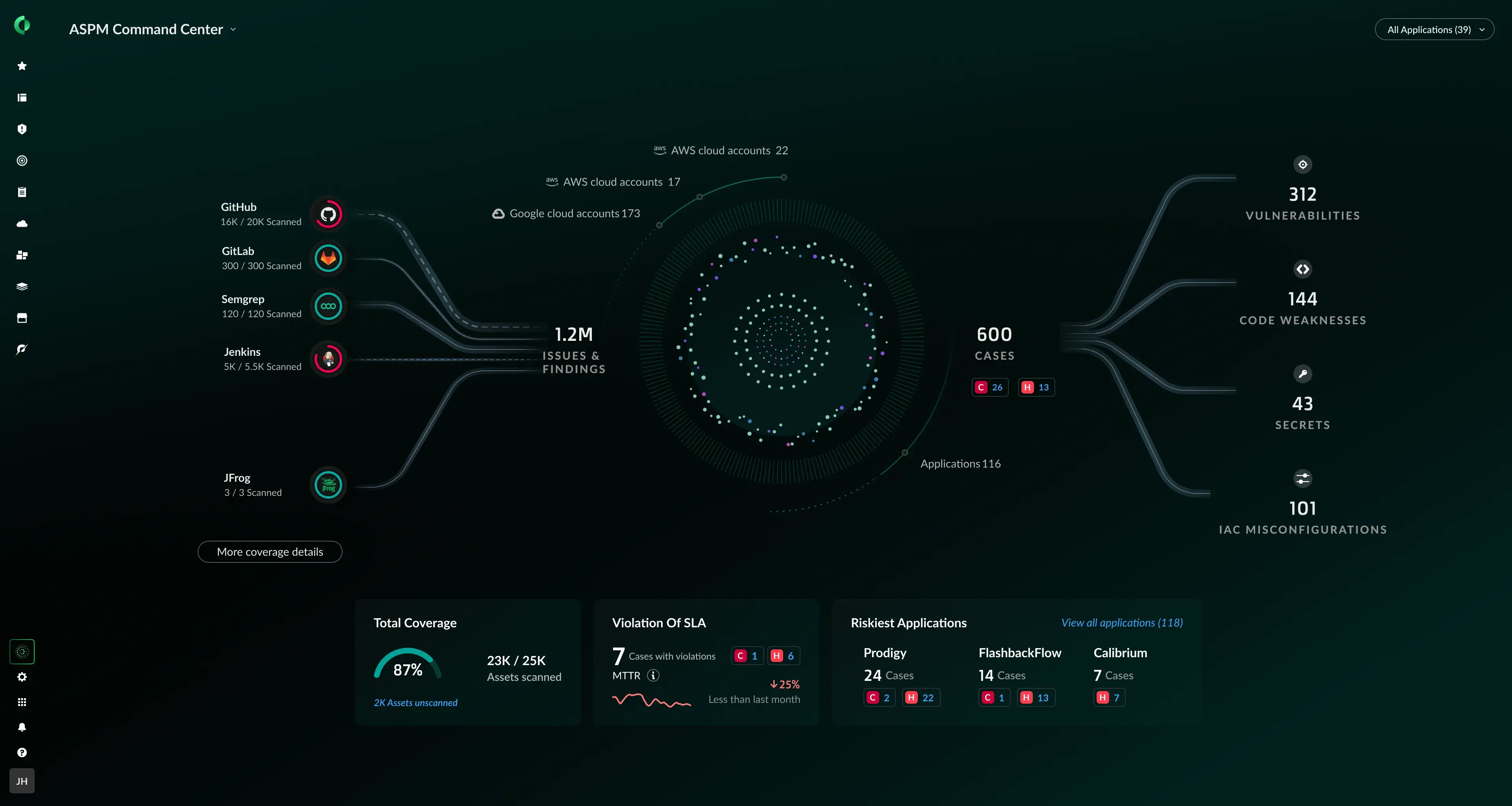
Checkmarx One ASPM is the application security posture management layer of the Checkmarx One platform. It correlates findings from Checkmarx One scanners, such as SAST, SCA and IaC security, along with results from third-party tools, and presents them as a single risk view for each application rather than separate scanner outputs.
Risk Orchestration, a capability of ASPM, scores each risk on exploitability, reachability, fixability, runtime exposure and business criticality, informed by Checkmarx Zero research. Runtime and cloud context comes from CNAPP integrations, so findings on workloads that are deployed and exposed in production rise above those that are not.
Checkmarx One ASPM provides runtime capabilities and coverage of cloud native applications via integration with CNAPP platforms, notably Wiz and Sysdig. This is a deliberate architecture: the CNAPP keeps watching the cloud, and ASPM ties what it sees back to the code, the owning team and the fix, without adding another agent to production workloads.
Key features include:
- Risk Orchestration correlation: Deduplicates and correlates findings across Checkmarx One scanners, such as SAST, SCA, IaC, API, secrets, container, repository health and third-party engines into one scored risk view for each application.
- CNAPP runtime correlation: Connects cloud posture and runtime signals to development findings, identifying which vulnerabilities sit on workloads with production exposure.
- Context-enriched risk scoring: Powered by Checkmarx Zero, blends exploitability, reachability, fixability and runtime exposure into a single aggregated score used for triage and prioritization.
- Third-party results ingestion: Consumes SARIF-based results through Bring Your Own Results, extending coverage to scanners outside the Checkmarx portfolio without a separate console.
- Posture monitoring and audit-ready reporting: Tracks AppSec posture and KPIs with filtering, grouping and sorting, exportable CSV reports, and traceability across REST APIs and branches for compliance evidence.
- Development ecosystem integrations: Connects to cloud tools, CI/CD systems, ticketing platforms and IDEs, with best-fix-location guidance delivered in the developer’s existing workflow across 75+ languages and 100+ frameworks.
- IaC checks before deployment: Correlates IaC Security findings for Terraform, CloudFormation and Kubernetes configurations, so many posture issues are caught in code before they reach the cloud.
Limitations (as reported by users on G2):
- Scan duration on large codebases: Deeper analysis of large or complex projects can extend scan times.
- Initial configuration effort: Setting up policies and tuning the platform involves a learning phase for teams new to application security testing.
- Triage of some findings: A portion of results requires validation before action, adding review time in some environments.
Source: Checkmarx

2. Snyk

Best for: Developer-led security across containers, IaC and dependencies
Strengths: Kubernetes workload monitoring, IaC rulesets, priority scoring
Things to consider: Prioritization filters need tuning to reduce noise
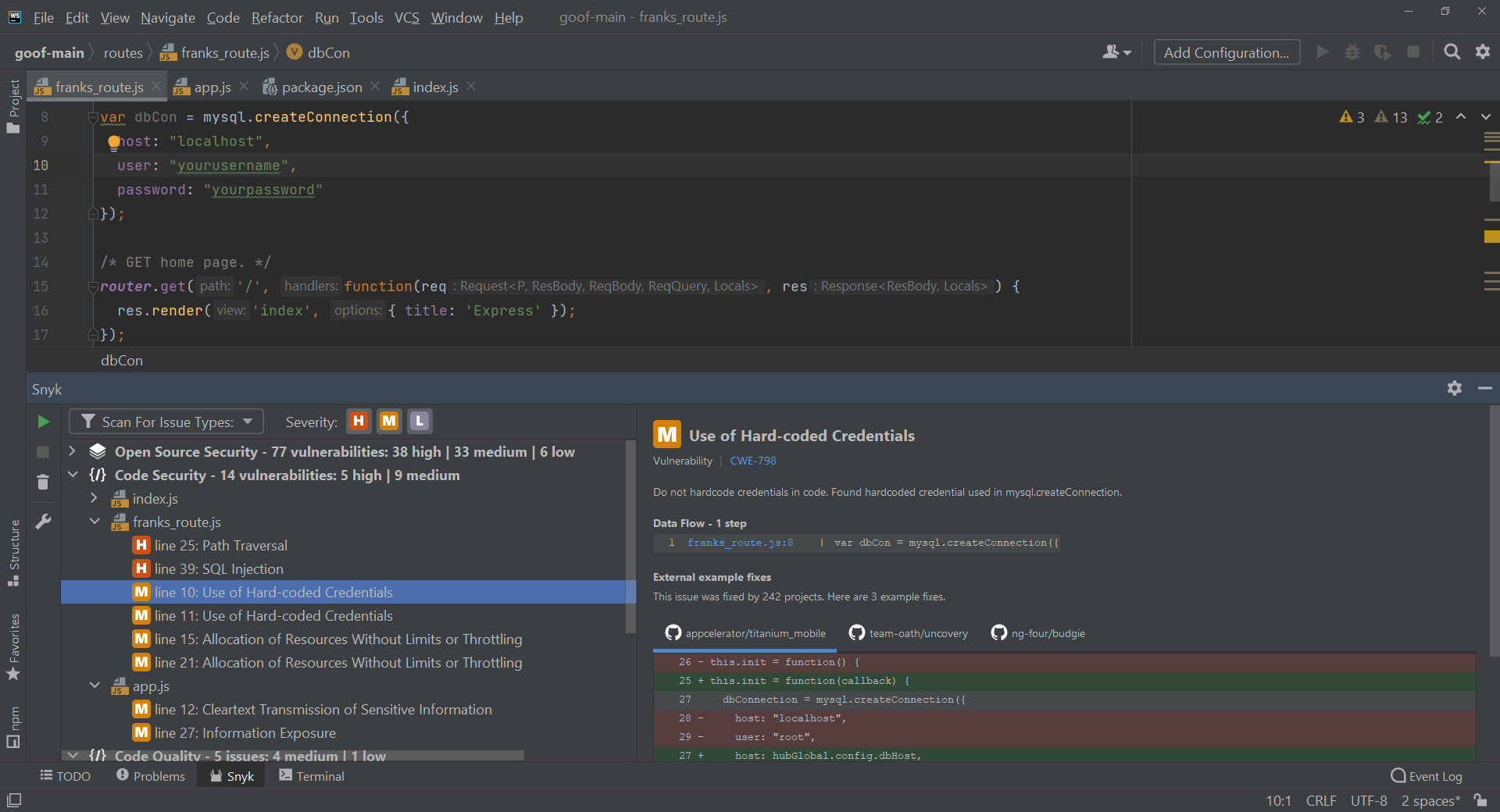
Snyk approaches cloud-native posture from the development side, scanning container images, Kubernetes workloads, infrastructure-as-code templates and open source dependencies from inside developer workflows. Snyk Container reports risks per image and provides one-click upgrades and alternative base image recommendations.
The platform continues monitoring after deployment. It watches images for newly disclosed vulnerabilities and base image updates, detects newly deployed and updated workloads in Kubernetes clusters, and flags unsafe settings in those workloads. Snyk IaC applies rulesets to Terraform, CloudFormation, ARM, Kubernetes, Helm and Docker configurations before they reach production.
Key features include:
- Kubernetes workload monitoring: Detects newly deployed and updated workloads in clusters and surfaces potentially unsafe workload settings, keeping visibility current as clusters change.
- Continuous image monitoring: Scans deployed images for newly discovered vulnerabilities and base image updates, with alerts routed through Slack, Jira, email or custom integrations.
- IaC rulesets and custom policies: Built-in rules for Terraform, CloudFormation, ARM and Kubernetes across AWS, Azure and Google Cloud, backed by CIS benchmarks, with custom policies written using Open Policy Agent.
- Priority scoring: Ranks issues using risk signals including exploit maturity and insecure workload configurations, rather than severity ratings alone.
- Drift management: Tracks divergence between provisioned infrastructure and the infrastructure-as-code that defines it, with the option to fix identified cloud issues back in IaC.
- Workflow embedding: Runs inside IDE, CLI, source control and CI/CD workflows, with reporting and an auditable dependency inventory for posture tracking across applications.
Limitations (as reported by users on G2):
- Low-severity noise: On larger projects the volume of low-severity findings can be substantial, and tuning filters to match risk tolerance takes trial and error.
- License detection accuracy: Licensing checks sometimes flag issues that are not a concern in a given use case, adding to review workload.
- Pricing tier boundaries: Capabilities such as deeper reporting and SSO sit in higher plans, and the jump between tiers is steep for mid-sized teams.
- Fix recommendations: Suggested upgrades occasionally introduce breaking changes, leaving teams to research compatibility manually.
- Separate DAST interface: The dynamic testing product runs in its own interface rather than being folded into the main console.

Source: Snyk
3. Cycode

Best for: Unifying AppSec findings with code-to-runtime risk context
Strengths: Context Intelligence Graph, IaC and CI/CD scanning, 120+ connectors
Things to consider: Container security coverage is still developing
Cycode positions itself as an agentic development security platform covering AI code risk, software supply chain security and risk posture management. Its Context Intelligence Graph consolidates findings into a single shared graph that maps code-to-runtime context and assesses ownership, reachability, exposure, exploitability and blast radius.
For cloud-native environments, Cycode scans infrastructure-as-code across Terraform, Kubernetes, Helm and CloudFormation, and traces container vulnerabilities back to their root cause in code. CI/CD security uses runtime eBPF monitoring to identify misconfigured pipelines and supply chain attacks.
Key features include:
- Context Intelligence Graph: Correlates signals from native scanners and third-party tools into one graph that carries ownership, reachability, exposure and blast radius context for each risk.
- IaC misconfiguration scanning: Detects configuration problems across Terraform, Kubernetes, Helm and CloudFormation before changes are deployed.
- Container scanning with code linkage: Identifies container vulnerabilities and connects them back to the originating code, rather than reporting image findings in isolation.
- CI/CD and pipeline security: Flags misconfigured pipelines and applies runtime eBPF monitoring to detect supply chain attacks against build infrastructure.
- Risk posture inventory and connectors: Maintains a queryable inventory of risks, assets, owners and technologies, integrating 120+ third-party tools across SCM, CI/CD, cloud, ticketing and security platforms.
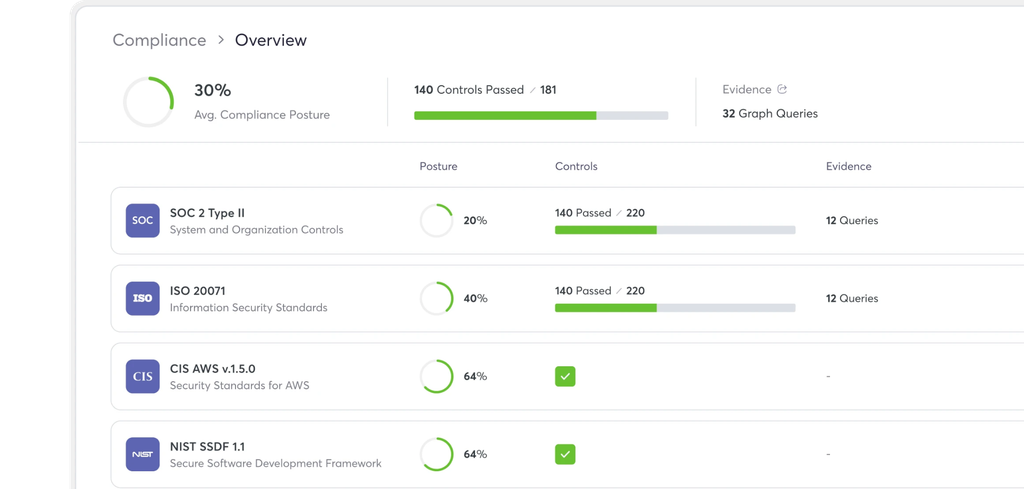
- Compliance and custom dashboards: Provides live compliance dashboards, exportable reports and dashboards configurable per business unit or stakeholder group.
Limitations (as reported by users on PeerSpot):
- No CLI for container scanning: The container scanning module lacks a command line interface, limiting how it can be embedded in pipeline automation.
- Container security depth: Users report that container coverage does not extend to OS-level vulnerabilities, so separate tooling is sometimes needed for image scanning.
- Performance at scale: With large numbers of assets onboarded, the platform can become slow for enterprise users.
- Language coverage: Support for legacy languages such as COBOL is limited, which affects organizations with older application estates.
- Asset mapping effort: Mapping assets individually for posture management took considerable time for at least one large deployment and remains an ongoing task.
Source: Cycode
Cloud-Native Application Protection Platforms
4. Wiz
Best for: Agentless multi-cloud posture with graph-based prioritization
Strengths: 2,800+ config rules, Security Graph context, 250+ frameworks
Things to consider: Agentless scan cycles delay remediation verification
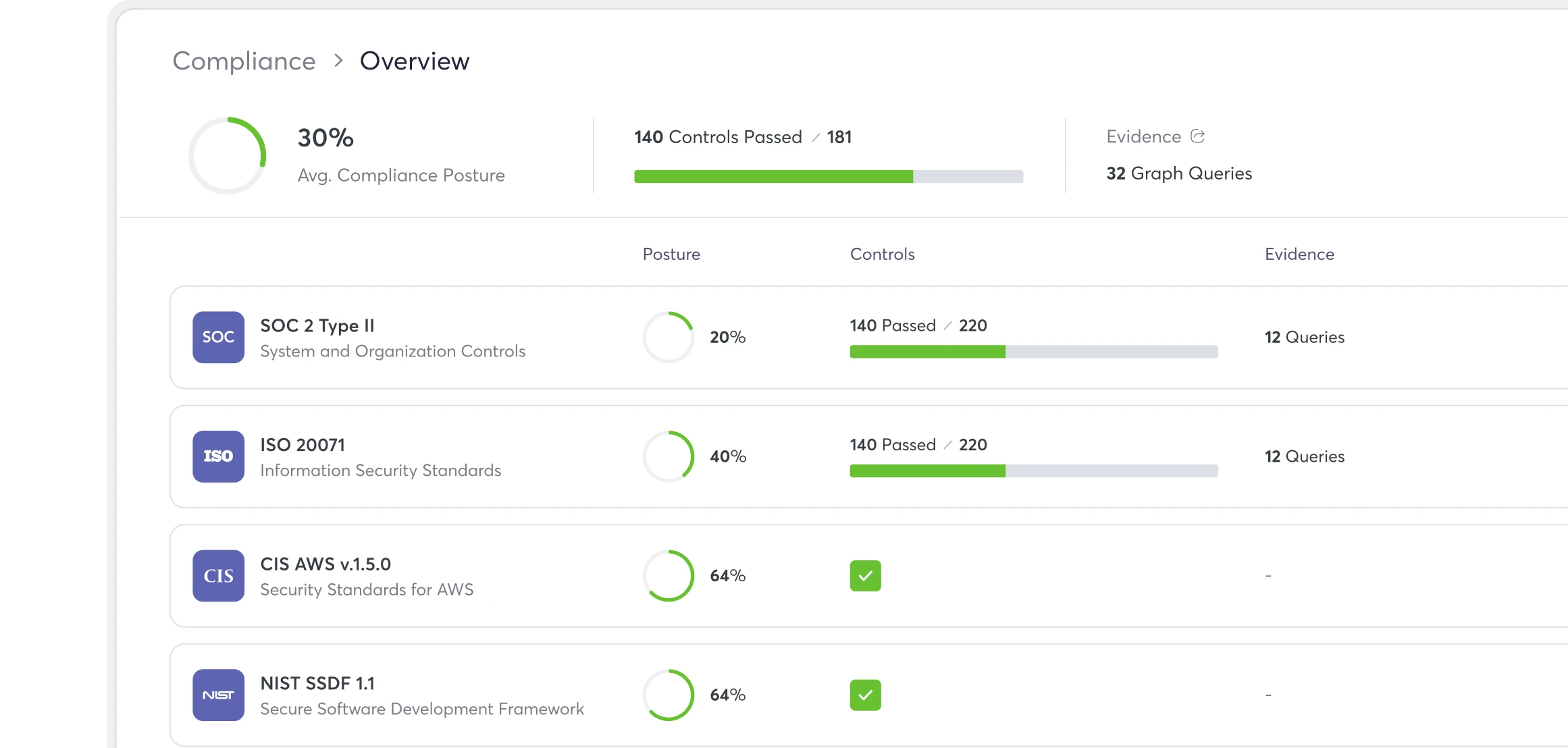
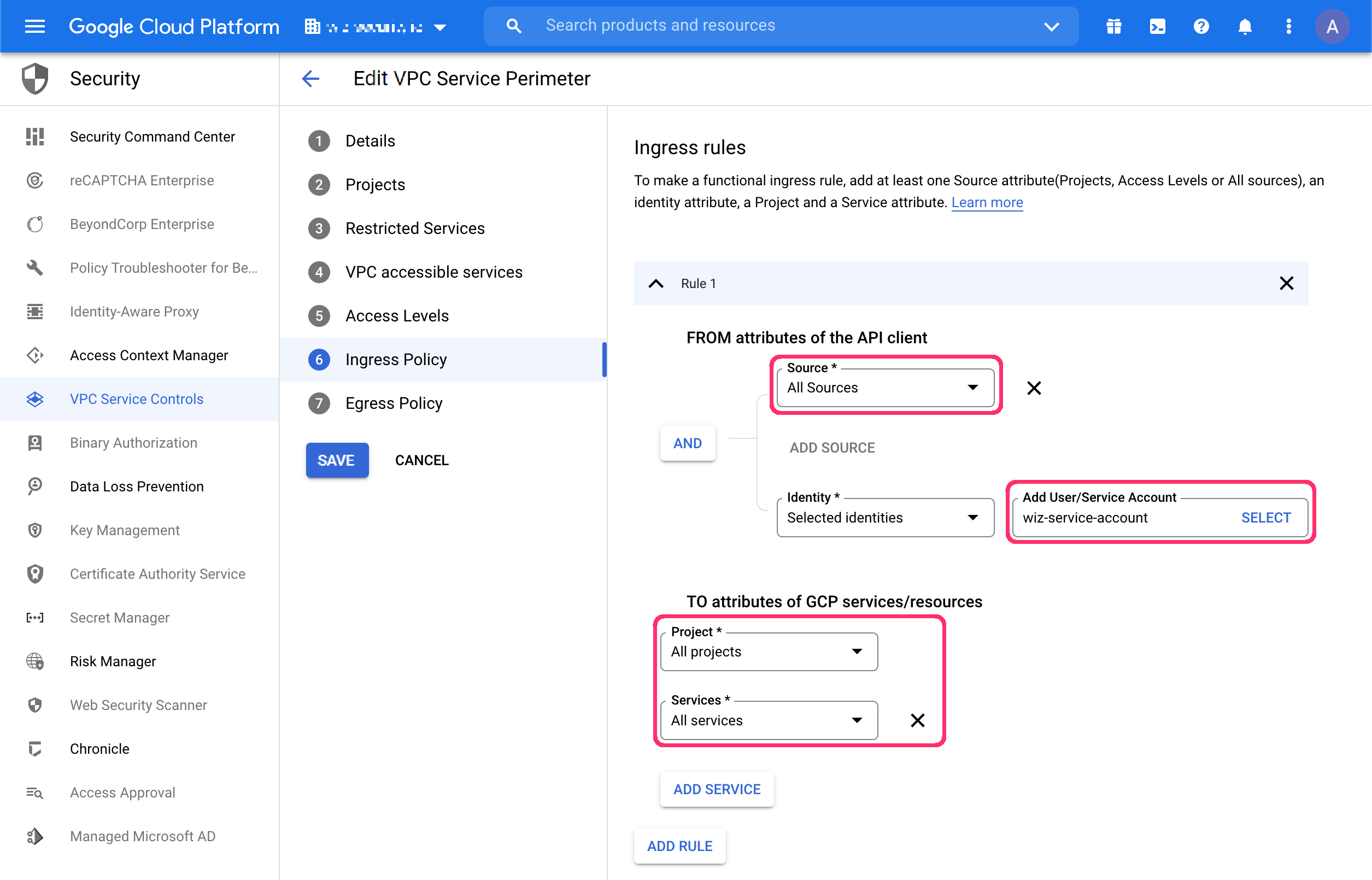
Wiz connects to cloud environments through cloud provider APIs and builds an inventory covering virtual machines, containers, serverless functions and AI services without deploying agents. That inventory is mapped onto the Wiz Security Graph, which is the basis for how findings are related and ranked.
Posture assessment runs against more than 2,800 cloud configuration rules, including Kubernetes security posture rules, with custom rules authored using AI or Rego. Misconfigurations are correlated with public exposure, identities, vulnerabilities, data, malware and lateral movement so that attack paths, rather than isolated findings, drive remediation order.
Key features include:
- Agentless inventory and discovery: Connects through cloud provider APIs and builds a complete inventory across VMs, containers, serverless and AI resources mapped onto the Security Graph.
- Configuration rule coverage: More than 2,800 cloud configuration rules, including KSPM rules, detect deviations from security best practices in real time, with custom rules written in Rego.
- Graph-based attack path prioritization: Correlates misconfigurations with public exposure, identities, vulnerabilities, data, malware and lateral movement to rank the paths that present real risk.
- Automated and guided remediation: Supports automatic remediation rules along with AI-generated remediation guidance for findings that need manual action.
- Continuous compliance assessment: Assesses posture against 250+ built-in frameworks spanning cloud and workload controls, including PCI DSS, CIS benchmarks and OWASP Top 10 for LLM.
- IaC scanning: Scans Terraform, AWS CloudFormation, ARM and other formats inside development workflows so misconfigurations can be blocked before deployment.
Limitations (as reported by users on G2):
- SAST false positives: The static analysis scanner generates findings that require manual validation before teams act on them.
- Remediation verification lag: Because scanning is agentless and runs on a cycle, confirming that a fix worked can wait until the next scan, which is daily in some deployments.
- Interface complexity: The breadth of the platform and its navigation model create a learning curve for teams during initial adoption.
- IDE extension maturity: Users have asked for improvements to the IDE extension compared with the rest of the platform.

Source: Wiz
5. Cortex Cloud

Best for: Consolidating cloud posture, runtime protection and SOC workflows
Strengths: SmartGrouping cases, SmartScore prioritization, autonomous remediation
Things to consider: Complex setup and unclear licensing boundaries
Cortex Cloud is the successor to Prisma Cloud, combining CNAPP capabilities with cloud detection and response on the Cortex platform. Its cloud posture security component applies code and runtime context to configuration findings instead of presenting inventory and misconfiguration lists on their own.
Two mechanisms shape how findings reach teams. SmartGrouping consolidates related signals into holistic cases, and SmartScore ranks those cases by real-world exposure and production behavior. Remediation runs through out-of-the-box playbooks and autonomous agents, with one action able to resolve findings that span many resources.
Key features include:
- Cloud security posture management: Prioritizes misconfigurations and vulnerabilities across multiple clouds, automates remediation and enforces compliance requirements against industry frameworks.
- SmartGrouping and SmartScore: Consolidates disjointed signals into cases and scores them by exposure and production behavior, replacing volume-driven alerting with grouped decisions.
- Cloud infrastructure entitlement management: Maps links between users, identities and data to expose the blast radius of each identity and enforce least-privilege access across clouds.
- Data and AI posture management: Discovers and classifies cloud data to prevent exfiltration and compliance violations, and identifies misconfigured models and AI resources exposed to manipulation or theft.
- Cloud attack surface management: Discovers unknown internet-facing assets and cloud exposure risks across the estate.
- Application security integration: Unifies data from native and third-party scanners, software supply chains, IaC and runtime so application findings sit alongside cloud posture in one platform.
- Compliance management: Presents a single view of compliance risk against industry frameworks for reporting and audit preparation.
Limitations (as reported by users on G2):
- Cost: Users describe the platform as expensive, which is particularly difficult for smaller teams with constrained budgets.
- Pricing clarity: Costing is described as high and unclear, making it hard to predict spend during evaluation.
- Learning curve: Becoming efficient with the platform takes time, and some advanced features are not intuitive for newer users.
- Configuration complexity: Navigating layers of configuration and permissions can feel involved, especially for teams without prior experience with the vendor’s products.
- Interface density: The interface can feel cluttered, and locating specific features sometimes takes longer than expected.

Source: Palo Alto Networks
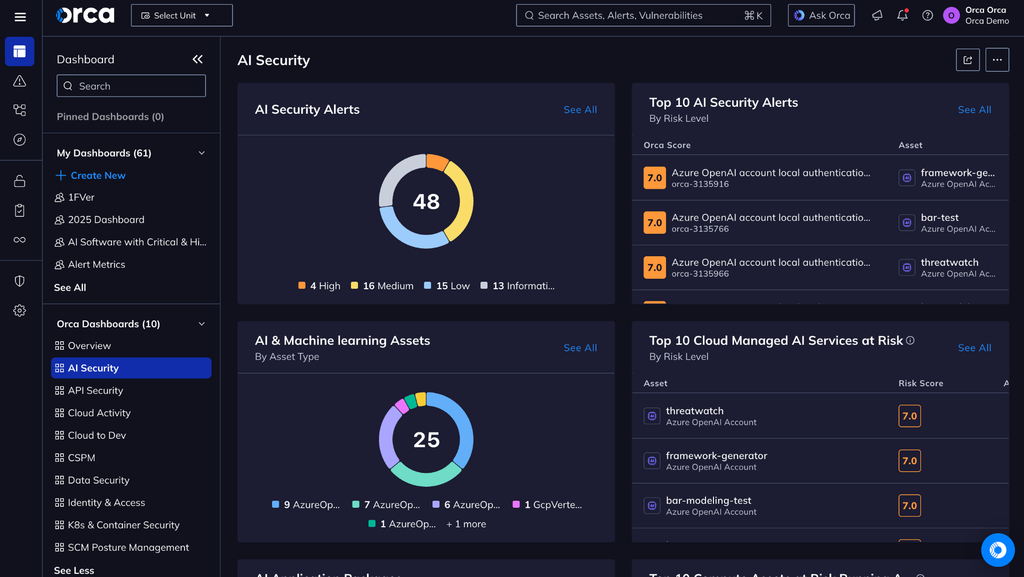
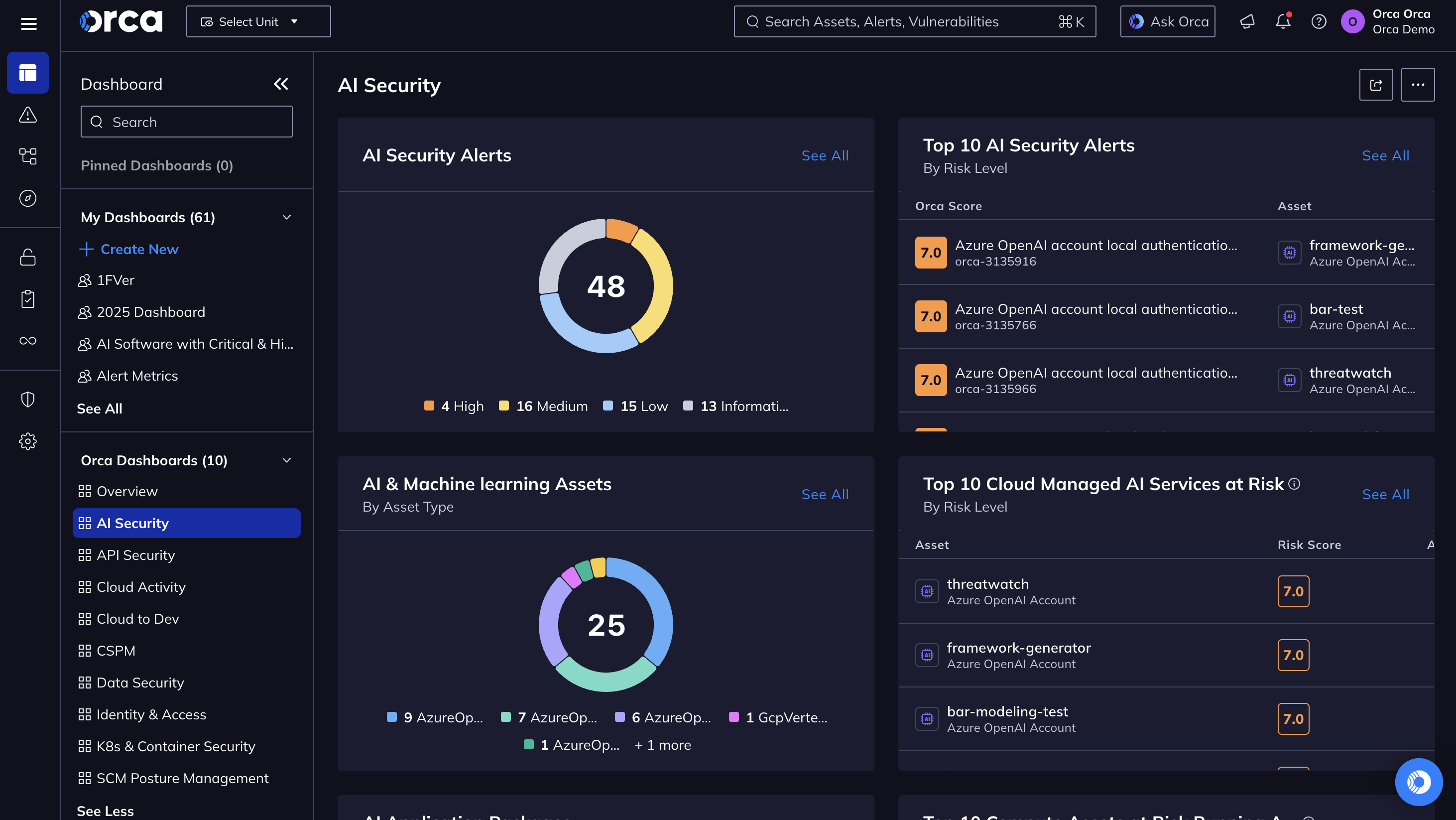
6. Orca Security

Best for: Agentless coverage across workloads, identities and sensitive data
Strengths: SideScanning, 2,500+ controls, attack path graphs, 150+ frameworks
Things to consider: Initial scans surface very large volumes of findings
Orca continuously monitors cloud environments for misconfigurations, policy violations and compliance risks, and consolidates cloud workload, configuration, identity and entitlement security, container security, sensitive data discovery, and detection and response in one platform. Its SideScanning approach connects through cloud APIs rather than deploying agents on workloads.
Because Orca scans workloads and identities in addition to configurations, it can evaluate how separate weaknesses combine. Attack paths are scored and presented as a visual graph showing the end target and each step along the route, including which fix breaks multiple paths at once.
Key features include:
- Configuration control coverage: Applies 2,500+ configuration controls across more than 10 categories including authentication, data protection, logging and monitoring, network configuration, Kubernetes configuration and system integrity.
- Policy violation alerting: Flags violations such as misconfigured S3 buckets, Google storage buckets, KMS keys, Elasticsearch instances and RDS databases as they occur across multi-cloud estates.
- Attack path scoring and visualization: Presents potential attack paths as a graph with detail on each step, and identifies the specific risks that need remediation to break a path.
- Multi-cloud compliance: Checks configurations and policies against more than 150 industry and regulatory frameworks, including CIS benchmarks, and unifies compliance for infrastructure, workloads, containers, identities and data in one dashboard.
- Sensitive data discovery: Identifies where sensitive data such as PII resides and flags when it is reachable through an exploitation path, tying data risk to exposure.
- Automated and guided remediation: Runs automation rules that remediate alerts on detection, and generates remediation instructions and code that can be pasted into a CLI or IaC provisioning tool.
- Natural language search: Lets users query the cloud environment in plain language, such as asking which vulnerabilities are public facing, without a proprietary query language.
Limitations (as reported by users on G2):
- Initial alert volume: Because Orca scans everything including orphaned staging servers and forgotten environments, first scans of legacy estates can produce very large numbers of low-level findings to sort through.
- Reporting customization: Out-of-the-box dashboards are described as rigid and technical, with limited options for building executive-facing reports without exporting data elsewhere.
- False positives: Some users report findings that require additional assessment to separate from genuine vulnerabilities.
- Permission configuration: Setting up deeply nested role-based access, such as restricted read-only dashboards for a single business unit, is described as complex.
- Cost forecasting: Consumption-based pricing introduces budgeting friction for environments that scale up and down aggressively.
Source: Orca Security
7. Microsoft Defender for Cloud

Best for: Hybrid and multicloud posture within Microsoft environments
Strengths: Attack path analysis, DevOps security, contextual prioritization
Things to consider: Coverage depth is stronger on Azure than AWS or GCP
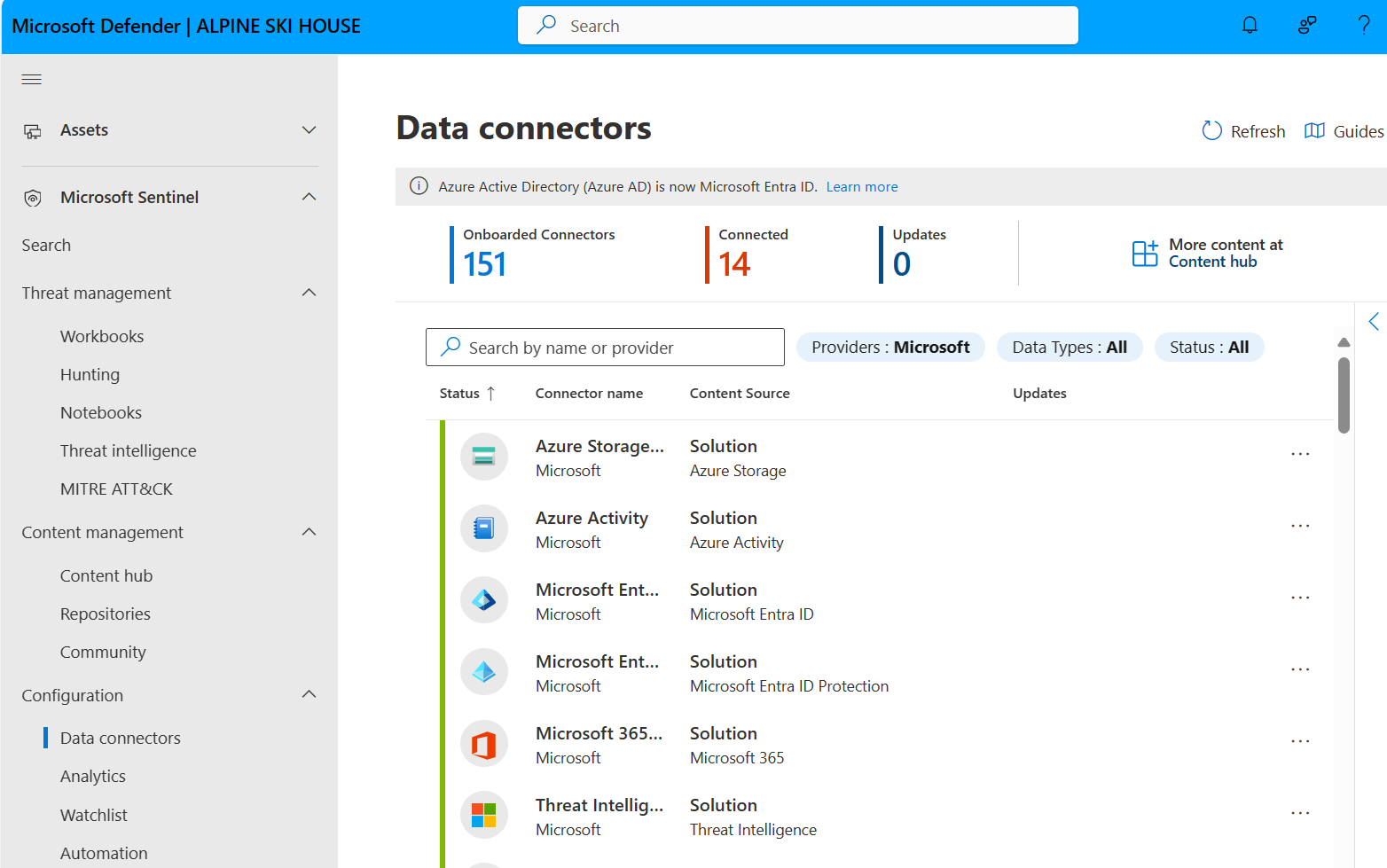
Microsoft Defender for Cloud is a cloud-native application protection platform for hybrid and multicloud environments, combining cloud security posture management, workload protection and DevOps security across the application lifecycle from code to runtime. It covers Azure alongside AWS, Google Cloud and on-premises resources from a single portal.
Prioritization relies on attack path analysis and contextual risk scoring across cloud infrastructure, AI workloads, agents, APIs and data stores. On the development side, unified DevOps security spans multicloud and multi-pipeline environments to keep vulnerabilities, misconfigurations and secrets out of production.
Key features include:
- Multicloud and hybrid posture management: Provides end-to-end visibility across hybrid and multicloud environments, evaluating resources against posture frameworks in a single portal.
- Attack path analysis: Maps how exposed resources, identities and vulnerabilities chain together across cloud infrastructure, AI workloads, agents, APIs and data stores, supporting contextual risk prioritization.
- DevOps security: Covers multi-pipeline environments to catch vulnerabilities, misconfigurations and secrets in code, including secure infrastructure-as-code templates and container images before deployment.
- Remediation workflows: Supports remediation at scale from code to runtime using built-in workflows tied to the resources that generated each finding.
- Threat detection and response: Delivers cloud-native threat detection across infrastructure, applications and business data, integrated into the Microsoft Defender portal.
- Security ecosystem integrations: Works alongside GitHub Advanced Security, Microsoft Sentinel, Defender XDR, Security Exposure Management, Security Copilot and External Attack Surface Management.
Limitations (as reported by users on G2):
- Configuration complexity: Initial setup and configuration are described as complex, particularly in multicloud and hybrid deployments.
- Pricing structure: Advanced workload protection plans bill per resource or per ingestion, and users report that costs are hard to predict as the environment grows.
- Alert noise: The platform generates a high volume of recommendations and alerts, including false positives, requiring exemption rules and tuning before the signal becomes usable.
- Multicloud parity: Depth of coverage and remediation workflows for AWS and Google Cloud lag what is available for native Azure resources.
- Learning curve: The breadth of features, dashboards and settings takes time to learn, and navigation spans multiple portals.

Source: Microsoft
8. Sysdig Secure

Best for: Kubernetes and container posture with runtime context
Strengths: Falco detections, Cloud Attack Graph, in-use vulnerability filtering
Things to consider: Agentless coverage gaps and a steep learning curve
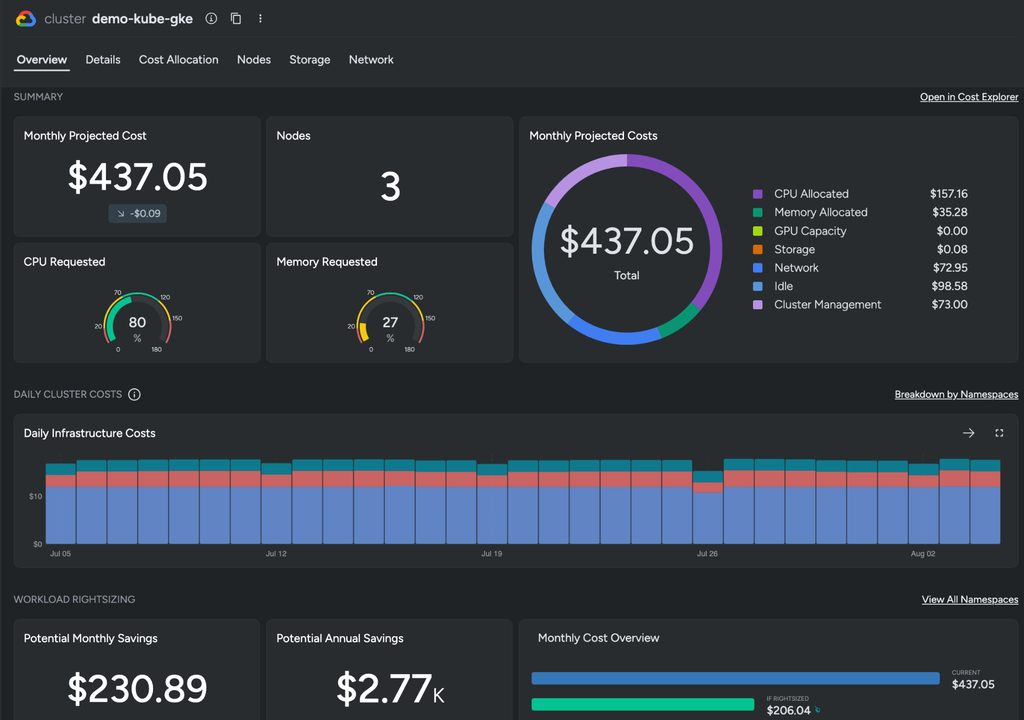
Sysdig Secure is a cloud-native application protection platform unifying cloud workload protection, cloud detection and response, cloud security posture management and cloud infrastructure entitlement management across containers, Kubernetes, identities, workloads and cloud services. Its runtime insights are powered by Falco, the open source project Sysdig created.
Deployment combines agentless and agent-based coverage. Agentless collection covers vulnerabilities, misconfigurations, in-use permissions and threats, while an agent analyzes active processes in real time and filters out vulnerabilities tied to packages that are never loaded, which changes what reaches the remediation queue.
Key features include:
- Kubernetes and cloud posture management: Identifies, prioritizes and reduces misconfiguration risk across cloud environments, containers and Kubernetes as part of the unified CNAPP.
- Cloud Attack Graph: Maps exploitable links across resources to reveal attack paths and blast radius, using runtime insights to keep the picture current.
- Runtime-based vulnerability prioritization: Correlates in-use vulnerabilities, active permissions, misconfigurations and real-time behavior so that findings on running, reachable code rank ahead of dormant ones.
- Resource 360 and inventory search: Provides a searchable, continuously updated inventory of users, workloads, hosts and container images, including search for vulnerabilities in active packages.
- Real-time threat detection: Combines drift control, machine learning and Falco rules curated by the Sysdig Threat Research Team to detect threats across workloads, identities, cloud services and third-party apps.
- Entitlement management: Provides visibility into cloud identities and their in-use permissions to support least-privilege enforcement.
- Integrated AI assistance: A GenAI Assistant answers security questions in natural language, and an MCP server plus curated agent skills connect platform data to the AI agents teams already use.
Limitations (as reported by users on G2):
- Agentless and KSPM gaps: Users note feature limitations around agentless scanning availability and Kubernetes security posture management.
- Setup complexity: Initial setup is described as challenging for teams without deep technical expertise in the platform.
- Observability coverage: Some users cite missing tracing and logging capabilities compared with dedicated observability tooling.
- Learning curve: The breadth of features makes the platform difficult to pick up for users new to it, affecting time to productive threat analysis.
Source: Sysdig
Conclusion
Continuous posture monitoring gives security teams visibility across dynamic cloud environments, ephemeral workloads and changing configurations. CNAPP and CSPM tools show what is exposed in the live cloud; code-to-cloud platforms such as Checkmarx One ASPM show where that exposure started in code and who should fix it. Pairing the two lets teams move from point-in-time audits to continuous, prioritized remediation, with fixes made at the source rather than patched in production.