
Summary
DAST tools test running web applications from the outside, simulating real-world attacks to uncover exploitable vulnerabilities such as SQL injection and XSS. Modern DAST solutions support APIs, single-page applications, CI/CD integration, and AI-driven validation to reduce false positives.
What Are Dynamic Application Security Testing (DAST) Tools?
DAST tools (a.k.a DAST scanners) are security tools used to find vulnerabilities in a running web application by simulating attacks, much like a hacker would. Popular examples of DAST tools include Checkmarx, ZAP, and Invicti. These tools are used to identify runtime issues like SQL injection and cross-site scripting, and are commonly integrated into a continuous security testing process.
The primary functions of DAST tools include:
- Simulate attacks: They work by sending various simulated attacks to a live application to see how it responds.
- Find vulnerabilities: DAST tools are effective at uncovering a range of vulnerabilities, including SQL injection, cross-site scripting (XSS), and server misconfigurations.
- Test from the outside: UnlikeSAST (Static Application Security Testing) tools that analyze source code, DAST tools test the application from the outside, without needing access to the code itself.
- Handle modern apps: Newer DAST tools are designed to handle complex applications built with modern frameworks and APIs, which older tools often struggle with.
DAST tools at a glance (quick shortlist)
If you only need a fast starting point, the top DAST scanners below cover the most common enterprise and DevSecOps use cases.
Click on DAST scanner below for a detailed analysis or scroll downfor the full tool-by-tool analysis (including additional DAST tools, strengths, and what to consider for each).
| Tool | Best for | One-line differentiator |
|---|---|---|
| Checkmarx DAST | Enterprise AppSec teams scanning web apps + APIs | Runtime validation with strong auth + platform correlation; |
| OWASP ZAP (by Checkmarx) | Budget-friendly / open-source DAST | Free, extensible DAST scanner; strong for learning + basic automation |
| Burp Suite | Security teams doing deep web testing | Industry-standard web testing workflow with powerful customization and automation options |
| Invicti | Teams focused on reducing noise | Verification-oriented scanning approach designed to cut false positives |
| Veracode Dynamic Analysis | Platform buyers / centralized AppSec | Cloud-based DAST that fits a broader platform approach and portfolio reporting |
| StackHawk | CI/CD-first teams | Dev-first DAST built for pipeline integration and fast feedback on running apps/APIs |
What DAST Tools Do
DAST scanners typically implement the following functions.
Simulate Attacks
DAST tools simulate realistic attack scenarios against live applications. They launch automated scans that mimic various attack vectors used by malicious actors, such as injecting crafted input or attempting authentication bypasses. These simulated attacks are non-destructive, measuring how the application’s defenses stand up to real-world threats without harming the underlying data or infrastructure.
By simulating known and emerging attacks, DAST tools give organizations the ability to assess their security posture continuously. They can identify where web services, APIs, and front-ends are most susceptible to compromise, allowing developers and security teams to prioritize mitigation strategies based on demonstrable flaws rather than theoretical risks.
Find Vulnerabilities
The core function of any DAST tool is vulnerability detection within running applications. These platforms scan for common weaknesses such as injection flaws, weak session management, insecure direct object references, and improper error handling. Each vulnerability is identified through a combination of automated payloads, heuristic analysis, and pattern recognition on dynamic responses returned by the application.
DAST tools generate detailed reports outlining specific vulnerabilities, attack examples, and remediation guidance. This information helps development and DevSecOps teams not just spot problems but also fix them efficiently. The real-time feedback provided by DAST complements other security testing approaches, closing gaps not easily identified in earlier development stages.
Test from the Outside
A distinguishing feature of DAST tools is external, black-box testing. Instead of relying on code access or internal design knowledge, these tools operate as if they were an attacker probing the public-facing interfaces of an application. This approach reveals vulnerabilities exposed through intended and unintended behaviors in the deployed environment, including misconfigurations and business logic flaws.
By simulating an outsider’s perspective, DAST tools account for environmental factors, middleware, and configurations that static code analysis might miss. This broader scope is important for organizations looking to secure not just their source code but also their deployment pipelines, hosting environments, and integrations.
Handle Modern Apps
Modern applications often use JavaScript-heavy front ends, APIs, and complex microservices architectures. Leading DAST tools have evolved to understand these technologies by executing JavaScript, handling dynamic content, navigating single-page applications, and scanning APIs in addition to traditional web interfaces. This coverage is essential for maintaining security in contemporary app stacks.
The ability to parse and test the logic of modern web frameworks and interact with RESTful or GraphQL endpoints allows DAST tools to keep up with changing development practices. Support for these technologies means vulnerabilities unique to dynamic content or distributed services can be reliably discovered.
Methodology: How we Selected these DAST Tools
We selected and compared these DAST tools (DAST scanners) using criteria that reflect how modern teams actually ship and secure applications. Each tool was evaluated on: coverage for modern web apps and APIs (including SPAs), authenticated scanning support, crawl depth and accuracy, validation and noise reduction, CI/CD and workflow integrations, reporting and compliance outputs, scalability and performance, and ecosystem maturity (documentation, support, and community).
The goal is to help AppSec and engineering teams quickly shortlist tools that fit their environment, then choose based on the depth of automation, accuracy, and operational fit they need.
Key Features of Modern DAST Solutions
Coverage and Depth of Scanning
Modern DAST solutions offer in-depth scanning capabilities, going beyond basic URL or endpoint probing. They crawl web applications, following links, submitting forms, and simulating user actions to map out the full attack surface. This coverage is crucial for finding vulnerabilities hidden in nested forms, dynamic routes, and complex workflows.
Scanning depth is also a marker of quality. The best DAST tools adapt their testing to the unique structure and logic of each application, ensuring no component is overlooked. They handle both authenticated and unauthenticated states and can uncover issues in areas that require advanced navigation, such as multi-step forms or custom business processes.
Authentication and Session Management
Critical applications often restrict content and features behind authentication and session controls. Modern DAST tools handle complex login workflows, including multi-factor authentication, single sign-on, and token-based sessions. This ensures that protected areas are scanned with the same vigor as public endpoints.
In addition to logging in, these tools evaluate how sessions are managed and look for weak or insecure session tokens, improper logout functionality, and vulnerabilities that allow session fixation or hijacking. Authentication handling extends DAST’s coverage to the full user experience, revealing flaws that could be exploited after a legitimate login.
API and Microservices Testing
With APIs and microservices becoming the backbone of modern architectures, DAST solutions now incorporate dedicated modules for REST, SOAP, and GraphQL endpoints. They analyze request/response flows, parameter handling, and authentication mechanisms bespoke to these components, identifying both traditional vulnerabilities like injection attacks and logic flaws unique to APIs.
Testing API-driven environments also includes handling OpenAPI, Swagger, or Postman collections for automated mapping of endpoints during scans. Microservices environments benefit from DAST tools capable of orchestrating security tests across distributed components, ensuring the entire service chain maintains a consistent security posture.
False Positive Reduction and Validation
One challenge in automated security scanning is noise from false positives. Modern DAST tools employ validation techniques, such as replay attacks and contextual analysis, to confirm whether a vulnerability is truly exploitable before flagging it to users. This validation reduces the time security and development teams spend sorting out false alarms.
False positive reduction enables teams to focus efforts on genuine risks, improving trust in the tool’s findings and accelerating patch cycles. Some DAST solutions allow tuning of detection rules and provide clear contextual evidence to help teams understand the nature and impact of each vulnerability.
Integration with DevSecOps
Current DAST solutions are engineered for integration within continuous integration and continuous deployment (CI/CD) pipelines. With plug-ins for popular DevOps tools and APIs for automation, these solutions can trigger scans on code commits, pull requests, or pre-release builds. This integration ensures security hygiene becomes part of the development workflow.
Automated reporting, ticketing, and remediation advice can be pushed directly into bug-tracking and collaboration tools, minimizing context switching for development teams. Integrated DAST testing supports the shift-left approach, catching vulnerabilities earlier and embedding security into agile delivery practices.
Compliance- and Audit-Ready Features
Compliance demands drive security efforts for many organizations. Modern DAST tools include features for auditing, reporting, and documentation to meet regulatory requirements such as PCI DSS, HIPAA, and GDPR. They generate evidence suitable for audits, track scan histories, and demonstrate effective vulnerability management.
These tools often provide pre-configured scan templates and out-of-the-box reports tailored to common compliance frameworks. This simplifies ongoing compliance workflows, providing auditors with necessary documentation and giving organizations confidence that their security processes are fully documented and verifiable.
AI/Agentic Scanning
Many DAST vendors now incorporate AI to improve scan coverage, speed, and precision. AI-driven analysis learns from previous scans, adapts its test patterns, and can intelligently identify novel attack surfaces in complex applications. Agentic scanning techniques may deploy lightweight bots or agents within client environments to monitor application behaviors and flag anomalies in real time.
The inclusion of AI also simplifies the interpretation of complex scan results and prioritizes vulnerabilities based on context, like application usage patterns or threat intelligence feeds. These advancements reduce manual analysis overhead while enhancing detection efficacy and supporting proactive remediation.
12 Notable DAST Tools (2026)
Here are some popular DAST tools.
How we selected these tools
We shortlisted DAST tools based on: modern app coverage (SPAs/APIs), auth support, validation/noise reduction, CI/CD integration, reporting/compliance features, and ecosystem support.
1. Checkmarx

Key strengths: Simulates real-world attacks against running applications to confirm exploitability (better signal-to-noise) and correlates DAST with SAST/SCA/API Security/ASPM signals to prioritize fixes.
Best for: Enterprise AppSec teams that need scalable, authenticated dynamic testing for modern web apps and APIs – especially to validate that AI-generated code behaves securely at runtime.
Things to consider: Like any DAST program, it needs a running environment plus authentication and tuning – plan onboarding and CI/CD integration so it doesn’t become a specialist bottleneck.
Checkmarx DAST is an enterprise-grade dynamic application security testing solution integrated into the Checkmarx One platform. It enables fast onboarding, simplifies complex authentication, and provides full API security coverage within a unified AppSec experience. The tool is designed to identify vulnerabilities in live applications and APIs, with advanced features that support scalability, automation, and risk-based prioritization.
Key features include:
- Effortless authentication: Supports complex login scenarios including MFA, SSO, and multi-step flows using browser recording, script uploads, and instant verification.
- Comprehensive API protection: Scans REST, SOAP, and gRPC APIs in live environments, detects shadow APIs, and consolidates results with SAST findings for full visibility.
- Risk-based prioritization: Leverages Application Security Posture Management (ASPM) to unify findings and assign risk scores, helping teams focus remediation on the most critical issues.
- CI/CD integration: Easily integrates into DevOps pipelines for automated security testing during development, enabling early vulnerability detection.
- Unified platform experience: Operates within Checkmarx One alongside SAST, SCA, and other modules, reducing tool sprawl and improving developer usability.
- AI-ready runtime protection: Addresses vulnerabilities introduced by AI-generated code, detects business logic flaws, and uncovers undocumented or unexpected behaviors.
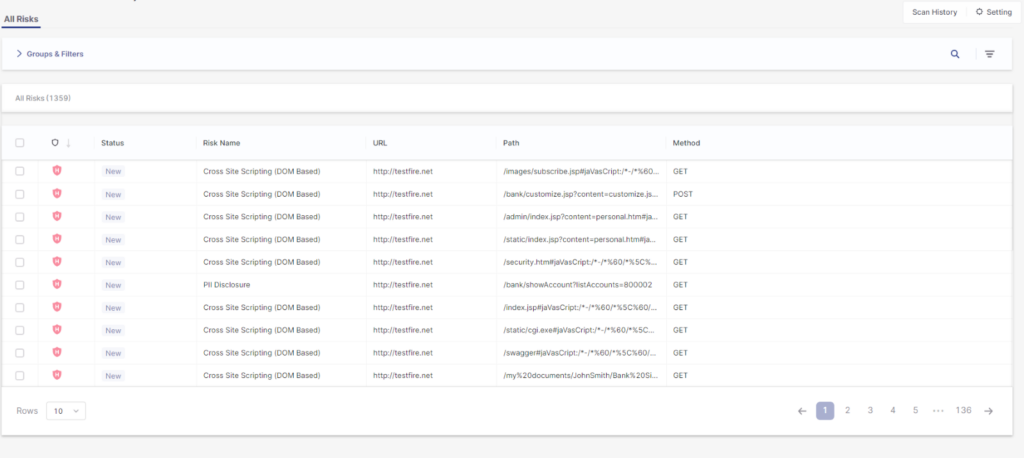
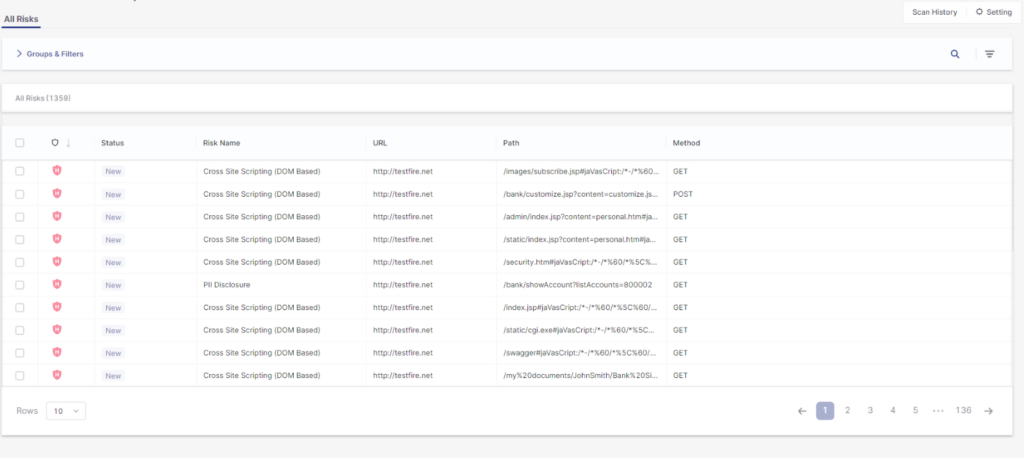
When teams ship at AI speed, runtime validation becomes more critical than ever.
Checkmarx DAST tests running apps and APIs for authentication bypasses, business logic flaws, and configuration issues that static analysis alone can’t confirm.
Source: Checkmarx

AI-Driven DAST
Why Choose Checkmarx DAST?
For teams that ship both fast and secure, Checkmarx DAST makes dynamic testing as agile as AI-driven development.
See it in Action2. ZAP by Checkmarx

Best for: Teams seeking a free, open-source DAST tool for manual and automated web application testing.
Key strengths: Community-driven extensibility with proxy-based traffic inspection and CI/CD support via GitHub Actions.
Things to consider: Higher false positive rates and limited enterprise-grade automation compared to commercial tools.
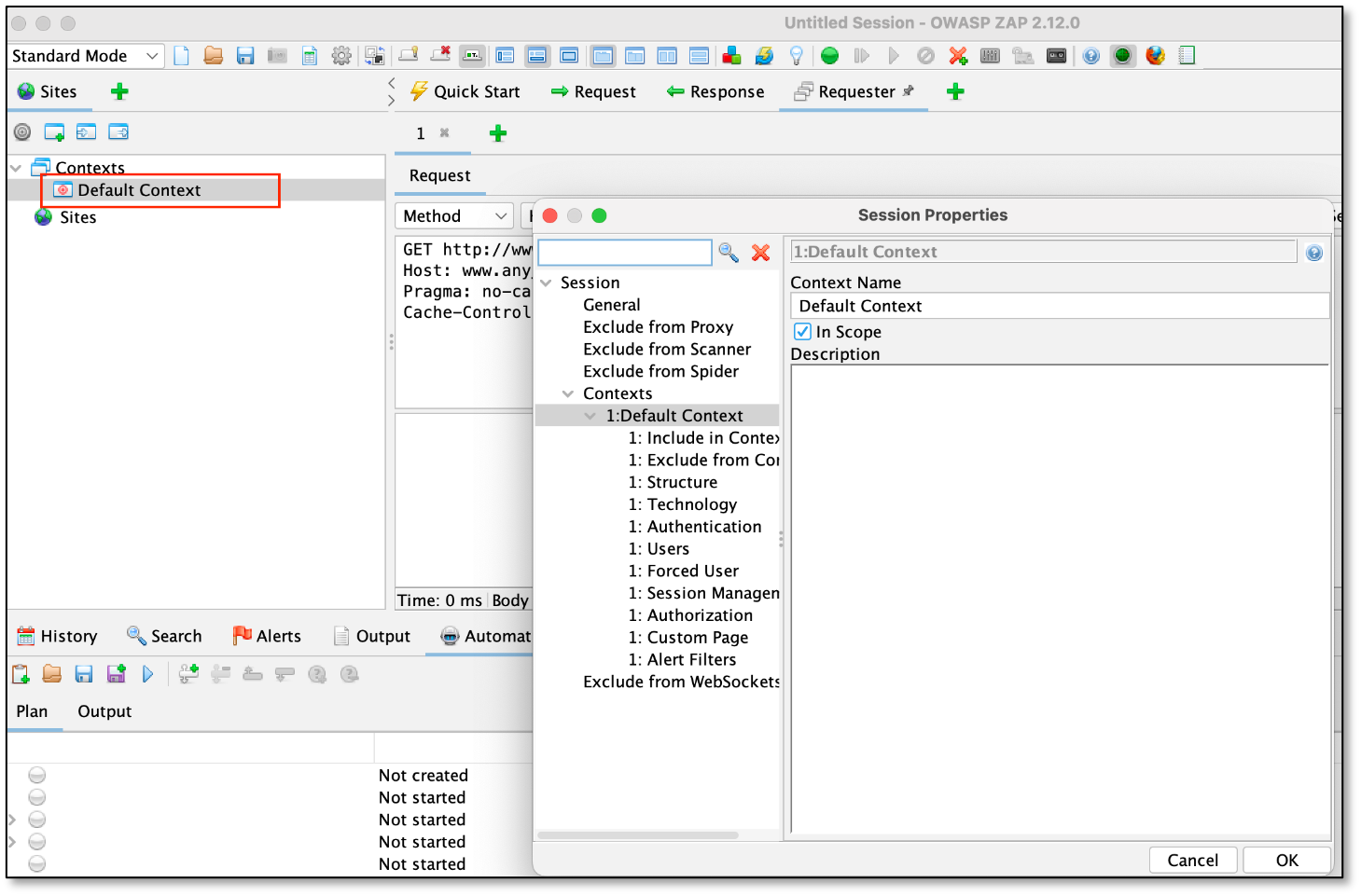
Zed Attack Proxy (ZAP) is a free, open-source dynamic application security testing (DAST) tool, originally developed by the OWASP Foundation and currently maintained by Checkmarx. It is suited for a range of users, from developers new to security testing to experienced penetration testers. ZAP works as a “man-in-the-middle” proxy, intercepting and manipulating traffic between the browser and the web app to uncover vulnerabilities.
Key features include:
- Free and open source: Entirely community-driven with open code, free to use for commercial and non-commercial purposes, and highly extensible via community-developed add-ons.
- Man-in-the-middle proxy functionality: Intercepts traffic between browser and app to inspect, modify, and forward HTTP/S requests, helping uncover complex security flaws.
- Cross-platform support: Available for Windows, macOS, Linux, and Docker, with no vendor lock-in or platform restrictions.
- GitHub full scan action: Offers automated DAST scans in CI/CD using GitHub Actions. It performs spidering, AJAX crawling, and active scanning, then creates or updates GitHub issues with results.
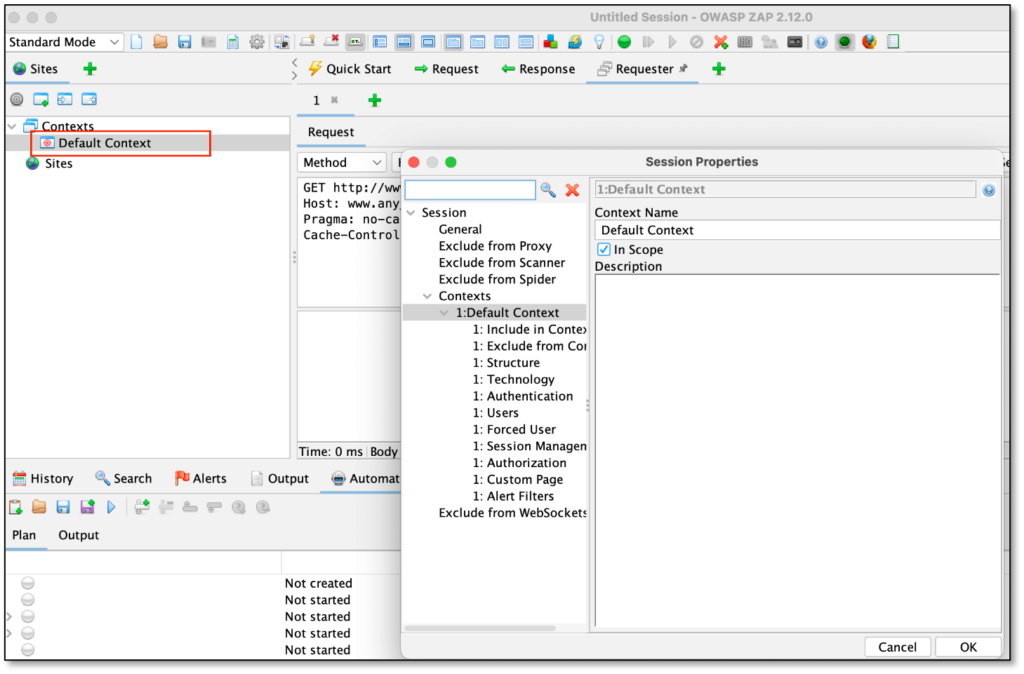
- Low barrier to entry: Provides a graphical desktop UI with menus, trees, and panels for navigating sites, reviewing alerts, and editing requests.
Limitations (as reported by users on G2):
- Prone to false positives, requiring manual validation and additional configuration to ensure accuracy
- Limited and sometimes outdated documentation, making troubleshooting and advanced usage difficult
- Lacks some modern features and automation capabilities found in other DAST tools
- Navigation and usability issues can arise due to insufficient support and documentation
- Poor customer support reported, with limited assistance during error resolution
Source: Checkmarx
3. Invicti

Best for: Enterprises that require proof-based scanning and strong CI/CD integration.
Key strengths: Automatic vulnerability verification with predictive risk scoring to prioritize business-critical assets.
Things to consider: Performance issues and upgrade complexity may affect large or time-sensitive deployments.
Invicti is an enterprise DAST tool with tight integration into development pipelines. It helps eliminate common problems in legacy DAST solutions, such as false positives, slow scans, and blind spots, through proof-based vulnerability verification, predictive risk scoring, and automation.
Key features include:
- Proof-based scanning: Automatically confirms many vulnerabilities by safely exploiting them, providing tangible proof so teams can fix issues with confidence.
- Predictive risk scoring: Prioritizes scans based on the potential business impact of web assets, helping teams focus on the most critical risks.
- CI/CD integration: Offers native integrations with Jenkins, GitHub, GitLab, and Azure DevOps, enabling scans and results directly within developer workflows.
- Fast scanning engine: Performs scans faster than previous versions, supporting agile development without bottlenecks.
Limitations (as reported by users on G2):
- Slow performance during scans and database fetching can affect usability in time-sensitive environments
- API-related issues sometimes impact reliability when retrieving data from the server
- Product upgrades are reported as difficult, with slow improvement cycles
- Limited testing capabilities for certain endpoints reduce effectiveness in specific scenarios
- Inconsistent customer support, with delayed responses and unresolved issues reported
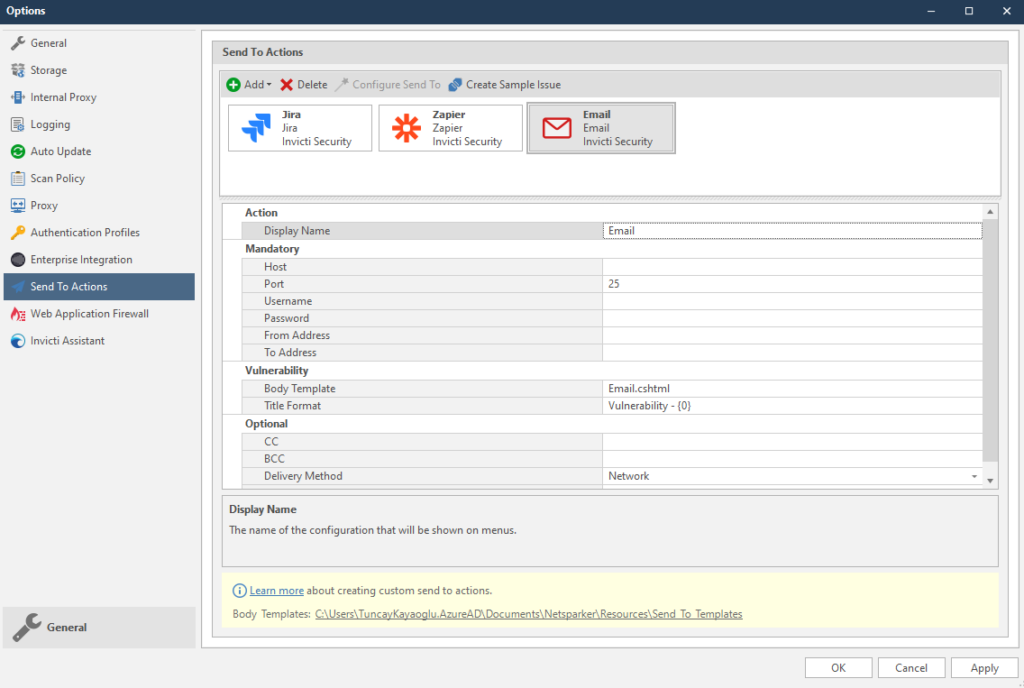
Source: Invicti

4. Snyk

Best for: Developer-centric teams looking to integrate DAST into existing Snyk and CI/CD workflows.
Key strengths: API-focused scanning with AI-driven mapping and evidence-based reporting.
Things to consider: Frequent false positives and high cost may require additional tuning and budget planning.
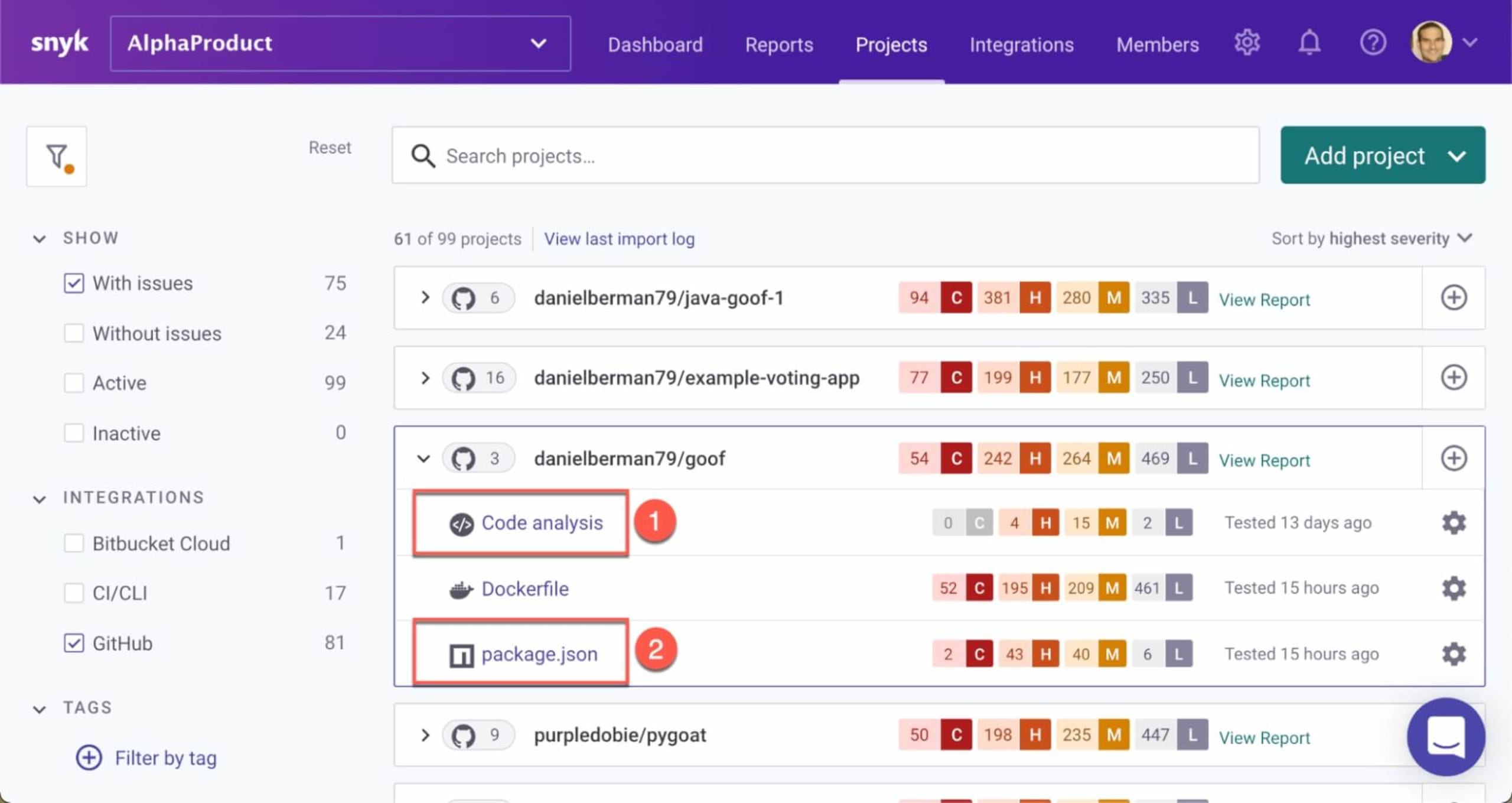
Snyk API & Web is a dev-first DAST for web applications and APIs. It emphasizes verified results with a low false positive rate and broad API coverage. It includes asset discovery, authenticated and configurable scanning, and integrations across CI/CD, issue trackers, and messaging tools. Snyk’s DAST solution is based on ZAP, an open source solution sponsored and maintained by Checkmarx.
Key features include:
- AI-powered API scanning: Maps and tests APIs with an AI-driven engine, covering 115 API vulnerability types and supporting OpenID Connect and SSO-authenticated scans.
- Asset discovery: Identifies FQDNs and running services, catalogs web apps and APIs, and schedules regular discovery scans to track changes to the attack surface.
- Headless spider for SPAs: Crawls rich JavaScript applications and single-page apps using a Headless-Chrome–based spider to index dynamic routes and interactive content.
- Evidence-based reporting and fixes: Supplies proof for each issue and technology-specific remediation steps, reducing back-and-forth by guiding developers to concrete, verifiable changes.
Limitations (as reported by users on G2):
- Frequent false positives make alert management difficult and reduce trust in scan results
- Complex configuration can lead to confusion, especially when interpreting or managing alerts
- Command-line interface lacks essential details, pushing users to rely on the web UI or external tools
- Customer support is often slow and unhelpful, with unresolved issues impacting productivity
- High cost and reliance on third-party tools for key data points raise concerns about overall value
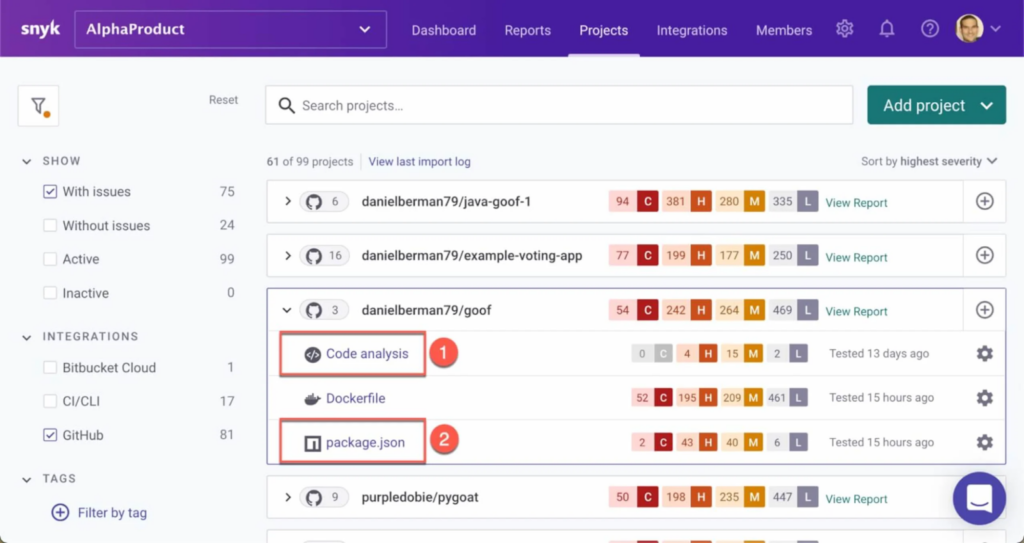
Source: Snyk
5. Acunetix

Best for: Growing teams that want automated, proof-based DAST with minimal manual oversight.
Key strengths: High vulnerability coverage with AI-assisted prioritization and concurrent scanning.
Things to consider: Pricing and authentication reliability issues may impact scalability and trust in results.
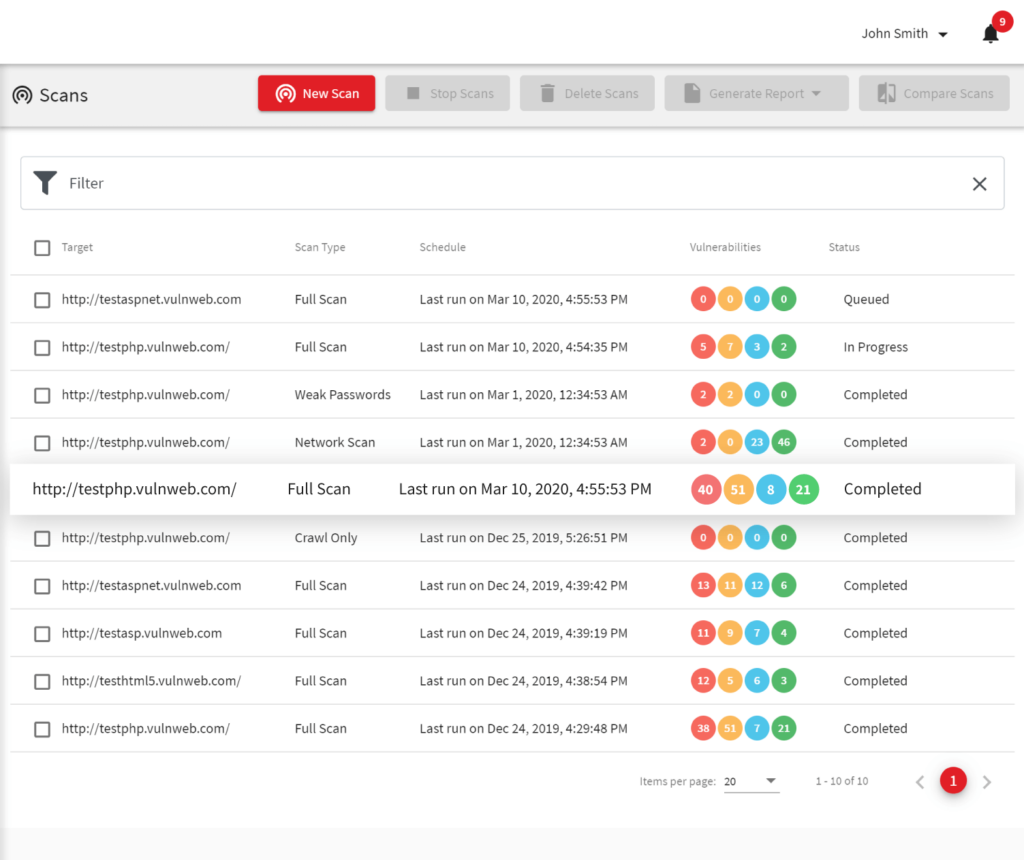
Acunetix is an AI-enhanced DAST solution for growing businesses that need application security without heavy time or resource investments. It automates the vulnerability detection and remediation workflow so security teams can reduce risk and improve coverage with minimal manual effort.
Key features include:
- Predictive risk scoring: Uses a proprietary AI model to assess and prioritize assets before scanning, based on over 220 parameters with high-confidence predictions.
- Vulnerability detection: Identifies over 7,000 vulnerabilities, including OWASP Top 10, XSS, and out-of-band flaws, delivering over 90% of results before the scan is halfway complete.
- Proof-based scanning: Verifies vulnerabilities automatically with 99.98% accuracy, reducing false positives and ensuring only real issues are flagged.
- Remediation data: Shows exact lines of code affected and provides detailed fix guidance so developers can resolve issues quickly without back-and-forth.
- Concurrent and continuous scanning: Supports unlimited simultaneous scans across environments, with options for scheduled and recurring assessments.
Limitations (as reported by users on G2):
- Customer support is frequently reported as unresponsive or ineffective in resolving technical problems
- High pricing creates barriers for some organizations, especially smaller teams
- Licensing model presents challenges with renewals and scalability across teams
- Users encounter slow performance and scan errors, particularly during authentication workflows
- Persistent technical issues, including failures in login sequences, reduce reliability of automated testing
Source: Acunetix
6. Burp Suite

Best for: Security teams that combine automated DAST scanning with manual penetration testing.
Key strengths: Highly customizable scanning engine with strong extensibility through BApps and APIs.
Things to consider: Higher pricing and resource-intensive scans may limit accessibility for smaller teams.
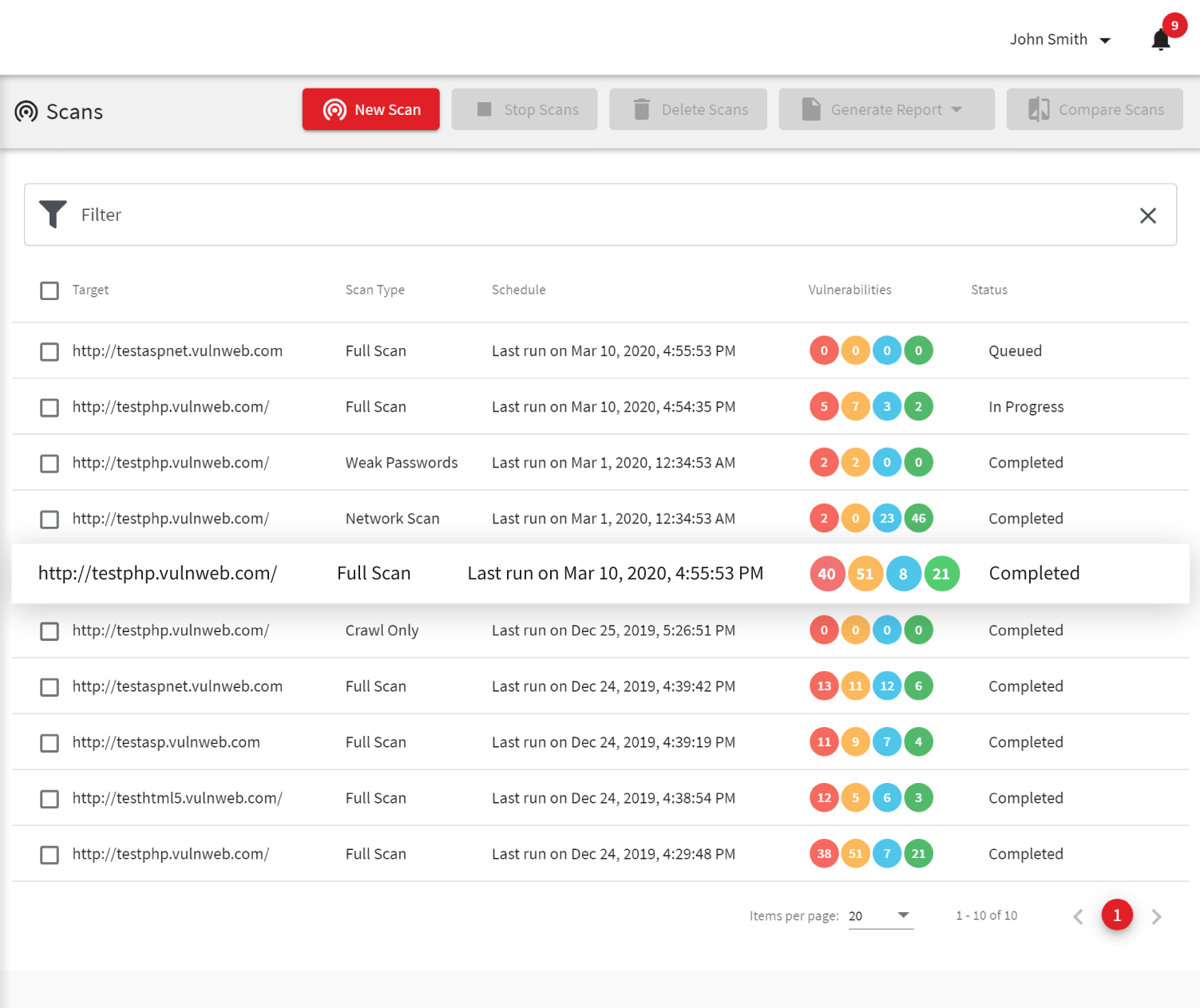
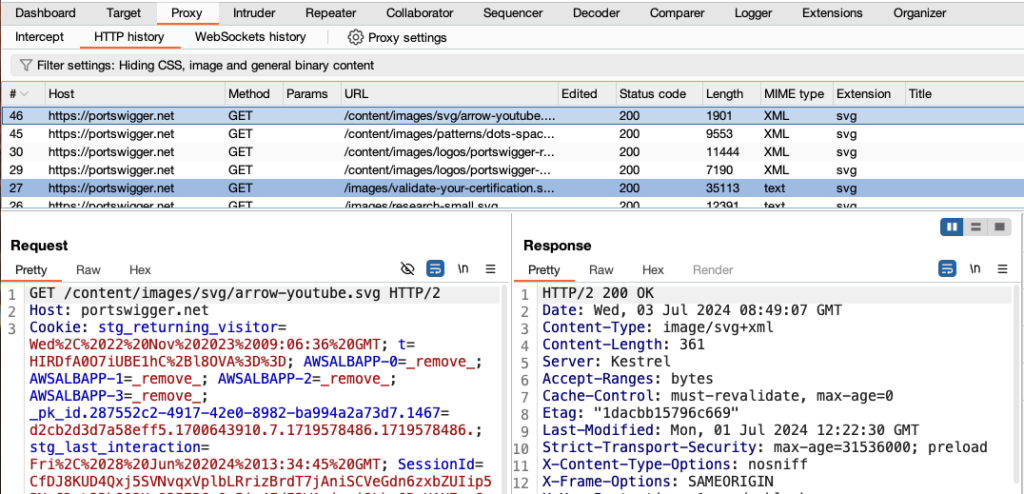
Burp Suite DAST is a dynamic scanning solution built on the Burp engine, backed by PortSwigger research and used by 17,000 organizations. Designed to scale application security efforts without burdening AppSec teams, it delivers automated scanning across web apps and APIs. It offers integration into DevSecOps workflows and customizable scanning options.
Note: Burp suite is not strictly a DAST tool, and many view it as a proxy/manual testing solution However, Burp suite also offers automated testing, and in many organizations it functions as a DAST tool.
Key features include:
- Scalable, portfolio-wide scanning: Automate dynamic scans across thousands of web assets with bulk configuration and management tools.
- DevSecOps integration: Fits into CI/CD pipelines with support for Jira, GitLab, Trello, and a GraphQL API to embed security into the development lifecycle.
- Continuous monitoring: Always-on scanning keeps vulnerability data current, helping teams stay ahead of threats with ongoing visibility.
- Custom configuration and extensibility: Customize scans with fine-grained control, use Burp extensions (BApps) to extend functionality, and adapt scanning for complex application logic.
Limitations (as reported by users on G2):
- Performance is slow on lower-spec hardware, limiting usability during intensive scans
- High pricing is a concern, particularly for teams evaluating cost-to-value ratio
- Interface design has drawbacks, such as fixed font sizes and inefficient tab switching
- Users report bugs during scans, including crashes and issues with HTTP/2 handling
- False positives may occur in automated scans, especially when using multiple plugins with limited memory
Source: PortSwigger
7. Veracode

Best for: Organizations seeking a cloud-native DAST solution integrated into broader application security programs.
Key strengths: Scalable cloud engine with flexible scan configurations and DevOps integration.
Things to consider: Complex licensing and platform navigation can create cost and usability challenges.
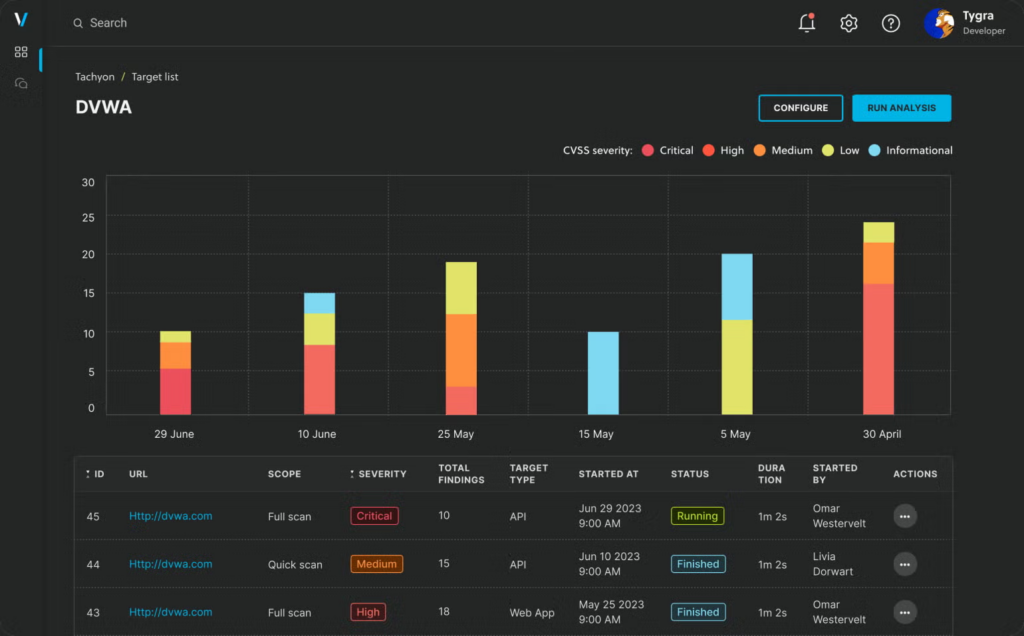
Veracode Dynamic Analysis is a cloud-native DAST solution for development environments. Designed to secure web applications and APIs throughout the software development lifecycle, it delivers fast, accurate scans that integrate into DevOps workflows. Veracode helps organizations identify and remediate runtime vulnerabilities early in the development lifecycle.
Key features include:
- Fast onboarding and setup: Start scanning in minutes with a three-click setup process, making it easy to deploy across teams and projects.
- Scalable cloud-native engine: Supports dynamic scanning across hundreds of applications, including assets behind firewalls, using a resilient and adaptive infrastructure.
- Flexible scan control: Configure scan depth, speed, and scope to match development cycles, release schedules, and compliance requirements.
- Real-time feedback: Provides actionable insights during runtime, enabling teams to detect and resolve vulnerabilities ]before they reach production.
Limitations (as reported by users on G2):
- Complex and opaque licensing model makes pricing unpredictable and difficult to manage
- Platform costs increase quickly with scaling, creating budget challenges for growing teams
- Users report inconsistencies between promised and delivered features, affecting trust in roadmap commitments
- Navigation and usage can be complicated due to the overall complexity of the platform
Source: Veracode
8. Black Duck

Best for: Enterprises that want DAST coverage across development and production with expert validation.
Key strengths: Pipeline and live-environment testing with validated findings and business logic assessments.
Things to consider: Higher infrastructure requirements and limited reporting flexibility may add operational overhead.
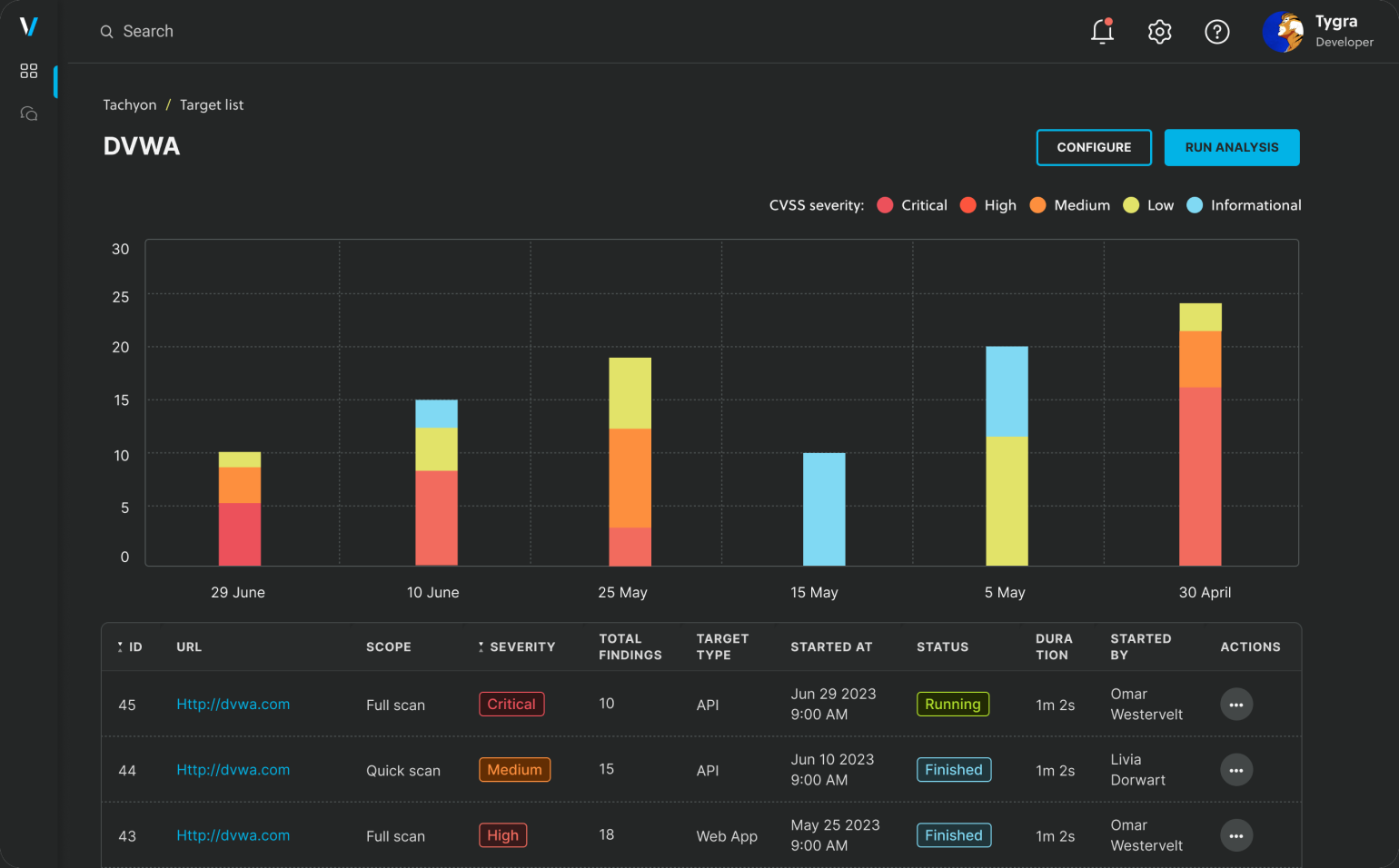
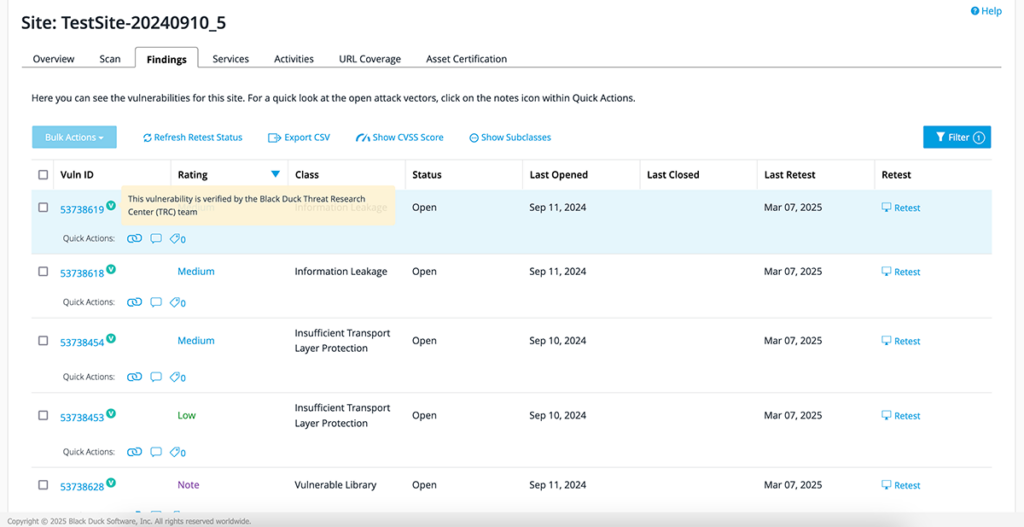
Black Duck DAST verifies the security of APIs and web applications across development, QA, and production. Polaris fAST Dynamic provides on-demand scans during build and test. Continuous Dynamic operates in live environments with expert validation to minimize false positives, including authenticated and production-safe testing. It is designed for SPAs, JavaScript-heavy sites, APIs, and microservices.
Key features include:
- Pipeline and production coverage: Integrates DAST into DevOps pipelines pre-deployment and continuously verifies applications in production, aligning testing with release cycles and operational environments.
- On-demand scanning: Enables development, QA, and security teams to initiate fast self-service scans using Polaris fAST Dynamic, reducing scheduling dependencies and accelerating early vulnerability detection.
- API test artifact support: Scans OpenAPI specifications, Postman collections, HAR files, and GraphQL SDL to broaden coverage of API endpoints and request flows during early testing.
- Expert-validated findings: Uses Black Duck Continuous Dynamic to validate results in live environments, focusing reports on true positives and supporting authenticated, production-safe testing.
- Business logic assessments: Offers expert-led business logic assessments to analyze complex, contextual attack paths that automated scanners often miss in application-specific workflows.
Limitations (as reported by users on G2):
- On-premises deployments require significant system resources, increasing infrastructure overhead
- Pricing is considered high compared to alternatives, limiting accessibility for some teams
- Reporting features lack flexibility and often require additional effort to make results presentation-ready
- Performance can be slow, particularly during scans or when processing large codebases
- Governance and usage tracking across teams are limited, making resource management harder in large organizations
Source: Black Duck
9. Aikido Security

Best for: Developer-focused teams looking for low-noise, production-safe DAST with automated fixes.
Key strengths: Authenticated scanning with automatic API discovery and pull-request–based remediation.
Things to consider: Evolving feature set and REST API limitations may restrict advanced customization.
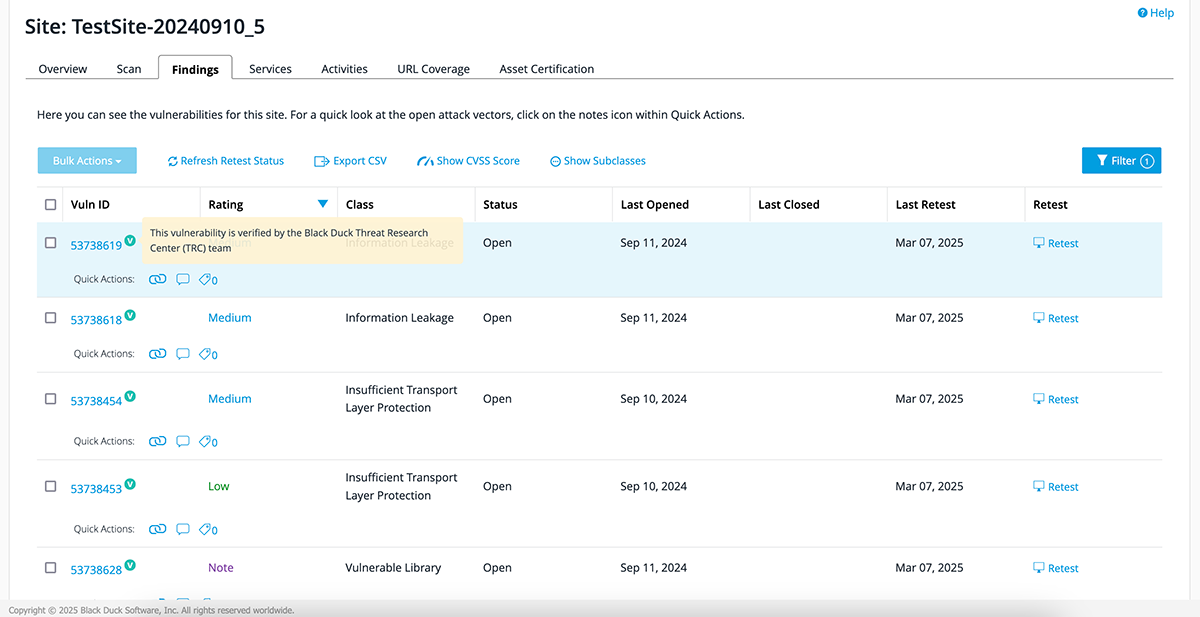
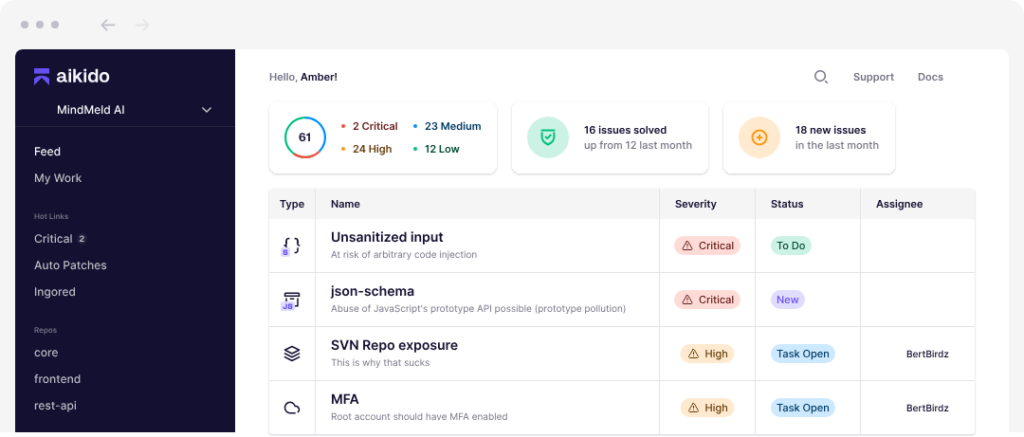
Aikido Security offers a DAST solution to protect web applications and APIs through continuous, low-noise, and developer-friendly dynamic analysis. It combines surface-level and authenticated scanning to uncover critical vulnerabilities like SQL injection, XSS, and CSRF, without disrupting the production environment.
Key features include:
- Full-stack DAST coverage: Scans the front-end and every API endpoint (REST & GraphQL), identifying vulnerabilities across the OWASP Top 10.
- Authenticated scanning: Logs in as a real user to test deeper areas of the application, exposing risks like broken access controls or insecure JWT handling.
- Automated API discovery: Detects and scans new APIs, including undocumented ones, by automatically updating Swagger/OpenAPI specs.
- Production-safe testing: Avoids destructive tests that could break the app, enabling daily scans in live environments with minimal risk.
- Auto-remediation: Provides pre-built fixes for certain vulnerabilities via auto-generated pull requests, allowing teams to patch issues with a click.
Limitations (as reported by users on G2):
- Limited REST API functionality and lack of local CLI support restrict integration and customization
- Users encounter false positives that require manual review, reducing trust in scan results
- Interface navigation can be confusing, with advanced features buried or inconsistently placed
- Feature set is still evolving, with missing capabilities in reporting and configuration options
- Pricing is considered high for startups, leading many to rely on the free tier
Source: Aikido Security
.svg)
10. StackHawk

Best for: DevOps-driven organizations adopting shift-left DAST in CI/CD pipelines.
Key strengths: Real-time pipeline feedback with strong API and microservices support.
Things to consider: Configuration complexity and limited reporting capabilities may slow adoption.
StackHawk is a developer-focused DAST solution purpose-built for shift-left security testing. Unlike traditional dynamic scanners that run post-deployment, StackHawk integrates directly into CI/CD pipelines to test running applications and APIs before they reach production.
Key features include:
- Shift-left DAST: Executes within CI/CD workflows to catch runtime vulnerabilities as code is committed, enabling early and incremental security testing aligned with development velocity.
- Real-time vulnerability feedback: Provides immediate, in-context feedback on security issues directly in the CI/CD pipeline, helping developers fix vulnerabilities before merging code.
- Support for modern APIs and microservices: Scans REST, GraphQL, SOAP, and gRPC endpoints across distributed systems, including microservices, SPAs, and traditional web apps.
- Business logic testing: Goes beyond common OWASP vulnerabilities to identify complex issues tied to authentication, authorization, and application-specific workflows.
- AI-powered remediation guidance: Suggests fixes based on detected vulnerabilities and application context, accelerating the developer remediation loop.
Limitations (as reported by users on G2):
- Initial setup is complex, with time-consuming configuration and onboarding steps
- YAML-based configuration files add to the learning curve and hinder fast deployment
- Limited training materials contribute to difficulty in mastering the tool
- Reporting features are basic, lacking dashboards and automated report distribution
- Some users note gaps in vulnerability management and API endpoint grouping
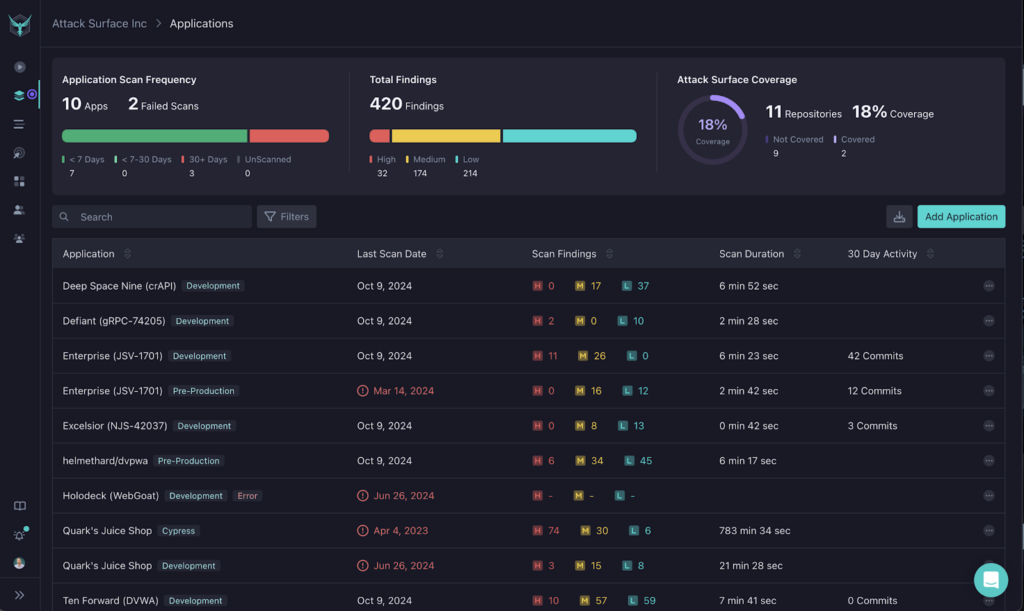
Source: StackHawk
11. Astra

Best for: Engineering teams seeking AI-enhanced DAST with insights from real-world penetration testing.
Key strengths: ML-driven detection with deep authenticated scanning across modern APIs and SPAs.
Things to consider: Performance issues and inconsistent reporting detail may require manual validation.
Astra is an AI-enhanced DAST solution for engineering teams that need continuous web application security testing. Unlike basic scanners, Astra dissects applications layer by layer, analyzing APIs, cloud infrastructure, and user roles, while learning from real-world pentests to improve its detection engine.
Key features include:
- Real-world intelligence: Combines automated scanning with insights from thousands of manual pentests, enabling detection of both common and complex vulnerabilities like XSS, SQLi, IDOR, CSRF, SSRF, and broken access control.
- AI-driven detection engine: Uses machine learning trained on real-world vulnerability patterns to tailor test cases to the application, improving precision and reducing false positives over time.
- Authenticated scanning: Supports deep scanning behind login forms using TOTP-based MFA, static OTPs, or manual auth headers, ensuring security coverage even in protected areas.
- Built for APIs and modern apps: Scans REST, SOAP, and GraphQL APIs, authenticated or not, using a browser-based engine that accurately handles JavaScript-heavy front ends.
- Continuous security: Automate or schedule scans with full control over headers, timeouts, user agents, and frequency. Trigger scans after deployments for real-time vulnerability insights.
Limitations (as reported by users on G2):
- Customer support can be slow to respond, with limited real-time communication options
- Interface design and dashboard responsiveness issues affect usability and navigation
- Users report occasional false positives that require extra validation effort
- Vulnerability descriptions and audit status updates sometimes lack detail, causing confusion
- Technical bugs and sluggish performance during scans impact consistency and efficiency
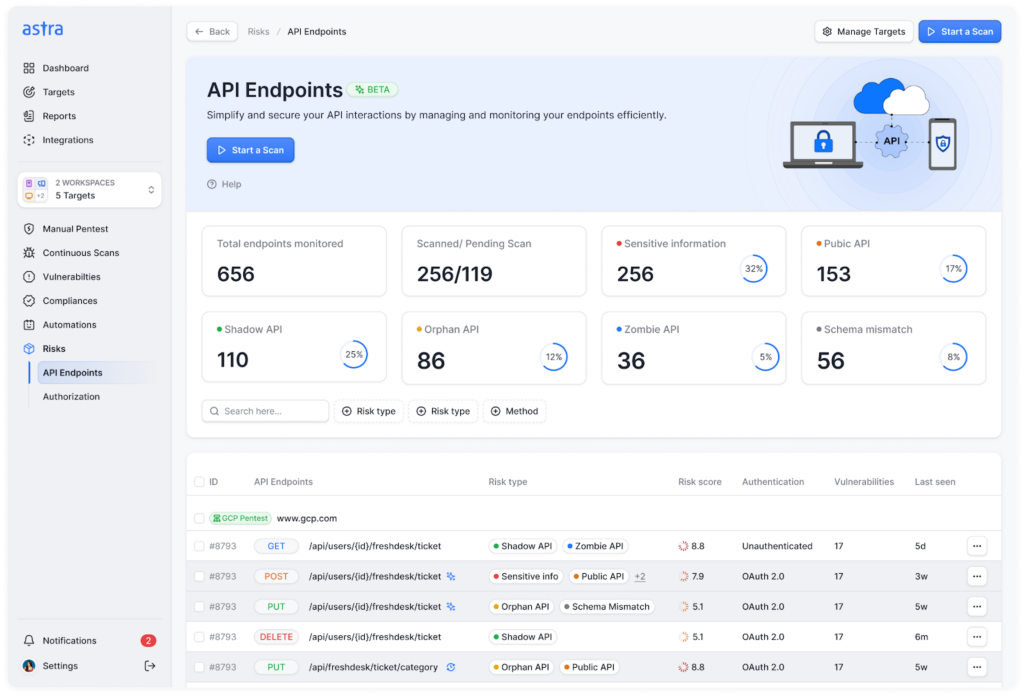
Source: Astra
12. AppCheck

Best for: Organizations looking for automated penetration-style DAST across web apps and APIs.
Key strengths: Broad vulnerability coverage with hybrid crawling for dynamic applications.
Things to consider: Interface complexity and limited customization may hinder large-scale management.
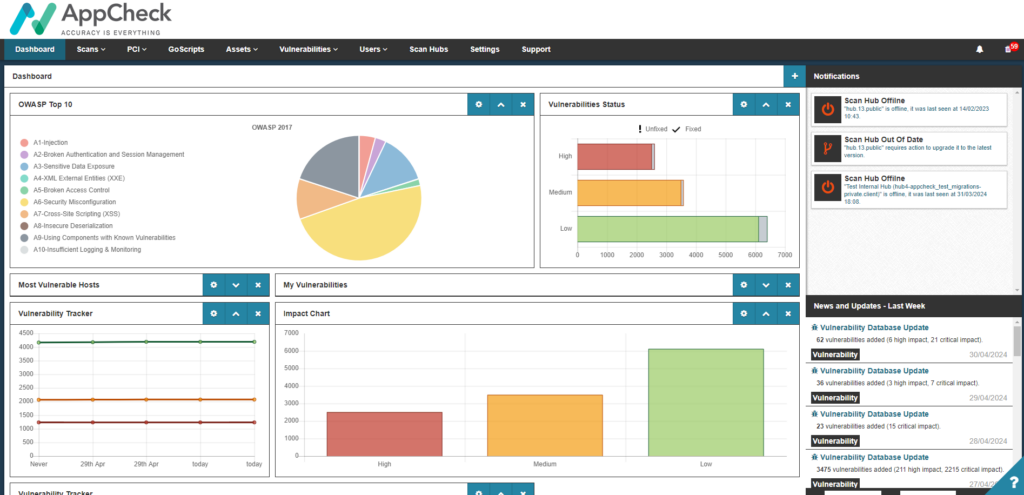
AppCheck is an automated DAST solution intended to deliver in-depth vulnerability scanning across web applications, APIs, and network-facing assets. Built by penetration testers, it simulates real-world attacks using crawling and payload testing to uncover OWASP Top 10 risks, zero-day threats, and over 100,000 known vulnerabilities.
Key features include:
- Automated penetration testing: Emulates manual penetration testing with deep scanning that uncovers issues such as SQLi, XSS, RCE, IDOR, and other logic flaws.
- API scanning: Supports testing of REST, SOAP, GraphQL, and WSDL endpoints to detect vulnerabilities across modern, API-driven applications.
- Web app compatibility: Handles dynamic content, SPAs, and client-side rendering using a hybrid crawler that combines traditional scraping with browser-based simulation.
- CI/CD and DevOps integration: Seamlessly connects with build systems like Azure DevOps, Jenkins, and TeamCity to automate scans in development pipelines.
Limitations (as reported by users on G2):
- Interface is considered clunky and difficult to navigate, reducing usability during scans and reporting
- Limited customization options, particularly around scan lists and report configuration
- Static scan lists and minimal re-scan options restrict flexibility in scan management
- Steep learning curve due to complex configuration and confusing UI elements
- Users report that the design lacks clarity, making it harder to interpret scan results effectively
Source: AppCheck

Evaluating and Choosing a DAST Tool for Software Security
Selecting the right DAST tool depends on multiple factors, including your application architecture, team workflows, risk tolerance, and compliance needs. While many tools offer overlapping features, the right choice should align closely with your security goals, integration environment, and the maturity of your DevSecOps practice.
Here are key and unique considerations when evaluating DAST solutions:
- Application stack compatibility: Ensure the tool can handle the technologies you use: single-page apps, JavaScript-heavy front ends, APIs, microservices, and legacy components. Not all scanners can effectively analyze dynamic content or execute JavaScript at runtime.
- Authenticated testing capabilities: Check support for various authentication methods (multi-factor, SSO, token-based auth) and whether the tool can scan protected areas post-login. Tools vary in how well they maintain and refresh sessions during scanning.
- False positive handling: Tools that validate findings (e.g., proof-based scanning) reduce triage work and prevent alert fatigue. Look for platforms that flag only exploitable vulnerabilities and provide contextual evidence.
- CI/CD integration and automation: Evaluate how easily the tool integrates with your development pipeline. Native support for Jenkins, GitHub Actions, or GitLab CI, along with REST APIs, is essential for automated, continuous security testing.
- API and microservices support: Consider the tool’s ability to scan REST, GraphQL, and SOAP APIs, including automatic discovery via OpenAPI or Swagger. Microservice-aware scanners should support distributed testing across services.
- Scan speed and performance: Performance matters in agile environments. Some tools offer incremental scanning, parallel execution, or optimized scan engines that avoid bottlenecks during release cycles.
- Scalability and coverage across assets: Assess whether the tool can scale with your portfolio, from a few apps to thousands, and handle different environments (e.g., staging, production, internal-only apps behind firewalls).
- Reporting and compliance readiness: Compliance frameworks often require specific reporting outputs. Tools with built-in templates for PCI, HIPAA, or SOC 2 audits simplify documentation and reduce audit prep time.
- Customization and extensibility: Choose tools that allow scan tuning, custom scripts, or integration of external data sources (e.g., threat intelligence feeds) to better match your risk models.
- Support and community ecosystem: Strong vendor support, active communities, and regularly updated plugins/add-ons can make a significant difference in long-term usability and tool reliability.
DAST Tools FAQs
-
DAST tools (also called DAST scanners) are security tools that test running web applications from the outside (black-box testing) by simulating attacks to uncover exploitable runtime vulnerabilities.
-
A DAST tool crawls an application, maps endpoints and workflows, and then sends safe attack payloads (e.g., for injection and XSS) to see how the running app responds. This security testing approach validates what’s actually exploitable in real environments – not just what might be risky in code.
-
SAST analyzes source code (inside-out), while DAST tests the deployed application at runtime (outside-in). DAST is especially useful for catching configuration issues, auth/session problems, and runtime behaviors that static analysis can’t confirm.
-
Yes – modern DAST solutions commonly support API testing and JavaScript-heavy SPAs by executing scripts, handling dynamic content, and scanning API endpoints (often using OpenAPI/Swagger collections).
-
If your DAST scanner can’t reliably handle login flows (SSO, MFA, token refresh, role-based navigation), it will miss protected routes – often where the most valuable business logic lives. Strong authenticated testing is a key differentiator among DAST tools.
-
Better tools validate findings (for example, by replaying requests or using proof-based verification) and provide contextual evidence so teams can confirm exploitability quickly. The goal is to reduce noise so AppSec and developers focus on real, fix-worthy issues.
-
DAST complements SAST and SCA by validating runtime risk before release and (for some teams) continuously after deployment. In a mature software security program, DAST runs on a schedule and/or in CI/CD for key applications, with results tracked and triaged alongside other application security signals.
-
AI DAST uses AI enhancements to improve crawl coverage, speed, and precision – helping teams keep up with AI-speed delivery. It’s also increasingly used to verify AI-generated code behaves securely at runtime, where dynamic testing can catch issues static checks can’t confirm.
-
ZAP is a strong open-source starting point for many teams, especially for learning and manual workflows. Enterprise DAST tools are typically chosen when you need scalable automation, better validation/noise reduction, portfolio reporting, and tighter CI/CD + governance integration.
-
Use a checklist focused on your reality: app stack compatibility (SPAs/APIs), authenticated testing, false-positive validation, CI/CD automation, scan performance, reporting/compliance outputs, extensibility, and support/community.
Conclusion
Dynamic application security testing (DAST) plays a critical role in identifying exploitable vulnerabilities in real-world environments. Unlike static or code-level approaches, DAST evaluates applications during execution, uncovering issues caused by configuration errors, flawed logic, or insecure integrations.
DAST tools provide external validation of runtime behavior and aligns with how attackers target applications in production. As part of a broader security strategy, DAST supports both pre-release hardening and post-deployment assurance, enabling continuous, risk-based testing that scales with modern development practices.