

Summary
DAST with CI/CD integration means running dynamic scans on every build instead of before release. Checkmarx DAST is best for enterprise teams consolidating AppSec on one platform, Invicti is best for proof-validated findings, StackHawk is best for pull-request scanning, and Escape is best for business-logic and API testing
Why Is DAST Integrated with CI/CD?
Dynamic Application Security Testing (DAST) is commonly integrated with CI/CD, embedding security scans directly into the continuous integration and continuous delivery pipeline. Instead of running DAST scans manually or on an ad hoc basis, this approach ensures that every code change triggers a security assessment as part of the automated build and deployment process. The integration helps organizations identify and address vulnerabilities earlier in the software development lifecycle, reducing the risk of insecure code reaching production.
The process typically involves setting up the DAST tool to automatically scan deployed application environments in real time or on every build. Integration points are configured within CI/CD tools like Jenkins, GitLab CI, or GitHub Actions, so the scanning becomes a repeatable and consistent part of the workflow. By automating DAST in CI/CD, teams can maintain a continuous feedback loop on security posture, helping developers detect and remediate issues before they escalate.
DAST Tools with CI/CD Automation at a Glance
The table below summarizes the main differences between the tools covered in this guide, including where each one fits and what to watch for. Each solution is explored in more detail in the sections that follow.
| Category | Solution | Best For | Key Strengths | Things to Consider |
| Enterprise AppSec platforms with automated DAST | Checkmarx DAST | Teams running DAST inside a unified AppSec platform | CI/CD-native scans, browser-recorded auth, API inventory | Add-on to Checkmarx One, not sold standalone |
| Enterprise AppSec platforms with automated DAST | Invicti | Enterprises needing validated, low-noise runtime findings | Proof-based scanning, 110+ integrations, shadow API discovery | Scan times and resource use grow at portfolio scale |
| Enterprise AppSec platforms with automated DAST | Burp Suite DAST | Scaling recurring scans across large web portfolios | Burp Scanner engine, CI/CD and GraphQL API, RBAC and SSO | Licensing cost and memory use during large scans |
| Enterprise AppSec platforms with automated DAST | OpenText Fortify DAST | Regulated teams needing compliance-mapped scanning | Broad API protocol support, ScanCentral sensors, policy reports | Windows-only scanner, pipeline integration needs work |
| Enterprise AppSec platforms with automated DAST | Rapid7 InsightAppSec | Security teams scanning internal and external app portfolios | Attack Replay, 95+ attack types, scan scheduling and blackouts | Reported false positives and slower scan runs |
| Developer-first DAST for CI/CD pipelines | StackHawk | Engineering teams testing in pull requests and CI | Repo-based API discovery, deterministic scans, BOLA and BFLA tests | YAML configuration and auth scripting take effort |
| Developer-first DAST for CI/CD pipelines | Bright Security | Dev teams needing low-noise scans on every build | OWASP web, API and LLM coverage, unit test and IDE hooks | Setup complexity and dense interface for lean teams |
| Developer-first DAST for CI/CD pipelines | Escape | API-heavy stacks needing business logic and access control tests | BOLA and IDOR detection, AI-driven auth, source-aware fixes | Younger platform with gaps in export and automation |
Benefits of Automating DAST as Part of CI/CD Pipelines
Automating DAST as part of the CI/CD pipeline makes application security testing more consistent and easier to scale. It reduces dependence on manual scans and gives development teams faster security feedback as applications change. Key benefits include:
- Earlier vulnerability detection: Automated scans can identify security issues during development and testing, before vulnerable code reaches production. Earlier detection usually makes remediation faster and less expensive.
- Continuous security testing: DAST can run automatically after builds, deployments, or other pipeline events. This helps teams assess application security regularly instead of relying on periodic manual testing.
- Faster developer feedback: Scan results can be delivered through existing CI/CD workflows, giving developers actionable information shortly after a change is deployed to a test environment.
- Consistent testing: Automation applies the same scanning process across builds and environments. This reduces gaps caused by skipped tests, inconsistent configurations, or manual errors.
- Reduced manual effort: Security teams do not need to start every scan manually. They can spend more time reviewing important findings, tuning scan policies, and investigating complex vulnerabilities.
- Better release controls: Teams can configure pipeline rules to fail builds or block deployments when DAST identifies vulnerabilities above a defined severity threshold. This helps prevent known security issues from progressing toward production.
- Improved scalability: Automated DAST allows organizations to test more applications and releases without increasing manual security work at the same rate. This is especially useful for teams with frequent deployments or many application environments.
Common Challenges of Integrating DAST with CI/CD
False Positives
False positives are one of the most persistent challenges when integrating automated DAST into CI/CD pipelines. These occur when the DAST tool reports a vulnerability that does not actually exist or is not exploitable in the given context. Such inaccurate findings can overwhelm developers with noise, leading to wasted time investigating non-issues and reducing trust in the security process. Excessive false positives can also cause teams to ignore or downplay real vulnerabilities, undermining the effectiveness of security efforts.
Addressing false positives requires tuning the DAST tool’s configuration and scan policies to better align with the application’s unique environment and logic. Regularly reviewing scan results and providing feedback to the DAST tool helps refine its detection capabilities over time. Integrating DAST with issue tracking systems can also help prioritize and triage findings, ensuring that critical vulnerabilities receive immediate attention while suspected false positives are efficiently managed.
Scan Duration
Scan duration is another common issue, as DAST tools can significantly increase build times when performing comprehensive security assessments. Long-running scans can delay feedback for developers and slow down the CI/CD process, especially for large or complex applications. This can create bottlenecks in fast-paced development environments where rapid iteration is critical.
To address scan duration challenges, teams can optimize DAST configurations by limiting scan scope to critical application areas or using incremental scans that focus on recent changes. Scheduling full scans outside of core development hours or parallelizing scans across multiple environments can further reduce the impact on build pipelines. Balancing thoroughness with speed is essential to ensure security does not become a blocker for continuous delivery.
Auth Failures
Authentication failures are a frequent obstacle when running automated DAST scans, especially against applications with complex or multi-factor authentication mechanisms. If the DAST scanner cannot successfully log in, it will miss vulnerabilities present in authenticated areas of the application. This gap can result in false negatives and a false sense of security, as critical vulnerabilities might go undetected.
Mitigating authentication issues involves configuring the DAST tool to handle the application’s login flows correctly, including form-based, token-based, or multi-step authentication processes. Using service accounts or test credentials with sufficient permissions, and regularly updating them as application authentication changes, helps maintain scan coverage. Automated validation of authentication success within the pipeline ensures that scans only proceed when access to protected resources is confirmed.
How to Integrate DAST into a CI/CD Pipeline: Step By Step
Step 1: Deploy the Application to a Test Environment
The first step in integrating DAST into a CI/CD pipeline is deploying the application to a dedicated test environment. This environment should closely mirror production to ensure that scans accurately reflect real-world conditions, including authentication, data flows, and third-party integrations. Isolating the test environment prevents DAST scans from interfering with live users or data and enables safe, repeatable testing on each build.
Automating the environment setup as part of the pipeline ensures consistency and reduces manual effort. Infrastructure-as-code tools like Terraform or Ansible can provision test environments on demand, enabling ephemeral, disposable instances for each pipeline run. Proper environment management also supports parallel testing, allowing multiple builds to be scanned simultaneously without resource conflicts.
Step 2: Trigger the DAST Scanner
Once the application is deployed, the next step is to trigger the DAST scanner automatically within the CI/CD workflow. This is typically achieved by integrating the scanner as a pipeline job or stage, using scripts or plugins provided by the DAST vendor. The trigger should initiate after deployment is complete and the application is accessible, ensuring that the scan targets the correct environment and application version.
Automating the scan trigger removes the need for manual intervention, ensuring every build is consistently tested for vulnerabilities. CI/CD platforms like Jenkins, GitLab CI, and GitHub Actions offer native support or integrations for popular DAST tools, enabling seamless orchestration. Clear logging and status reporting within the pipeline help teams track scan progress and quickly identify failures or issues.
Step 3: Configure Authentication
Configuring authentication is critical for effective DAST scanning, especially for applications with protected or user-specific content. The DAST tool must be able to authenticate successfully to access and test secured areas, which often hold the most sensitive logic and data. This typically involves providing valid credentials, handling session tokens, and sometimes scripting multi-step login flows.
Automating authentication within the CI/CD pipeline requires securely managing credentials and tokens, often through secrets management tools or environment variables. Periodic validation of authentication scripts ensures they remain functional as the application’s login mechanisms evolve. By thoroughly configuring authentication, teams maximize scan coverage and reduce the risk of missing vulnerabilities in restricted application areas.
Step 4: Set Scan Policies
Setting scan policies involves defining what the DAST tool should look for and how aggressively it should test the application. Scan policies control aspects such as vulnerability types, scan depth, attack strength, and areas to include or exclude. Well-defined policies ensure that scans are focused, relevant, and aligned with the application’s risk profile and compliance requirements.
Customizing scan policies helps balance thoroughness with performance, avoiding unnecessary tests that extend scan times or trigger false positives. Policies should be regularly reviewed and updated as the application evolves, new threats emerge, or compliance mandates change. By tailoring scan policies to the application context, organizations ensure that DAST results are actionable and meaningful.
Step 5: Define Vulnerability Thresholds
Defining vulnerability thresholds establishes criteria for acceptable risk levels within the CI/CD pipeline. Thresholds specify which vulnerabilities—based on severity, type, or quantity—will trigger pipeline failures or alerts. This enables teams to enforce security standards without unduly blocking development progress for minor issues.
Thresholds should be set in collaboration with security, development, and operations teams to reflect organizational risk tolerance and regulatory requirements. Regularly revisiting thresholds ensures they remain aligned with business priorities as the threat landscape changes. Clear, actionable thresholds help streamline remediation workflows and maintain a consistent approach to risk management.
Step 6: Feed Findings Back to Developers
Feeding DAST findings directly to developers is essential for timely remediation and continuous improvement. Integration with issue tracking or collaboration tools ensures that vulnerabilities are assigned, prioritized, and tracked through resolution. Automated notifications and detailed reports help developers understand the root cause and impact of each issue, supporting faster and more effective fixes.
Providing actionable guidance alongside findings, such as remediation steps or code examples, increases the likelihood of prompt and accurate resolution. Continuous feedback loops also enable developers to learn from security issues and adopt secure coding practices over time. By embedding security insights into the development workflow, organizations foster a proactive security culture.
Step 7: Block Builds When Critical Vulnerabilities Are Found
Blocking builds when critical vulnerabilities are detected ensures that insecure code does not progress to production. The CI/CD pipeline should be configured to automatically fail builds or halt deployments if DAST identifies issues above the defined severity threshold. This enforcement mechanism upholds security standards and prevents high-risk vulnerabilities from being overlooked or deprioritized.
Automated build blocking should be accompanied by clear reporting and escalation processes, so teams understand why a build failed and how to resolve the issue. This approach reinforces the importance of security within the development process, making it a shared responsibility across teams. Over time, blocking builds for critical vulnerabilities helps reduce risk exposure and ensures that only secure releases reach end users.
Representative DAST Tools with Automated CI/CD Integration
How we selected these tools: We shortlisted DAST tools based on their ability to run automatically inside CI/CD pipelines, handle authenticated and API-based scanning, apply configurable scan policies and severity thresholds, and return findings to developers through existing build and ticketing workflows.
Enterprise Application Security Platforms with Automated DAST
Enterprise application security platforms combine DAST with broader security capabilities such as SAST, SCA, API security, and application security posture management. They are designed to automate scanning across many applications and teams while centralizing policies, findings, access controls, and reporting. CI/CD integrations let organizations trigger scans and enforce security gates without managing DAST as a separate workflow.
1. Checkmarx DAST

Best for: Enterprise teams running DAST inside a unified AppSec platform
Strengths: CI/CD-native scans, browser-recorded auth, unified API findings
Things to consider: Sold as an add-on to Checkmarx One, not standalone
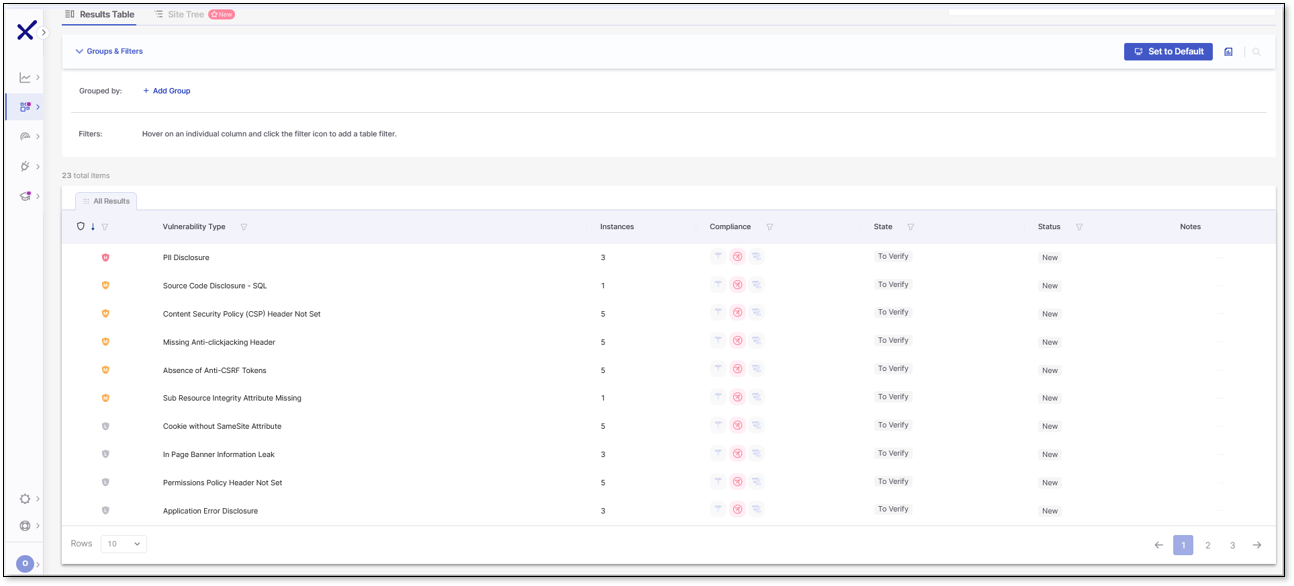
Checkmarx DAST is the runtime testing component of the Checkmarx One platform, which also covers SAST, SCA, API security, IaC security, secrets detection, container security and ASPM. It scans live applications and returns findings into the same platform used for code and supply chain scanning, so DAST results are correlated with other scan types rather than managed separately.
The scanner connects to existing CI/CD tooling so tests run automatically on every build across development and pre-production environments, with results surfaced inside the pipeline. Onboarding uses built-in tunnelling and pre-built scan templates rather than network reconfiguration.
Key features include:
- CI/CD pipeline integration: Connects to existing CI/CD tools so security tests run automatically on every build, with scan results surfaced directly in the pipeline across development and pre-production environments.
- Effortless onboarding and authentication: Checkmarx One streamlines setup with automatic onboarding and simple configuration of complex authentication flows, including multi-factor authentication, SSO, and custom login processes. Tools like browser session recording and script uploads ensure quick and reliable access to authenticated application areas.
- Runtime testing for modern applications: With AI-ready runtime analysis, Checkmarx One is designed to uncover flaws in modern software stacks, including those introduced by AI-generated code. It detects misconfigurations, logic flaws, undocumented APIs, and security gaps that emerge only in live environments.
- Comprehensive API security: The platform provides robust API testing for REST, SOAP, and gRPC endpoints, identifying vulnerabilities in live services. It also discovers shadow APIs and untracked endpoints that are often missed by other tools, consolidating all API data into a centralized inventory.
- Risk-based prioritization with ASPM integration: Integrated application security posture management (ASPM) correlates findings across DAST, SAST, and other tests to produce unified risk scores. This helps teams prioritize the most critical issues and align remediation with business impact.
- Seamless CI/CD integration: Checkmarx One DAST fits naturally into modern development workflows, with support for automated testing in CI/CD pipelines. This enables continuous scanning during build and release cycles without disrupting development velocity.
- Unified visibility and reporting: The platform eliminates tool fragmentation by consolidating results across security tests into a single dashboard. Developers and security teams can track vulnerabilities, manage remediation workflows, and demonstrate compliance from a unified interface.
- Enterprise-grade scalability and support: Designed for large organizations, Checkmarx One includes governance controls, policy enforcement, and premium support services. It provides the flexibility and reliability needed to secure complex, distributed application environments.
Limitations (as reported by users on G2):
- Initial configuration effort: Reviewers note that setup and policy configuration involve a learning phase for teams new to application security testing.
- Scan duration on large projects: Users report that deeper analysis can extend scan times on large or complex codebases.
- Dashboard and reporting layout: Some reviewers would like more flexible dashboard layouts and report views for different stakeholders.
DAST for AI
Discover how teams ship secure AI-driven apps faster than ever.
Make dynamic security testing as agile as AI-driven development
Explore the Solution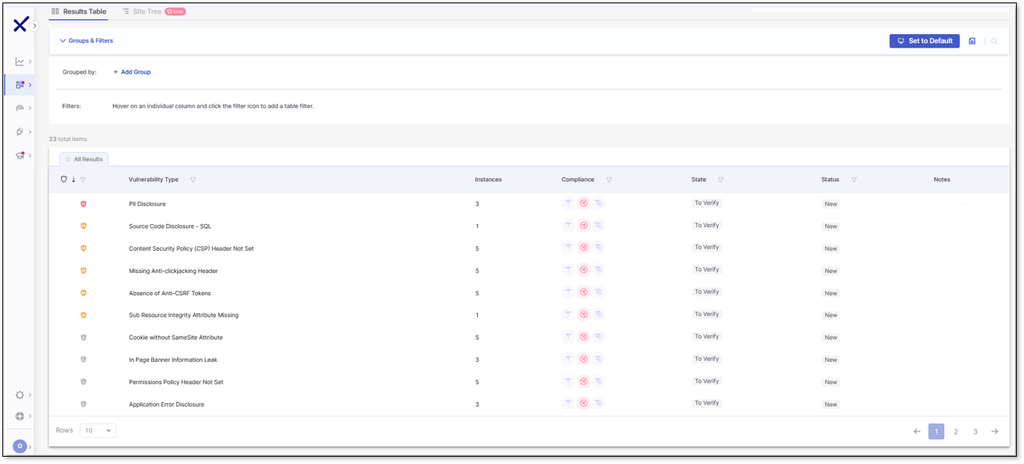
Source: Checkmarx
2. Invicti

Best for: Enterprises that need validated, low-noise runtime findings
Strengths: Proof-based scanning, CI/CD orchestration, shadow API discovery
Things to consider: Configuration menus and auth setup require tuning
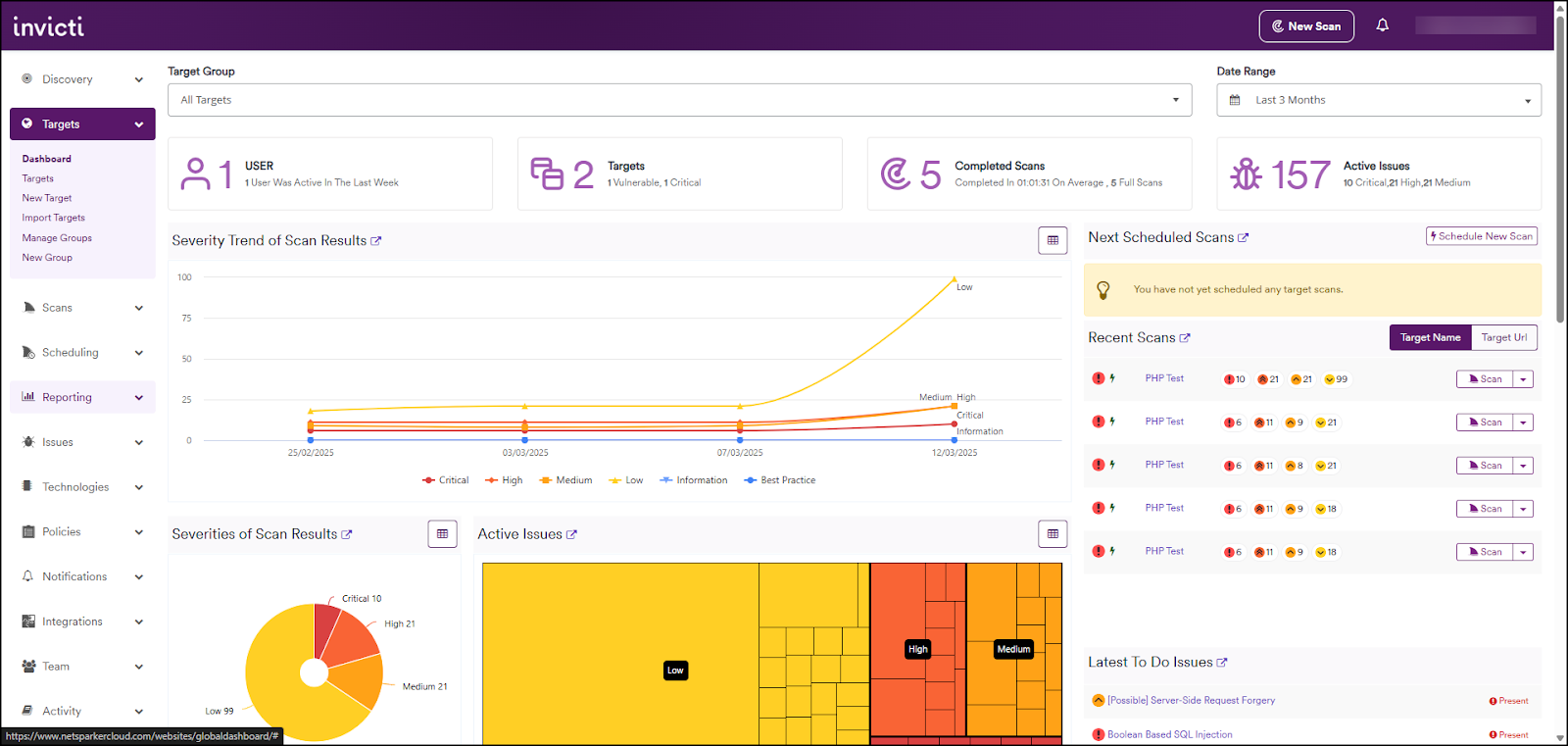
Invicti is a DAST-first application security platform that also includes SAST, SCA, API security testing, attack surface management and ASPM. Its dynamic scanner attempts to safely exploit suspected vulnerabilities and attaches the resulting evidence to the finding, so triage starts from confirmed issues rather than potential ones.
For pipeline use, Invicti runs scans through native integrations with Jenkins, GitHub, GitLab and Azure DevOps, plus a CLI and internal API for anything else. Scans can run concurrently across multiple assets, teams and environments, and deployment options include SaaS, on-premises and hybrid.
Key features include:
- Proof-based scanning: Common vulnerability classes are confirmed by safely exploiting them and attaching proof to the report, including a working payload for issues such as SQL injection and command injection.
- CI/CD orchestration: Runs inside Jenkins, GitHub, GitLab and Azure DevOps pipelines, with more than 110 out-of-the-box integrations, an open-source CLI and a REST API for enforcing gates and triggering retests.
- Automated ticketing and retesting: Verified issues can be pushed into work trackers automatically, with retests triggered and tickets closed without manual follow-up.
- Predictive risk scoring: Web assets are ranked before scanning begins so higher-impact targets can be tested first across a large portfolio.
- API and authenticated coverage: Ingests OpenAPI, Swagger, Postman, WSDL and GraphQL definitions, discovers undocumented endpoints, and scans behind login screens against OWASP API Top 10 risks including BOLA.
- ASPM feed: Runtime-validated findings feed the posture layer, where results from other scanners are deduplicated, correlated and prioritized in one view.
Limitations (as reported by users on G2):
- Technical support responsiveness: Several reviewers describe slow replies and cases where support was unable to resolve the underlying issue.
- Scan performance at scale: Users report longer scan times and heavy resource consumption when running concurrent scans across large application portfolios.
- Authentication setup: Reviewers mention effort configuring MFA and multi-step SSO flows, with additional tuning needed before scans run cleanly.
- API scanning fit: Some users could not get API endpoint scanning to work the way their environment required, even with vendor assistance.
- Settings navigation: Configuration options are described as nested and hard to move through when fine-tuning scan profiles or integrations.
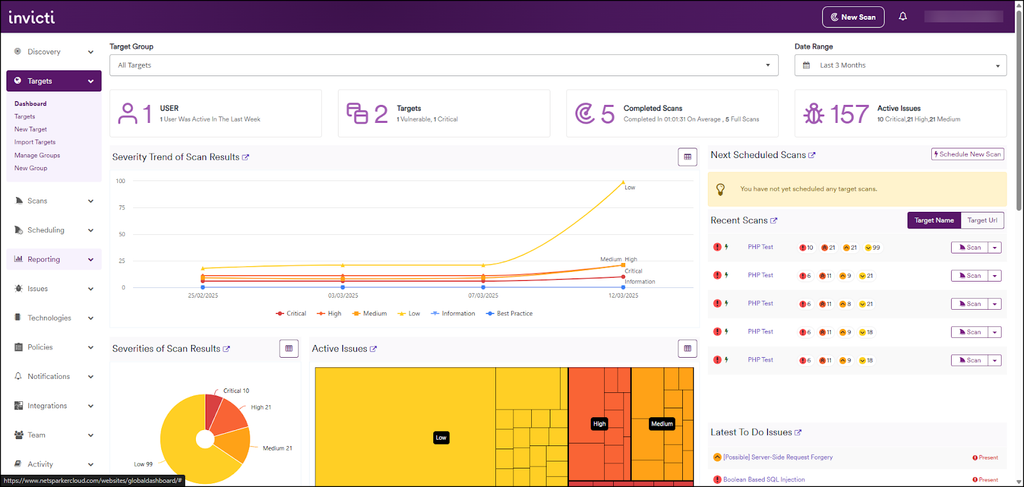
Source: Invicti
3. Burp Suite DAST

Best for: Scaling recurring automated scans across a web portfolio
Strengths: Burp Scanner engine, CI/CD and GraphQL API, RBAC and SSO
Things to consider: Licensing cost and heavy resource use on large scans
Burp Suite DAST is PortSwigger’s enterprise dynamic scanning product, built on the same Burp Scanner engine used in Burp Suite Professional. It runs recurring automated scans across large numbers of sites, and findings can be handed over to Burp Suite Professional for manual investigation using shared scanning logic and configurations.
Sites are added individually or in bulk using only a URL, and scanning runs continuously so reports stay current. Deployment is flexible across cloud and on-premise environments, and licensing covers unlimited users.
Key features include:
- Recurring scans at scale: Performs repeated dynamic scans across thousands of sites, with bulk actions for managing scanning across a portfolio or individual setup per site.
- CI/CD and issue tracker integration: Integrates with any CI/CD platform, with native support for Jira, GitLab and Trello and a GraphQL API for wiring scanning into existing development processes.
- Burp Scanner detection: Uses the scanning engine developed from PortSwigger Research, which crawls modern web applications and reports findings with remediation guidance for each issue.
- Custom scan configurations: Scan behaviour can be tailored through custom configurations and Burp extensions from the BApp Store, including checks aimed at reducing noise.
- Access control for teams: Role-based access control and single sign-on manage which users and teams see which applications and findings.
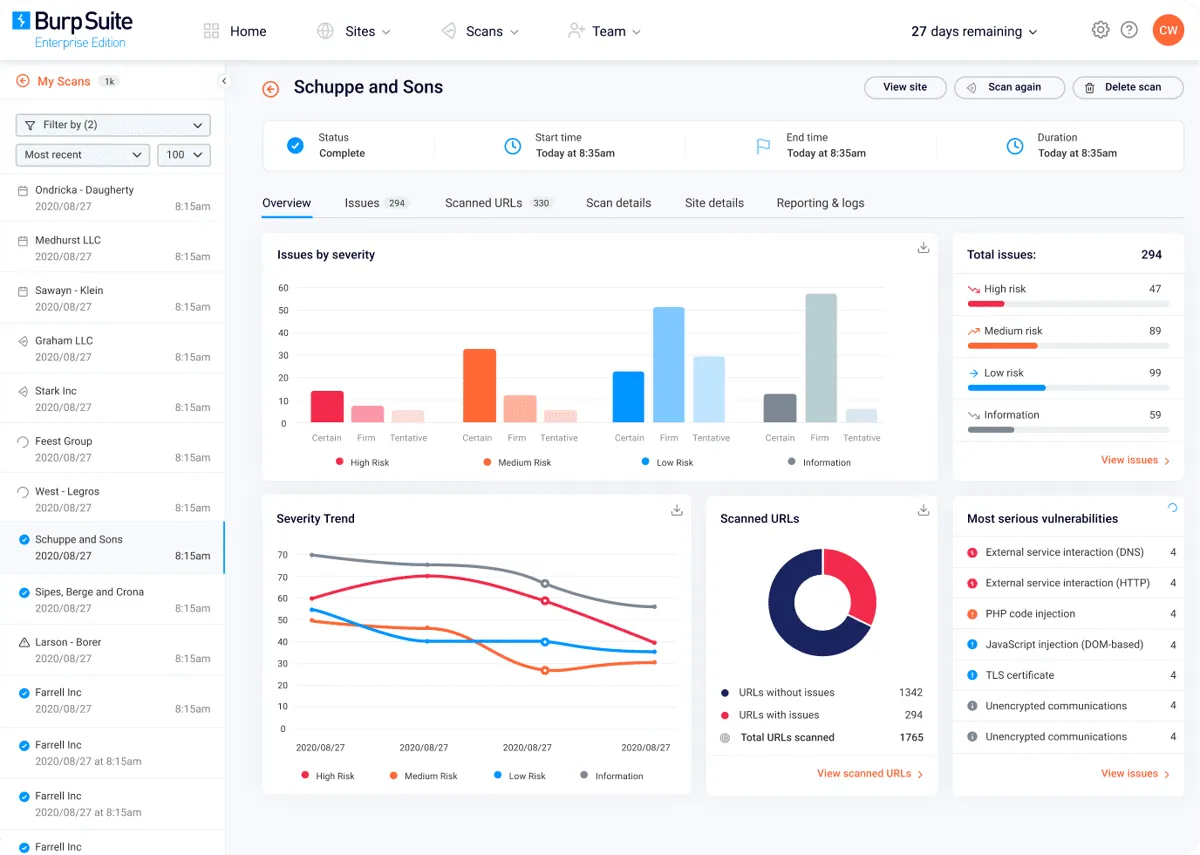
- Reporting and compliance output: Dashboards track trends over time, and scan reports can be emailed, exported to other tools, or produced against individual compliance standards.
Limitations (as reported by users on G2):
- Licensing cost: Reviewers describe pricing as high, particularly for individual researchers, students and smaller teams.
- Resource consumption: Users report slow performance during large scans and heavy proxy use, especially on machines with limited memory.
- Learning curve: Several reviewers note that beginners need significant time before using the more advanced capabilities effectively.
- Manual verification of findings: Some users report false positives on complex applications that require manual checking before reporting.
- Interface design: Reviewers ask for interface improvements, citing tab switching and limited display controls.
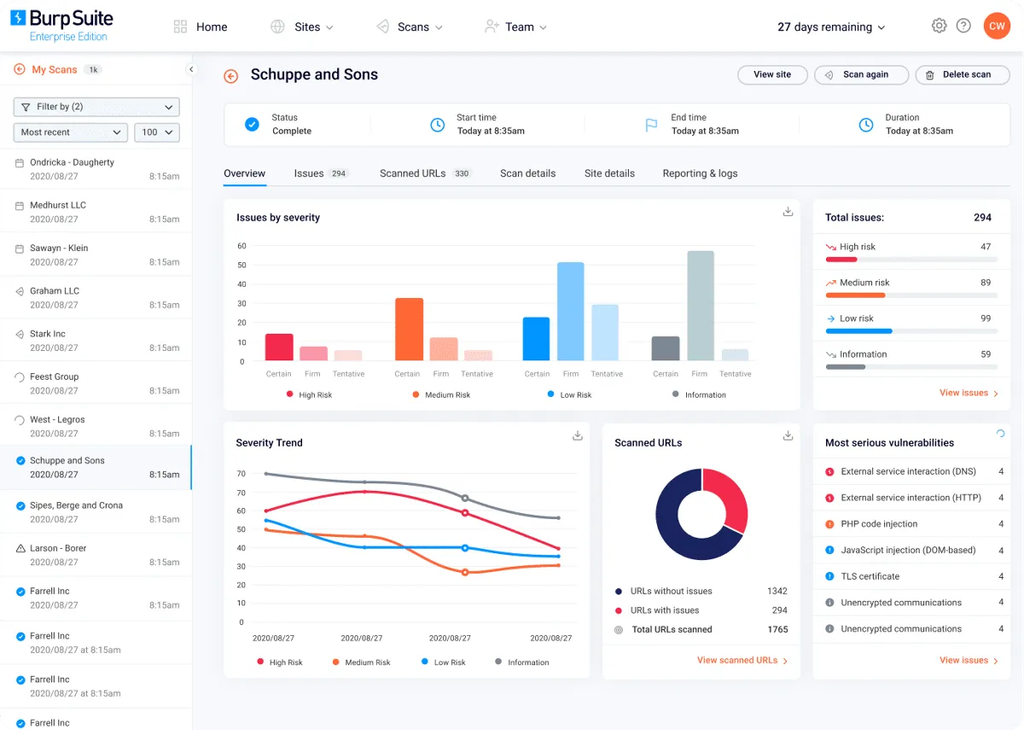
Source: PortSwigger
4. OpenText Fortify DAST

Best for: Regulated teams needing compliance-mapped dynamic scanning
Strengths: Broad API protocol support, remote sensors, policy reporting
Things to consider: Windows-only scanner and slower pipeline integration
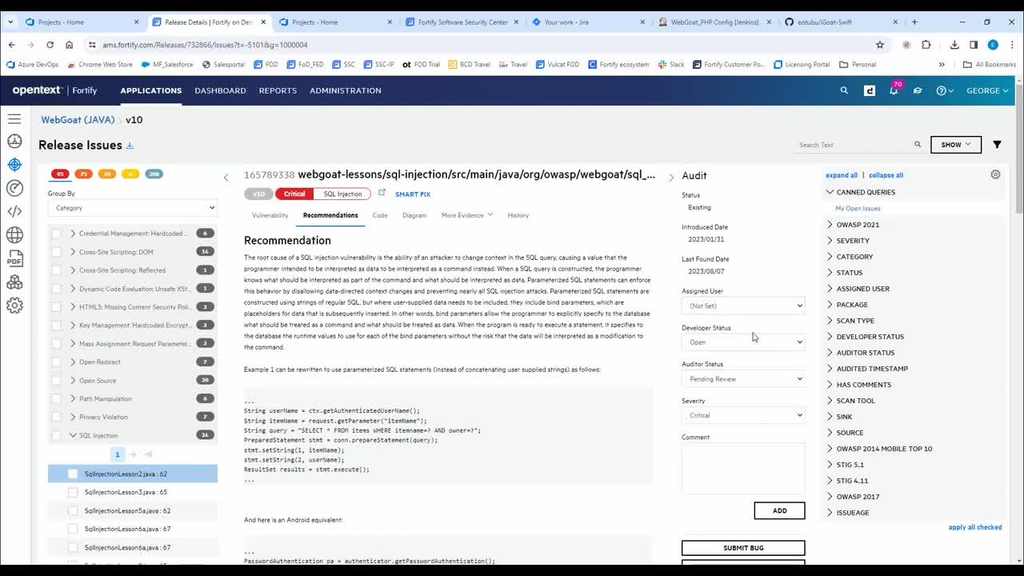
OpenText Fortify DAST, built on the WebInspect engine, simulates live attacks against running applications, APIs and services. It scans production or pre-production targets without requiring source code or a dedicated staging build, and can be operated through its interface or driven entirely through REST APIs inside a pipeline.
The scanner handles modern web stacks including HTML5, JSON, AJAX, JavaScript and HTTP2, and includes functional application security testing that reuses functional test coverage. Deployment options span off-cloud, SaaS and AppSec-as-a-service models.
Key features include:
- CI/CD automation and container delivery: Scans are automated through REST APIs and delivered as containers for pipeline use, with capacity scaling up or down to match changing pipeline demand.
- API scanning across formats: Tests SOAP, REST, Swagger, OpenAPI, Postman, GraphQL and gRPC endpoints, presenting API coverage as part of the scan results.
- ScanCentral DAST: Offloads analysis work from build machines to remote sensors, allowing scan workloads to be distributed rather than run on the pipeline host.
- Authentication and workflow macros: Continues scanning in multi-factor authentication environments, generates macros automatically, and can use HAR files to drive workflow-based scans.
- Compliance policies and reports: Ships pre-configured policies and reports for PCI DSS, DISA STIG, NIST 800-53, ISO 27K, OWASP and HIPAA.
- Client-side composition analysis: Reports CVEs for client-side libraries detected during a scan, along with open source project health data and an exportable CycloneDX SBOM.
Limitations (as reported by users on G2):
- CI/CD integration: A reviewer states that pipeline integration needs improvement.
- Platform support: Users note the scanner installs on Windows only, with no Mac or Linux installer, which contributes to slower performance in some environments.
- Resource usage and reporting: Reviewers describe the tool as resource intensive and say reporting could be stronger.
- Coverage roadmap: A reviewer asks for broader programming language and framework support and raises questions about the product roadmap following ownership changes.
Source: OpenText

5. Rapid7 InsightAppSec

Best for: Security teams scanning internal and external app portfolios
Strengths: Attack Replay, 95+ attack types, scheduling and blackouts
Things to consider: Reported false positives and longer scan runs
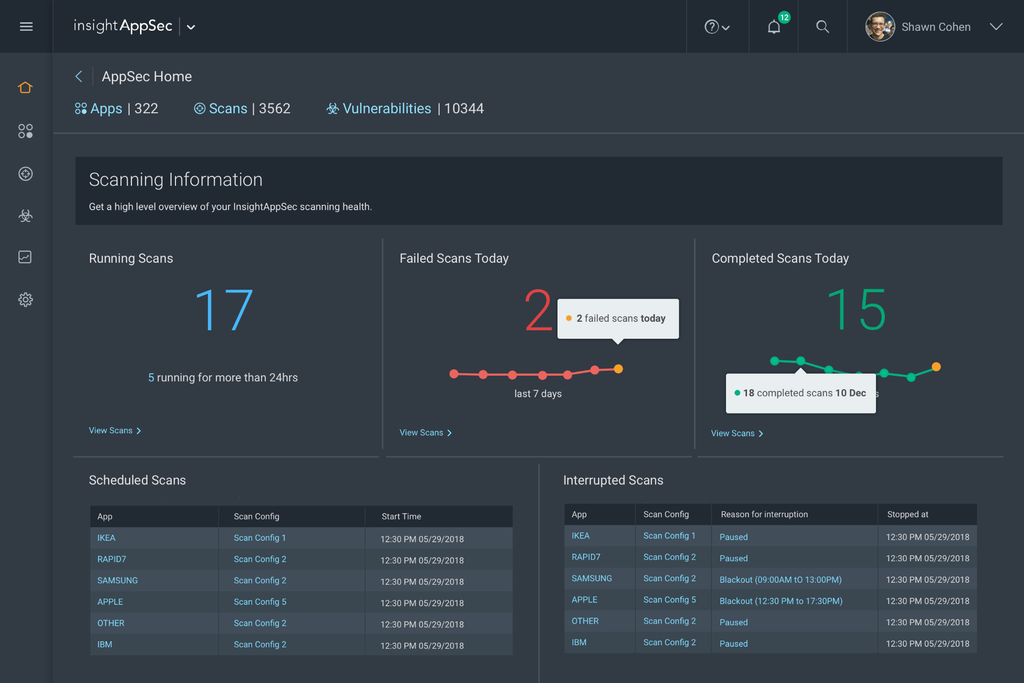
InsightAppSec performs black-box testing against running web applications and APIs, covering identification, triage, prioritization and remediation workflows. Scans start from the cloud console, and applications on closed networks can be reached using an optional on-premise scan engine paired to the same account.
Its Universal Translator normalizes traffic from traditional crawls and proxy captures so the scanner can attack modern browser-based and mobile application back ends. Findings feed reporting aimed at both compliance evidence and developer remediation.
Key features include:
- Attack Replay: Developers can replay the recorded HTTP traffic that identified a vulnerability to confirm the issue and validate a patch, without waiting for the security team to run another scan.
- 95+ attack types: Tests beyond the OWASP Top Ten across more than 95 attack types, with attack templates for OWASP lists and support for custom checks specific to an environment.
- Scan scheduling and blackouts: Recurring schedules keep changing applications under continuous assessment, while blackout periods prevent scans from running during high-demand windows.
- Cloud and on-premise engines: Multiple cloud engines run scans in parallel at no additional cost, and an on-premise engine covers pre-production and internal applications, with all results stored centrally.
- Misconfiguration detection: Checks running applications for misconfigurations that do not exist in source code and are therefore not visible to static analysis.
- Reporting and integrations: Exports findings as CSV, PDF and static or interactive HTML, includes compliance templates for PCI-DSS, HIPAA, SOX and OWASP Top 10, and integrates with Jira and other DevOps and ITSM tooling.
Limitations (as reported by users on G2):
- False positives and status tracking: Reviewers report a high volume of false positives and note that remediated vulnerabilities are not marked resolved automatically.
- Detection depth: Users mention that critical and high severity issues are surfaced less often than expected, and raise questions about vulnerability coverage.
- Scan duration: A reviewer states that scans take longer to complete than they would like.
- Cloud deployment: Users describe difficulty deploying the scanner for applications hosted in cloud environments.
- Authentication guidance: Reviewers ask for clearer guidance on configuring authenticated scans to maximize coverage.
Source: Rapid7
Developer-First DAST Tools for CI/CD Pipelines
Developer-first DAST tools are designed to run within engineering workflows, including pull requests, CI/CD jobs, and automated test stages. They prioritize fast feedback, reproducible scans, and findings that developers can act on without leaving their existing tools. Many also support API, authentication, access control, and business logic testing so security checks can run continuously as applications change.
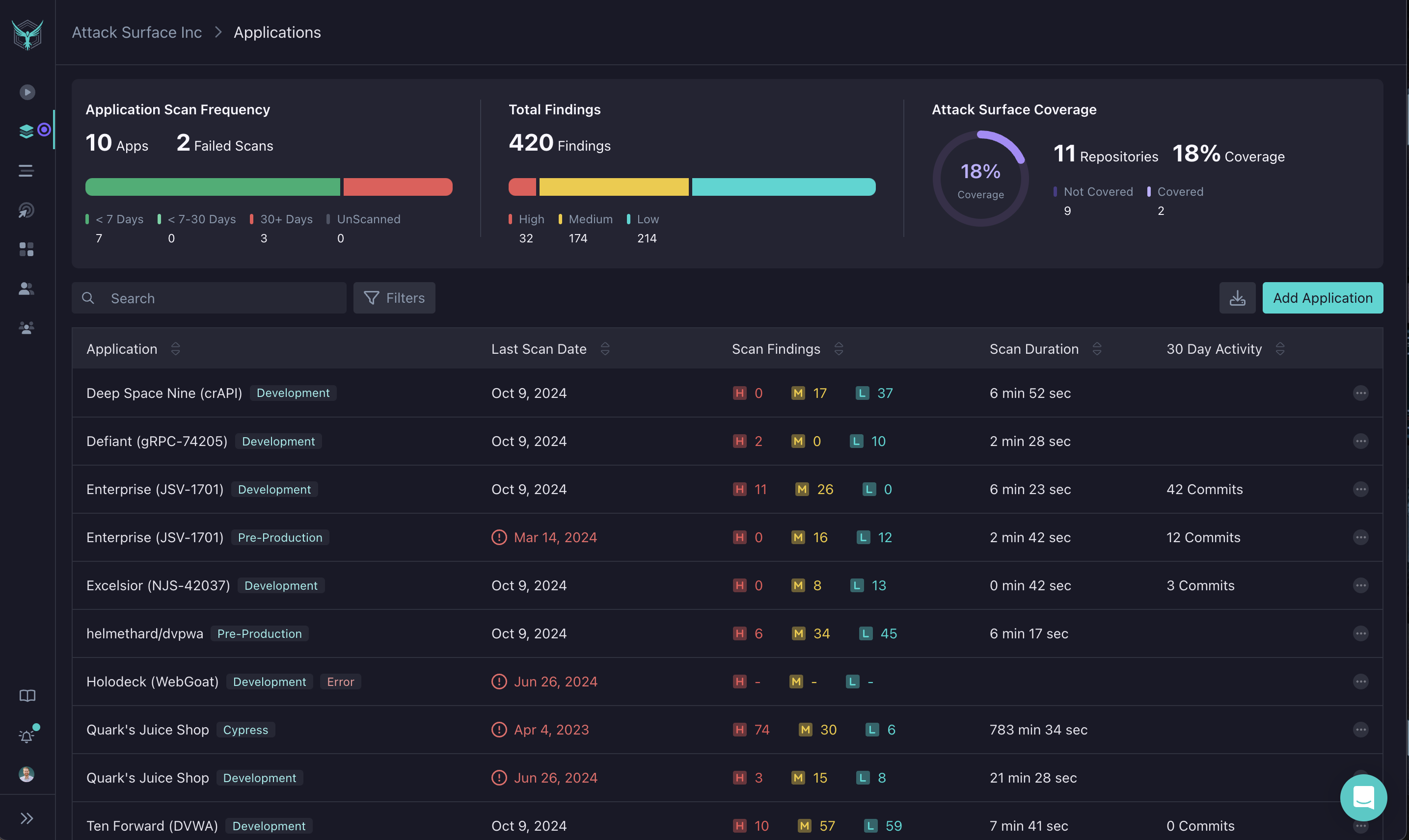
6. StackHawk

Best for: Engineering teams running security tests in pull requests
Strengths: Repo-based API discovery, deterministic scans, BOLA and BFLA tests
Things to consider: YAML configuration and auth scripting take real effort
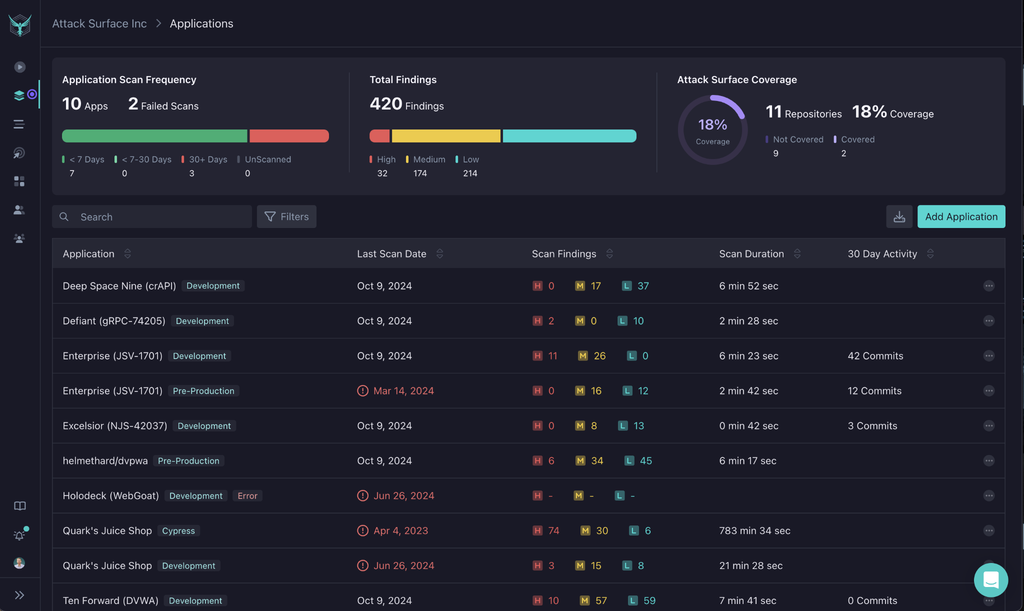
StackHawk is a runtime testing platform built around development workflows rather than a separate security gate. It integrates with source code repositories to map applications and APIs, then tests those targets in CI/CD pipelines and pull requests, running inside the pipeline infrastructure rather than only being triggered by it.
Testing is deterministic and reproducible across scans, using real requests against a live application and analyzing the responses. Findings arrive with code-level context and remediation guidance, and are correlated with SAST results for prioritization.
Key features include:
- Pipeline and pull request testing: Runs in CI/CD infrastructure, in pull requests and on local machines, so security testing happens alongside other software tests and can break builds.
- API discovery from source code: Integrates with source repositories to map applications and APIs across the attack surface, and generates API specifications from source so testable assets do not depend on developers writing specs manually.
- Authorization and business logic testing: Tests for BOLA, BFLA and broken access control, business logic flaws, mass assignment and excessive data exposure, alongside SQL, NoSQL and command injection.
- LLM security testing: Covers risks specific to LLM-backed applications, including prompt injection, sensitive data disclosure and improper output handling.
- Repo insights for prioritization: Identifies where sensitive data lives, which languages and frameworks are used, and how frequently code changes, to decide which applications to test first.
- Program reporting: Dashboards track testing coverage, findings surfaced and overall risk posture across applications for program-level oversight.
Limitations (as reported by users on G2):
- YAML configuration effort: Reviewers describe trial and error when writing scan configuration files, and ask for simplified documentation for the specification.
- Authentication scripting: Setting up authenticated scans relies on scripting rather than passive proxy capture, which reviewers note is slower to get running.
- Scanner customization: Users report limited access to fine-grained settings in the underlying ZAP engine and no support for custom detections or plugins.
- Reporting and dashboards: Reviewers ask for additional dashboard views, automated report sharing and better tracking of remediation progress.
- Deployment scope: Users mention limits around on-premises usage and the Docker requirement for pipeline runs, which affects non-containerized applications.
- Scan completion on large APIs: Some reviewers report large API scans taking a long time to finish.
Source: StackHawk
7. Bright Security

Best for: Development teams needing low-noise scans on every build
Strengths: Web, API and LLM coverage, unit test and CI/CD hooks
Things to consider: Setup complexity and a dense configuration interface
Bright Security provides a dynamic application security testing platform aimed at developers, covering web applications, APIs, business logic and LLM-backed features. Testing is designed to run repeatedly through the SDLC rather than as a pre-release check, with findings routed into the tools engineering teams already use.
Vulnerability coverage spans the OWASP Top 10, API Top 10 and LLM Top 10, with continuous rule updates. For larger deployments the platform supports centralized management, high-scale concurrent scanning, SSO, RBAC and audit logs.
Key features include:
- CI/CD and unit test integration: Integrates natively with CI/CD pipelines and unit testing frameworks, allowing scans to run on pushes, branches and scheduled builds as part of normal test execution.
- Repository-based scanning: Runs scans directly from GitHub and GitLab repositories so results and verified fixes appear where developers are already working.
- API security testing: Tests API endpoints for authentication issues and data exposure points as a distinct testing surface alongside web applications.
- Business logic testing: Analyzes application workflows to surface logic flaws that generic scans do not cover, including manipulation and fraud-related paths.
- LLM vulnerability detection: Tests LLM-backed application features for issues such as prompt injection and model manipulation.
- Developer tooling hooks: Connects to IDEs including VS Code and IntelliJ, Jira for ticketing, and code-generation tools such as GitHub Copilot for feedback during development.
Limitations (as reported by users on G2):
- Setup and configuration curve: Reviewers describe a learning curve around configuring custom scan profiles, with onboarding taking longer than expected.
- Interface density: Users report that the dashboard is busy and that some scan settings are hard to locate at first.
- API mapping and SPA coverage: Reviewers ask for stronger built-in API endpoint mapping and deeper support for single-page applications.
- Scan reliability and crawling: Some users mention scans failing without a clear reason and gaps in crawling coverage, with longer crawl times on certain applications.
- Platform breadth and licensing: Reviewers note the absence of native SAST and SCA modules and ask for licensing options supporting more concurrent scan engines.
8. Escape

Best for: API-heavy stacks needing business logic and access control tests
Strengths: BOLA and IDOR detection, AI-driven auth, source-aware fixes
Things to consider: Younger platform with gaps in export and automation
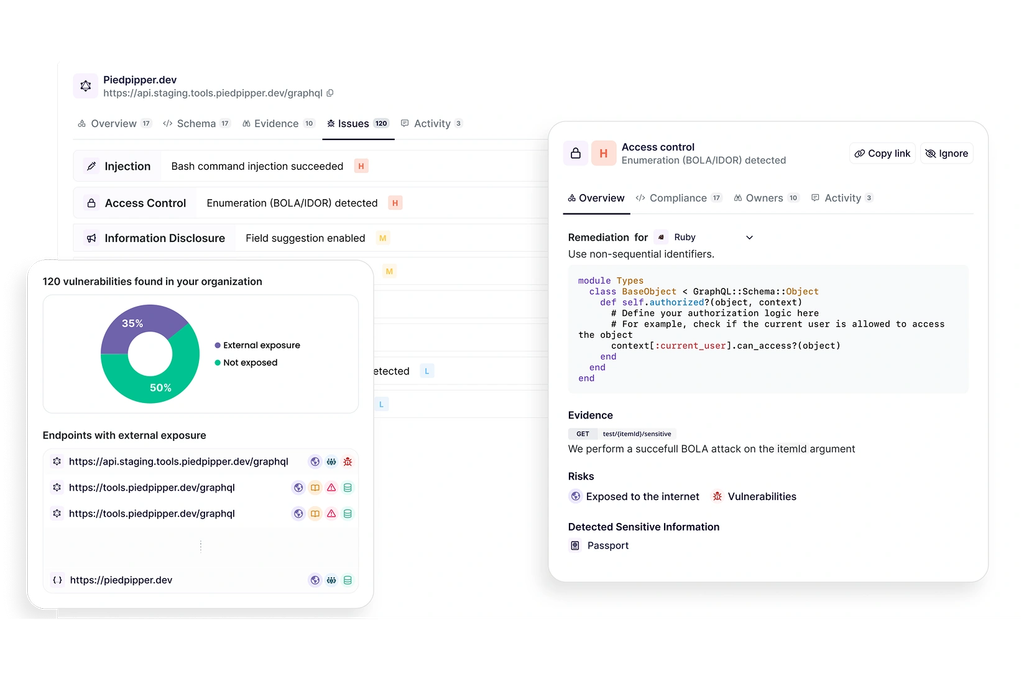
Escape is a business-logic-aware DAST product built for modern web applications and APIs. Rather than relying only on payload injection, it tests workflows, access control and multi-step processes to surface issues such as BOLA, IDOR and broken access control that appear when application logic is exercised.
The scanner integrates directly into CI/CD pipelines, produces attack paths and visual evidence for each finding, and generates remediation tailored to the framework in use. It sits alongside the vendor’s attack surface management and AI pentesting products.
Key features include:
- CI/CD pipeline integration: Scans trigger on every push, with security gates running in the pipeline, and results returned with attack paths and remediation steps rather than raw alerts.
- Business logic and access control testing: Tests workflows, permissions and multi-step processes to detect BOLA, IDOR and access control flaws that payload-based scanning does not reach.
- Authenticated and multi-user testing: Supports OAuth, SAML, password, TLS and TOTP MFA authentication, with AI-assisted setup and multi-user scenarios for testing permission boundaries.
- Source-aware remediation: Generates remediation tailored to the specific source code and framework in use, with visual evidence showing the exploitation path.
- Programmable automation: Provides a public API, CLI and MCP server, plus event-based workflows for triaging, routing and escalating findings according to defined policy.
- Access control and routing: Team-level permissions keep findings scoped to the people who own the affected assets, and results can be pushed into Wiz with asset context attached.
Limitations (as reported by users on G2):
- Feature maturity: Reviewers note missing capabilities associated with a younger vendor, and mention that company size can complicate procurement in large organizations.
- Platform updates: Users report that frequent updates sometimes require adjustment on their side.
- Large GraphQL schemas: A reviewer notes limits when scanning large GraphQL schemas.
- Export and automation gaps: Reviewers mention no automated PDF report export, no automatic pulling of GraphQL schema files from source control, and slow page load times.
- Onboarding time: Some users describe a learning curve before becoming comfortable with the platform.
Source: Escape
Conclusion
Automating DAST within CI/CD pipelines ensures continuous vulnerability detection and rapid feedback throughout the development lifecycle. By catching security risks early and establishing automated quality gates, organizations can maintain a strong security posture while preserving delivery velocity and reducing manual testing overhead.