

Summary
Application security tools help teams find and fix vulnerabilities across source code, open-source dependencies, APIs, infrastructure, and running applications before they become production risks. Because no single testing method covers every type of weakness, effective AppSec programs typically combine SAST, DAST, SCA, API security, secrets detection, IaC scanning, and related capabilities.
What Are Application Security Tools?
Application Security (AppSec) tools secure software throughout the development lifecycle (SDLC) by finding and fixing vulnerabilities in code, third-party libraries, and APIs. Modern AppSec programs blend multiple tool categories, such as SAST for source code, DAST for running web apps, and SCA for open-source libraries, to create comprehensive security coverage.
AppSec tools detect vulnerabilities in application code, third-party dependencies, containers, APIs, and runtime environments. They also assess the severity and potential impact of discovered issues, helping teams prioritize the risks that require immediate attention instead of treating all findings equally.
A key goal of application security tools is to prevent insecure code and configurations from being released. They integrate into development environments, CI/CD pipelines, testing workflows, and deployment processes to catch security issues early, when they are easier and less expensive to fix. By supporting security across development, testing, and deployment, these tools help organizations build and release software with fewer vulnerabilities.
Core categories of application security testing tools include:
- SAST (Static Application Security Testing): Analyzes code without running the application to find vulnerabilities early in development.
- DAST (Dynamic Application Security Testing): Tests a running application externally to identify exploitable issues in deployed environments.
- SCA (Software Composition Analysis): Finds known vulnerabilities, outdated packages, and license risks in open-source dependencies.
- IAST (Interactive Application Security Testing): Monitors applications during testing to detect runtime vulnerabilities with code-level context.
- Secrets detection and IaC scanning: Identifies exposed credentials and insecure infrastructure configurations before deployment.
- API security testing: Evaluates APIs for authentication, authorization, input validation, data exposure, and business logic risks.
Application Security Tools at a Glance
The table below summarizes the key differences between the tools covered in this article. We explore each one in more detail in the sections that follow.
| Category | Solution | Best For | Key Strengths | Things to Consider |
| Comprehensive Application Security Platforms | Checkmarx | Enterprises needing a unified platform for code, cloud, and AI-driven development security | Hybrid deterministic and AI scanning across SAST, SCA, IaC, API, and DAST with ASPM and AI agents | False positives need tuning, and scans can take longer on large codebases |
| Comprehensive Application Security Platforms | Snyk | Developer-first teams embedding security into IDEs, AI coding assistants, and CI/CD | Reachability-based prioritization and AI-assisted remediation across code, dependencies, and AI models | Costs can rise sharply at scale, and some modules feel fragmented from the core interface |
| Comprehensive Application Security Platforms | Veracode | Enterprises wanting posture management with prioritized, owner-assigned remediation | Code-to-cloud scanning plus Risk Manager (ASPM) and AI-powered fix suggestions | Scan performance can be slow, and the licensing model is complex to predict |
| Comprehensive Application Security Platforms | OpenText Application Security (Fortify) | Regulated and public-sector organizations needing broad language coverage and compliance mapping | Multi-engine testing (SAST, DAST, SCA, mobile) with AI-assisted Aviator remediation and Fortify on Demand | Pricing is high, and scans can be slow on large or heavy codebases |
| Static Application Security Testing (SAST) Tools | SonarQube | Teams wanting code quality and security review in one platform with enforceable merge gates | SAST, taint analysis, secrets and IaC scanning, plus AI CodeFix | False positives on legacy code, and a learning curve around rules and Quality Gates |
| Static Application Security Testing (SAST) Tools | Semgrep | Teams wanting fast, customizable static analysis with developer-friendly rule authoring | Rule-based and AI multimodal SAST with context-aware noise reduction | Noisy by default, and tuning demands security expertise and ongoing effort |
| Static Application Security Testing (SAST) Tools | GitHub Advanced Security | Teams standardized on GitHub wanting native code, secret, and dependency scanning | CodeQL-powered SAST with Copilot Autofix remediation inside existing workflows | No centralized cross-project dashboard, and deployment configuration can be challenging |
| Software Composition Analysis (SCA) Tools | Mend.io | Organizations managing open-source dependency risk alongside AI component security | Reachability-based SCA, automated dependency updates, and AI red-teaming | On-premises integration can be costly, and the SAST capability is still maturing |
| Software Composition Analysis (SCA) Tools | Black Duck | Enterprises needing deep open-source visibility across code, containers, and binaries | Proprietary KnowledgeBase-backed SCA plus Coverity SAST and agentic AI analysis | Expensive relative to alternatives, and on-premises deployment can be resource-intensive |
| Software Composition Analysis (SCA) Tools | Sonatype Lifecycle | Teams wanting automated, policy-driven open-source risk management | Contextual risk prioritization beyond CVSS with a flexible policy and waiver engine | Reporting can confuse infrequent users, and coverage is strongest for Java-centric ecosystems |
| Dynamic and API Security Testing Tools | Invicti | Teams wanting proof-based DAST with reduced manual validation | Automatic vulnerability confirmation plus unified DAST, SAST, and SCA with runtime intelligence | Configuration can feel overwhelming, and large or complex scans can be slow |
| Dynamic and API Security Testing Tools | Burp Suite DAST | Security teams scaling recurring dynamic scans across large web and API portfolios | Enterprise automation of Burp Scanner with CI/CD and issue-tracker integration | False positives need manual verification, and there’s no built-in static code analysis |
| Dynamic and API Security Testing Tools | HCL AppScan | Organizations needing flexible deployment across cloud, on-premises, and air-gapped environments | Multi-engine testing with auto issue correlation and agentic AI remediation (RapidFix) | False positive handling needs improvement, and scans can be slow on large sites |
Who Needs Application Security Tools
Web application security testing tools are useful for any organization that develops, deploys, or maintains software. As applications become more complex and development cycles accelerate, automated security testing and risk management help teams identify vulnerabilities earlier, reduce remediation effort, and maintain visibility across the software lifecycle.
- Developers: Find and fix vulnerabilities during coding before they become production issues.
- Devops and platform teams: Integrate security checks into CI/CD pipelines and prevent insecure configurations from being deployed.
- Application security (Appsec) teams: Monitor application security, prioritize findings, and enforce secure development practices across projects.
- Security and risk leaders: Measure security posture, track risk, and make informed decisions about remediation priorities and security investments.
- Compliance-driven organizations: Demonstrate adherence to regulatory and industry requirements by continuously identifying and addressing security issues.
- Teams adopting cloud-native and ai-assisted development: Secure modern development workflows by identifying risks in containers, cloud environments, generated code, and rapidly changing applications.
Core AppSec Testing Categories
The following table summarizes the main AppSec testing categories. We explore each category in more detail below.
| Testing Method | Description | Capabilities | Pros | Cons |
| SAST | Analyzes source code, bytecode, or binaries without running the application. | Detects coding flaws such as SQL injection, XSS, command injection, insecure deserialization, hardcoded credentials, and unsafe cryptography. | Finds issues early in development; integrates well with IDEs, pull requests, and CI/CD pipelines. | Cannot detect runtime, configuration, or environment-specific issues; may produce false positives. |
| DAST | Tests a running application externally by interacting with it like an attacker. | Crawls endpoints, sends payloads, and identifies issues such as injection, XSS, misconfigurations, insecure headers, and exposed admin interfaces. | Validates reachable vulnerabilities in deployed environments; often has fewer false positives than static analysis. | Lacks source-code visibility; may miss hidden logic or untested functionality; requires a deployed environment. |
| SCA | Analyzes third-party and open-source dependencies used by an application. | Builds dependency inventories, identifies known vulnerabilities, flags outdated packages, checks licenses, generates SBOMs, and monitors new disclosures. | Essential for managing dependency risk and open-source security. | Does not analyze custom application code for security flaws. |
| IAST | Monitors an application from inside while it runs during testing. | Observes runtime behavior, execution flow, and data flow to detect issues such as injection, XSS, insecure data handling, and authentication flaws. | Produces accurate findings with code-level context and remediation guidance. | Effectiveness depends on test coverage; unexecuted code paths are not analyzed. |
| Secrets Detection and IaC Scanning | Finds exposed secrets and analyzes infrastructure definitions before deployment. | Detects API keys, passwords, tokens, certificates, cloud credentials, and insecure IaC configurations such as public storage, excessive permissions, disabled encryption, and insecure network settings. | Prevents credential exposure and insecure infrastructure deployments; extends security beyond application code. | May miss secrets or misconfigurations not covered by detection rules or policy checks. |
| API Security Testing | Evaluates the security of REST, GraphQL, gRPC, and other APIs. | Discovers endpoints, analyzes API specs, tests authentication, authorization, input validation, rate limiting, BOLA, injection, and data leakage. | Focuses on API-specific risks, including shadow APIs, authorization flaws, and data exposure. | Complements but does not replace SAST or DAST; business logic coverage may require deep context and testing. |
SAST (Static Application Security Testing)
Static Application Security Testing (SAST) analyzes an application’s source code, bytecode, or compiled binaries without executing the application. It identifies security flaws during development, making it one of the earliest forms of security testing in the software development lifecycle.
SAST tools examine the structure and data flow of an application to detect coding mistakes that could introduce vulnerabilities. Common findings include SQL injection, cross-site scripting (XSS), command injection, insecure deserialization, authentication flaws, hardcoded credentials, and unsafe cryptographic implementations.
Because static application security testing tools run without requiring a deployed application, they integrate well into IDEs, pull requests, and CI/CD pipelines. Developers receive feedback while writing code or before changes are merged, reducing the cost of remediation.
The main advantage of SAST is early detection. However, it cannot identify vulnerabilities that depend on runtime behavior, application configuration, or interactions with external systems. It may also generate false positives if findings lack execution context.
DAST (Dynamic Application Security Testing)
Dynamic Application Security Testing (DAST) tools evaluate a running application from the outside by interacting with it over HTTP or other supported protocols. Instead of analyzing code, they behave like an attacker attempting to discover exploitable weaknesses in a live environment.
DAST tools crawl applications, map available endpoints, submit test payloads, and analyze responses for security issues. They commonly detect SQL injection, cross-site scripting, authentication weaknesses, security misconfigurations, exposed administrative interfaces, insecure headers, and other vulnerabilities visible during execution.
Since dynamic application security testing tools test the deployed application, they validate issues that are actually reachable in the running environment. This reduces false positives and helps identify problems introduced through configuration, deployment, or infrastructure that static analysis cannot see.
The main limitation is that DAST has no visibility into the application’s source code. It may miss vulnerabilities hidden behind untested functionality or business logic and typically requires a deployed environment to perform comprehensive testing.
SCA (Software Composition Analysis)
Software Composition Analysis (SCA) focuses on the open-source components and third-party libraries used within an application. Modern software often depends on hundreds or thousands of external packages, making dependency security a critical part of application security.
SCA tools build an inventory of software components, identify known vulnerabilities using public vulnerability databases, and alert teams when dependencies contain security issues. They also detect outdated packages and recommend safer versions for upgrades.
Many SCA platforms provide additional capabilities beyond vulnerability detection. These include license compliance analysis, dependency inventory management, software bill of materials (SBOM) generation, and monitoring for newly disclosed vulnerabilities after software has been released.
SCA is essential because many application vulnerabilities originate in third-party components rather than custom code. While it identifies known issues in dependencies, it does not analyze whether custom application code contains security flaws.
IAST (Interactive Application Security Testing)
Interactive Application Security Testing (IAST) combines elements of static and dynamic testing by monitoring an application while it is running. It uses an agent or instrumentation inside the application to observe execution, data flow, and security-relevant behavior during functional or security testing.
Because the tool has visibility into both application internals and runtime execution, it can identify vulnerabilities with greater accuracy than many standalone testing approaches. It often detects issues such as SQL injection, cross-site scripting, insecure data handling, command injection, and authentication flaws while showing the exact code responsible.
Interactive application security testing tools typically run alongside automated functional tests or manual testing. As application features are exercised, the tool continuously evaluates security without requiring a separate scanning phase.
The main benefit of IAST is high-quality findings with precise remediation guidance. Its effectiveness, however, depends on application coverage during testing. Code paths that are never executed cannot be analyzed.
Secrets Detection and IaC Scanning
Secrets detection tools identify sensitive information that has been accidentally stored in source code, repositories, configuration files, or CI/CD pipelines. They search for API keys, passwords, tokens, certificates, cloud credentials, private keys, and other secrets that could provide unauthorized access if exposed.
Infrastructure as Code (IaC) scanning analyzes infrastructure definitions such as Terraform, Kubernetes manifests, CloudFormation templates, and similar configuration files before deployment. The goal is to identify insecure cloud and infrastructure configurations before they become production environments.
Common findings include publicly exposed storage, excessive IAM permissions, disabled encryption, insecure network configurations, missing logging, and overly permissive Kubernetes settings. Many tools enforce organizational security policies automatically during code review or pipeline execution.
Together, secrets detection and IaC scanning help prevent configuration-related security incidents that traditional application testing tools may never examine. They extend application security beyond source code to the infrastructure that supports modern software.
Related content: Read our guide to choosing an effective secret scanning tool.
API Security Testing
API security testing evaluates the security of REST, GraphQL, gRPC, and other application programming interfaces. As APIs increasingly power web applications, mobile apps, cloud services, and AI systems, they have become a primary target for attackers.
API security tools discover endpoints, analyze API specifications such as OpenAPI definitions, and test authentication, authorization, input validation, rate limiting, and business logic. They also identify exposed endpoints, sensitive data leakage, broken object-level authorization (BOLA), injection vulnerabilities, and configuration weaknesses.
Many modern platforms continuously discover APIs across an organization’s environment, including undocumented or shadow APIs that development teams may not know exist. This improves visibility and reduces the risk of unmanaged interfaces remaining exposed.
API security testing complements SAST and DAST rather than replacing them. While general application testing may cover some API functionality, dedicated API security tools focus on the unique attack patterns, authorization models, and data exposure risks associated with modern API-driven applications.
Why Most Teams Need Multiple Categories, Not a Single Point Tool
No single application security testing category can identify every type of security issue. Each category examines applications from a different perspective, and each has strengths and limitations. Relying on only one tool leaves blind spots that attackers can exploit.
For example, SAST can detect coding errors before an application is deployed, but it cannot validate runtime behavior. DAST can identify vulnerabilities in a running application but has no visibility into the underlying source code. SCA finds vulnerable third-party components but does not analyze custom application logic. Secrets detection and IaC scanning focus on credentials and infrastructure rather than application code, while API security testing addresses risks that general-purpose scanners may overlook.
For this reason, most organizations build an application security program using multiple complementary testing categories. A common combination includes SAST for source code analysis, SCA for dependency security, secrets and IaC scanning for development and infrastructure, DAST or IAST for runtime validation, and API security testing for modern application architectures. Advanced application security solutions combine several of these capabilities into a unified platform.
Common Use Cases for Application Security Tools
Tools for application security testing support secure software delivery by identifying risks across code, dependencies, runtime environments, cloud configurations, and compliance workflows. They help organizations shift security earlier in development, reduce exposure from third-party components, validate deployed applications, and give developers actionable feedback within the tools they already use.
- Secure software development: Integrate security checks into IDEs, repositories, and CI/CD pipelines so developers can find and fix vulnerabilities before code reaches production.
- Open-source and supply chain risk reduction: Inventory dependencies, detect vulnerable packages and transitive risks, monitor CVEs, support SBOM generation, and recommend safer versions.
- Runtime validation and external attack-surface testing: Test deployed applications from an attacker’s perspective to uncover exploitable issues, misconfigurations, exposed services, and authentication weaknesses.
- Cloud and configuration security: Scan secrets, IaC, containers, Kubernetes, and cloud configurations to prevent insecure resources, exposed credentials, and overly permissive access from reaching production.
- Compliance and audit support: Provide centralized reporting, vulnerability tracking, remediation records, dashboards, and policy evidence for standards such as PCI DSS, HIPAA, ISO 27001, and SOC 2.
- Developer-first security workflows: Embed findings into pull requests, issue trackers, builds, and IDEs while prioritizing risks by exploitability, business impact, and code context.
Representative Application Security Tools by Category
The application security market spans unified platforms that consolidate many testing types as well as focused tools that specialize in a single category. The tools below are organized into four groups: comprehensive platforms, static analysis (SAST) tools, software composition analysis (SCA) tools, and dynamic and API testing tools.
Descriptions are based on each vendor’s own product documentation, with limitations sourced from independent review sites where cited. Tools are grouped by primary category; within each category, ordering does not imply ranking.
Comprehensive Application Security Platforms
1. Checkmarx

Checkmarx One is the unified, cloud-native application security platform for enterprises that need to secure code, applications, and AI-driven development at scale. It brings SAST, SCA, IaC, API, DAST, container, and supply chain security together with ASPM and the Checkmarx One Assist family of agentic AI agents, delivering correlated risk insights and developer-centric remediation from the IDE to production. With a single platform and data model, customers reduce tool sprawl, improve risk visibility, and help developers ship secure software faster.
Key features include:
- Hybrid scanning engine: Checkmarx Fusion hybrid scanner runs deterministic rules alongside AI reasoning in the same scan. The deterministic side catches established vulnerability classes, while the AI side adapts to coding patterns that signature-based scanners can miss, and the combined results are consolidated into a single risk view rather than separate tool outputs. This hybrid approach reaches an F1 score of 0.64 against an industry average of roughly 0.20, with Checkmarx Fusion, an emerging capability extending the same validation to zero-day detection, pushing that to 0.74.
- Multi-scanner coverage: The platform includes static analysis (SAST), software composition analysis (SCA), secrets detection, infrastructure-as-code security, API security, container security, including malicious package protection backed by a database of over 550,000 known malicious packages, blocked in real time before they enter the build., and DAST. This lets a team run several test types from one platform instead of operating and reconciling separate point products.
- Unified risk intelligence and ASPM: Findings from across the scanners are correlated and enriched with business and exploitability context, then ranked so teams can focus on issues that represent real exposure. The ASPM control plane provides cross-repository visibility, policy enforcement, and remediation tracking for security teams.
- AI security agents in the developer workflow: Through its Triage & Remediation Assist Agents, Checkmarx One delivers real-time vulnerability detection, contextual explanations, and fix suggestions directly in the IDE and pull request, with risk prioritized automatically to reduce back-and-forth between security and development.
- AI supply chain and AI-BOM coverage: The platform inventories and governs AI components in an application, including generating an AI bill of materials, scanning models, and discovering AI agents, so organizations can apply the same security controls to AI-generated and AI-driven code that they apply to traditional code.
- Broad toolchain integration: Checkmarx One plugs into common IDEs (VS Code, JetBrains, Visual Studio, Eclipse), source control and CI/CD systems (GitHub, GitLab, Azure DevOps, Jenkins, and others), and ticketing and messaging tools such as Jira, Slack, and Teams, so security checks run inside existing development pipelines.
Limitations (as reported by users on G2):
- False positives need tuning: Checkmarx’s Findings Analysis Engine independently validates findings before they reach a developer, reducing false positives by 60%, though reviewers note tuning is still recommended on the largest codebases
- Scan time on large projects: Reviewers report that scans can take longer to complete on bigger applications compared with some other tools, which can affect fast-moving pipelines.
- Integration polish: A few users mention that certain IDE or build-tool integrations can require extra setup to woThrough its Developer Assist and Remediation Assist agentsrk as expected.
[Simple CTA]
Pre-title: Find and fix issues in real time with hybrid scanning and agentic AI
Title: Checkmarx One Platform
CTA line: Learn More
URL: https://checkmarx.com/product/application-security-platform/
2. Snyk

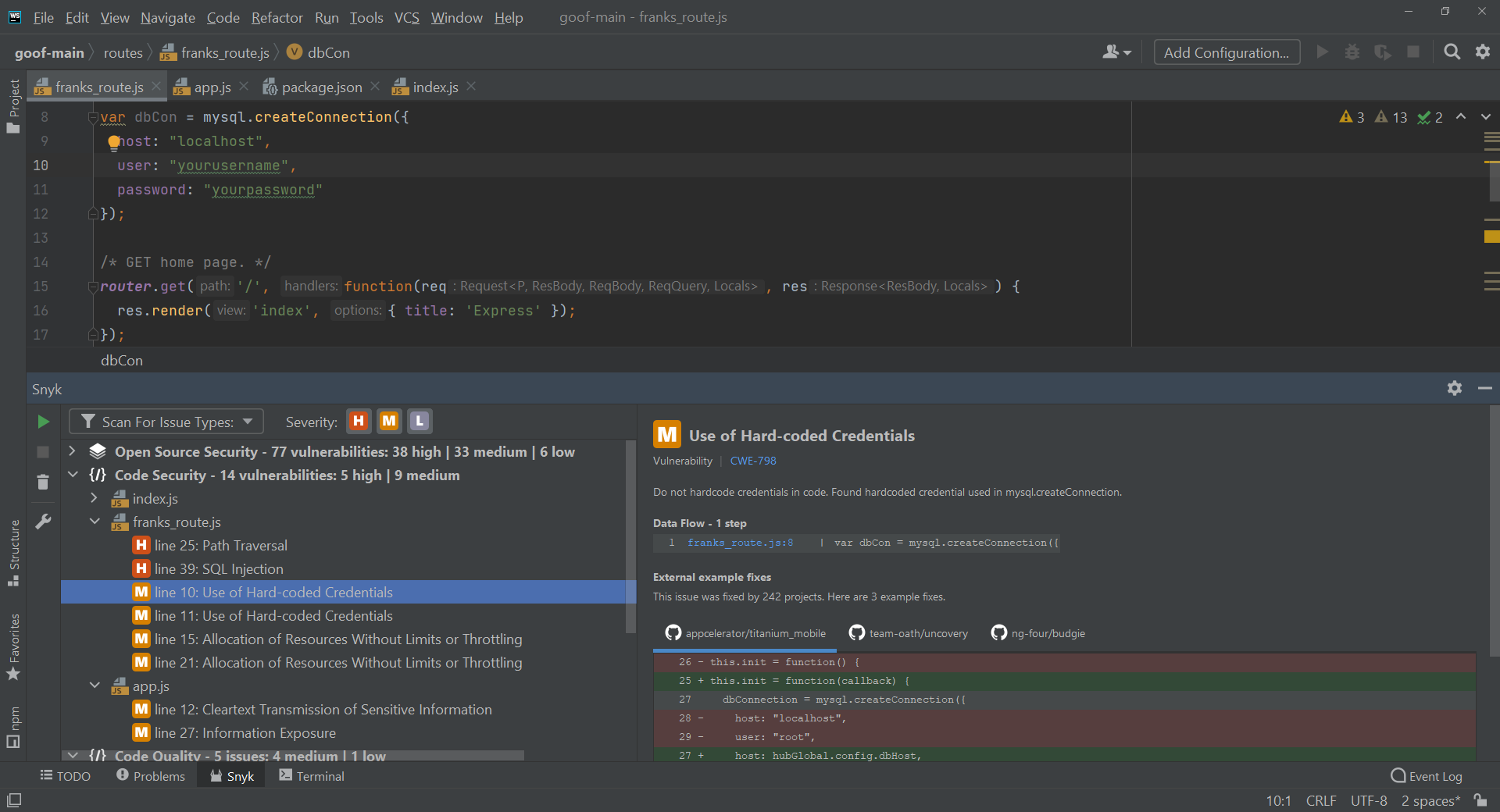
Snyk is a developer-focused application security platform that spans the software supply chain and AI-driven development. Its model centers on building an inventory of assets and then applying guardrails, prioritization, and remediation across that inventory. Snyk embeds security into the tools developers already use, including IDEs, AI coding assistants, and CI/CD pipelines, with the aim of catching issues at the point code is written rather than after the fact.
Key features include:
- Asset discovery and inventory: Snyk automatically discovers and inventories assets across an organization, including code, open-source dependencies, and AI models, establishing a baseline of what exists before prioritization and remediation begin.
- Guardrails across developer tooling: The platform enforces preventative checks inside AI coding assistants, IDEs, and pipelines, with the goal of stopping vulnerabilities from entering the codebase rather than catching them only in later stages.
- Reachability-based prioritization: Snyk applies application intelligence, risk scoring, and reachability analysis to identify which findings are actually exploitable, helping teams concentrate on the issues that pose real risk instead of triaging every alert equally.
- AI-assisted remediation: Developers receive fix suggestions that can be applied directly in the IDE and in pull requests, aimed at accelerating the fix rate and reducing accumulated security debt without leaving the development environment.
- Governance, policy, and analytics: Snyk includes automated policy enforcement and analytics that track risk reduction, developer adoption, and program effectiveness, giving security leaders measurable visibility into an application security program.
- Agentic runtime orchestration: The platform offers an agentic security orchestrator intended to provide autonomous, runtime-oriented protection for non-deterministic, AI-native applications, extending coverage beyond pre-deployment scanning.
Limitations (as reported by users on G2):
- Noise from low-severity findings: Reviewers note that low-severity vulnerabilities can be overwhelming on larger projects, and tuning the prioritization filters to a team’s risk tolerance takes time and experimentation.
- Pricing and tiering: Several users mention that costs can rise sharply as teams scale, and that some capabilities they consider essential, such as deeper reporting or single sign-on, sit in higher-priced tiers.
- Fix suggestions and compatibility: Reviewers report that recommended upgrades sometimes introduce breaking changes, so manual research is still needed, and that compatibility risk is not always flagged alongside the fix.
- Fragmented modules: Some users observe that certain products are not fully integrated into the main interface, citing the separate handling of acquired capabilities such as DAST.

Source: Snyk
3. Veracode

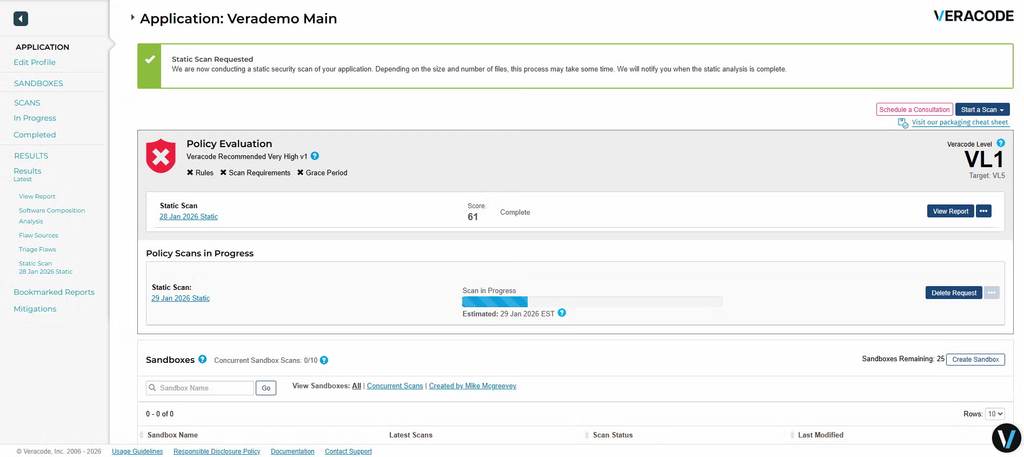
Veracode offers an application risk management platform that identifies, prioritizes, and helps remediate application risk across the software development lifecycle. The platform combines several testing types (static analysis, dynamic analysis, software composition analysis, and container and infrastructure-as-code scanning) with a posture management layer called Risk Manager that prioritizes vulnerabilities and identifies the owner and root cause of each issue.
Key features include:
- Code-to-cloud scanning: Veracode provides SAST, DAST, SCA, container, and infrastructure-as-code scanning that can be integrated into IDEs and pipelines, giving teams several testing types across the development lifecycle from a single platform.
- Risk Manager (ASPM): The platform’s posture management capability prioritizes vulnerabilities, pinpoints the owner and root cause of each security issue, and recommends a next best action, helping teams direct remediation effort to the most urgent problems first.
- AI-powered remediation (Veracode Fix): Veracode Fix is trained on curated data to generate suggested patches for security flaws, drawing on a proprietary set of reference fixes developed by Veracode, with the aim of shortening the time spent manually writing fixes.
- Software supply chain protection: A Package Firewall is designed to block vulnerable components, malware, and policy violations before they reach development pipelines, and a Software Supply Chain Intelligence feed delivers threat research curated by Veracode’s research team.
- SDLC and tool integrations: Veracode integrates security testing into the tools developers use and reports support for a broad set of integrations, so scanning and feedback can be automated within existing workflows.
- Actionable reporting and visibility: The platform provides real-time insights and reporting intended to prioritize and track flaw remediation across complex environments, supporting both developer-level fixes and program-level oversight.
Limitations (as reported by users on G2):
- Scan performance: Reviewers report that source code analysis can take a significant amount of time to complete, which can discourage developers from running scans as often as intended.
- False positives and third-party code: Some users note a high volume of false positives that must be reviewed and explained away, and that handling of third-party libraries is not always strong.
- Licensing complexity: Reviewers describe the licensing model as overly complex and difficult to predict, and some note that the value of add-on services is hard to measure.
- Documentation and delivery gaps: A few users mention mismatches between documented and delivered functionality, and report that some features arrive later than promised.
Source: Veracode
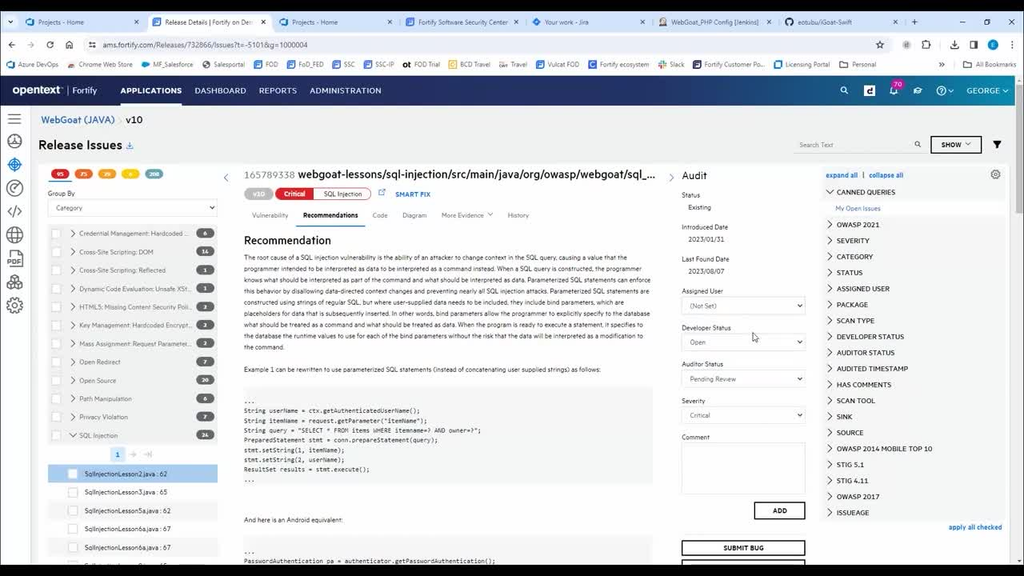
4. OpenText Application Security (Fortify)

OpenText Application Security, widely known by its Fortify product family, is a suite that covers static, dynamic, and mobile application security testing tools along with software composition analysis. It is available both as the on-demand SaaS offering, Fortify on Demand, and as self-managed components, and it adds an application security posture management layer that unifies SAST, DAST, SCA, and pipeline findings into one view with policy enforcement in CI/CD.
Key features include:
- Multi-engine testing (SAST, DAST, SCA, mobile): The Fortify portfolio provides static analysis to scan source code, dynamic analysis to test running web applications, software composition analysis for open-source risk, and mobile application testing, letting teams choose the engines that match their environment.
- Application security posture management: OpenText unifies SAST, DAST, SCA, and pipeline findings in a single view, prioritizes risk, enforces policy in CI/CD, and produces executive-level reporting for visibility across an application portfolio.
- AI-assisted Aviator capabilities: Fortify Remediation Aviator uses AI to suggest code-level fixes for SAST findings rather than only reporting the flaw, and Fortify DAST Aviator automates login macros so authenticated dynamic scans can run at DevSecOps scale.
- Fortify on Demand (AppSec as a service): The on-demand option delivers cloud-based testing with SAST, DAST, and expert review, where false positives are removed for each test and results can be manually reviewed by application security specialists, with no infrastructure to deploy.
- Open-source and supply chain coverage: Fortify Software Composition Analysis identifies vulnerabilities, license issues, and outdated components in open-source dependencies, and the portfolio supports SBOM generation and dependency scanning for supply chain governance.
- Broad language support and compliance mapping: OpenText advertises coverage across a large number of languages and frameworks and provides compliance-oriented reporting mapped to standards such as FedRAMP and NIST 800-53 for regulated and public-sector use.
Limitations (as reported by users on G2):
- Pricing: Reviewers describe the cost as high and note that the pricing model can make the actual cost of using the tool hard to predict.
- Scan speed on large code: Some users report that scans can be slow to complete on large or heavy codebases, partly due to dependence on local runtime configuration.
- Interface and documentation: Reviewers note that the user interface can feel counter-intuitive and that documentation could be more user-friendly for new users.
- Access control granularity: A few users mention limited fine-grained, application-level role and permission management.
Source: OpenText

Static Application Security Testing (SAST) Tools
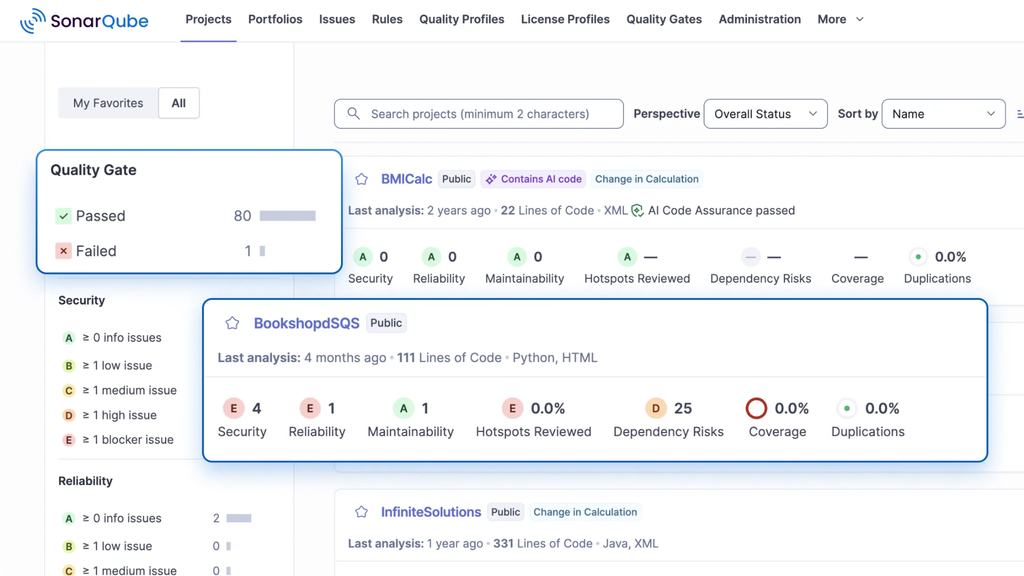
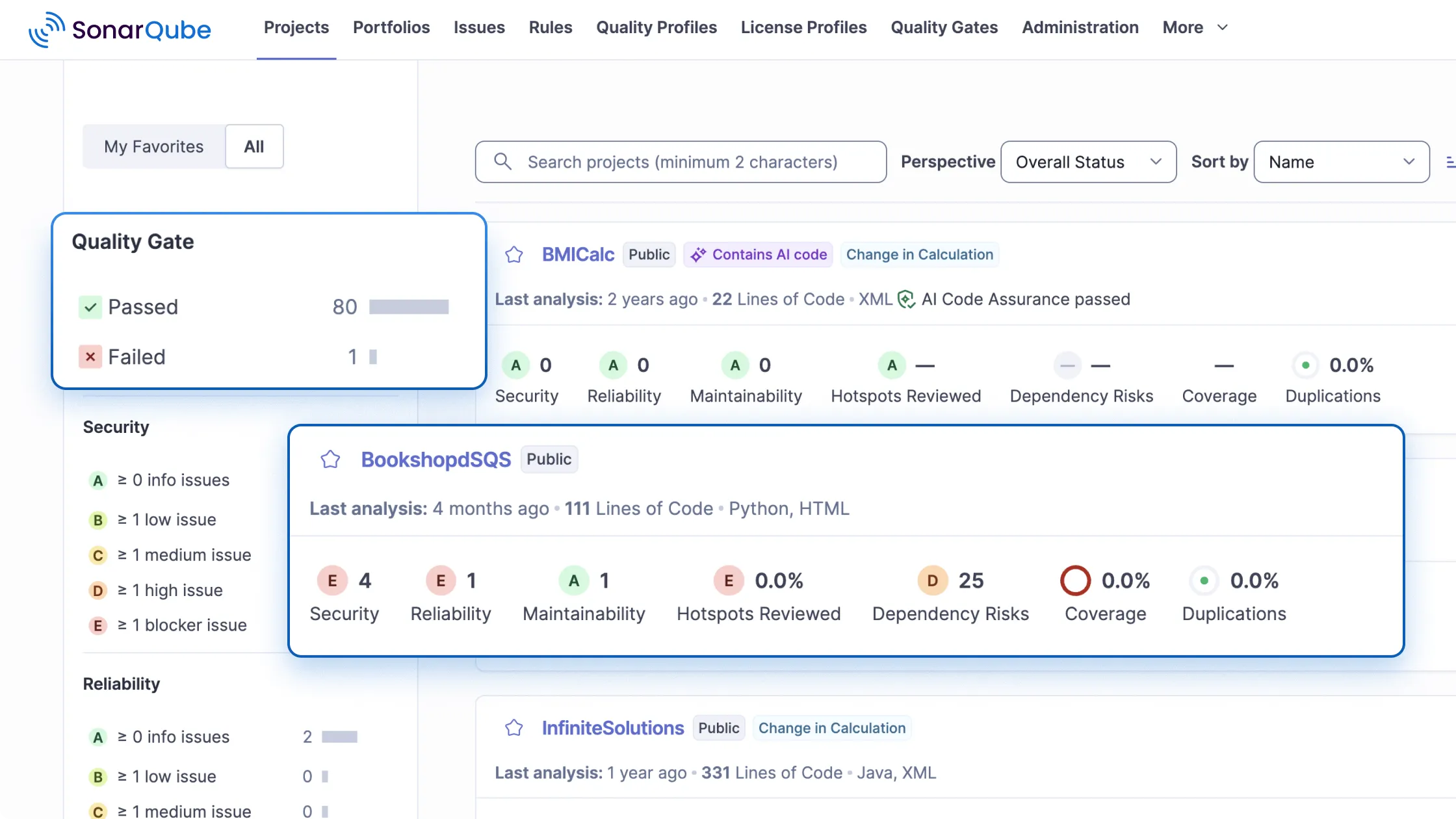
5. SonarQube

SonarQube, from Sonar, is a code analysis platform that combines code quality review with security testing. It is offered as SonarQube Server for self-managed, on-premises deployment and SonarQube Cloud as a fully managed SaaS service, and both run automated reviews on branches, pull requests, and merges as code is committed. On the security side it includes a SAST engine, taint analysis that tracks data flow to find injection vulnerabilities, secrets detection, infrastructure-as-code scanning, an Advanced SAST capability.
Key features include:
- Static application security testing: SonarQube’s SAST engine finds vulnerabilities across popular languages such as Java, JavaScript, Python, C++, and C#, delivers feedback in the IDE and CI/CD pipeline, and supports custom detection rules so teams can enforce their own security standards.
- Taint analysis: The taint analysis engine tracks data flow across files and functions to detect injection-class vulnerabilities such as SQL injection, cross-site scripting, and SSRF, and it is framework-aware so it accounts for native security controls to reduce noise.
- Secrets detection: SonarQube identifies leaked credentials such as API keys, passwords, and tokens using a combination of pattern matching and semantic analysis, surfaces them in the IDE before they are committed, and supports custom patterns in the Enterprise Edition.
- Infrastructure-as-code scanning: The platform scans IaC formats including Terraform, CloudFormation, Kubernetes, Azure Resource Manager, and Ansible to catch misconfigurations such as overly permissive access and insecure defaults before deployment, with step-by-step remediation guidance.
- Advanced SAST and SCA: Advanced SAST traces data flows into third-party open-source libraries to uncover deeper vulnerabilities, while the SCA capability finds known CVEs in dependencies, manages license compliance, and inventories the software supply chain.
- Quality Gates and AI CodeFix: Quality Gates can block a pull request from merging when defined conditions fail, integrating with GitHub, GitLab, Bitbucket, and Azure DevOps, and AI CodeFix generates context-aware fix suggestions for issues directly in the workflow.
Limitations (as reported by users on G2):
- False positives and rigid rules: Reviewers note that some rules do not fit real-world or legacy codebases well, generating false positives that require ongoing tuning or suppression.
- Setup and learning curve: Several users find initial setup and configuration complex on large projects, and report a learning curve in understanding rules, Quality Gates, and how to interpret reports.
- Performance on large codebases: Reviewers mention that the interface and scans can feel slow on big projects, and that triaging a large number of findings can be time-consuming.
- Pricing and fix maturity: Some users describe the pricing model as complex across cloud and self-hosted options, and note that AI CodeFix suggestions can feel template-like for more complex problems.
Source: SonarQube
6. Semgrep

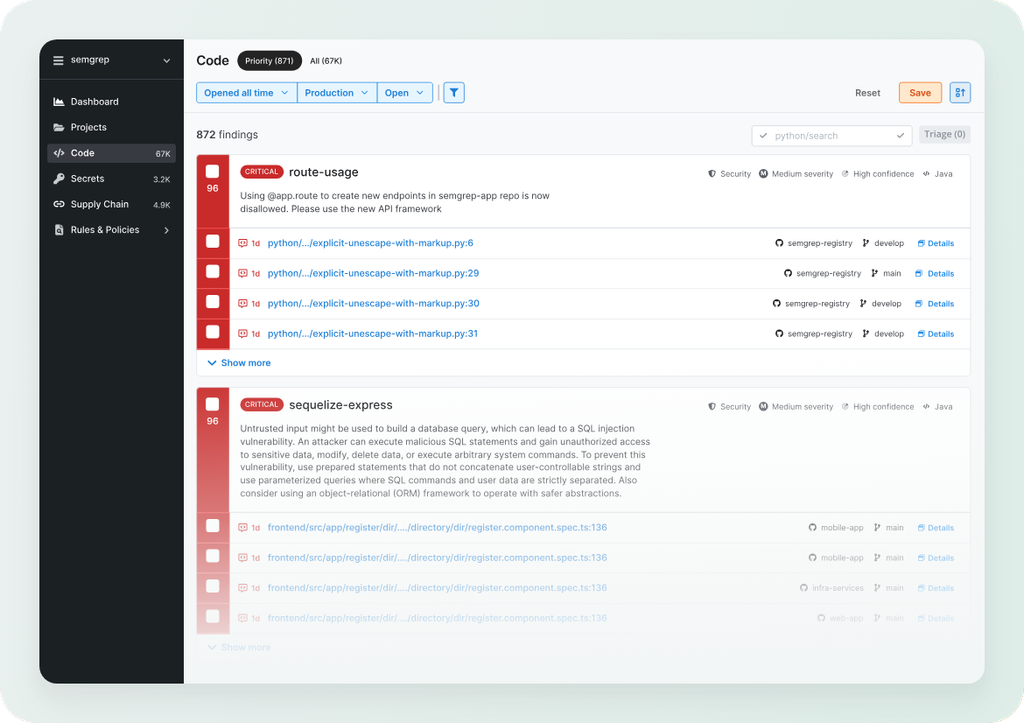
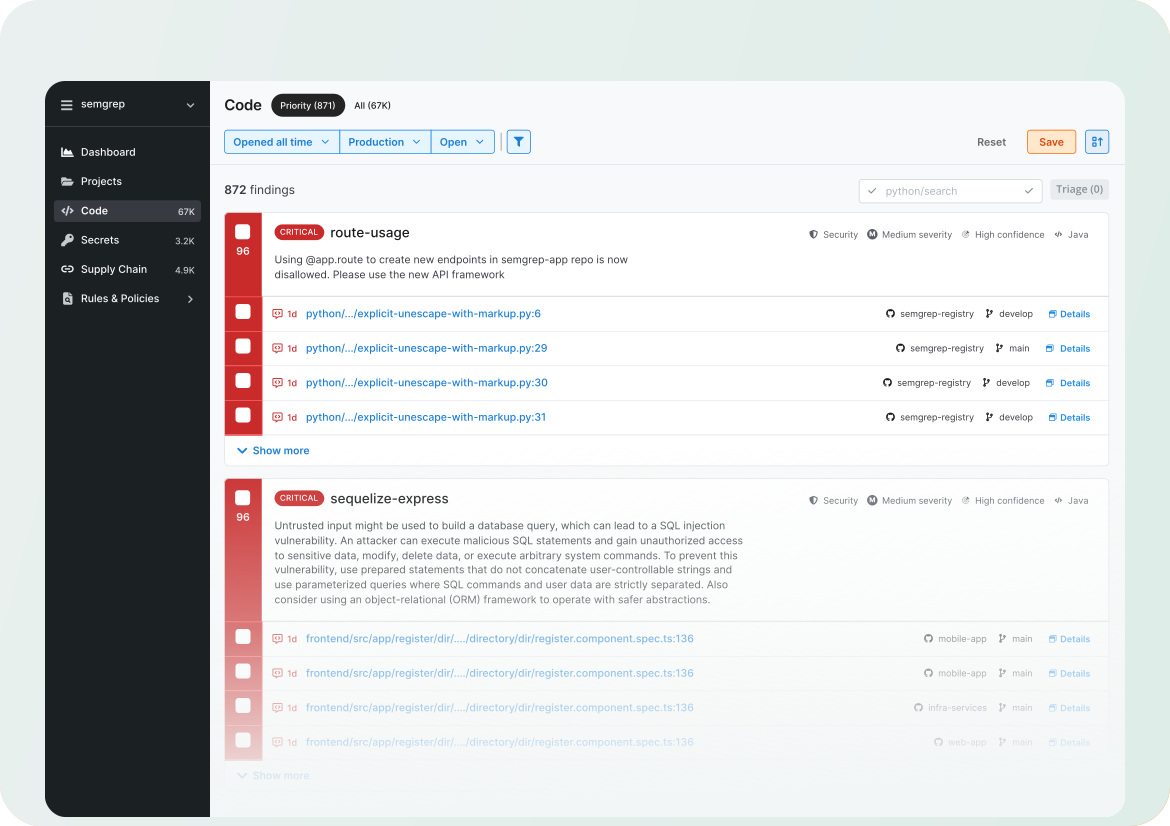
Semgrep is a static analysis platform built around fast, customizable scanning that fits into developer workflows. Its core product, Semgrep Code, performs SAST and pairs deterministic, rule-based detection with an AI-assisted “Multimodal” capability that adds reasoning to reduce false positives and surface more complex issues. The broader platform also includes Semgrep Supply Chain for open-source dependency and malware risk, Semgrep Secrets for hardcoded secret detection, and Semgrep Guardian for scanning AI-generated code as it is written.
Key features include:
- Rule-based and AI multimodal SAST: Semgrep Code uses deterministic analysis to catch classic issues such as cross-site scripting and SQL injection, and adds AI-powered analysis to identify more complex flaws such as insecure direct object references and business-logic vulnerabilities, combining both in one scan.
- Customizable YAML rules and registry: Teams define detection logic using a clear, human-readable YAML syntax and can draw on an extensive public rule registry, making the tool adaptable to specific project patterns and coding standards.
- Context-aware noise reduction: The Multimodal capability evaluates the mitigating context around a finding to filter out false positives that static analysis alone cannot, and it improves over time by learning from a team’s triage decisions so repeated context does not need re-checking.
- Open-source supply chain scanning: Semgrep Supply Chain identifies vulnerabilities in open-source dependencies and blocks malware, helping teams manage the risk introduced by third-party packages.
- Secrets detection: Semgrep Secrets finds hardcoded secrets using semantic analysis rather than pattern matching alone, with the goal of catching exposed credentials more accurately.
- CI/CD integration and PR remediation: Semgrep integrates into CI/CD pipelines for fast feedback and delivers tailored, step-by-step remediation instructions within pull requests so issues can be addressed before they reach security teams.
Limitations (as reported by users on G2):
- Out-of-the-box noise: Reviewers note that Semgrep can produce noisy results with false positives by default, requiring upfront tuning and rule customization to reduce irrelevant findings.
- Tuning effort and expertise: Some users report that the ongoing tuning process demands security expertise and creates operational overhead, particularly at larger scale.
- Rule syntax limits: A few reviewers find the rule syntax restrictive for dynamic code or frameworks that rely heavily on metaprogramming, where deeper semantic analysis can require manual effort.
- Setup and large-project performance: Users mention that first-time setup can be frustrating and that scans can slow down on very large projects or monorepos.
Source: Semgrep
7. GitHub Advanced Security
GitHub Advanced Security (GHAS) is GitHub’s application security offering, delivered as add-ons that run natively inside the GitHub platform and also available for Azure DevOps. It is organized into GitHub Secret Protection, focused on detecting and preventing exposed secrets, and GitHub Code Security, focused on finding and fixing vulnerabilities in code and dependencies. The static analysis is powered by CodeQL, GitHub’s query-based analysis engine, and the offering also includes software composition analysis and secret scanning.
Key features include:
- CodeQL static analysis: Code scanning uses the CodeQL engine to detect security vulnerabilities in source code, and supports custom queries so teams can search for project-specific vulnerability patterns beyond the built-in query packs.
- Secret scanning and protection: GitHub Secret Protection identifies hardcoded secrets and can alert developers before credentials are pushed live, helping prevent accidental exposure of tokens and passwords in repositories.
- Software composition analysis: GHAS adds dependency scanning to surface known vulnerabilities in open-source components used by a project, contributing supply chain coverage alongside code-level analysis.
- Copilot Autofix remediation: AI-driven suggestions from GitHub Copilot Autofix propose fixes for identified vulnerabilities, aiming to help developers write and remediate secure code at scale within their normal workflow.
- Native GitHub workflow integration: The tools operate inside the GitHub workflows developers already use, surfacing alerts in pull requests and Actions so security feedback travels with the code rather than through a separate system.
- Azure DevOps availability: GitHub Advanced Security is also offered as an add-on for Azure DevOps, extending its code scanning, secret scanning, and dependency capabilities to that environment.
Limitations (as reported by users on PeerSpot):
- Centralized reporting: Reviewers note the lack of a centralized dashboard for viewing findings across all projects, and ask for stronger reporting options such as PDF export.
- Deployment complexity: Some users describe the deployment and configuration process as challenging and in need of improvement.
- Language and customization gaps: Reviewers request support for additional programming languages and more customization options for vulnerability scans.
- Permissions and update timing: A few users mention that role-based permissions can be broad rather than tightly scoped, and that some open-source vulnerability updates are not always timely.

Source: GitHub

Software Composition Analysis (SCA) Tools
8. Mend.io

Mend.io, formerly known as WhiteSource, is an application security platform that pairs traditional AppSec with security for AI components. Its core strength is software composition analysis through Mend SCA, which inventories open-source dependencies, prioritizes them using reachability analysis, and automates fixes, and it is complemented by Mend SAST for proprietary code and Mend Renovate for automated dependency updates.
Key features include:
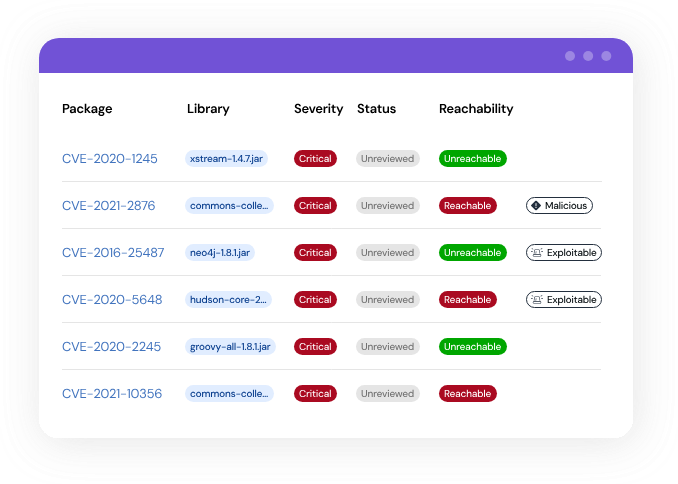
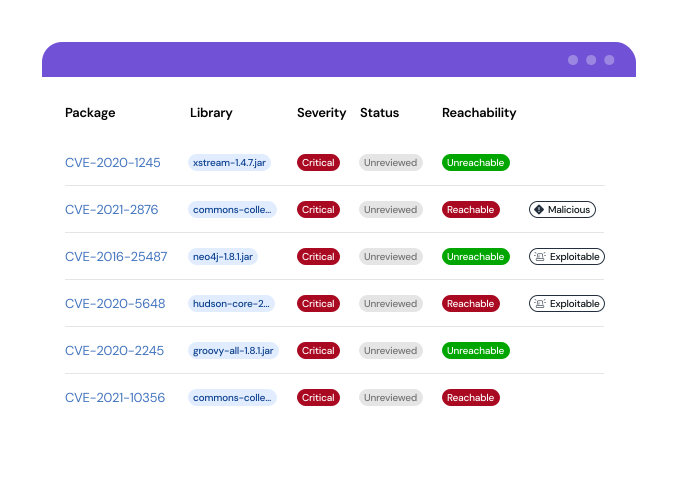
- Software composition analysis: Mend SCA surfaces every open-source component in a codebase, including shadow dependencies that standard tooling can miss, and uses reachability analysis to prioritize vulnerabilities that are actually exploitable rather than treating all findings equally.
- Automated dependency updates (Renovate): Mend Renovate automatically creates and manages pull requests to update dependencies across a codebase, and includes controls intended to prevent updates that would break a build from shipping.
- Static analysis for proprietary code: Mend SAST scans first-party source code for vulnerabilities, allowing teams to address both open-source and custom-code risk within a single workflow alongside contextual remediation guidance.
- AI security and red teaming: The platform discovers AI models and agents, hardens system prompts against prompt injection, runs automated adversarial tests against conversational AI before each build, and applies runtime guardrails that enforce policy in production.
- SBOM and AI-BOM generation: Mend.io produces continuously updated software and AI bills of materials, giving security and compliance teams a structured inventory of components and AI elements ready for audits and regulatory requirements.
- Extended AppSec coverage: Beyond SCA and SAST, the platform adds dynamic testing of running applications, API security, container security, and secrets detection, with policy and build gates for monitoring and enforcement across the lifecycle.
Limitations (as reported by users on G2):
- On-premises integration: Reviewers report that integrating with on-premise tools can be challenging and costly, affecting the overall experience.
- Verifying findings: Some users mention difficulty verifying whether a flagged vulnerability is a true positive, citing limited proof-of-concept detail for identified CVEs.
- Documentation gaps: Reviewers note that documentation can be incomplete, with newer features sometimes lacking sufficient guidance.
- Pricing and maturing modules: A few users describe the product as expensive and observe that the SAST capability is comparatively newer and still maturing.
Source: Mend
9. Black Duck

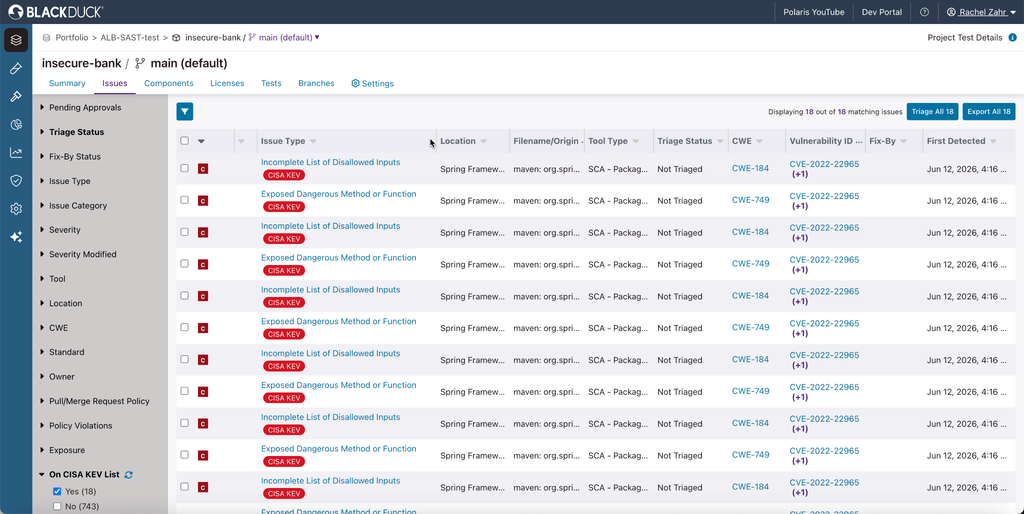
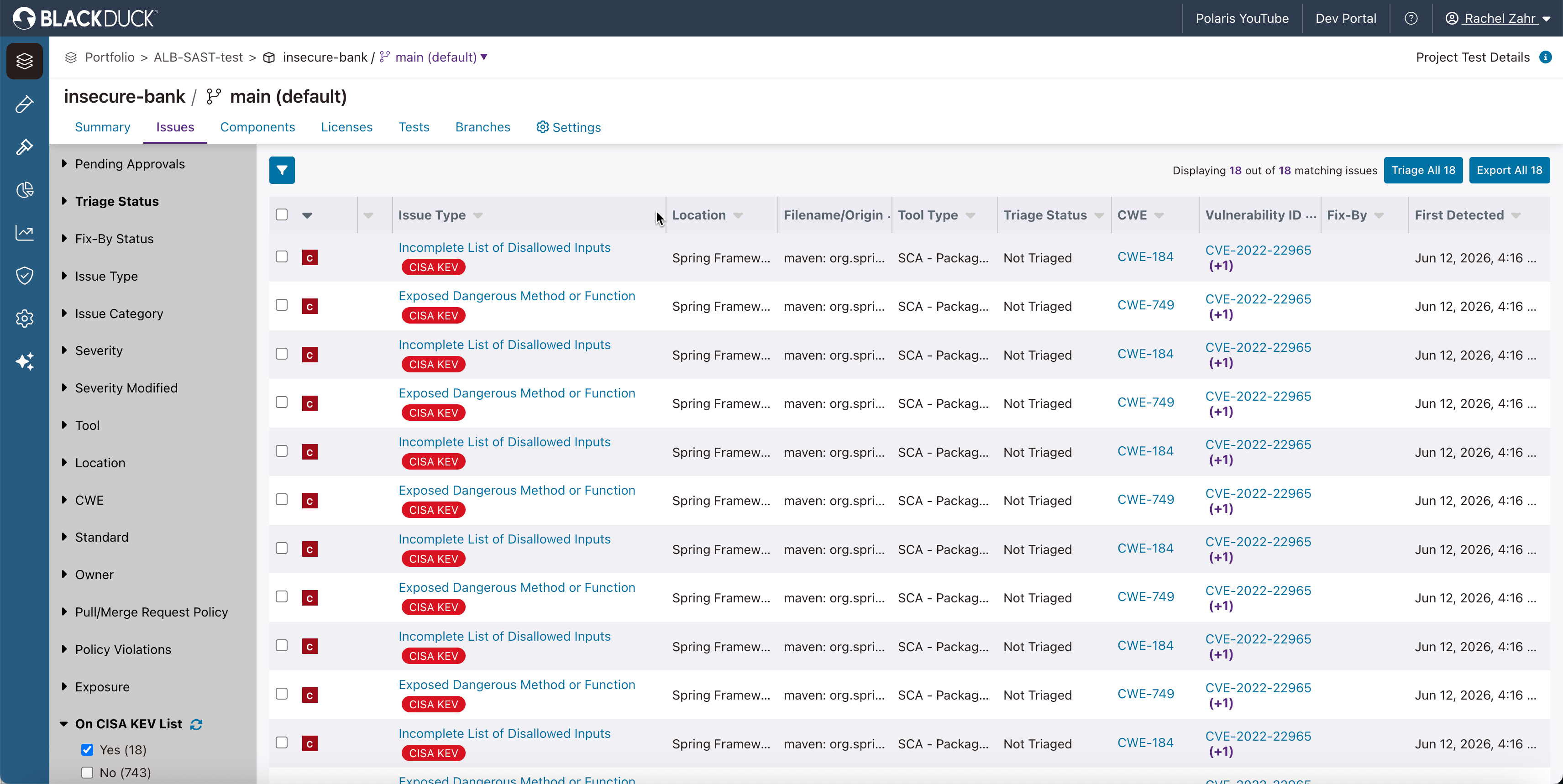
Black Duck (formerly the Synopsys Software Integrity Group and now an independent company) offers an application security testing portfolio centered on its Polaris platform, a SaaS environment that unifies SAST, SCA, and AI-powered analysis with risk prioritization and policy control. The company’s heritage is in software composition analysis, and Black Duck SCA provides visibility into open-source and third-party components across source code, containers, and binaries, backed by its proprietary KnowledgeBase and SBOM generation.
Key features include:
- Software composition analysis: Black Duck SCA identifies open-source and third-party dependencies across source code, containers, and binaries, monitors them against vulnerability databases including the proprietary KnowledgeBase, and generates and manages SBOMs that track component versions, licenses, and security status.
- Polaris SaaS platform: The Polaris platform unifies static analysis, software composition analysis, and AI-powered analysis in one SaaS environment, providing risk prioritization and policy control so teams can manage findings from multiple test types together.
- Coverity static analysis: Coverity provides static code analysis available in the cloud through Polaris fAST Static, on premises, and at the developer desktop via the CodeSight IDE plug-in, covering different deployment and workflow preferences.
- Dynamic and interactive testing: Black Duck DAST identifies vulnerabilities in APIs and web applications, with Polaris fAST Dynamic for quick self-serve scans and Continuous Dynamic for deeper on-demand testing, complemented by an interactive (IAST) capability.
- Agentic AI analysis (Signal): Black Duck Signal combines the company’s accumulated security expertise with language-model-powered analysis to autonomously detect and help remediate vulnerabilities in business-critical applications.
- Supply chain and compliance support: The portfolio focuses on securing open-source components and managing license compliance risk, integrating into CI/CD pipelines to prevent vulnerable or noncompliant code from advancing.
Limitations (as reported by users on G2):
- Pricing: Reviewers frequently describe the solution as expensive relative to alternatives, which can be a barrier for smaller teams.
- Interface and scan speed: Some users find the interface less intuitive and report that scans can be slow at times.
- On-premises resource needs: Reviewers note that on-premises deployment can require substantial resources, and that initial setup and onboarding can be complex.
- Documentation and integrations: A few users mention that documentation can fall short and that integration with some development tools is limited.
Source: Black Duck
10. Sonatype Lifecycle

Sonatype Lifecycle is a software composition analysis tool focused on managing open-source risk across the development lifecycle, drawing on Sonatype’s proprietary component intelligence. It automates dependency management with contextual risk prioritization, customizable policies, and assisted remediation, and it integrates into IDEs, source control, and CI/CD so developers receive component feedback where they work.
Key features include:
- Automated SCA and assisted remediation: Sonatype Lifecycle automates open-source dependency management and offers assisted remediation through automated waivers and pull requests designed to apply fixes without breaking the build, flagging vulnerable or non-compliant components early in the IDE and source control.
- Contextual risk prioritization: Rather than ranking by CVSS alone, the tool prioritizes real risk using reachability, breaking-change information, and upgrade availability, with the aim of reducing false-positive noise and helping teams fix the most important issues first.
- Flexible policy engine: Lifecycle ships with a set of default policies and a larger set of customizable constraints that can be applied by application type, legal requirement, or risk profile, enforcing security, legal, and architectural rules continuously across components.
- Visibility and governance: The tool provides enterprise reporting dashboards that track open-source usage and program effectiveness, and supports generating or importing SBOMs in multiple formats for complete visibility into each application.
- Exemption and waiver management: Built-in exemption management lets teams temporarily accept risk through waivers, automatically apply waivers for low-risk violations, and track all exemptions in a dedicated dashboard for control and auditability.
- Developer tool integrations and AI model support: Lifecycle integrates with tools such as GitHub, GitLab, and Azure DevOps, supports a broad set of languages and package types, and can report on open-source AI model risk within applications and data pipelines.
Limitations (as reported by users on PeerSpot):
- Reporting usability: Reviewers note that reporting interfaces can be confusing for infrequent users, sometimes prompting teams to create their own reference documentation.
- Language coverage: Some users report that language support is strongest for Java-centric ecosystems and weaker for languages such as C, C++, and mobile.
- Azure and transitive dependencies: Reviewers mention that integration with Azure DevOps and Azure Active Directory can fall short, and that handling of transitive dependencies can cause confusion.
- Pricing and polish: A few users describe the per-user enterprise pricing as less accessible for smaller organizations and note occasional usability rough edges.

Source: Sonatype

Dynamic and API Security Testing Tools
11. Invicti
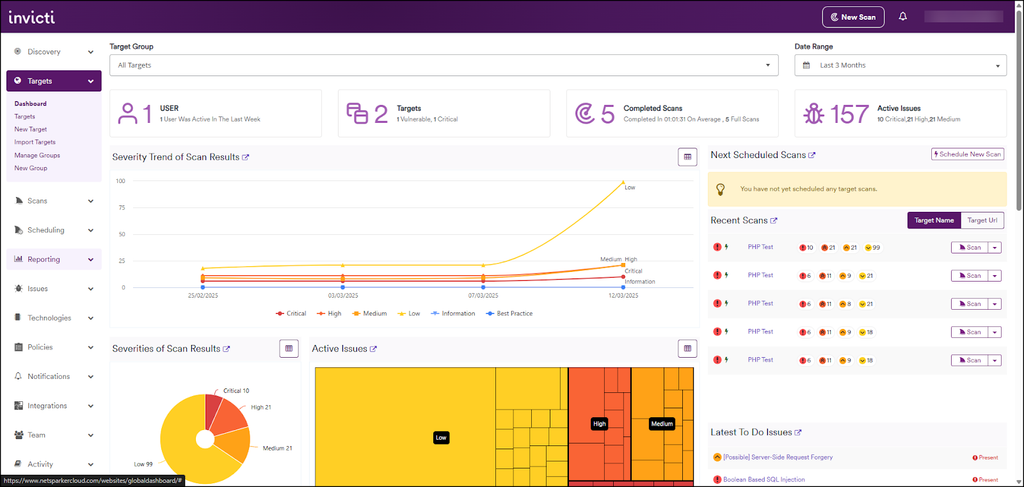
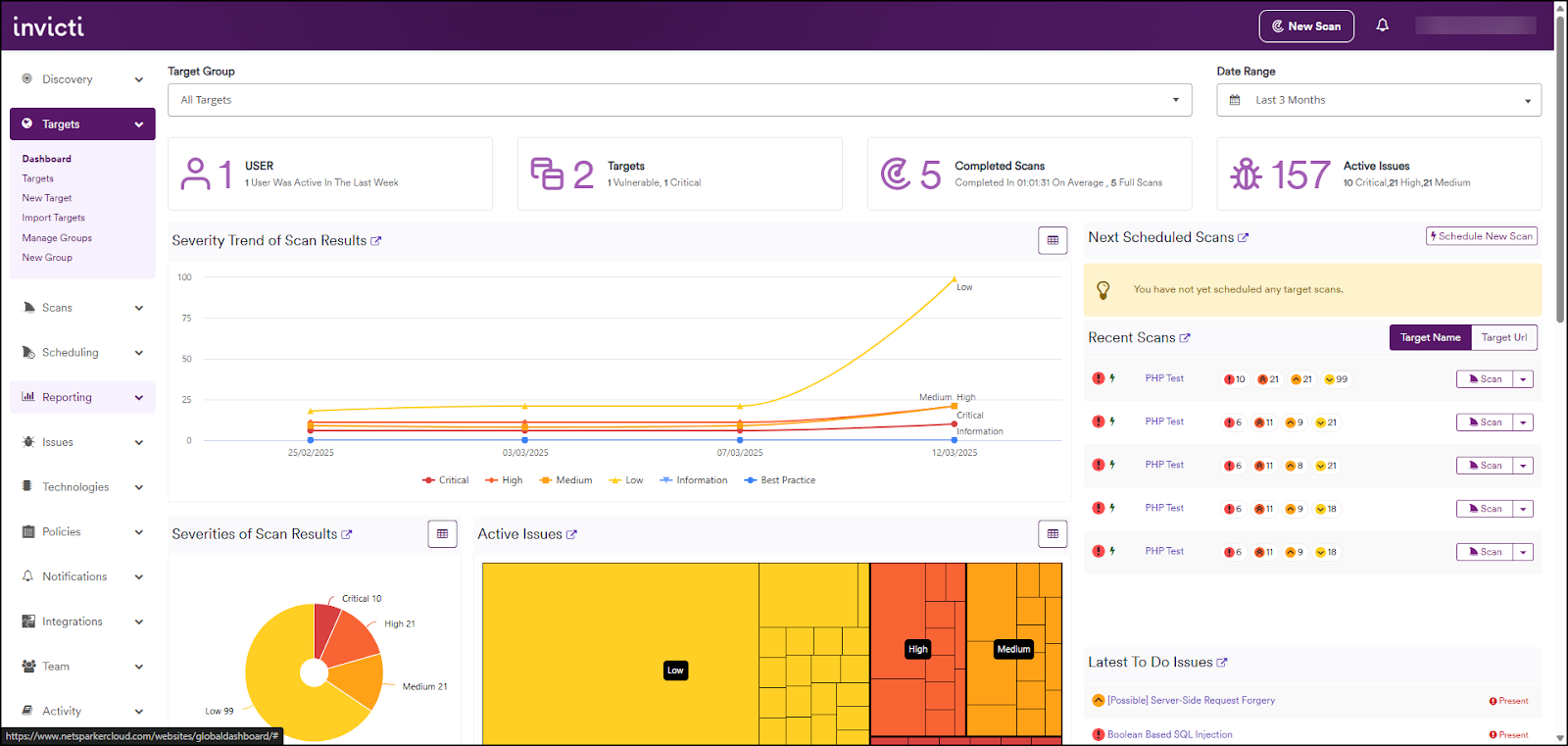
Invicti, formerly Netsparker, is a web application and API security platform built around dynamic testing with runtime intelligence. Its DAST engine performs proof-based scanning, which attempts to validate vulnerabilities automatically so that confirmed findings can be separated from those needing manual review, and the platform reports high confirmation accuracy as a result. Invicti unifies DAST with SAST, SCA, container security, and an application security posture management layer.
Key features include:
- Proof-based dynamic scanning: Invicti’s DAST engine scans web applications and attempts to automatically confirm exploitable vulnerabilities, which reduces the time teams spend manually validating findings and helps separate confirmed issues from those requiring review.
- API discovery and testing: The platform discovers shadow APIs, can reconstruct API specifications, and scans REST, SOAP, and GraphQL APIs with validation before issues reach production, extending dynamic coverage to API-driven applications.
- Asset discovery and prioritization: Invicti discovers websites, applications, APIs, and hidden assets across an organization, scores the riskiest applications before testing, and correlates results from multiple testing tools into a single prioritized view.
- Unified DAST, SAST, and SCA: The platform combines dynamic testing with static analysis and software composition analysis, using runtime intelligence to validate findings and connect static results to verified runtime vulnerabilities and code ownership.
- AI-assisted remediation: Invicti generates remediation guidance that shows developers the root cause of a vulnerability and step-by-step resolution, with the goal of pinpointing exact code locations so developers spend less time hunting for issues.
- ASPM and compliance reporting: A runtime-verified posture management layer unifies, validates, and prioritizes application risk with policy enforcement and audit-ready reporting mapped to standards such as PCI DSS and SOC 2.
Limitations (as reported by users on G2):
- Configuration complexity: Reviewers note that settings and configuration options can feel overwhelming at first, with nested menus that make it harder to fine-tune scan profiles and integrations.
- API scanning fit: Some users report that the platform’s approach to API scanning does not always match how their teams test APIs, making it difficult to use in certain cases.
- Scan performance: Reviewers mention that broad or highly complex scans can become slow, especially in larger environments or against outdated systems.
- False positives and retest behavior: A few users mention occasional false positives that require manual verification and note that retest results do not always clear resolved findings cleanly.
Source: Invicti
12. Burp Suite DAST

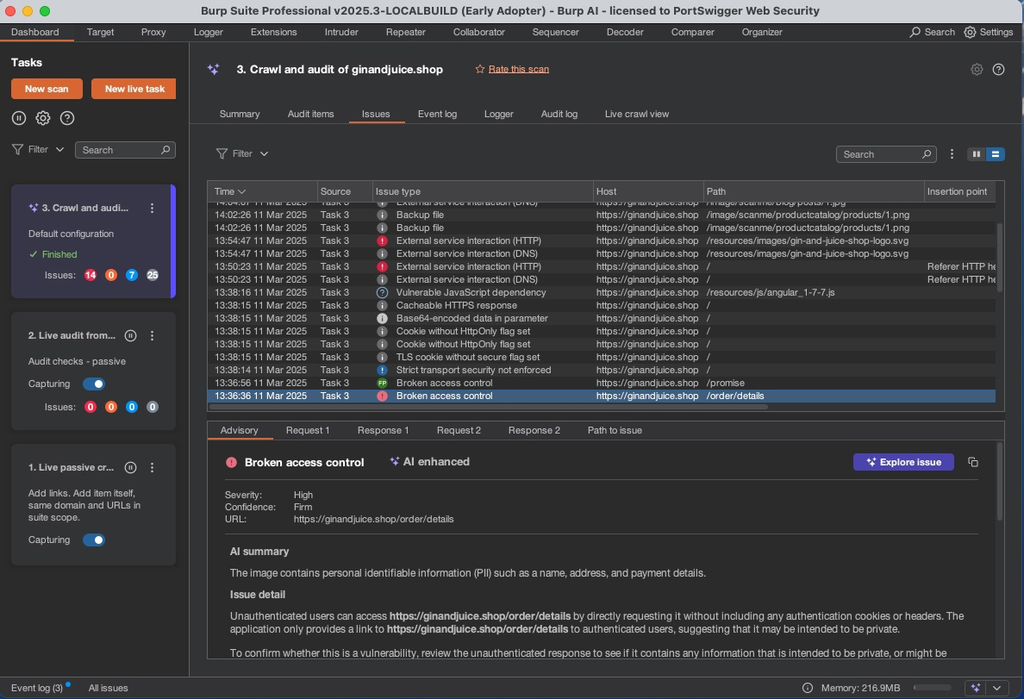
Burp Suite DAST, from PortSwigger, is the enterprise-scale dynamic application security testing offering built on the same Burp Scanner technology used widely for manual web security testing. It is designed to automate recurring dynamic scans across large web and API portfolios, allowing teams to manage scanning at scale through bulk actions or individual site setup. Burp Scanner, driven by PortSwigger’s research team, takes a dynamic approach that does not require instrumenting application code, and it can be extended with custom scan configurations.
Key features include:
- Scalable automated DAST: Burp Suite DAST performs recurring dynamic scans across many sites, with bulk actions to manage scanning at scale, so teams can cover a large web portfolio by providing a URL for each target rather than configuring scans one at a time.
- Burp Scanner engine: The product is built on Burp Scanner, driven by PortSwigger’s research team, which takes a dynamic approach that maximizes coverage without instrumenting code and can identify a range of vulnerabilities from classic issues to newer ones.
- CI/CD and issue-tracker integration: Burp Suite DAST integrates with CI/CD platforms and provides native support for Jira, GitLab, and Trello plus a GraphQL API, allowing dynamic scanning to be incorporated into existing development processes.
- Custom configurations and extensions: Teams can apply custom scan configurations and use Burp extensions (BApps) to tune scans for difficult cases and reduce false positives, drawing on the broader Burp Suite ecosystem.
- Access control and team management: The product supports role-based access control and single sign-on so larger teams can be managed securely, with feedback tailored to different roles.
- Reporting and compliance output: Dashboards help identify trends over time, and the product can deliver scan reports by email, export them to other tools, and produce reports aligned to individual compliance standards.
Limitations (as reported by users on PeerSpot):
- False positives: Reviewers report that the product can surface false positives that require manual verification effort.
- Implementation complexity: Some users describe the implementation as complicated and note that it could be made easier.
- Cost: Reviewers mention that the per-user license cost is high, particularly for individual licensing.
- Performance and scope: A few users note that scan stability and overall performance could improve, that there is no built-in static code analysis, and that a cloud-based option would be welcome.
Source: PortSwigger
13. HCL AppScan

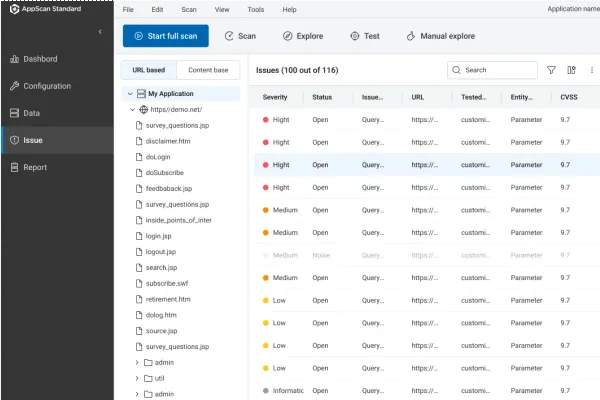
HCL AppScan is an application security testing portfolio with a heritage in dynamic web application scanning that has expanded into a broader suite. Its products span SAST, DAST, IAST, SCA, API security, secrets detection, and container and infrastructure-as-code scanning, available through HCL AppScan on Cloud, the cloud-native HCL AppScan 360º platform deployable across cloud, on-premises, air-gapped, and hybrid environments, and standalone components for standard, enterprise, and source-level testing.
Key features include:
- Multi-engine testing suite: HCL AppScan provides SAST, DAST, IAST, SCA, API security, secrets detection, and container and IaC scanning, giving teams several testing types across the development lifecycle from a single portfolio.
- Flexible deployment options: The cloud-native HCL AppScan 360º platform can be deployed across cloud, on-premises, air-gapped, and hybrid environments, while HCL AppScan on Cloud delivers the testing engines as a managed service.
- Auto issue correlation: AppScan correlates results from DAST, SAST, and IAST to enrich findings, validate fixes, and group related issues, which reduces the number of separate remediation tasks teams have to manage.
- Agentic AI remediation (RapidFix): HCL AppScan RapidFix uses agentic AI for automated triage and fix recommendations, with the aim of accelerating development cycles and reducing accumulated security debt.
- API and supply chain security: Dedicated API security provides discovery, testing, and posture governance across APIs, and AppScan Supply Chain Security applies posture management across the software supply chain from code to cloud.
- AppScan MCP Server: A Model Context Protocol server lets stakeholders connect AI assistants directly to AppScan on Cloud data, using natural language to understand risk, look up vulnerabilities, and create remediation tickets.
Limitations (as reported by users on PeerSpot):
- False positive handling: Reviewers note that the handling of false positives needs improvement and can require additional verification.
- Scan performance: Some users report that scans can be slow on large websites and that performance optimization is needed.
- Integration and CI/CD: Reviewers mention that integrating with other tools can be challenging and that CI/CD integration capabilities could be stronger.
- Usability and setup: A few users describe the interface and dashboard as needing refinement and report that installation and maintenance can involve many steps.

Source: HCL
How to Choose Application Security Tools
The right application security tools should match the organization’s technology stack, development process, risk profile, and security maturity. Evaluate how well each tool fits daily workflows, scales across projects, and produces findings developers can act on.
Security coverage and technology support:
- Broad security coverage: Look for tools that scan custom code, open-source dependencies, APIs, secrets, infrastructure as code, and runtime environments.
- Language and framework support: Confirm coverage for the programming languages, frameworks, package managers, and application types used across the organization.
- Modern development support: Evaluate security capabilities for containers, Kubernetes, serverless applications, cloud services, generated code, AI models, and AI development workflows.
Detection and risk analysis:
- Detection accuracy and signal quality: Choose tools that minimize false positives and provide enough technical context to validate and remediate real vulnerabilities.
- Risk-based prioritization: Findings should be ranked using factors such as severity, exploitability, reachability, business impact, and external exposure.
- Continuous security monitoring: Prefer tools that continuously detect new vulnerabilities, configuration drift, and security regressions rather than relying only on scheduled scans.
Developer workflows and remediation:
- Development pipeline integration: The tool should integrate with source repositories, CI/CD platforms, issue trackers, build systems, and deployment pipelines.
- Developer-focused workflows: Developers should be able to review findings in IDEs and pull requests, with clear code references and practical remediation guidance.
- Automated and assisted remediation: Look for automated scanning, policy enforcement, ticket creation, fix recommendations, and reviewable AI-generated code changes.
Visibility, scalability, and governance:
- Unified lifecycle visibility: Connect findings across development, testing, deployment, and production to track ownership, remediation progress, and risk trends.
- Scalability and centralized governance: Ensure the platform can manage many applications, repositories, users, and business units through shared policies and role-based access.
- Ecosystem compatibility: Verify integration with existing cloud providers, identity platforms, development tools, security systems, and reporting platforms.
Conclusion
Application security tools deliver the most value when they are deployed as part of a broader AppSec strategy rather than as isolated scanners. Organizations should evaluate how well tools complement one another across the software development lifecycle, from code creation and dependency management to deployment and production validation.
Just as important as detection is how findings are prioritized, assigned, and remediated. A tool that identifies vulnerabilities but does not integrate with developer workflows or provide actionable guidance is less effective than one that helps teams resolve issues quickly and consistently.
The strongest modern AppSec programs combine deep capabilities in individual testing categories with unified visibility across the application portfolio. Platforms that correlate findings from SAST, DAST, SCA, API security, secrets detection, and infrastructure scanning help eliminate duplicate alerts, prioritize issues, and provide a unified view of application risk. Combined with integrated remediation workflows, policy enforcement, and developer-focused integrations, this reduces security debt while supporting development velocity.
Ready to consolidate your AppSec stack?
The unified AI-powered application security platform – every surface, one correlated risk view.