
Summary
A secure MCP architecture must protect the full chain between users, AI agents, MCP clients, servers, tools, and external systems. The 18 core controls cover identity and least-privilege access, tool and server validation, runtime isolation, prompt injection defenses, human approval, audit logging, and governance
What is a Model Context Protocol (MCP) Security Architecture?
A Model Context Protocol (MCP) security architecture is the collection of security controls, governance processes, and trust mechanisms that protect how AI hosts, MCP clients, MCP servers, tools, identities, and external services interact. Rather than securing a single API or application, it secures the entire flow of context, permissions, and actions as models discover tools, retrieve information, and execute operations across connected systems.
An effective MCP security architecture defines how servers are trusted, how identities and permissions are propagated, how tool use is authorized, how secrets are protected, and how model interactions are monitored and audited throughout the workflow.
A strong MCP security architecture is important because MCP enables AI systems to move beyond answering questions and into taking actions on behalf of users. Governance is a critical part of the architecture, because it ensures organizations have visibility into which servers are connected, what tools are available, who approved them, and what permissions they have, and establish policies to safeguard their use.
Key categories of security controls in an MCP security architecture:
- Authentication and authorization design: Ensures users, agents, and MCP servers are properly authenticated and that every tool invocation is authorized using least-privilege access. These controls preserve user identity across the workflow and prevent unauthorized actions or excessive permissions.
- Tool security controls: Protects the lifecycle of MCP tools by validating their registration, metadata, and execution. These controls reduce the risk of malicious, compromised, or misconfigured tools influencing model behavior or accessing sensitive resources.
- MCP server hardening: Secures the MCP servers that expose tools and data to AI systems through identity verification, runtime protections, and secure credential handling. Hardening limits the impact of compromised servers and strengthens trust across the MCP ecosystem.
- Prompt injection defense in MCP Systems: Prevents untrusted content from manipulating model behavior or bypassing security policies. These controls separate trusted instructions from external data and add safeguards before sensitive actions are performed.
- AI agent governance and MCP Governance: Establishes organizational oversight for how MCP servers, tools, and AI agents are approved, monitored, and audited. Governance controls enforce security policies, support compliance, and provide accountability throughout AI-driven workflows.
Why Do MCP Servers Require a Security and Governance Architecture?
MCP Systems Connect Models, Agents, Tools, Servers, Identities, and External Services
MCP is not a single API integration; it is an ecosystem architecture where an AI host connects to one or more MCP servers through MCP clients, and those servers expose tools, prompts, resources, and external data sources. This creates a broader security surface than a traditional application because the model may reason over tool descriptions, select actions, pass context between systems, and trigger operations across different environments.
Because MCP servers can connect to databases, SaaS platforms, internal systems, code repositories, cloud services, and business workflows, organizations need governance that covers the full chain of interaction. This includes server discovery, tool approval, identity mapping, user consent, credential handling, least-privilege access, logging, and runtime monitoring. Without a broad security and governance architecture, teams may secure individual APIs while missing the broader AI-driven workflow that determines how those APIs are invoked.
Risks Propagate Across Trust Boundaries
MCP introduces multiple trust boundaries: between the user and AI host, the host and MCP client, the client and MCP server, the MCP server and external tools, and the model’s reasoning layer and the data it receives. A risk in one layer can propagate into another. For example, a malicious or compromised MCP server could present misleading tool descriptions, return prompt-injection content, or cause an agent to misuse legitimate permissions.
This makes governance especially important because the AI system may not only retrieve information but also interpret instructions, combine context from multiple sources, and decide which tool to invoke next. A poisoned tool response, excessive permission scope, weak server validation, or poorly isolated credential can influence downstream actions. Security controls must therefore follow the context and intent across the MCP workflow, not just authenticate a single request at the edge.
Traditional API and Plugin Security Controls are Insufficient
Existing API security controls such as authentication, rate limiting, input validation, and access control remain important, but they do not fully address MCP-specific risks. Traditional controls are designed for predictable request-response flows, while MCP-enabled systems involve model reasoning, dynamic tool selection, natural-language instructions, context sharing, and potentially autonomous action.
MCP security requires controls that are aware of agent behavior and tool semantics. This includes validating MCP servers before use, reviewing tool descriptions for manipulation, enforcing per-tool and per-user authorization, isolating credentials, restricting high-impact actions, monitoring tool calls, and maintaining audit trails for model-driven decisions. In practice, MCP governance should combine API security, identity governance, application security, supply chain security, and AI-specific controls.
Key MCP Security Risks
MCP environments introduce security risks that extend beyond traditional APIs because models can reason over untrusted content, select tools dynamically, and interact with external systems. Attackers may target prompts, tools, credentials, or the software supply chain to manipulate model behavior or gain unauthorized access.
The following table reviews the most common MCP security risks.
| Risk | Description | Impact | Mitigations |
| Prompt Injection | Malicious instructions are embedded in user input, retrieved documents, tool responses, or external data sources. The model mistakes these instructions for trusted input and may follow them. | Bypasses system constraints, exposes sensitive data, misuses tools, and triggers unintended actions. | Separate instructions from data, require user approval for sensitive actions, enforce least-privilege tool access, filter tool outputs, and monitor for suspicious tool invocation patterns. |
| Tool Poisoning | A malicious or compromised MCP server exposes tools with deceptive descriptions, hidden instructions, or unsafe defaults that influence the model’s tool selection and behavior. | Data exfiltration, unauthorized tool chaining, file modification, unnecessary credential requests, and manipulation of model decisions. | Vet MCP servers, review tool definitions and permissions, use allowlisted tool sources, perform static analysis of tool metadata, and monitor runtime behavior. |
| Rug Pulls and Tool Definition Changes | A previously trusted tool changes its behavior, permissions, metadata, or implementation after deployment through updates or dependency changes. | Previously approved tools gain new capabilities or malicious behavior without users realizing, undermining trust. | Pin trusted versions, alert on definition changes, re-review tools after updates, require approval for expanded permissions, and maintain versioned audit logs. |
| Credential and Token Theft | Attackers obtain API keys, OAuth tokens, session cookies, or other secrets by compromising MCP servers or manipulating tool interactions. | Unauthorized access to cloud services, repositories, databases, email, and production systems beyond the AI application itself. | Keep secrets out of model context and logs, use scoped and short-lived tokens, rotate credentials, separate environments, and require approval for sensitive operations. |
| Confused Deputy Vulnerabilities | An attacker tricks the AI system into using its legitimate privileges to perform actions the attacker could not perform directly. | Unauthorized access to private data, repository changes, database queries, ticket creation, or data exfiltration using the user’s permissions. | Enforce strong permission boundaries, verify user intent, apply contextual authorization, implement tool-level access controls, and require explicit approval for high-impact actions. |
| Supply Chain Attacks | Attackers compromise MCP servers or their dependencies through malicious packages, updates, plugins, registries, or installation artifacts. | Compromised servers gain access to model context, credentials, files, and downstream tools, affecting the entire AI workflow. | Pin dependencies, use signed releases and software bills of materials (SBOMs), scan for vulnerabilities, use trusted registries, sandbox MCP servers, and monitor server behavior. |
Checkmarx MCP Security
MCP Security for Enterprise AI Workflows
Bring security, governance, and compliance into AI-driven development workflows without building or maintaining custom integrations
Essential Security Controls in an MCP Security Architecture
MCP Security Controls at a Glance
The following table summarizes key MCP controls that should be part of your MCP security architecture. Below we explore each of the controls in more detail.
| Control | Description | Why It Matters |
| User Identity Propagation | Preserves the user’s identity across the host, client, server, and downstream services so every tool action is executed on behalf of the authenticated user. | Prevents privilege confusion, enables accurate authorization, and provides a complete audit trail for user actions. |
| OAuth and Token Scoping | Uses short-lived, audience-bound, purpose-specific access tokens with minimal scopes. | Reduces the impact of token theft and prevents tokens from being reused across unrelated services or excessive operations. |
| Fine-Grained Permissions | Defines permissions at the tool, action, resource, and environment level instead of granting blanket access. | Enforces least privilege and limits unnecessary or dangerous tool capabilities. |
| Tool Registration Controls | Requires approval and validation before MCP servers and tools are added to production. | Prevents untrusted or malicious tools from introducing security risks such as privilege escalation or prompt injection. |
| Tool Metadata Validation | Reviews tool names, descriptions, schemas, and parameters for hidden instructions or unsafe definitions. | Prevents tool poisoning and reduces the risk of models being manipulated by malicious metadata. |
| Tool Execution and Output Controls | Applies authorization and policy checks before tool execution and sanitizes tool outputs before they reach the model. | Prevents unauthorized actions and limits the impact of malicious outputs, secrets exposure, and unsafe tool chaining. |
| Server Identity and Provenance | Verifies the origin, ownership, integrity, and version of MCP servers using trusted registries, signatures, and attestations. | Protects against impersonation, malicious updates, and software supply chain attacks. |
| Runtime Isolation | Runs MCP servers in isolated environments with restricted operating system, network, and file system privileges. | Contains the impact of compromised servers or tools and prevents lateral movement. |
| Secrets Management | Stores credentials securely, retrieves them only when needed, and limits access by tool, user, and environment. | Prevents credential exposure, limits unauthorized access, and reduces the risk of secret leakage. |
| Separate Instructions from Data | Treats prompts, retrieved content, tool metadata, and tool outputs as separate trust domains. | Helps defend against prompt injection by preventing untrusted content from overriding trusted instructions. |
| Context Filtering | Removes irrelevant, malicious, or sensitive content before it enters the model context or tool calls. | Reduces prompt injection risk and minimizes accidental exposure of confidential information. |
| Human-in-the-Loop Gates | Requires explicit approval before performing sensitive or irreversible actions. | Prevents unintended or malicious high-impact operations resulting from prompt injection or model errors. |
| Approved MCP Server Registry | Maintains an inventory of approved servers, tools, owners, permissions, and review status. | Provides centralized governance and prevents unauthorized or unreviewed servers from being used. |
| Tool and Server Approval Roles | Defines who can request, review, approve, modify, and retire MCP servers and tools. | Establishes accountability and ensures security review before deployment. |
| Audit Logging | Records tool calls, authorization decisions, users, resources, parameters, and execution outcomes. | Supports compliance, incident response, forensic investigations, and detection of misuse. |
| Approval for High-Impact Actions | Requires explicit approval before actions such as deleting data, changing permissions, deploying code, or exporting sensitive information. | Prevents excessive agent autonomy and reduces the risk of irreversible or unauthorized actions. |
| Threat Modeling | Evaluates risks across hosts, clients, servers, tools, authorization flows, and external services before deployment. | Identifies design weaknesses early and informs appropriate security controls. |
| Auditability, Policy Enforcement, and Exception Handling | Ensures actions are auditable, policies are enforced consistently, and temporary exceptions are documented and controlled. | Enables governance, operational oversight, and controlled handling of exceptional access requests. |
Authentication and Authorization Design
1. User Identity Propagation
User identity propagation ensures that actions performed through MCP-connected tools remain tied to the user who initiated them. Rather than allowing all tool calls to run under a shared service identity, MCP systems should preserve user context across the host, client, server, and downstream service layers. This supports accurate authorization decisions and a reliable audit trail.
Tool execution should be bound to the authenticated user, active session, and intended resource. When a model requests an action, the MCP server should determine who the user is, what permissions they have, and whether the requested action aligns with their role. This reduces privilege confusion, unauthorized data access, and actions performed without accountability. Identity propagation should be paired with logging that records the user, tool, resource, permission scope, and outcome of each sensitive operation.
2. OAuth and Token Scoping
OAuth and token scoping are central to MCP authorization because many MCP servers require delegated access to external systems. Access tokens should be issued for a specific purpose, audience, resource, and time period rather than granting broad or indefinite access. A token used by an MCP server should allow only the operations required for the user’s task and should not be reusable across unrelated services.
Well-scoped tokens limit the blast radius if a token is exposed, misused, or intercepted. MCP implementations should avoid long-lived bearer tokens, overly broad scopes, and tokens that grant administrative access by default. Use short expiration windows, refresh controls, audience restrictions, resource indicators, and separate tokens for separate services. Sensitive operations should require stronger authorization checks, and token use should be monitored for unusual patterns such as access from unexpected tools, resources, or execution environments.
3. Fine-Grained Permissions
Fine-grained permissions define which tools, resources, and actions are available to a user or session. In an MCP system, access should not be granted simply because a server is connected or a user is authenticated. Each tool should have an explicit permission model that controls what it can read, write, modify, delete, transmit, or execute.
This reduces excessive agency by preventing the model from using powerful capabilities unnecessarily. For example, a user may be allowed to search a document repository but not delete files, update permissions, or export sensitive records. Permissions should be expressed at the lowest practical level, including tool-level, action-level, resource-level, and environment-level restrictions. High-risk permissions should require additional review, and default access should be deny by default rather than allow by default.
Tool Security Controls
4. Tool Registration Controls
Tool registration controls govern which MCP tools and servers are available to users and models. Since tools can influence model behavior through their names, descriptions, parameters, and responses, registration should be treated as a security-sensitive process rather than a simple configuration step. Unreviewed or automatically trusted tools can introduce data exposure, privilege escalation, prompt injection, and malicious execution paths.
Organizations should require approval before new MCP servers or tools are added to production. Registration should include verification of the tool provider, review of requested permissions, inspection of tool metadata, validation of expected behavior, and classification of risk level. Approved tools should be tracked in an inventory with ownership, version, purpose, permissions, and review status. Experimental or user-installed tools should be isolated from sensitive data and restricted from high-impact actions.
5. Tool Metadata Validation
Tool metadata validation examines the names, descriptions, schemas, examples, and parameter definitions exposed to the model. Tool metadata can act like instructions: a malicious description may tell the model to ignore policies, leak context, prefer one tool over another, or perform unrelated actions. Even if the implementation appears harmless, poisoned metadata can manipulate decision-making.
Validation should check metadata for hidden instructions, suspicious language, mismatches between description and function, overly broad parameters, unsafe defaults, and attempts to override system or developer instructions. Tool schemas should be precise, minimal, and consistent with the intended purpose. Changes to metadata should trigger re-review, especially when a tool gains new parameters or permissions. Metadata should be versioned so teams can detect and investigate unexpected changes.
6. Tool Execution and Output Controls
Tool execution controls determine when, how, and under what constraints a tool can run. MCP tools should not execute arbitrary actions simply because the model selected them. The system should enforce policy checks before execution, including whether the user is authorized, whether the tool is approved, whether the requested action is within scope, and whether the operation requires confirmation.
Output controls are also important because tool responses can contain untrusted data, secrets, malicious instructions, or content designed to influence later model behavior. Tool outputs should be labeled as data rather than instructions, filtered for sensitive values, and constrained before being added to the model context. Systems should limit output size, redact credentials, block unexpected external destinations, and monitor for anomalous behavior such as repeated failed calls, unusual file access, or attempts to chain tools in unsafe ways.
MCP Server Hardening
7. Server Identity and Provenance
Server identity and provenance controls verify that an MCP server is what it claims to be and comes from a trusted source. Because MCP servers may expose powerful tools and handle sensitive data, clients should not connect to arbitrary servers without validating their origin, ownership, and integrity. A server’s identity should be tied to a known provider, approved deployment path, and verifiable version.
Provenance controls include signed releases, trusted registries, pinned versions, checksums, deployment attestations, and clear ownership records. Clients should distinguish between official, internal, third-party, and experimental servers, applying stricter limits to less trusted sources. When a server changes ownership, updates capabilities, or modifies tool definitions, the change should be visible and reviewed. This helps prevent impersonation, malicious updates, and supply chain compromise.
8. Runtime Isolation
Runtime isolation limits the damage that can occur if an MCP server, tool, or dependency is compromised. MCP servers should run with the minimum operating system, network, file system, and process privileges required. They should not share unrestricted access to host machines, internal networks, credentials, or user files unless approved.
Isolation can be implemented through containers, sandboxes, restricted service accounts, network egress controls, read-only file systems, resource limits, and separate execution environments for high-risk tools. Tools that execute code, process uploaded files, access repositories, or interact with production systems should receive stronger isolation than tools that retrieve public information. Runtime boundaries should also prevent one MCP server from accessing another server’s secrets, logs, memory, or working directory.
9. Secrets Management
Secrets management ensures that credentials, tokens, API keys, private certificates, and other sensitive values are protected throughout the MCP workflow. Secrets should not be hardcoded in tool definitions, exposed in prompts, returned in tool outputs, stored in conversation context, or written to ordinary logs. They should be retrieved only when needed from a secure secrets manager and made available only to the specific server or process that requires them.
MCP systems should use short-lived credentials when possible and rotate secrets regularly. Access to secrets should be scoped by environment, tool, user, and purpose. Production credentials should be separated from development and testing credentials, and no tool should receive broader secret access than required. Logs and error messages should be scrubbed for secret-like values, and monitoring should detect attempts to print, summarize, export, or transmit credentials.
Prompt Injection Defense in MCP Systems
10. Separate Instructions from Data
Separating instructions from data is a primary defense against prompt injection in MCP systems. System rules, developer instructions, user requests, tool metadata, retrieved documents, and tool outputs should be treated as different classes of content with different trust levels. Untrusted data should not redefine the model’s goals, override policies, or instruct the model to use tools in a specific way.
Content retrieved from files, websites, tickets, emails, databases, or APIs should be marked as data. The model should analyze that data without following embedded commands. Tool outputs should be wrapped or labeled so they cannot appear as higher-priority instructions. This separation helps prevent malicious documents or responses from causing data leaks, control bypass, or unintended actions.
11. Context Filtering
Context filtering controls what information enters the model’s working context and what is removed before tool calls or responses. MCP systems gather data from many sources, and not all of it is safe or necessary. Filtering reduces the chance that malicious instructions, sensitive values, irrelevant records, or excessive context will influence model behavior.
Filtering should remove credentials, personal data, hidden instructions, suspicious markup, executable payloads, and content unrelated to the user’s task. It should also reduce privileged context exposure by retrieving only the minimum data required. For high-risk workflows, context should be inspected before it passes between tools, models, and external systems. This limits prompt injection and reduces accidental disclosure of sensitive information.
12. Human-in-the-Loop Gates
Human-in-the-loop gates require explicit user or administrator approval before the system performs sensitive, irreversible, or high-impact actions. MCP systems can connect models to tools that send messages, modify files, update databases, deploy code, change permissions, or interact with production systems. These actions should not execute automatically because the model inferred they are useful.
Approval gates should be used for operations such as deleting data, transferring funds, changing access controls, sending external communications, modifying production resources, or sharing sensitive information outside the organization. The approval prompt should show what tool will run, what action will be taken, what data will be used, and the expected impact. This gives the user a chance to catch prompt injection, mistaken reasoning, excessive permissions, or malicious tool behavior before damage occurs.
AI Agent Governance and MCP Governance
13. Maintain an Approved MCP Server Registry
Organizations should maintain a central registry of approved MCP servers, tools, owners, versions, permissions, and intended use cases. MCP clients can dynamically discover tool definitions from connected servers, so governance cannot rely on developers or users manually remembering which tools are safe. A registry creates a controlled source of truth for which servers are trusted, which tools they expose, what data they can access, and which environments they are allowed to operate in.
The registry should distinguish between internal, third-party, experimental, and production-approved servers. Each entry should include the server owner, business purpose, risk classification, required scopes, supported authentication method, deployment location, version, and review status.
14. Define Who Can Register or Approve New Tools and Servers
MCP governance should define clear roles for who can request, register, review, approve, modify, and retire MCP servers and tools. Tool registration should not be left to individual developers, business users, or AI agents without oversight, because a tool’s metadata, permissions, and outputs can directly influence model behavior.
A practical model is to separate responsibilities across tool owners, security reviewers, identity administrators, platform teams, and compliance stakeholders. Tool owners can propose a server and document its purpose, but security or platform teams should validate its metadata, permissions, provenance, dependencies, and runtime controls before production use. High-risk tools should require additional approval, especially when they can modify data, execute code, access sensitive systems, change permissions, or send information outside the organization.
15. Log All Tool Calls and Authorization Decisions
MCP systems should log every meaningful tool interaction, including who initiated the request, which host and client were involved, which MCP server and tool were selected, what authorization decision was made, what resource was accessed, what parameters were used, and whether the action succeeded or failed. These logs are essential for incident response, compliance, abuse detection, and reconstructing AI-driven decisions after the fact.
Logging should include both execution events and policy decisions. For example, the system should record when a tool call was allowed, denied, escalated for approval, blocked by scope restrictions, or modified by policy. Recent MCP security research proposes comprehensive audit logging and fine-grained policy enforcement as core controls for reducing risks such as unauthorized access, privilege escalation, prompt injection, and supply chain compromise.
16. Require Explicit Approval for High-Impact Actions
High-impact MCP actions should require explicit user or administrator approval before execution. This includes deleting files, changing access controls, sending external messages, modifying production infrastructure, deploying code, transferring funds, updating customer records, or exporting sensitive data.
Because MCP-enabled agents may select tools dynamically, approval gates help prevent prompt injection, mistaken reasoning, malicious tool metadata, and overbroad permissions from turning into real-world damage. Approval requests should be specific and understandable. They should show the tool name, action, target resource, user identity, permission scope, data involved, and expected impact.
17. Perform Threat Modeling Before Production Deployment
Before deploying MCP systems into production, teams should perform threat modeling across the full workflow: host, client, server, tool definitions, authorization server, external systems, data stores, logs, and model context. MCP introduces risks that span multiple layers, including tool poisoning, prompt injection, confused deputy attacks, token misuse, excessive permissions, unsafe output handling, and supply chain compromise.
Threat modeling should identify who can connect servers, how tools are discovered, what permissions are granted, where secrets are stored, how outputs enter context, and what happens when a tool or server is compromised. A 2026 MCP threat-modeling study used STRIDE and DREAD across MCP hosts, clients, servers, LLMs, external data stores, and authorization servers, and found tool poisoning to be a major client-side risk requiring metadata validation, behavioral monitoring, and user transparency.
18. Support Auditability, Policy Enforcement, and Exception Handling
MCP governance should make tool use auditable, enforceable, and manageable when exceptions occur. Auditability means teams can reconstruct what happened: which user asked for an action, which model or agent selected a tool, which server executed it, what policy allowed it, and what result was returned. Policy enforcement means the system can block, restrict, redact, require approval, or route actions based on user role, tool risk, data sensitivity, environment, and business rules.
Exception handling is equally important. Teams need a controlled process for temporary access, emergency tool use, break-glass workflows, policy overrides, and blocked-action reviews. Exceptions should be time-limited, documented, approved by the right owner, and logged for later review. MCP authorization specifications provide transport-level authorization capabilities for restricted MCP servers, but enterprise governance must extend this with runtime policy, audit trails, server approval, and operational review processes.
MCP Security Architecture Implementation Guidelines
Define Your MCP Security and Governance Strategy
Before deploying MCP, organizations should establish a security and governance strategy that defines how MCP servers, tools, identities, and external services will be managed. The strategy should specify how servers are trusted, how users are authenticated, how permissions are enforced, and how sensitive operations are monitored throughout the workflow. It should also define policies for tool approval, credential handling, audit logging, and runtime oversight.
A documented governance framework creates consistent security standards across teams and reduces the risk of ad hoc MCP deployments. As AI agents gain the ability to perform actions instead of simply retrieving information, organizations need clear rules that determine what agents can do, who approves new capabilities, and how activity is reviewed and audited.
Inventory AI Use Cases and MCP Integrations
Create a complete inventory of the AI applications, MCP servers, tools, and external systems used throughout the organization. Document what each server connects to, what tools it exposes, what data it can access, and which users or teams are responsible for it. Understanding these relationships provides visibility into the organization’s MCP ecosystem and helps identify where sensitive data or high-impact actions may be involved.
The inventory should also capture authentication methods, permission scopes, deployment environments, and ownership information. Maintaining an accurate inventory makes it easier to apply governance policies consistently, review new integrations, and understand how changes to one component could affect other parts of the MCP workflow.
Build Security Reviews into the MCP Onboarding Process
Every new MCP server or tool should undergo a security review before being approved for production use. The review should validate the server’s identity, examine its requested permissions, inspect tool metadata, verify dependencies, and confirm that runtime protections are in place. Because tool descriptions and metadata can influence model behavior, they should be reviewed as carefully as the underlying implementation.
Organizations should also classify tools based on their level of risk and apply additional scrutiny to those that can modify data, execute code, access production systems, or interact with sensitive information. Building security reviews into the onboarding process helps prevent untrusted or overly privileged tools from entering production environments.
Train Developers and Security Teams on MCP Risks
Developers, platform engineers, and security teams should understand the unique security challenges introduced by MCP-enabled systems. Training should cover risks such as prompt injection, tool poisoning, credential theft, confused deputy attacks, excessive permissions, and software supply chain compromise. Teams should also understand how MCP changes traditional trust boundaries by allowing models to discover and invoke tools dynamically.
Education should extend beyond technical threats to include governance processes for registering servers, approving tools, managing permissions, and handling sensitive operations. Shared knowledge across development and security teams helps organizations apply MCP securely and consistently as adoption grows.
Implement Continuous Monitoring and Governance
Security should continue throughout the lifecycle of an MCP deployment rather than ending after implementation. Organizations should continuously monitor tool execution, authorization decisions, server activity, and changes to tool definitions or permissions. Audit logs should capture who initiated an action, which tools were used, what resources were accessed, and whether requests were allowed or denied.
Regular governance reviews help ensure approved servers remain trustworthy, permissions remain appropriate, and policy exceptions are documented and managed correctly. Continuous monitoring also improves incident response by providing visibility into suspicious behavior, unauthorized access attempts, and changes that could introduce new security risks over time.
Requirements for Security and Governance Solutions that Support an MCP Security Architecture
Security and governance solutions for MCP environments should provide controls that protect AI-driven workflows without slowing adoption. They should help organizations secure how models, agents, servers, tools, identities, and external systems interact while maintaining visibility, policy enforcement, and accountability across the entire workflow.
Key requirements include:
- Comprehensive identity and access management to enforce authentication, least-privilege access, and user identity propagation across MCP workflows.
- Centralized governance for approving, tracking, and managing MCP servers, tools, permissions, and ownership.
- Tool security controls that validate tool metadata, monitor tool behavior, and detect unauthorized or risky changes.
- Runtime protection for MCP servers through isolation, secure credential handling, and continuous monitoring.
- Prompt injection defenses that separate trusted instructions from untrusted content and filter context before it reaches the model.
- Secrets management to protect API keys, tokens, and credentials from exposure in prompts, logs, or tool outputs.
- Audit logging and policy enforcement to record tool usage, authorization decisions, and user actions for compliance and incident response.
- Support for human approval workflows before sensitive or high-impact actions are executed.
- Threat detection and monitoring to identify anomalous tool usage, permission abuse, and potential supply chain risks.
- Scalability and enterprise integration so governance and security controls can be applied consistently across AI assistants, automated agents, and development workflows.
The Checkmarx MCP Server is built around these requirements: a single MCP connection provides unified access to SAST, SCA, IaC, and secrets findings, backed by centralized governance, audit logging, and human-approval workflows. These are the same controls this architecture calls for, delivered by a platform already trusted by AppSec teams.
Checkmarx’s Secure MCP Server for Enterprise AI Workflows
Checkmarx MCP Server is a secure integration layer that exposes Checkmarx One capabilities directly to AI assistants, chat interfaces, CLI tools, and automated agents through the Model Context Protocol (MCP). It is designed for developers, AppSec teams, and security leaders who need to access, analyze, and act on security insights without switching between dashboards, tools, or workflows.
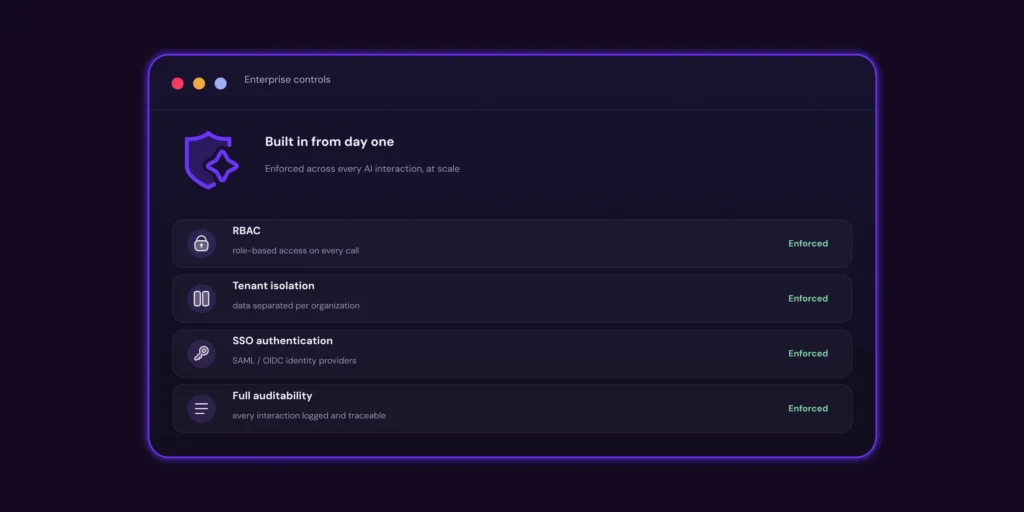
MCP enables users and AI agents to trigger scans, retrieve findings, prioritize risk, and automate security actions directly inside the environments where work already happens. As part of the Checkmarx One platform and broader Agentic AI strategy, MCP extends security into AI-driven and autonomous workflows, helping organizations ensure security remains part of the decision-making process as software development becomes increasingly agentic.
Key capabilities of Checkmarx secure MCP server:
- Security where AI work happens: Bring security directly into AI assistants, IDEs, chat interfaces, and automated workflows.
- Built for the agentic development lifecycle: Enable security to operate inside AI-driven and autonomous development workflows, not outside them.
- One platform, unified risk context: Access SAST, SCA, IaC, Secrets, and application risk insights through a single MCP connection.
- From findings to action: Move beyond exposing security data to enabling complete workflows across scan, triage, prioritization, and remediation.
- Proactive software supply chain protection: Detects malicious and compromised open-source packages, often before they appear in public vulnerability feeds – reducing the software supply chain risk introduced by MCP’s growing tool and dependency ecosystem.
Learn more about the Checkmarx Secure MCP server
Conclusion
Secure MCP deployments require more than protecting individual APIs or validating model inputs. Organizations need security controls that span the entire MCP architecture, including trusted server registration, strong identity and authorization, runtime isolation, secure credential handling, and defenses against prompt injection and tool poisoning. Every trust boundary between users, models, MCP clients, servers, tools, and downstream services should be explicitly protected so that permissions, context, and intent remain consistent throughout the workflow.
Equally important is governance over how agents and tools are introduced, approved, and monitored. Organizations should maintain an inventory of approved MCP servers, validate tool metadata, enforce least-privilege access, require human approval for high-impact operations, and continuously audit tool activity and policy decisions. By combining technical controls with operational governance, organizations can safely extend AI systems with external capabilities while reducing the risks of unauthorized actions, compromised tools, and supply chain attacks.